Build a Rule-Based Recycling Sorter
Students use if-then-else conditionals to create and test a program that sorts common classroom waste into recycling, compost, reuse, or trash categories.
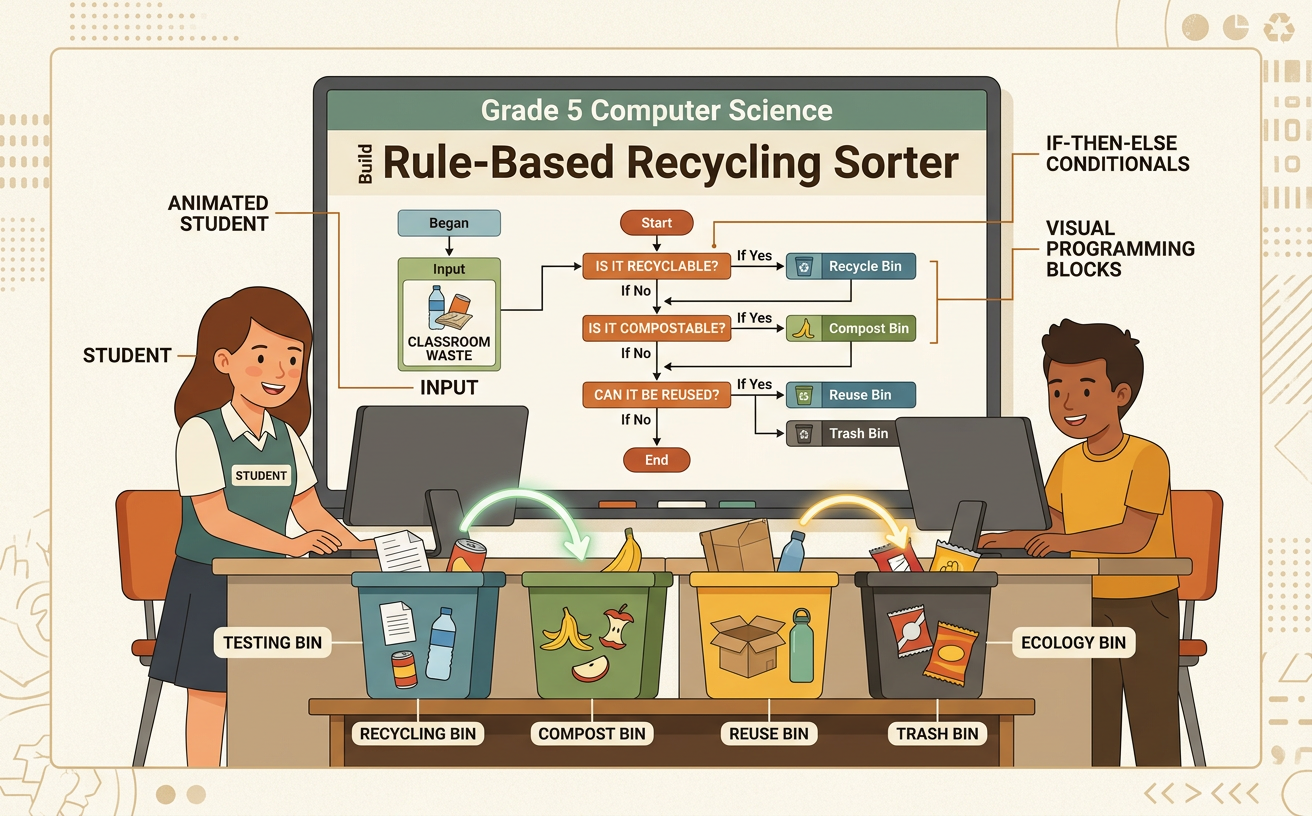
Illustrations are auto-generated and may be placeholders. They can be refreshed to match the narration.
Examine Classroom Waste
Before building a sorter, study the kinds of waste your classroom produces. With teacher supervision, observe clean sample items such as notebook paper, a plastic bottle, an apple core, and a reusable folder. Do not handle sharp, wet, or unknown objects. Record each item’s material, condition, and possible next use. A clean sheet printed on one side might be reused as drawing paper before it is recycled. An apple core may go into compost if your school collects food scraps. A broken pencil may belong in the trash unless your school has a special collection program. Recycling rules differ by community, so check your school or local waste program’s instructions. Discuss your observations with classmates and listen for evidence that could help the group choose accurate sorting categories.

Learn If-Then-Else Rules
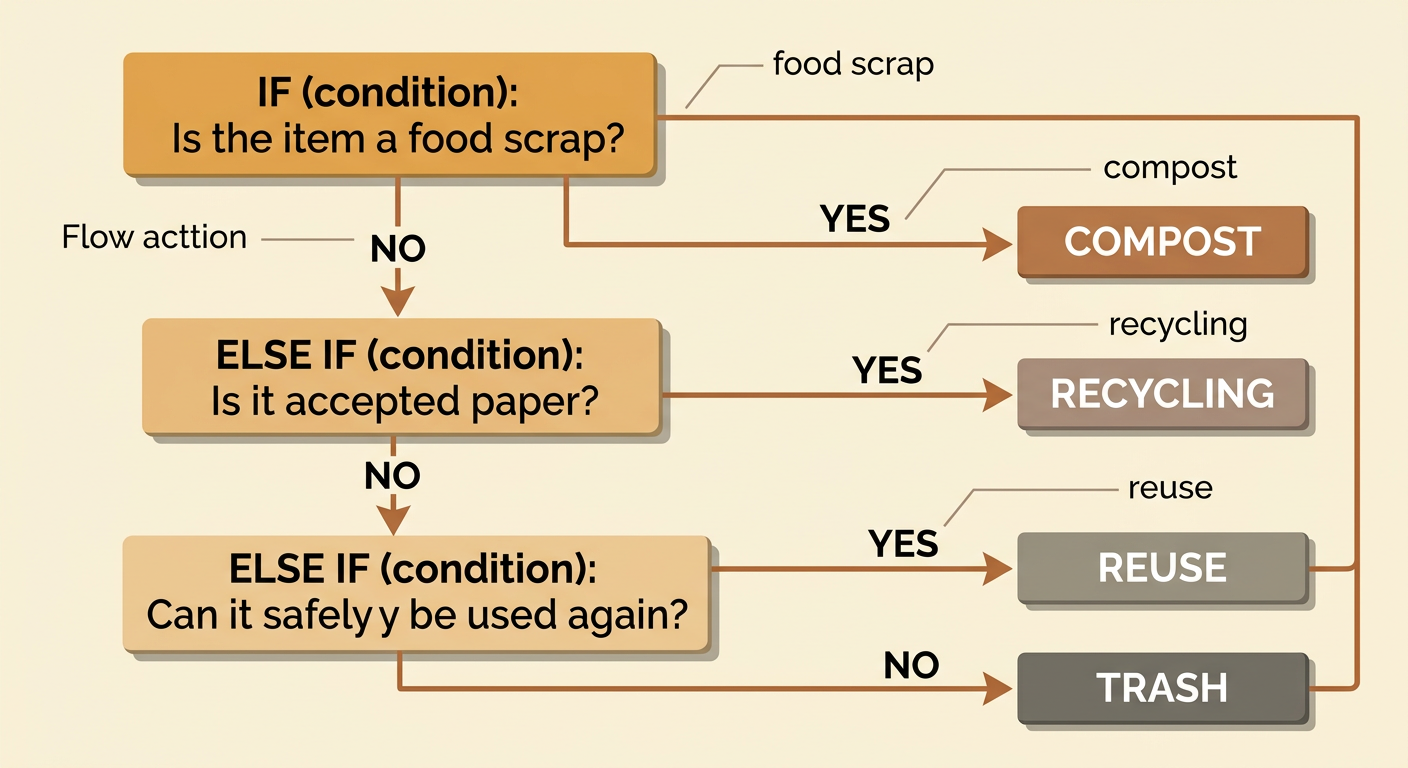
A conditional tells a program to make a decision. It checks whether a statement is true or false. An if rule gives the first choice, an else-if rule checks another choice, and an else rule handles anything that does not match earlier rules. For example, if an item is a food scrap, then choose compost. Else if it is accepted recyclable paper, then choose recycling. Else if it can safely be used again, then choose reuse. Else choose trash. The order matters because a program follows the first true rule and skips the remaining choices. Conditions should ask questions the computer can answer from the item’s recorded properties. “Is the item made of paper?” is clearer than “Is the item good?” Clear conditions make the sorter predictable and easier to test.
Plan the Sorting Decisions
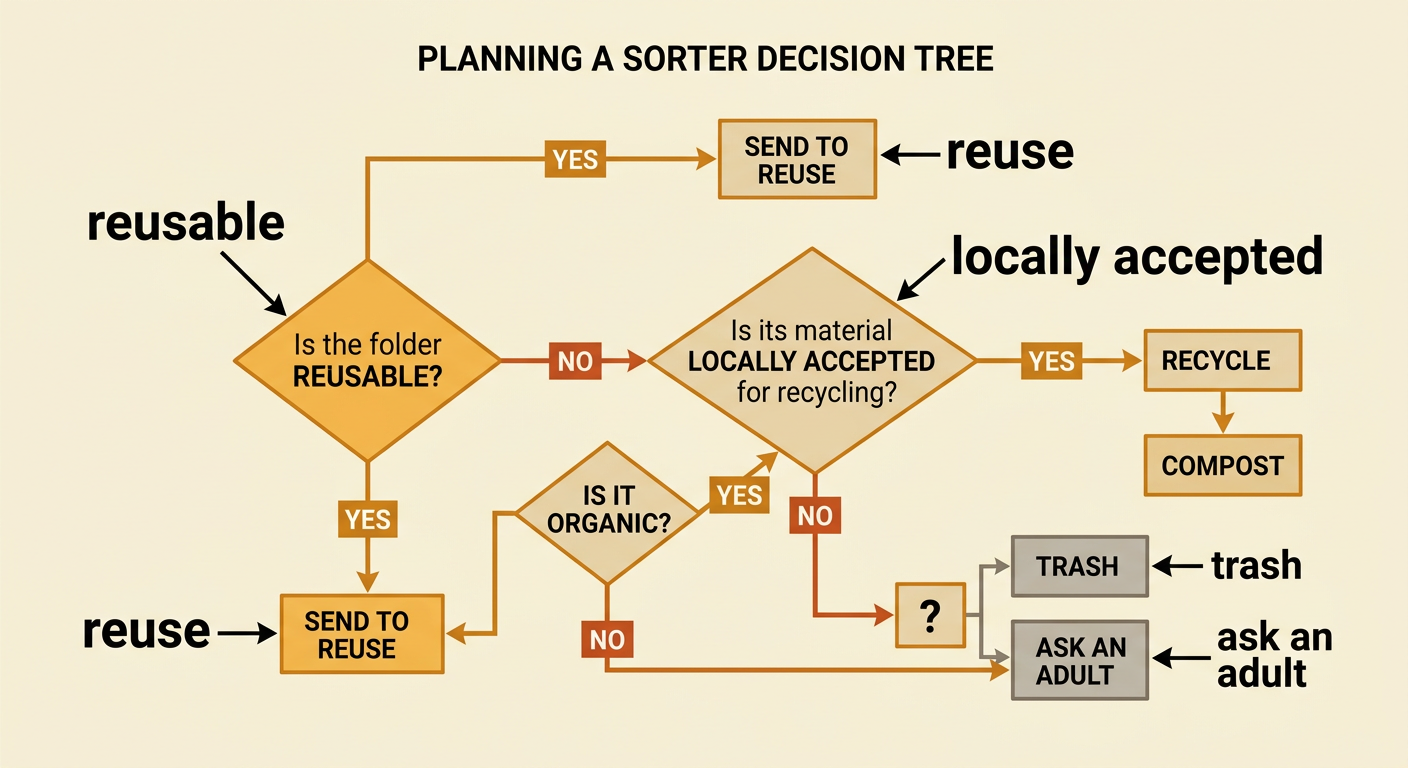
Plan the sorter before writing code. Choose useful properties for every item, such as material, cleanliness, condition, and whether it can be reused. Then draw a decision tree with questions that have clear answers. Put important or specific questions before broad ones. For example, first ask whether a clean folder can be used again. If yes, send it to reuse. If no, ask whether its material is accepted by the local recycling program. This order prevents a usable folder from being recycled too soon. Include a final choice for items that match no rule. Your team might label that path “trash” or “ask an adult,” depending on classroom procedures. Take turns explaining each branch, compare ideas respectfully, and use school waste guidelines as evidence when the group disagrees.
Code the Recycling Sorter
Turn each branch of the plan into program instructions. The program needs input describing an item, conditions that check the input, and output naming a destination. In a block-based program, you might store answers in variables called material, clean, and reusable. The program could follow this logic: if reusable is true, output “Reuse.” Else if material is paper and clean is true, output “Recycling.” Else if material is food, output “Compost.” Else output “Trash.” Suppose the input describes a clean cardboard divider that cannot be reused. The first condition is false, but the paper-material condition is true, so the program outputs recycling if local rules accept cardboard. Build and run one rule at a time. This makes errors easier to find than coding the entire sorter at once.

Test Tricky Items
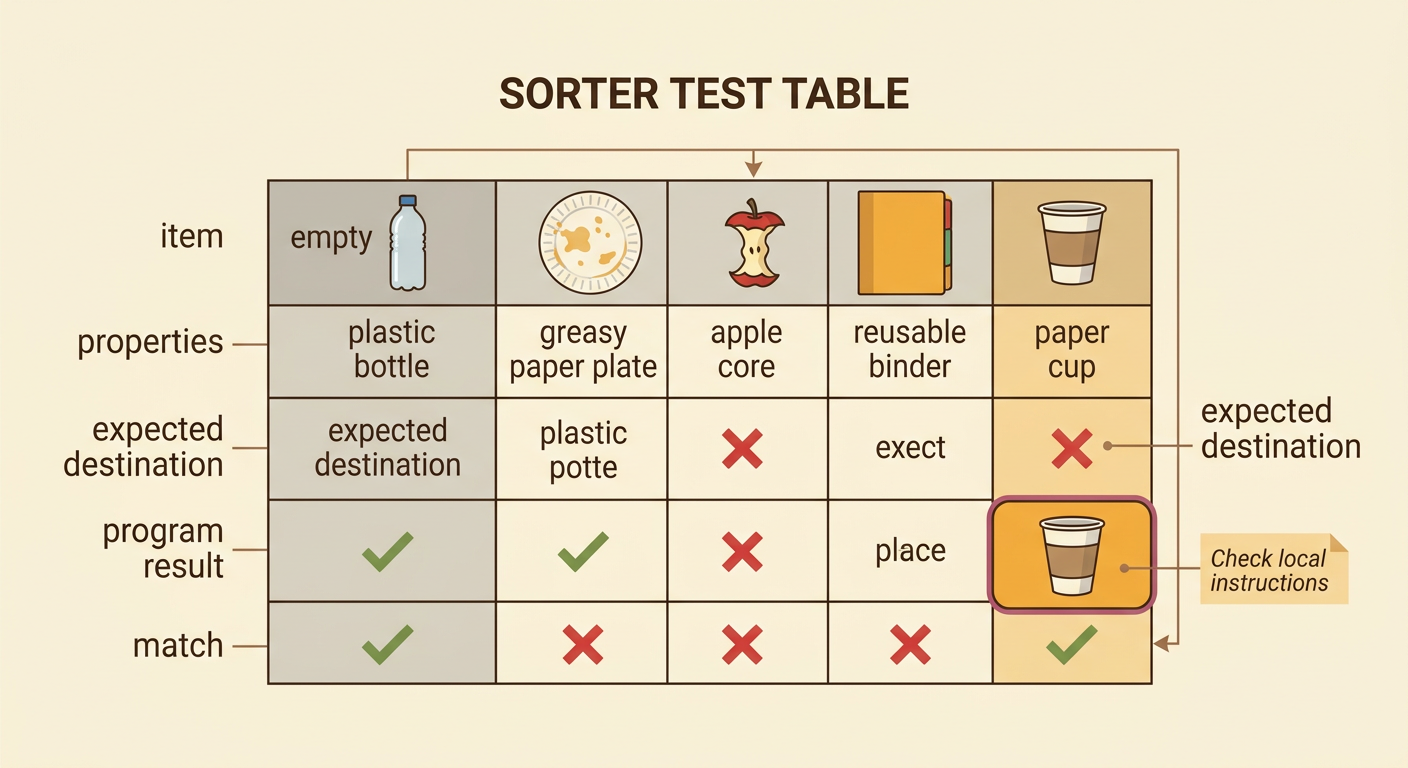
Testing shows whether the sorter works for ordinary and unusual items. Create a test table listing each item, its properties, the expected destination, the program’s result, and whether the results match. Include tricky cases instead of testing only easy ones. For example, a paper cup may look recyclable, but many cups have a plastic lining and are not accepted by every local recycling program. Check reliable local instructions before deciding the expected result. Also test an empty plastic bottle, a greasy paper plate, an apple core, and a reusable binder. If the program gives an unexpected answer, trace the path through each condition. Decide whether the code has an error, the rule is unclear, or the input information is incomplete. Record evidence and discuss disagreements before changing the program.
Improve the Rules
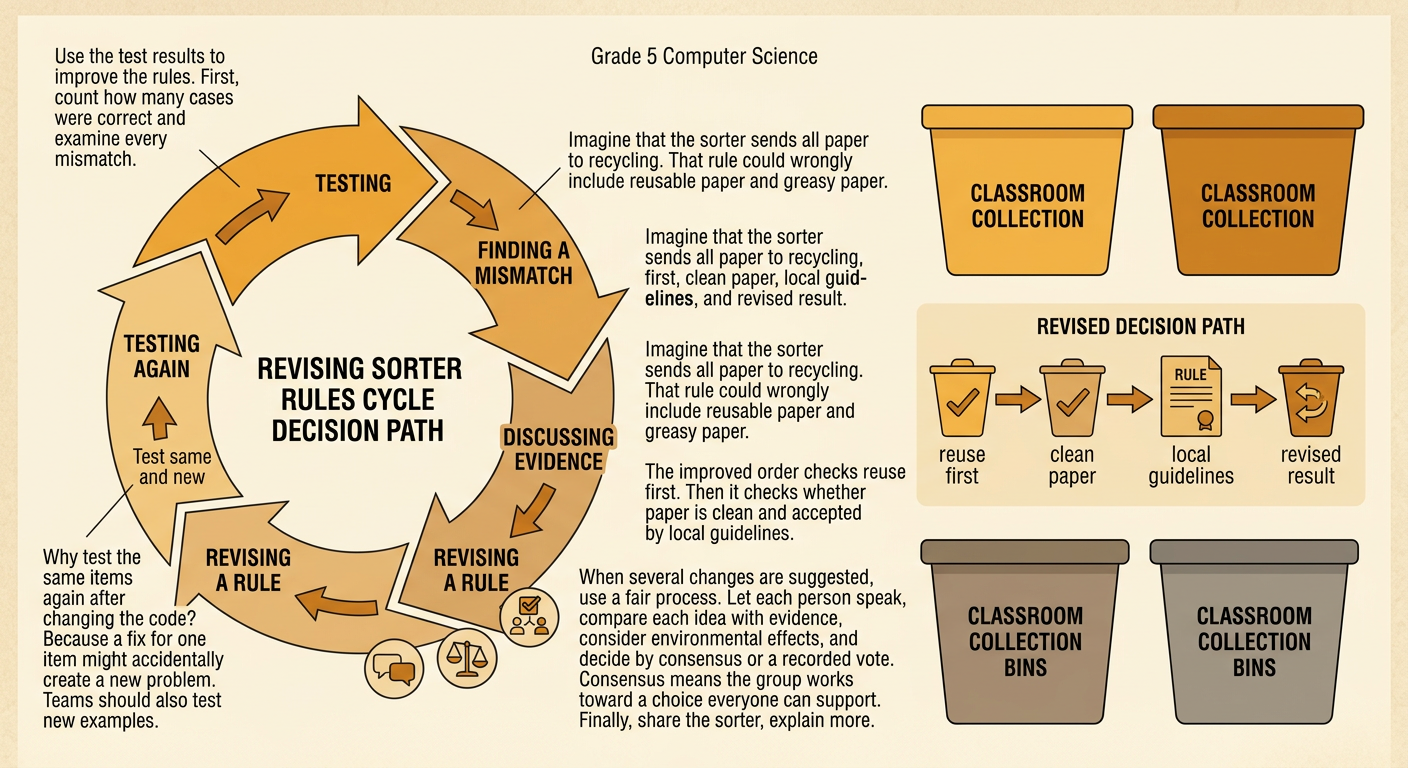
Use test results and group discussion to improve the sorter. Count how many cases were correct, then examine every mismatch. A team might discover that its rule sends all paper to recycling, including reusable paper and food-soiled paper. The team can improve the order by checking for reuse first, then checking whether the paper is clean and locally accepted. When several changes are proposed, use a fair deliberative process: let each person speak, compare each idea with school guidelines, consider environmental effects, and choose by consensus or a recorded vote. Test the revised program with the same items and new examples. Finally, share the sorter with classmates, explain its limits, and suggest one realistic action, such as placing clearly labeled collection bins near the classroom door.