Build an Event-Driven Community Help App
Students create and test a simple app in which clicking different buttons displays information about local community services.

Illustrations are auto-generated and may be placeholders. They can be refreshed to match the narration.
Explore Events and Event Handlers
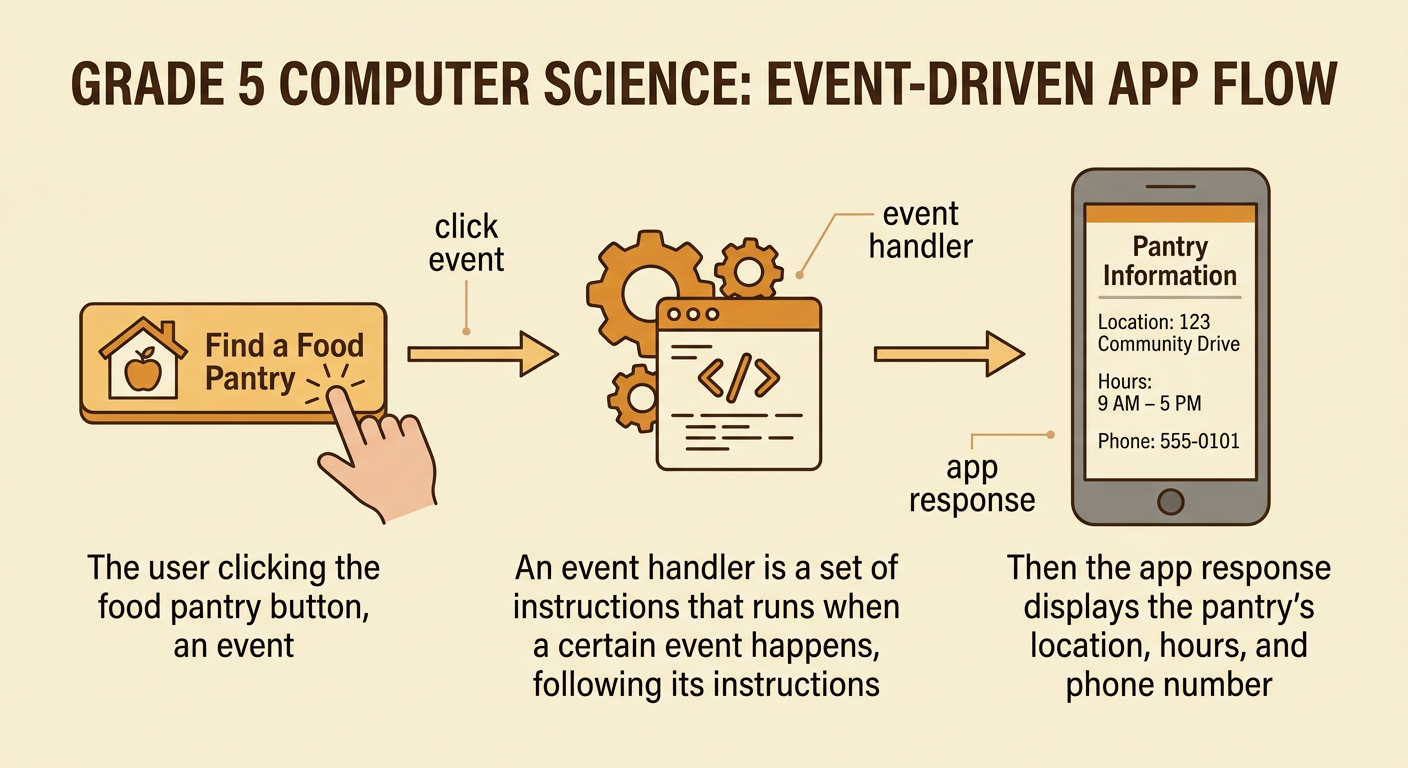
An event is something the user or device does, such as clicking a button, pressing a key, or opening a screen. An event handler is a set of instructions that runs when a particular event happens. Imagine an app with a button labeled “Find a Food Pantry.” The click is the event. The event handler responds by displaying the pantry’s location, hours, and phone number. Nothing changes until the event occurs. This makes the app event-driven. A clear screen layout, recognizable icons, and readable text help users understand what each button does. These multimedia components support the app’s main idea: helping people locate useful community services. Before coding, trace the path from the user’s action to the app’s response.
Identify Community Services
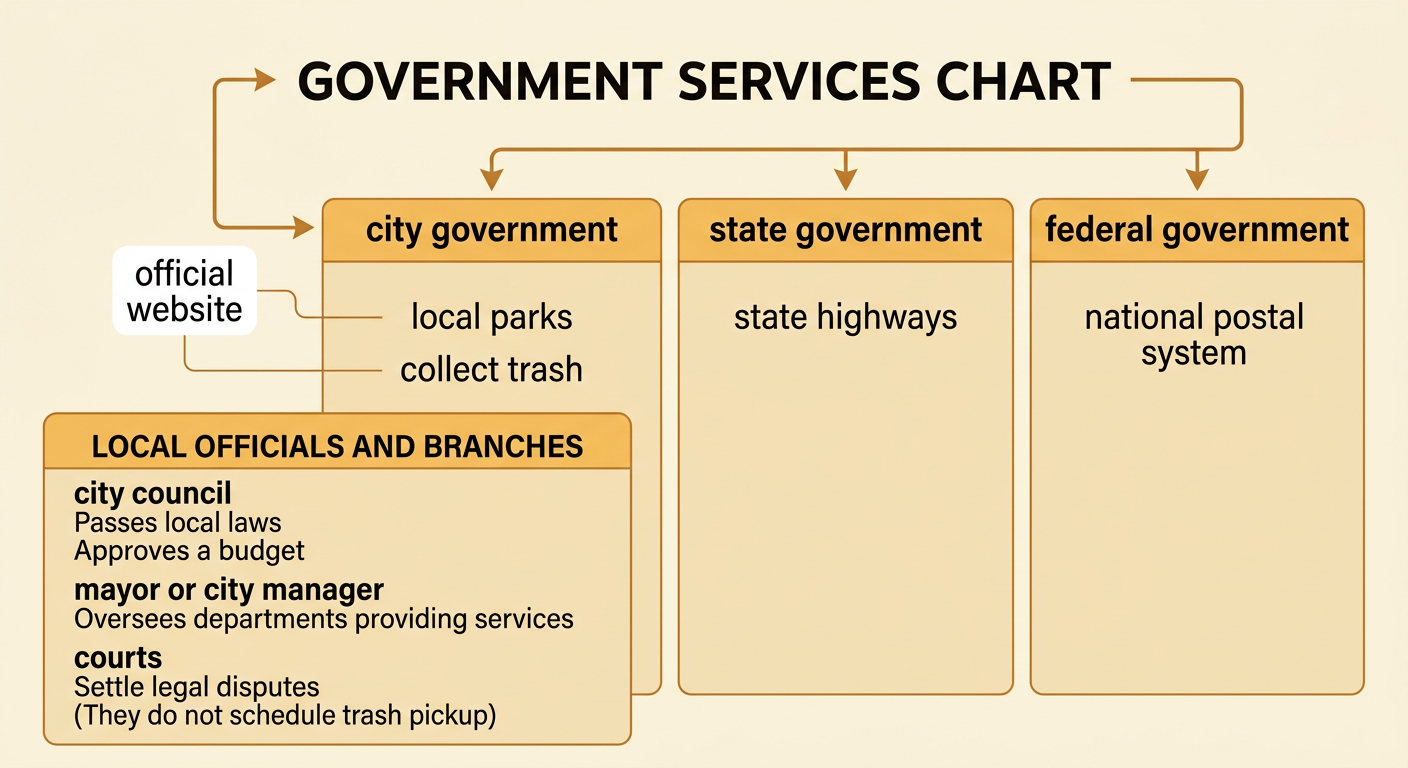
A community help app should provide accurate information about services people may need. Possible categories include libraries, parks, fire departments, food assistance, public transportation, and trash collection. Identify which level of government is responsible for each service. For example, a city government may operate local parks and collect trash, a state government may maintain state highways, and the federal government operates the national postal system. Responsibilities also differ among branches and officials. A city council may pass local laws and approve a budget, while a mayor or city manager may oversee departments that carry out services. Courts resolve legal disputes; they do not schedule trash pickup. Choose services that fit the app’s purpose, and verify details using official government or service organization websites.
Create Buttons and Responses
Plan one button for each service category and one clear response for each button. For example, a blue “Library Help” button could display the library address, opening hours, phone number, and a map icon. Generate more than one design before choosing. One solution might use five text buttons on a single screen. Another might use large picture buttons arranged by category. Compare the designs using criteria such as accuracy, readability, easy navigation, and helpful visuals. Also consider constraints, including limited screen space, class time, and the number of services you can verify. Large buttons may be easier to use, but they take more space. Select the design that best meets the criteria while staying within the constraints, then sketch every screen before building it.

Connect Click Events to Actions
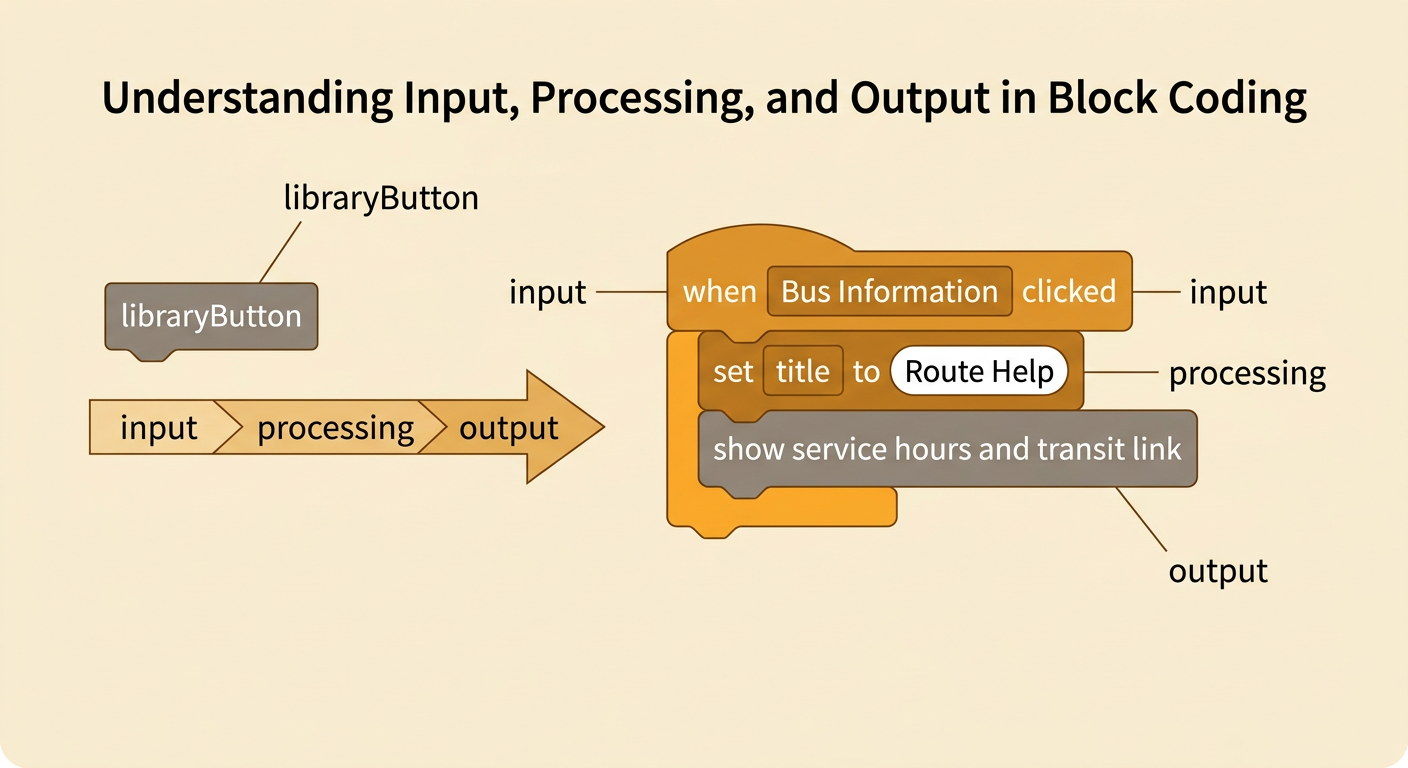
Now connect each button’s click event to the correct action. Give every button a clear name, such as libraryButton or transitButton. Then create an event handler for it. In plain language, the rule might be: when libraryButton is clicked, show the library information screen. The action could change a text box, reveal an image, or move to another screen. For example, clicking “Bus Information” might display route help, service hours, and a transit website button. Make sure each event handler changes only the intended content. A library click should not show fire department information. Use a simple flow of input, processing, and output: the click is the input, the event handler processes it, and the displayed information is the output.
Test and Improve the App
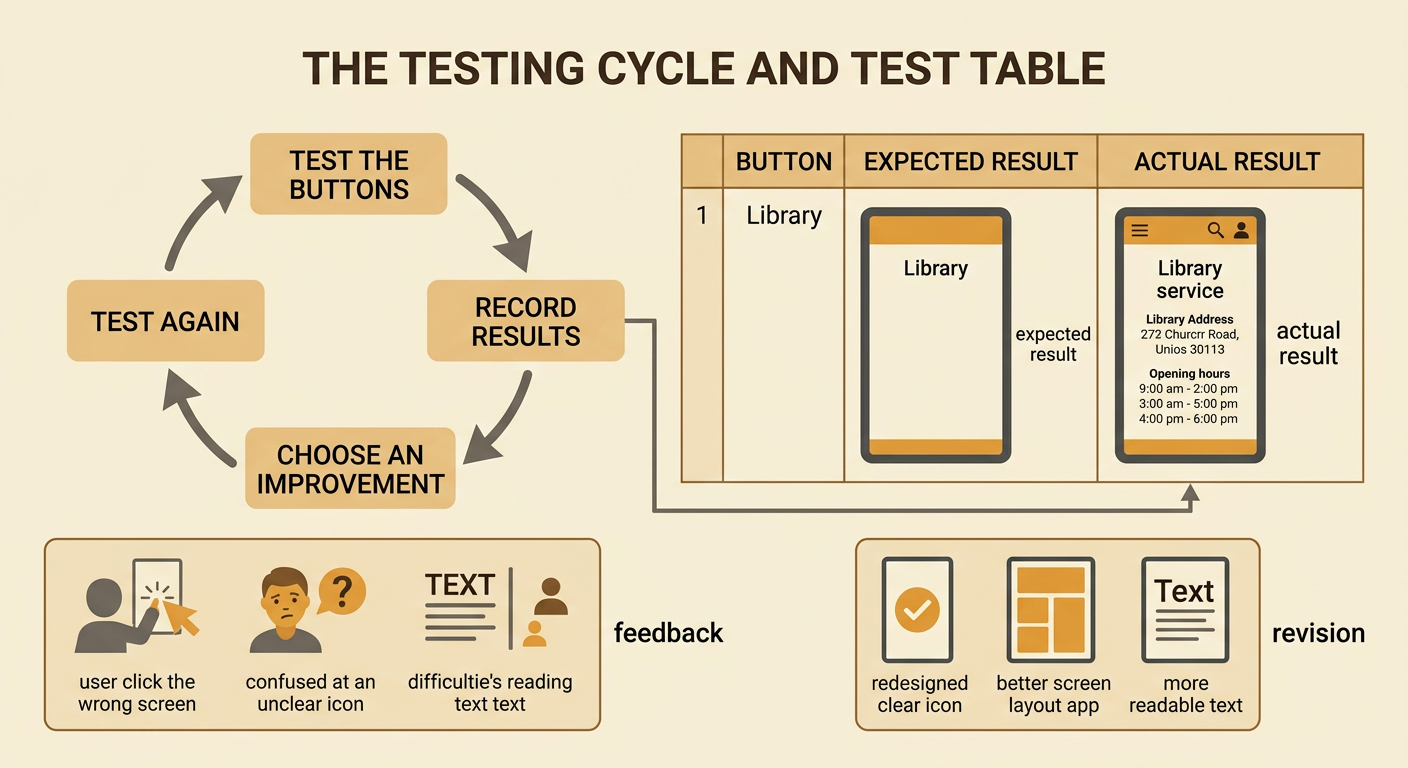
Testing helps you find problems and improve the app. Create a test table with every button, the expected result, and the actual result. For example, when a tester clicks “Fire Department,” the app should display the correct non-emergency contact information. Emergency directions should clearly tell users to call 911 when appropriate. Ask classmates to test the app without your help. Observe whether they can read the text, understand the icons, and return to the main menu. Record problems such as a button showing the wrong screen or an address being difficult to read. Compare possible fixes using the original criteria and constraints. Enlarging all text may improve readability but require shorter descriptions. After revising, repeat the tests. Present the finished app with its screens and visuals, explaining how feedback improved its usefulness.