Build and Debug a Classroom Algorithm
Students create, follow, and improve a step-by-step algorithm for moving a character through a simple classroom grid.

Illustrations are auto-generated and may be placeholders. They can be refreshed to match the narration.
What Is an Algorithm?
An algorithm is a list of steps for completing a task or solving a problem. The steps must be clear and placed in the correct order. You use algorithms every day. For example, an algorithm for entering the classroom might say: hang up your backpack, place your folder in the bin, and sit at your desk. A computer also follows steps, but it cannot guess what you mean. If a command is missing or unclear, the result may be wrong. In this lesson, your team will write an algorithm that moves a character from a starting square to a goal on a classroom grid. Each command will move the character one square. Your team will listen, take turns, and improve the algorithm together.

Explore the Classroom Grid
A grid is a set of squares arranged in rows and columns. Our classroom grid is a map with a character, a goal, and obstacles. The character begins on the square labeled Start. The goal might be a book basket on another square. Desks or chairs may block some squares. The character can move one square up, down, left, or right, but it cannot move through an obstacle or leave the grid. Before writing commands, study the map with your team. Point to the start, the goal, and every blocked square. Then look for a safe path. For example, if a desk blocks the square directly to the right, the character may need to move up first. Careful observation helps your team define the problem.

Write Step-by-Step Commands
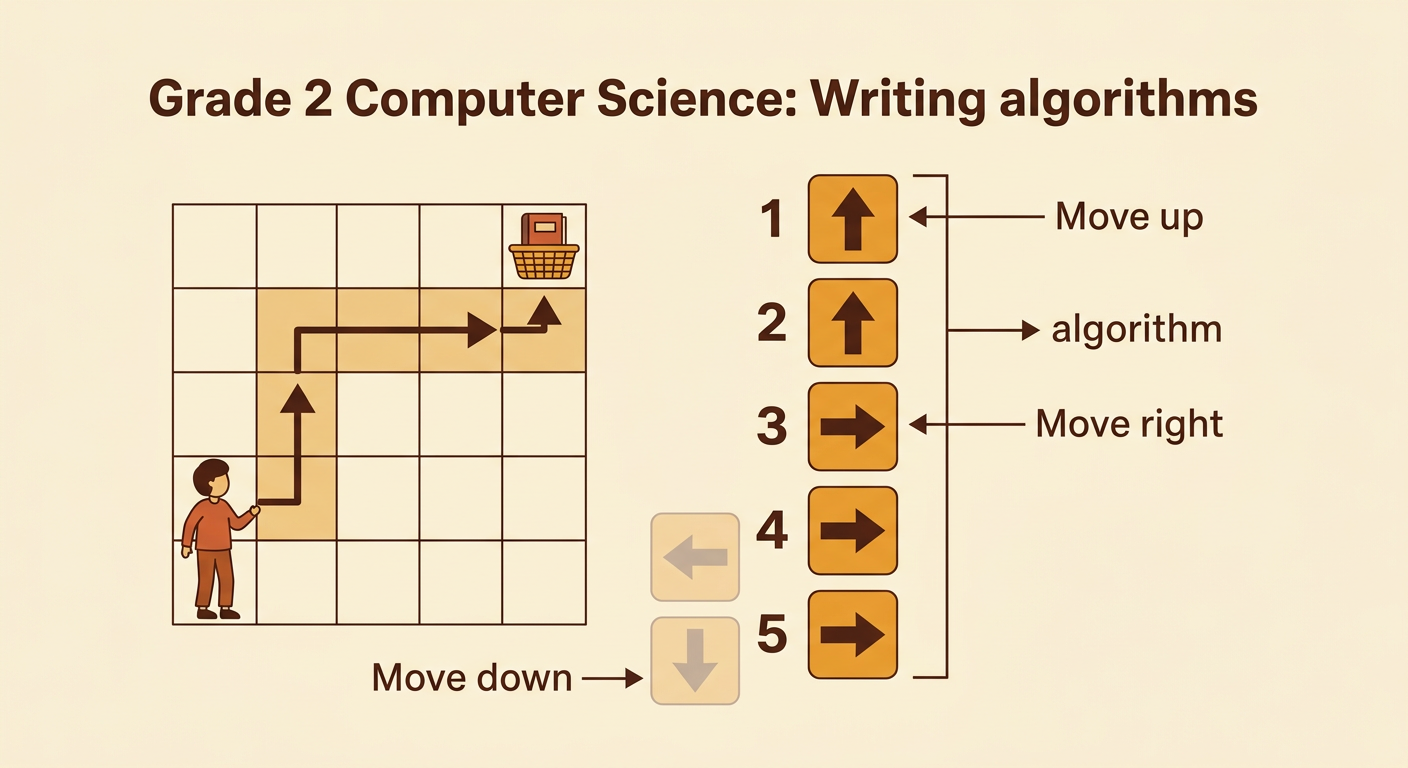
Now write one command for each move the character should make. Use exact commands such as Move up one square, Move down one square, Move left one square, and Move right one square. Number the commands so everyone knows their order. Begin at the Start square and trace the path with your finger as you write. Suppose the goal is two squares up and three squares right with no obstacles in the path. One possible algorithm is: move up, move up, move right, move right, move right. Do not write “Go to the goal” because that command does not explain each move. Ask a teammate to read every command aloud. Clear, ordered commands make the algorithm easier to follow and test.
Test the Algorithm
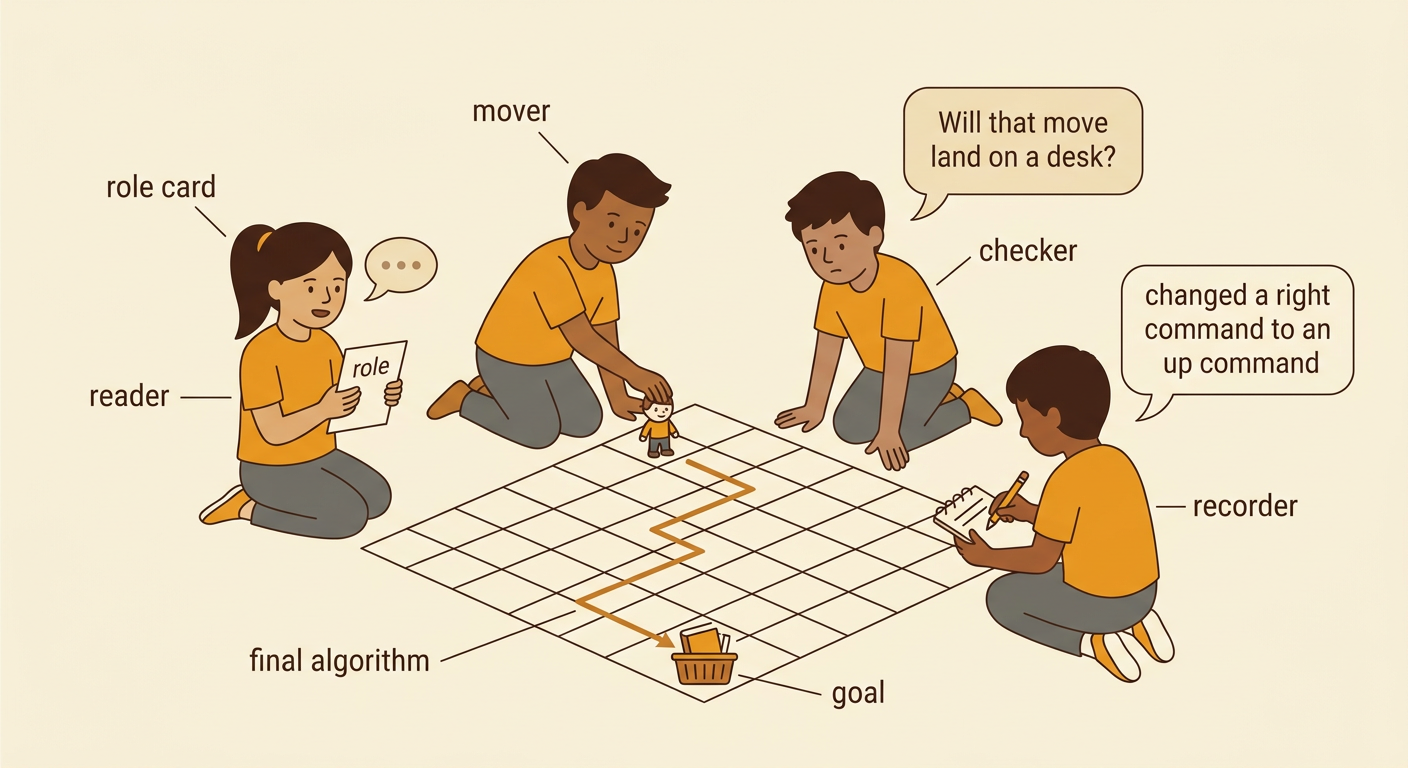
Testing means following the algorithm exactly to see what happens. Choose one teammate to be the mover and another to be the reader. The reader says only the written commands. After each command, the mover moves the character one square on the grid. A third teammate can check that the move matches the command and stays on a safe square. Do not add a move that is not written, even if the correct path seems obvious. For example, if the commands end one square before the book basket, stop there. That result shows that the algorithm needs another command. During the test, record where the character finishes. Then compare the ending square with the goal. Testing gives your team evidence about whether the solution works.

Find and Fix Bugs
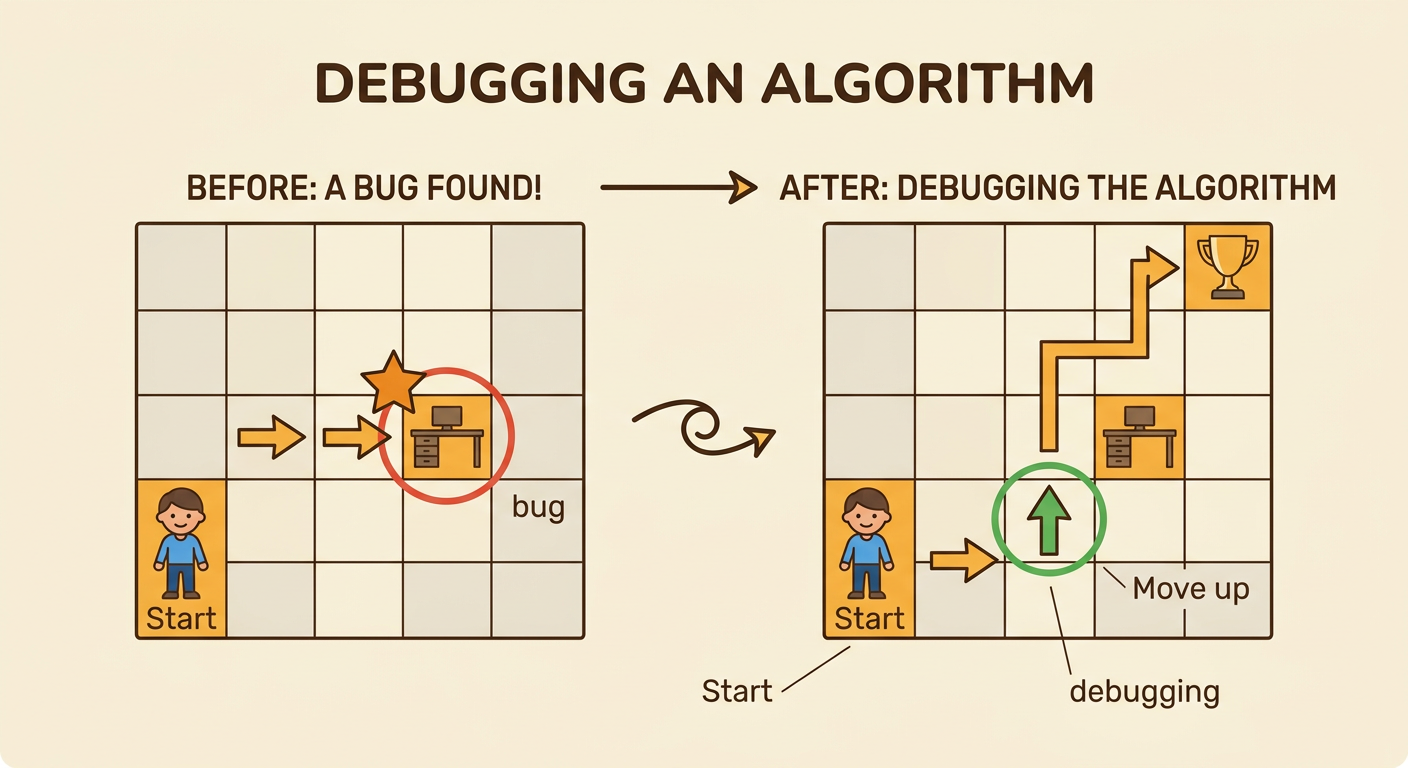
A bug is a mistake in an algorithm that causes an unexpected result. Debugging means finding the mistake and fixing it. If the character hits a desk, leaves the grid, or misses the goal, look at the commands one at a time. Find the first step where the path goes wrong. Then decide whether to add, remove, replace, or reorder a command. For example, the command Move right may send the character into a desk. Replacing it with Move up could guide the character around the obstacle. Test the improved algorithm from the Start square, not from the place where the bug appeared. You may need to debug more than once. Mistakes are useful because they show your team what to improve. Stay patient and explain why each change may work.
Share Team Roles and Solutions
Every person can play an important role on a team. A reader can say the commands clearly. A mover can move the character carefully. A checker can watch for bugs. A recorder can write changes and results. Team members should take turns, listen without interrupting, and ask helpful questions. For example, a checker might ask, “Will that move land on a desk?” The recorder can then explain why the team replaced a right command with an up command. When your team shares its solution, show the grid, read the final algorithm, and describe one bug you fixed. Another team may find a different safe path, and both solutions can work. Respect each idea and use evidence from testing to explain why your algorithm reaches the goal.