Building and Testing Boolean Logic in Conditional Programs
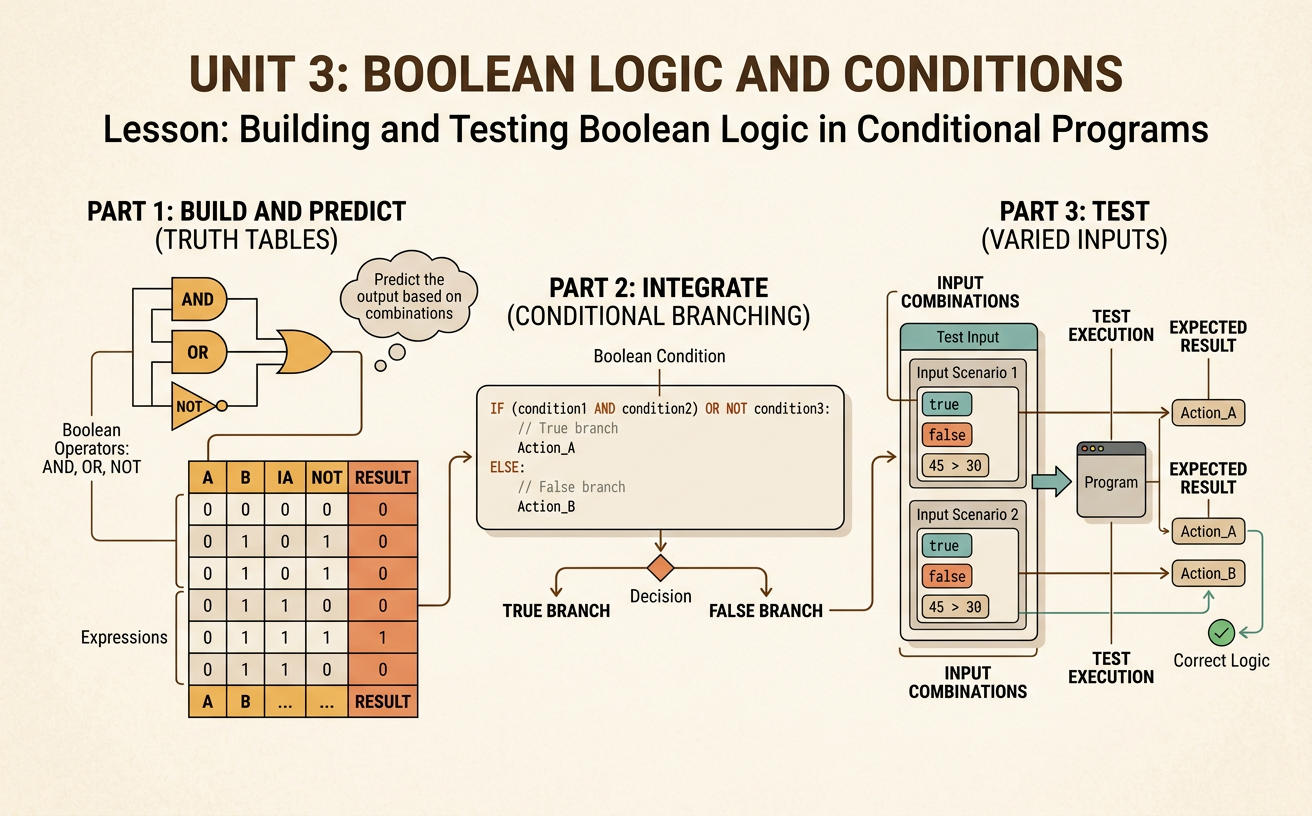
Students use AND, OR, and NOT operators to construct truth tables, predict program branches, and test a conditional decision rule with varied inputs.
Illustrations are auto-generated and may be placeholders. They can be refreshed to match the narration.
Review Boolean Values
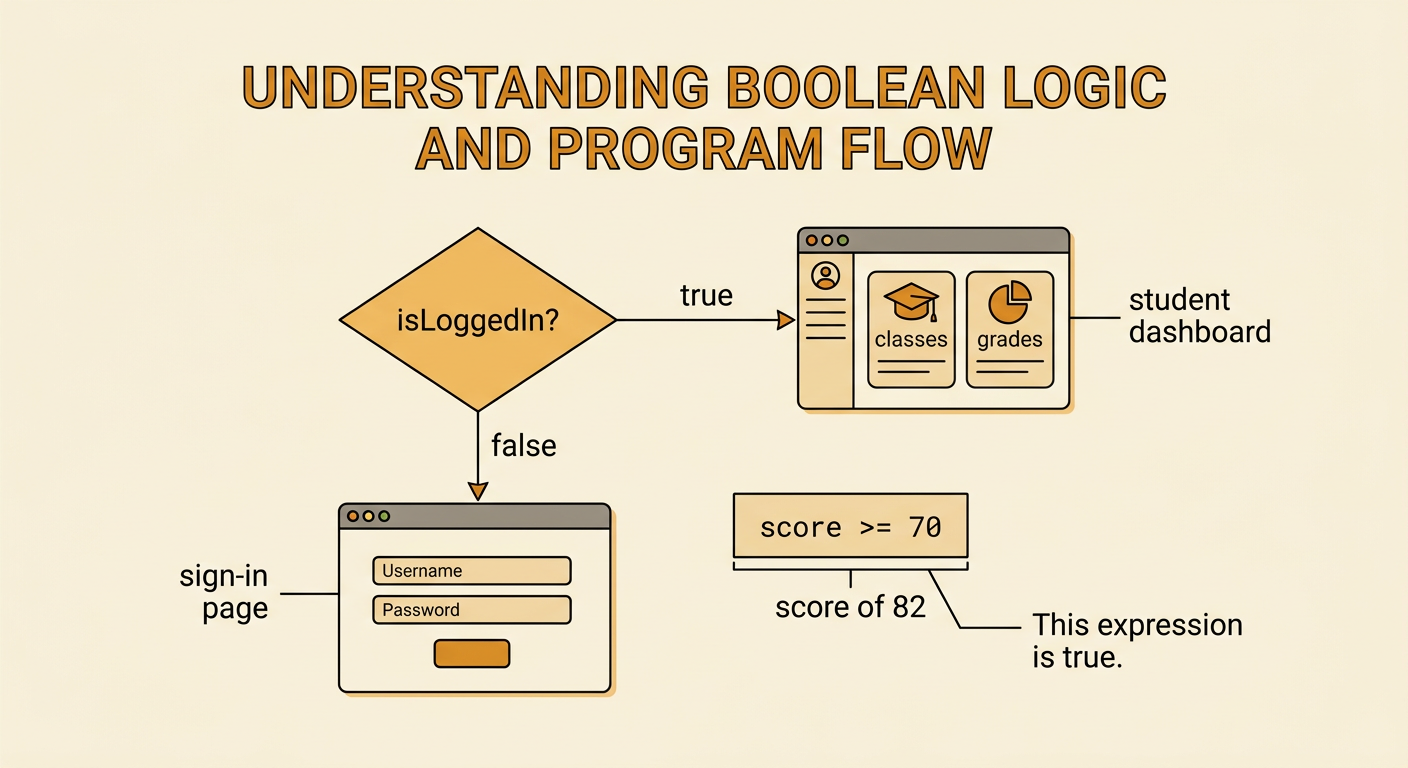
A Boolean value has only two possible states: true or false. Programs use Boolean values to record facts and answer yes-or-no questions. For example, a school portal might store isLoggedIn as true when a student has entered valid credentials. The comparison score >= 70 also produces a Boolean value: it is true when the score is at least 70 and false otherwise. A conditional statement checks such a value to decide which instructions to run. If isLoggedIn is true, the portal displays the student dashboard; otherwise, it displays the sign-in page. When reviewing a condition, identify the data being compared, apply the comparison operator precisely, and state whether the result is true or false before predicting the program’s action.
Introduce AND, OR, and NOT
Boolean operators combine or change conditions. AND is true only when both connected conditions are true. A lab-entry rule such as hasGoggles AND hasPermission allows entry only when both requirements are met. OR is true when at least one connected condition is true. The rule isTeacher OR hasVisitorPass allows a person who satisfies either condition, including someone who satisfies both. NOT reverses a Boolean value. If doorLocked is true, then NOT doorLocked is false. Parentheses make grouped logic easier to follow. In the expression hasID AND (isStudent OR isTeacher), evaluate the parentheses first and then apply AND. Translate each part into a yes-or-no question, calculate its Boolean value, and combine the results in the stated order.

Complete a Truth Table
A truth table lists every possible combination of Boolean inputs and shows the resulting output. Consider the expression (A AND B) OR NOT A. Because A and B each have two possible values, the table needs four input rows: true-true, true-false, false-true, and false-false. Add intermediate columns to avoid skipping steps. First calculate A AND B, then calculate NOT A, and finally apply OR. The outputs are true, false, true, and true, respectively. For example, when A is true and B is false, A AND B is false and NOT A is false, so false OR false produces false. Checking every row provides evidence that the expression behaves consistently for all possible Boolean input combinations.

Trace Conditional Branches
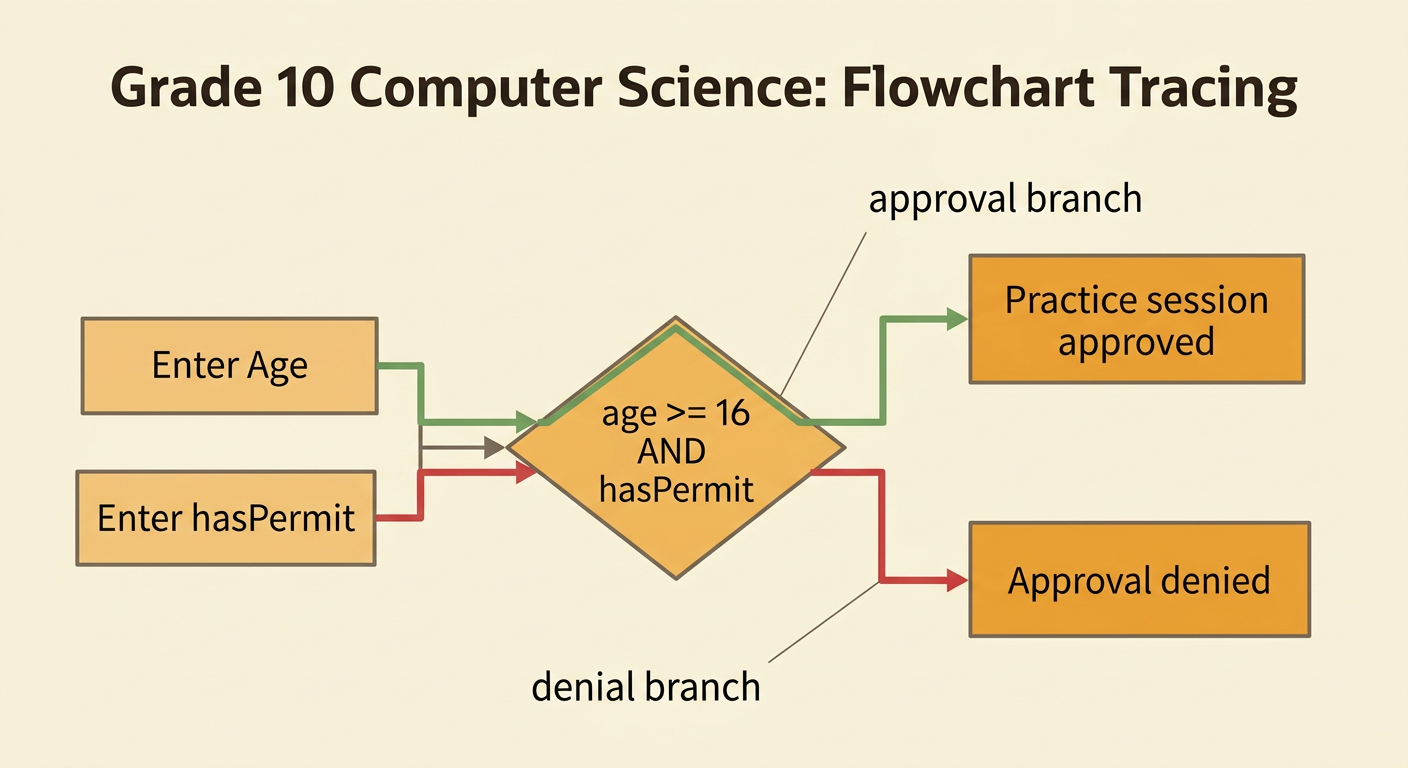
Tracing means following a program one step at a time with specific inputs. Suppose a program checks whether age >= 16 AND hasPermit. If the condition is true, it displays “Practice session approved.” Otherwise, it displays “Approval denied.” For age 17 and hasPermit equal to true, the comparison age >= 16 is true, so true AND true is true and the approval branch runs. For age 17 and hasPermit equal to false, the combined condition is false and the denial branch runs. Record variable values before evaluating the condition, calculate each comparison separately, and then follow only the matching branch. Do not run both branches. This careful procedure makes it easier to find an incorrect operator, comparison, or expected result.
Test Boundary Cases
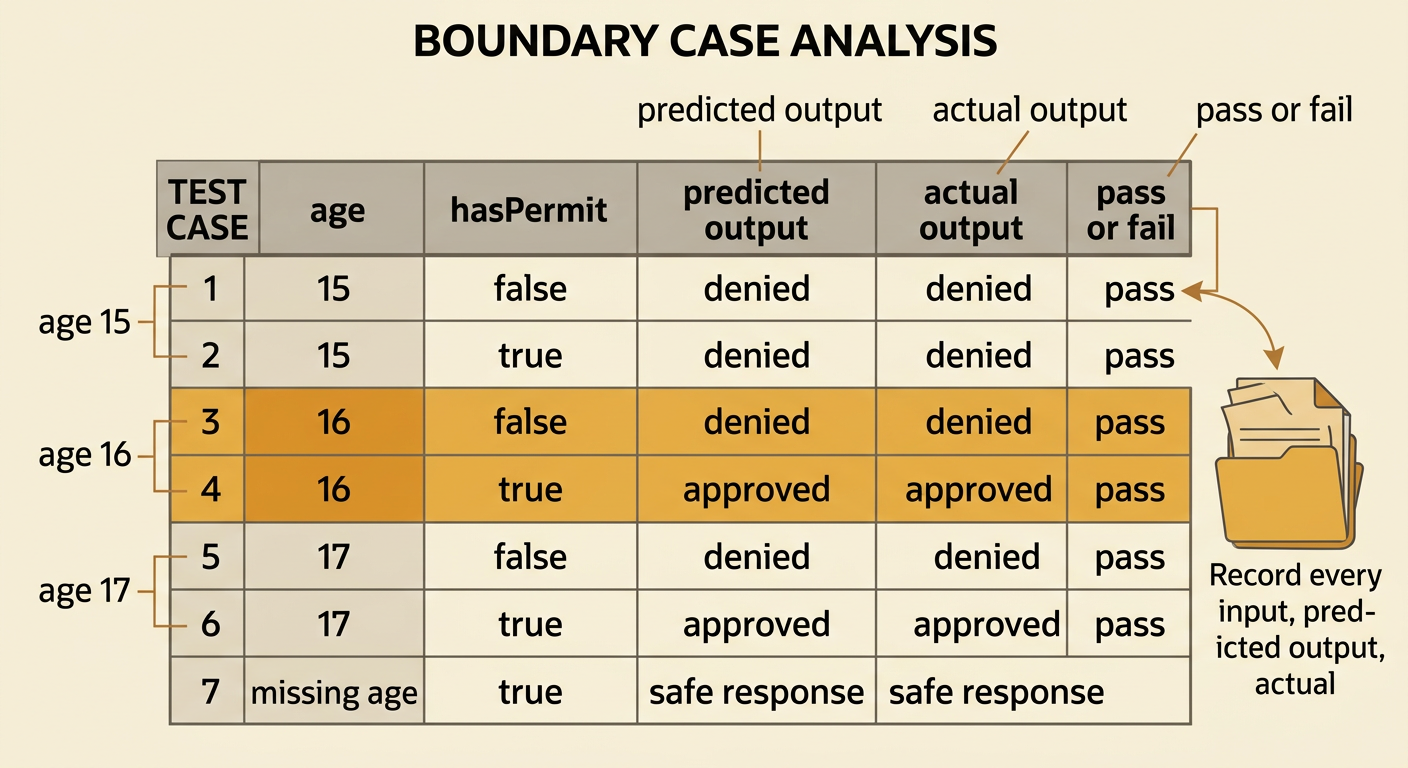
Boundary cases are inputs at or near the point where a decision changes. They often reveal mistakes such as using greater than instead of greater than or equal to. For the rule age >= 16 AND hasPermit, test ages 15, 16, and 17 with hasPermit set to both true and false. Age 15 should always be denied. Age 16 with a permit should be approved because 16 satisfies >= 16. Age 17 without a permit should still be denied because AND requires both conditions. Also test unexpected input, such as a missing permit value, and decide how the program should handle it safely. Record each input, predicted output, actual output, and pass-or-fail result. If prediction and output differ, inspect the condition before changing the test.
Discuss Automated Decision Rules
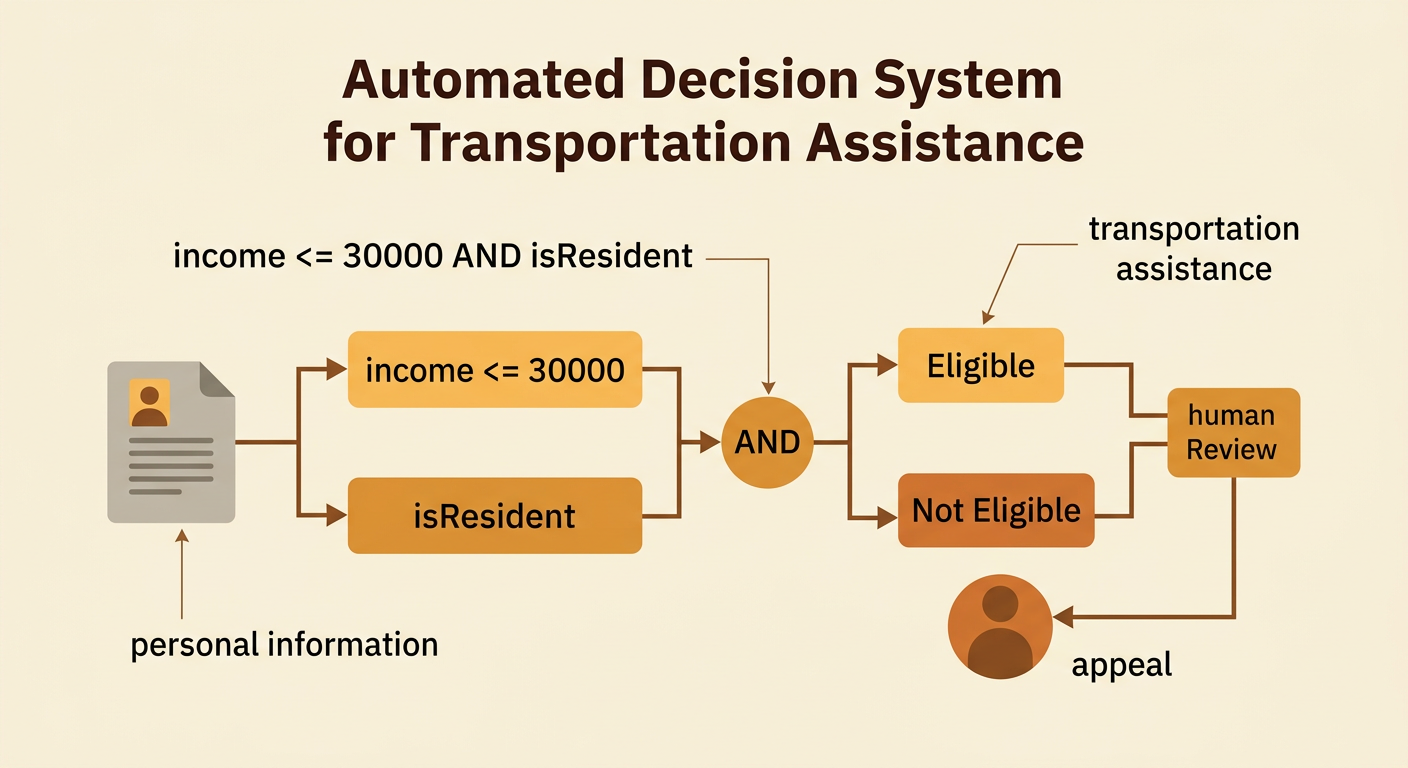
Automated decision rules can make repeated choices quickly, but their purposes and effects must be evaluated. Imagine a city program uses the rule income <= 30000 AND isResident to screen applications for transportation assistance. The rule breaks the task into two manageable checks, yet it may exclude a resident whose income is slightly above the boundary or a qualified person whose residency data is missing. Students should ask who selected the conditions, whether the data are accurate, which groups may be affected, and whether people can appeal an incorrect result. Testing varied cases can expose technical errors, but it cannot decide whether a policy is fair. A responsible system documents its logic, protects personal information, allows human review, and is revised when evidence shows harmful or unequal effects.