Choosing Lossless or Lossy Data Compression
Students compare lossless and lossy compression methods, calculate changes in file size, and select an appropriate method for different digital media scenarios.

Illustrations are auto-generated and may be placeholders. They can be refreshed to match the narration.
Why Digital Files Are Compressed
Digital files can require a great deal of storage space and time to transmit. Compression represents the same content, or an acceptable approximation of it, with fewer bits. Smaller files use less space on phones and servers, download faster, and consume less network bandwidth. For example, suppose a school website contains an uncompressed image that is 12 megabytes. If compression reduces it to 3 megabytes, the compressed file is one-fourth of the original size. Sending it to 100 students transfers 300 megabytes instead of 1,200 megabytes. This can reduce loading time and data costs. However, compression is not automatically better in every situation. A designer must consider file type, required quality, available storage, transmission speed, and whether the original information must be recovered exactly.

Lossless and Lossy Methods
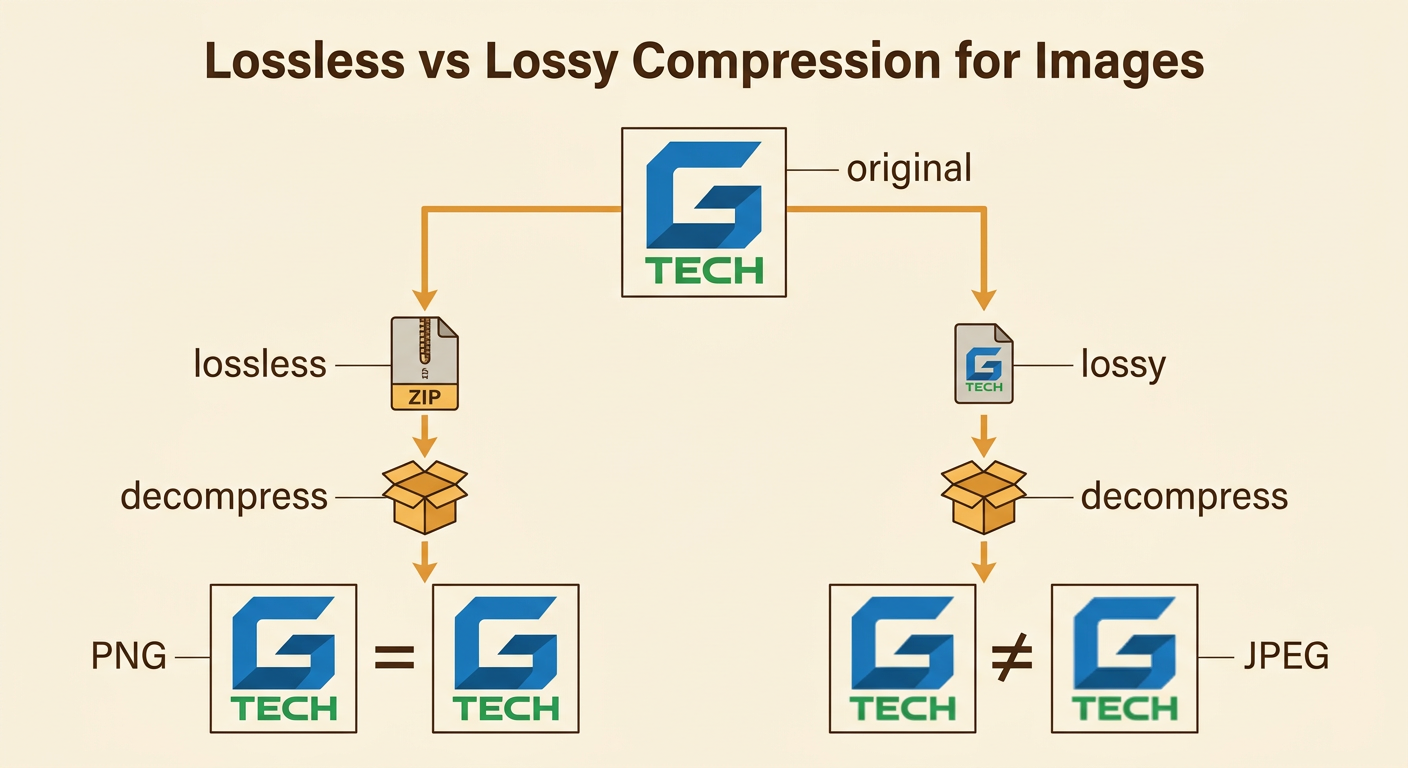
Lossless compression makes a file smaller while preserving every piece of the original data. When the file is decompressed, it is restored exactly. ZIP archives and PNG images commonly use lossless methods, making them appropriate for programs, documents, and data records in which even one changed bit could matter. Lossy compression removes some information to create a smaller file, so decompression cannot reproduce the exact original. JPEG images, MP3 audio, and many video formats use lossy methods. For example, a photographer might save a master logo as a lossless PNG because its sharp edges and exact colors must be preserved. A smaller JPEG copy might be used on a website, where slight visual changes are acceptable. Repeatedly editing and saving a lossy file can cause visible or audible quality to decline further.
Comparing Original and Compressed Sizes
File-size calculations help compare compression methods. Subtract the compressed size from the original size to find the amount saved. Then divide the amount saved by the original size and multiply by 100 to find the percent reduction. Suppose an audio file shrinks from 50 MB to 8 MB. The space saved is 50 minus 8, or 42 MB. The percent reduction is 42 divided by 50 times 100, which equals 84 percent. Scientific notation helps compare much larger quantities. A 2-gigabyte video contains about 2 × 10^9 bytes, while a 200-megabyte copy contains about 2 × 10^8 bytes. Because the exponents differ by 1, the original is about 10 times as large. These estimates make storage and transfer comparisons easier, although exact byte conversions may vary by system.

Evaluating Quality, Storage, and Bandwidth
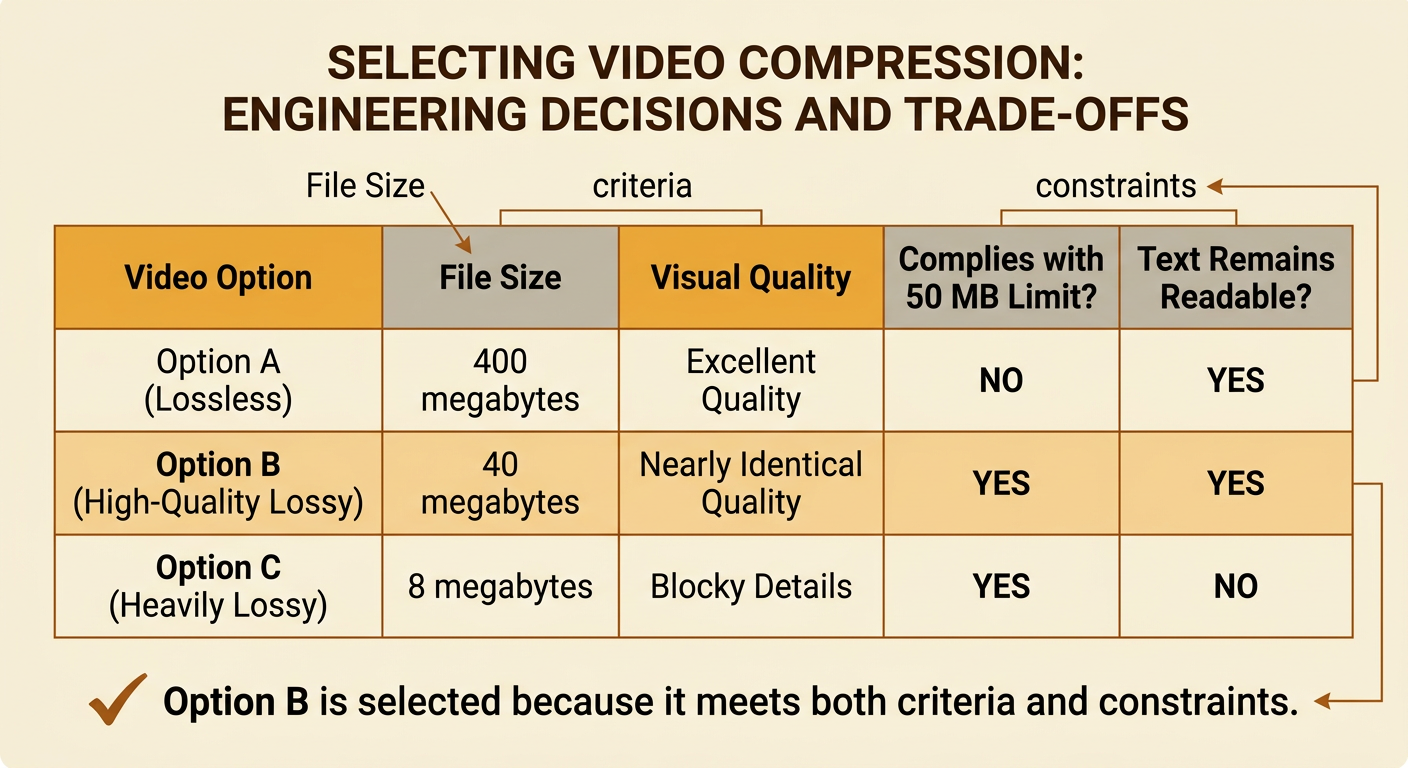
Choosing compression is an engineering decision with competing criteria and constraints. Criteria are desired results, such as clear sound or fast loading. Constraints are limits, such as a 10 MB storage allowance or a slow internet connection. A team can score each option in a decision table. Imagine a 60-second school video: Option A is lossless, uses 400 MB, and preserves excellent quality; Option B is high-quality lossy, uses 40 MB, and looks nearly identical during normal viewing; Option C is heavily lossy, uses 8 MB, but shows blocky details. If the upload limit is 50 MB and clear text must remain readable, Option B best meets both requirements. Option A violates the size constraint, while Option C fails the quality criterion. A systematic comparison prevents the team from choosing only the smallest file or only the highest-quality file.
Selecting Compression for Real-World Scenarios
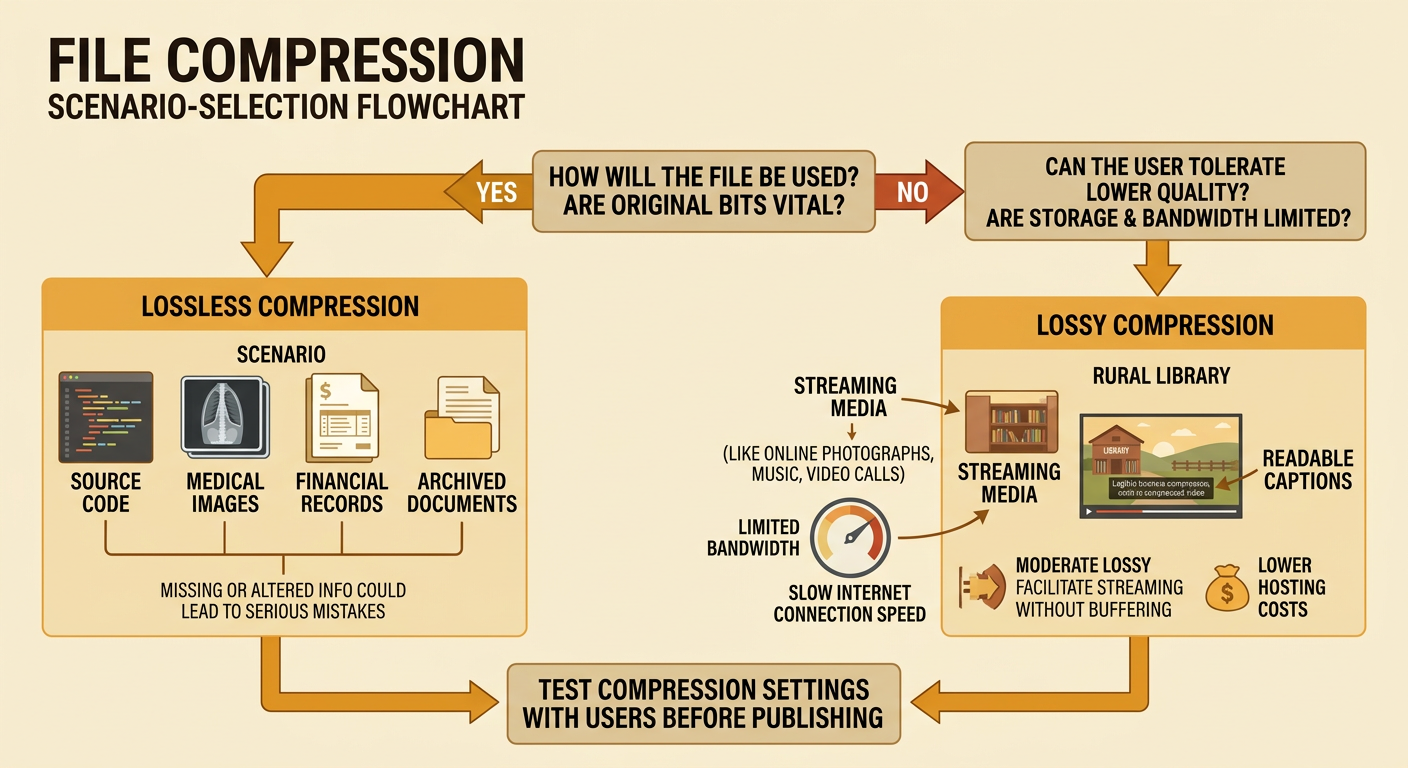
The best compression method depends on how a file will be used and who is affected by the decision. Medical images, source code, financial records, and archived documents often require lossless compression because missing or altered information could cause serious errors. Streaming music, online photographs, and video calls often use lossy compression because small files and quick delivery may matter more than perfect reconstruction. For example, a rural library with limited bandwidth might post a moderately compressed video so patrons can watch without constant buffering. The smaller file can lower hosting costs and improve access, but excessive compression could make captions or diagrams unreadable. The library should list its criteria, identify constraints, compare file sizes and quality, and test the options with users. This choice affects individuals through access, the library through costs, and society through the availability of information.