
Coding Input-Output Rules with Variables
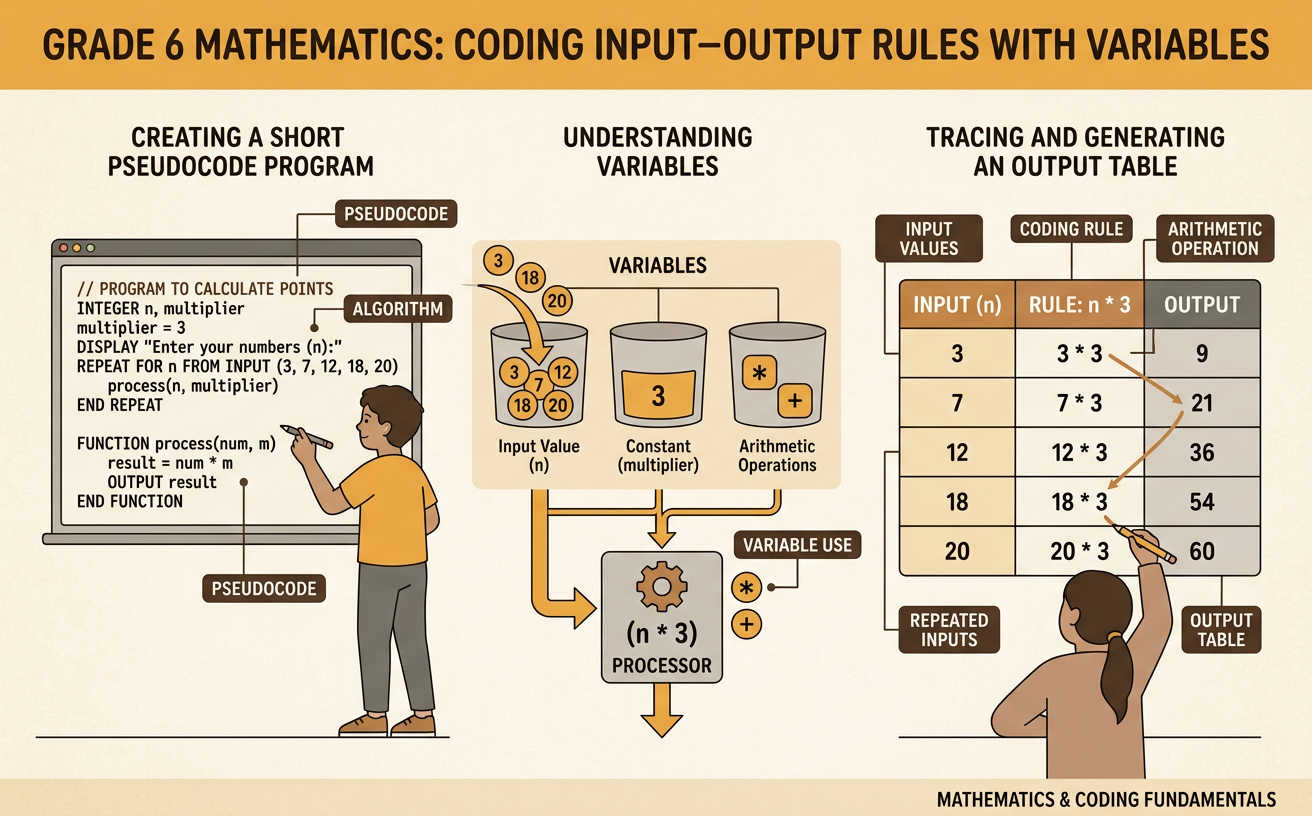
Students create and trace a short pseudocode program that uses variables, arithmetic operations, and repeated inputs to generate an output table.
Illustrations are auto-generated and may be placeholders. They can be refreshed to match the narration.
Inputs, Outputs, and Variables
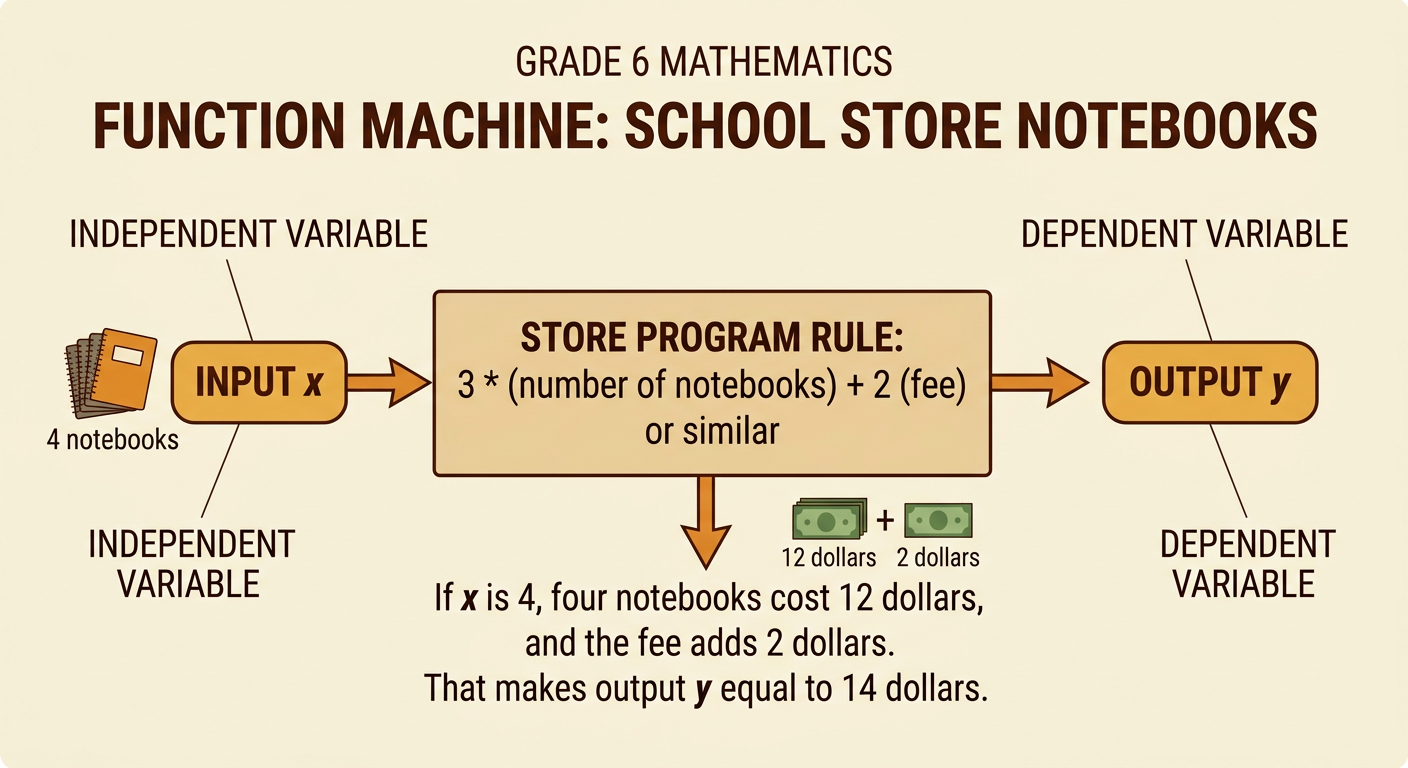
A program can take an input, follow a rule, and produce an output. Suppose a school store charges $3 for each notebook plus a one-time $2 order fee. Let x represent the number of notebooks. The variable x is the independent variable because we choose its value. Let y represent the total cost in dollars. The variable y is the dependent variable because its value depends on x. If the input is x = 4, the program calculates the cost of four notebooks and the fee. The output is y = 14. Variables allow the same program to work with many inputs. Instead of writing a new calculation for every order, we can change x and use the same relationship to find y.
Reading Pseudocode in Sequence
Pseudocode describes a program with clear instructions that people can read. A computer follows the instructions in sequence, from top to bottom. Consider these lines: INPUT x, SET y = 3 × x + 2, and OUTPUT y. The first line receives a value and stores it in x. The second line multiplies x by 3, adds 2, and stores the result in y. The final line displays y. If the user enters 4, the program first stores x = 4. It then calculates y = 3 × 4 + 2, so y becomes 14. Finally, it displays 14. The order matters because the program must know the value of x before it can calculate y, and it must calculate y before displaying it.
Writing an Arithmetic Rule
An arithmetic rule expresses how the output depends on the input. For the notebook order, each notebook costs $3, so the cost of x notebooks is 3x. The order fee adds $2 to that amount. The complete rule is y = 3x + 2. In this equation, x is the number of notebooks and y is the total cost in dollars. The coefficient 3 tells how much the output increases for each additional notebook. The constant 2 is the starting cost, even when zero notebooks are ordered. For example, when x = 5, substitute 5 for x: y = 3(5) + 2 = 17. In pseudocode, the same rule can be written as SET y = 3 × x + 2.
Tracing Code with an Output Table
Tracing means following a program one step at a time and recording what happens. A program can repeat the same rule for several inputs. Imagine the pseudocode says: FOR EACH x IN 0, 1, 2, 3, 4; SET y = 3 × x + 2; OUTPUT x, y. For x = 0, the calculation gives y = 2. For x = 1, it gives y = 5. Continuing the process produces the ordered pairs (0, 2), (1, 5), (2, 8), (3, 11), and (4, 14). An output table organizes these results in rows. Reading down the table, x increases by 1 each time while y increases by 3. This repeated change confirms that the coefficient 3 controls how quickly the output grows.
Debugging and Explaining the Program
Debugging means finding and correcting an error in a program. Suppose a programmer writes SET y = 3 × (x + 2) instead of SET y = 3 × x + 2. Parentheses change the order of operations, so the incorrect program adds 2 before multiplying by 3. Testing a simple input can reveal the problem. When x = 0, the correct rule gives y = 2 because the order fee is $2. The incorrect rule gives y = 6. To fix the code, move the parentheses or remove them so only x is multiplied by 3. A clear explanation of the corrected program is: “The program multiplies the number of notebooks by the $3 price, adds the $2 fee, and displays the total cost.” Testing several inputs helps confirm the repair.