Collaborative Software Development with Git
Students use commits, branches, pull requests, and merge-conflict resolution to coordinate changes to a shared software project.
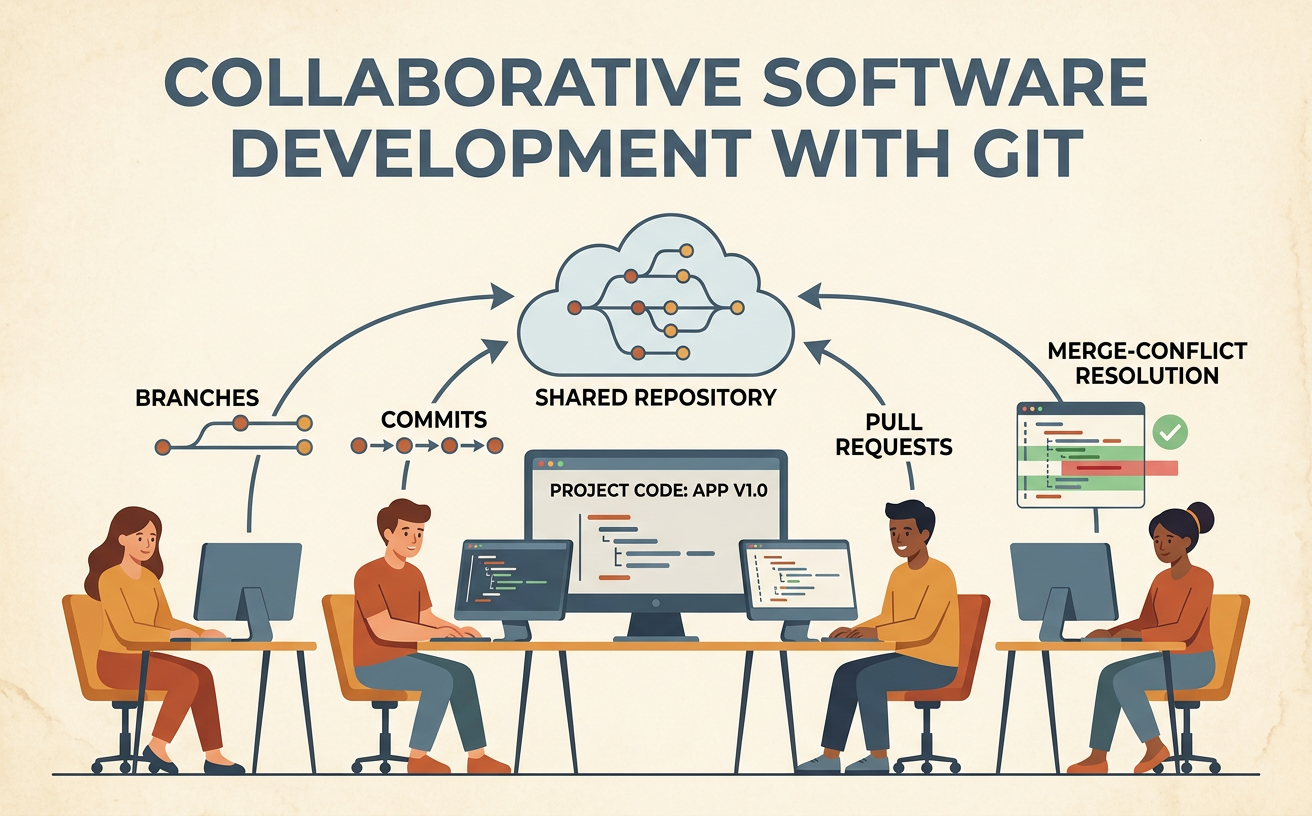
Illustrations are auto-generated and may be placeholders. They can be refreshed to match the narration.
Why Version Control Matters
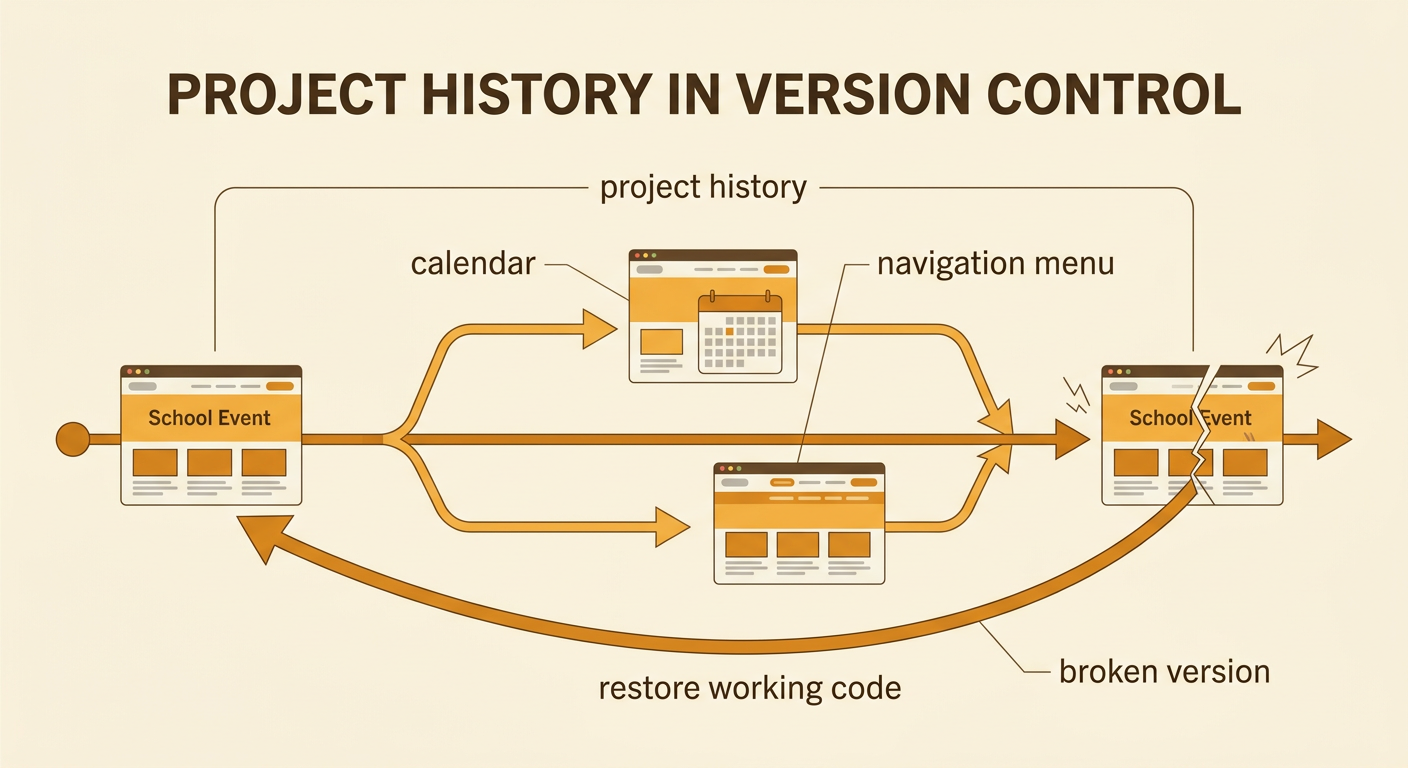
Version control records how a project changes over time and helps a team coordinate its work. Without it, students might overwrite one another’s files, lose working code, or struggle to identify who changed a feature. Git stores a history that lets the team compare versions, restore earlier work, and discuss proposed changes. For example, imagine four students building a school event website. One student updates the calendar while another improves the navigation menu. Git tracks both sets of changes and identifies their authors. If the new menu causes a problem, the team can inspect the history and return to a working version. This shared record also supports fair collaboration: team members can explain decisions, review evidence, and agree on which changes should become part of the project.
Repositories and Meaningful Commits
A Git repository is a project folder whose files and change history are tracked by Git. Team members copy, or clone, a shared remote repository to create local repositories on their computers. After editing files, a developer stages related changes and creates a commit. Each commit is a saved checkpoint with an author, time, message, and specific set of changes. A meaningful commit should address one logical task and use a clear message. For example, “Add email validation to signup form” explains more than “Update code.” Keeping unrelated work in separate commits makes reviewing and correcting changes easier. A student who fixes validation and redesigns a page should usually create two commits. The team can then discuss, approve, or reverse either change without affecting the other.

Creating and Using Branches
A branch is an independent line of development within a repository. Teams use branches so each person can work on a feature or fix without immediately changing the stable main branch. A developer creates a branch from a known commit, makes and tests changes there, and later proposes combining those changes with main. Branch names should describe the task, such as feature-search-bar or fix-login-error. For example, one student can build a search bar while another corrects the login form on a different branch. Their commits remain separate even though both branches started from the same project version. Before requesting review, each student should confirm that the branch contains only relevant changes and that the code works. Short-lived, task-focused branches reduce confusion and make team progress easier to evaluate.

Reviewing Changes with Pull Requests
A pull request is a proposal to merge changes from one branch into another, usually into main. It gives the team a structured place to explain the work, inspect changed lines, run automated checks, and discuss improvements before merging. A strong pull request has a clear title, a summary of the problem and solution, testing evidence, and links to the assigned task. For example, a student proposing a search bar can describe how it filters event names and report that keyboard and mouse input were tested. Reviewers should evaluate the code and design rather than criticize the author. They may approve the request, ask questions, or request specific revisions. The author responds respectfully and updates the branch. This deliberative process helps the team use evidence, consider alternatives, and share responsibility for the final product.

Resolving Merge Conflicts
A merge conflict occurs when Git cannot automatically combine competing changes, often because two branches edited the same lines differently. Git marks the conflicting sections in the file, but people must decide what the final code should contain. The developer should first read both versions, understand each person’s intent, and consult teammates when the correct result is unclear. For example, one branch may rename a button “Submit Request,” while another renames the same button “Send Form.” The team can compare the interface requirements and agree on one phrase. The resolver then edits the file to keep the chosen content or combine both ideas, removes the conflict markers, tests the project, stages the corrected file, and commits the resolution. A conflict is not a failure; it is a signal that overlapping work requires careful technical and collaborative judgment.

Collaborative Git Workflow Practice
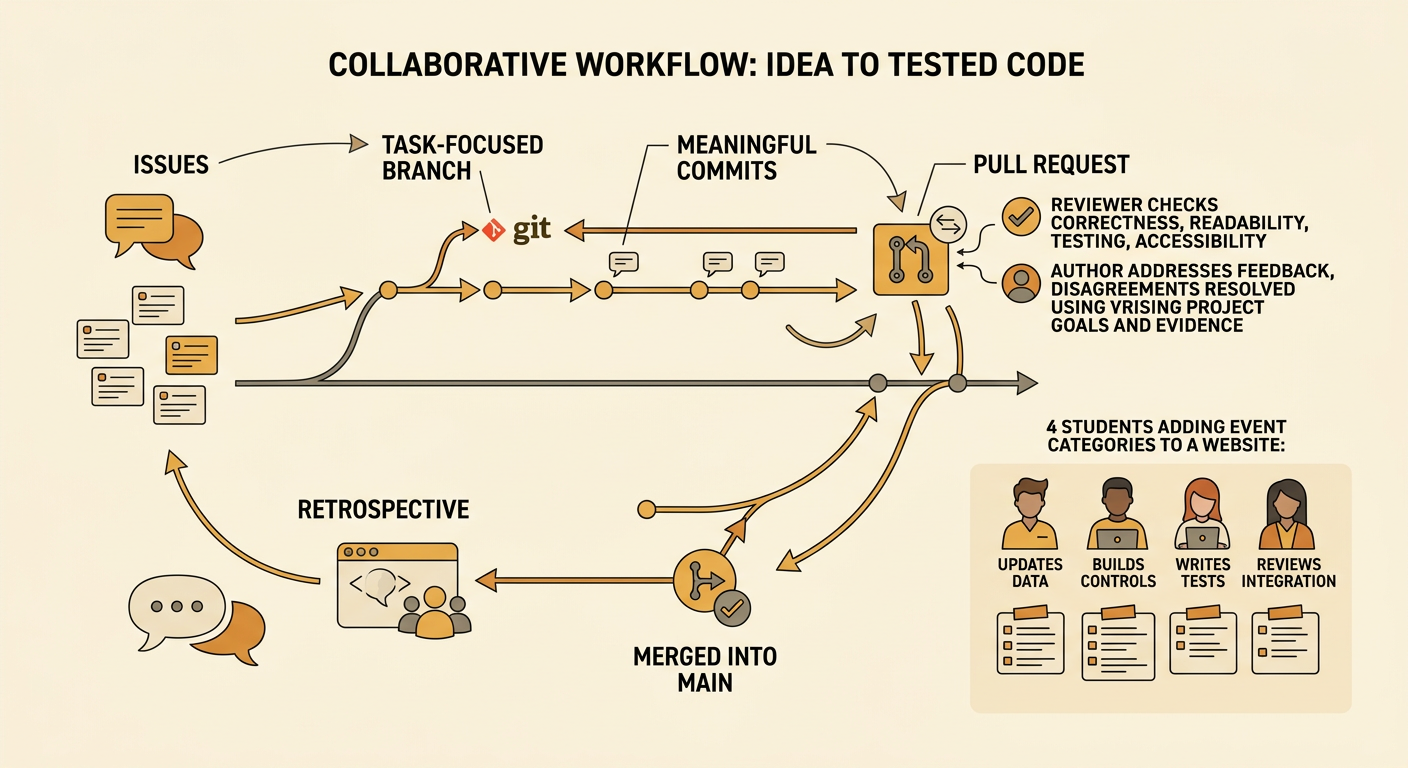
A reliable team workflow divides a complex project into manageable tasks and defines how work moves from idea to completion. Begin by discussing requirements, assigning roles, and creating small issues such as “Build event card” or “Test date filtering.” Each developer updates the local repository, creates a task-focused branch, makes meaningful commits, pushes the branch, and opens a pull request. Another teammate reviews the change using agreed criteria, including correctness, readability, testing, and accessibility. The author addresses feedback, and the team resolves disagreements by referring to project goals and evidence. After approval and successful checks, the branch is merged into main. For practice, a four-person team can add event categories to a website: one student updates data, one builds controls, one writes tests, and one reviews integration. The team ends with a brief retrospective about what improved coordination and what should change next time.