Compare Search Strategies in a Digital Library
Students organize digital book cards and compare keyword, category, and step-by-step searches to determine which strategy finds information most efficiently.
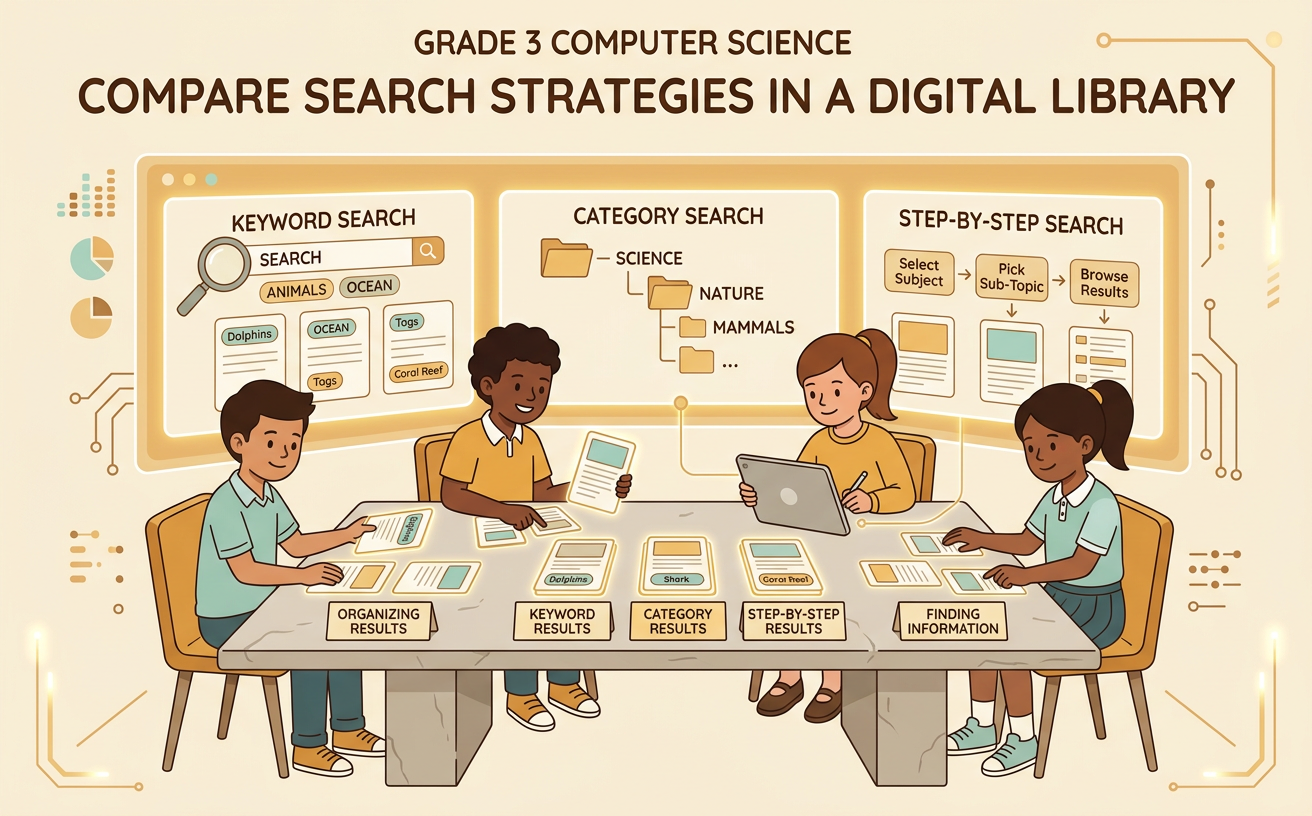
Illustrations are auto-generated and may be placeholders. They can be refreshed to match the narration.
Define a Search Strategy
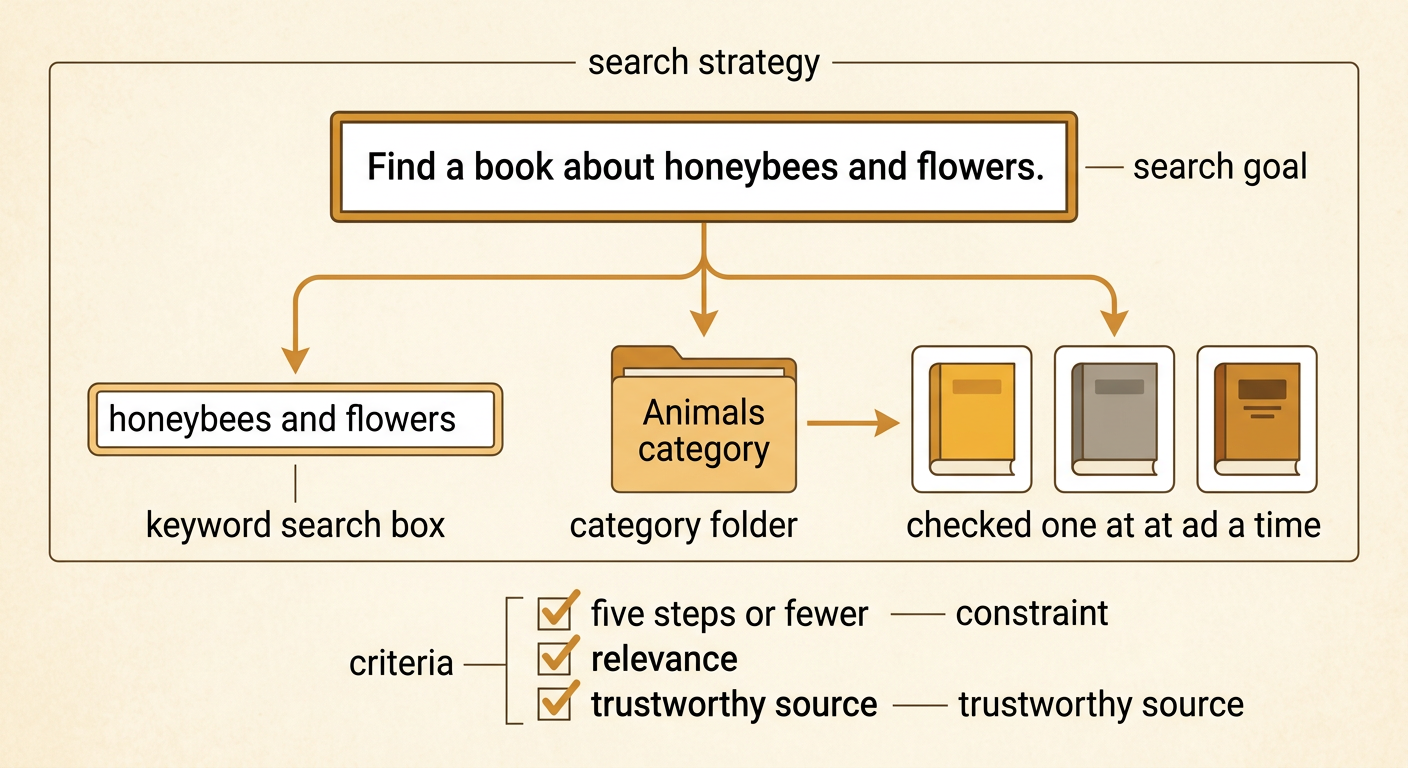
A search strategy is a plan for finding information. A good strategy helps you find relevant information without taking extra steps. Before searching, state your goal and identify useful clues. Suppose you need a book that explains how honeybees help flowers. You might search with the keywords “honeybees” and “flowers,” choose the category “Animals,” or check book cards one at a time. Each method is a possible solution to the same search problem. Your criteria are that the book must explain honeybees and flowers and come from a trustworthy source. A constraint might be finding the book in five steps or fewer. By testing more than one strategy, you can compare which plan meets the criteria and constraint most efficiently.
Explore the Digital Book Cards
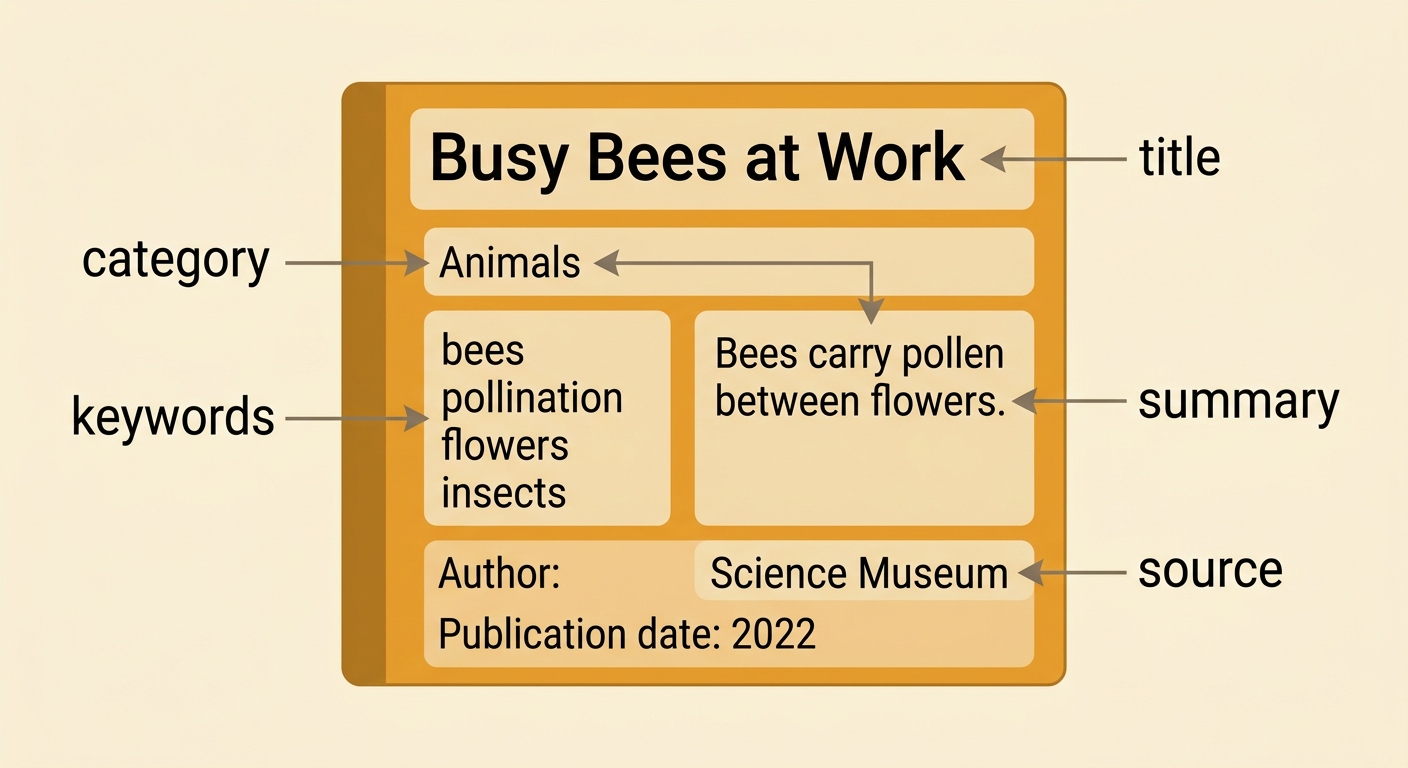
A digital book card gives details about one book. Text features such as the title, author, category, summary, keywords, source, and publication date help you decide whether the book is useful. Imagine a card titled “Busy Bees at Work.” Its category is Animals, and its keywords include bees, pollination, flowers, and insects. The summary says that the book explains how bees carry pollen between flowers. These details show that the book matches the search goal. Also check the card’s origin and context. A book from a science museum may be more dependable for bee facts than a made-up adventure story. Notice how every card is organized in the same structure. This makes details easier to locate and compare across several sources.
Try Three Search Methods
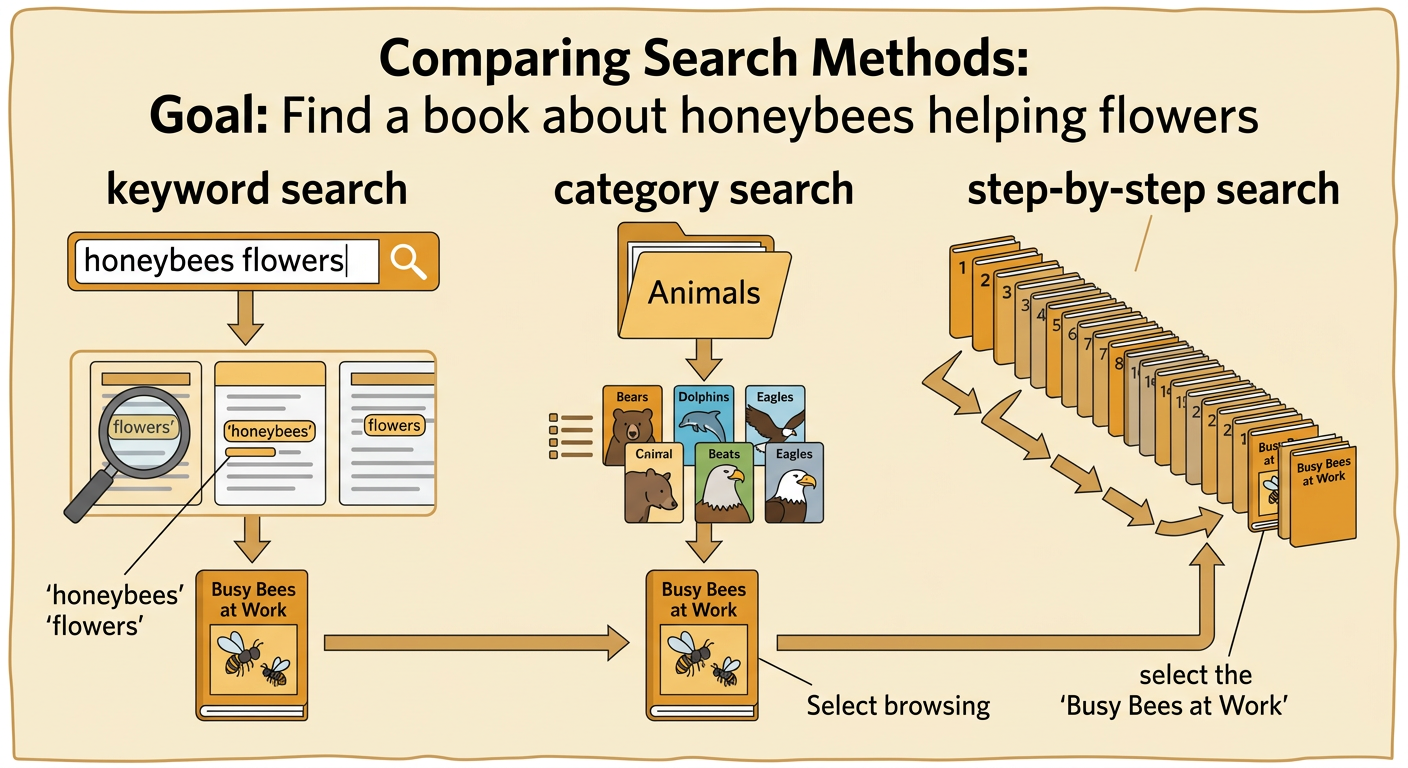
Test each method with the same goal: find a book about honeybees helping flowers. First, enter the keywords “honeybees flowers.” The search tool checks card details and returns books containing those ideas. Second, open the Animals category. Browse the books there until you see a useful title or summary. Third, use a step-by-step search by starting with the first card and checking every card in order. Record one step each time you type a search, open a category, or inspect a card. The keyword search may quickly show “Busy Bees at Work.” The category search may also find it, but you might inspect several animal books first. A step-by-step search will eventually find the card, but its speed depends on where the card appears in the list.
Count and Compare Search Steps
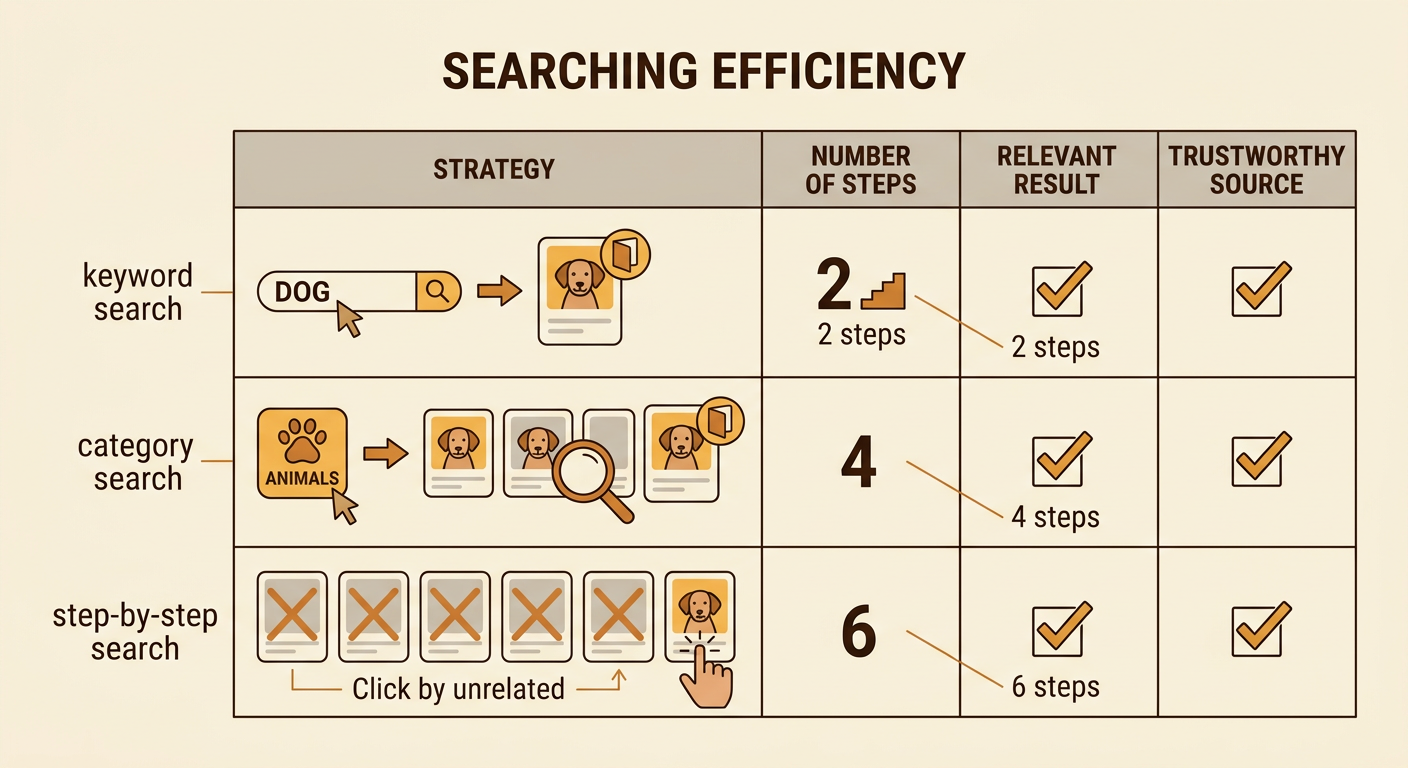
Efficiency means reaching the correct result with as few useful steps as possible. Make a table with one row for each strategy. For example, the keyword search might take two steps: enter the words and open the matching card. The category search might take four steps: open Animals and inspect three cards. The step-by-step search might take six steps because five unrelated cards appear before the match. Check that every method found relevant information, not merely a fast result. A one-step search that opens the wrong book does not meet the goal. You can also note whether a method was easy to use and whether it searched trustworthy sources. Counting steps gives evidence for your comparison. The smallest step total usually shows the most efficient successful strategy for that particular search.
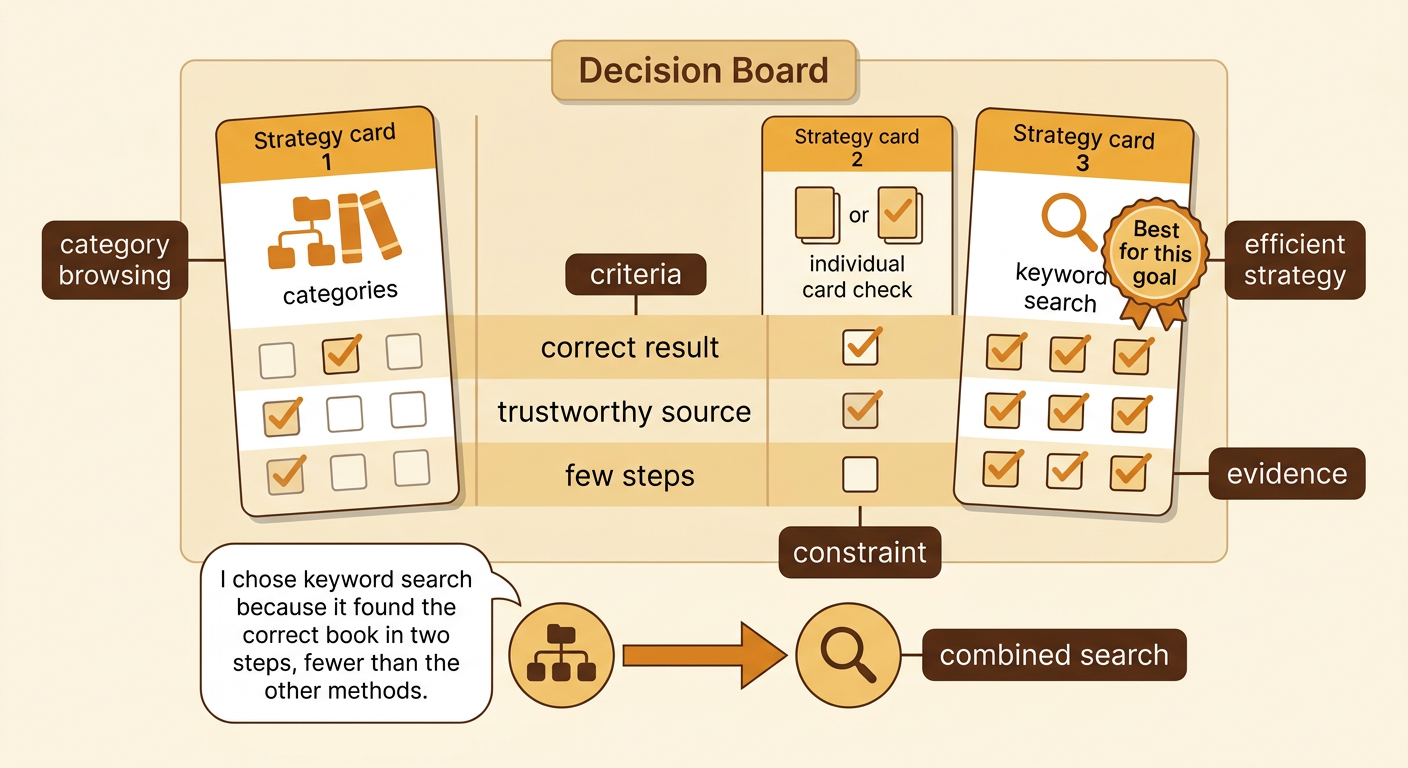
Choose the Most Efficient Strategy
Choose a strategy by comparing how well each method meets the criteria and constraints. In the bee example, the keyword search found a relevant, trustworthy book in two steps, so it is the most efficient choice. Explain your decision with evidence: “I chose keyword search because it found the correct book in two steps, fewer than the other methods.” However, the best strategy can change. If you do not know the exact words for a topic, browsing a category may work better. If the library has only three cards, checking them one at a time may be simple enough. You can also combine strategies by choosing a category and then entering a keyword. An efficient search is not always the fastest first attempt; it is a search that finds accurate, relevant information while meeting the goal’s limits.