
Computers Then and Now
Students compare older tools with modern computers and discuss how computing technology has changed the ways people work, learn, and communicate.
Illustrations are auto-generated and may be placeholders. They can be refreshed to match the narration.
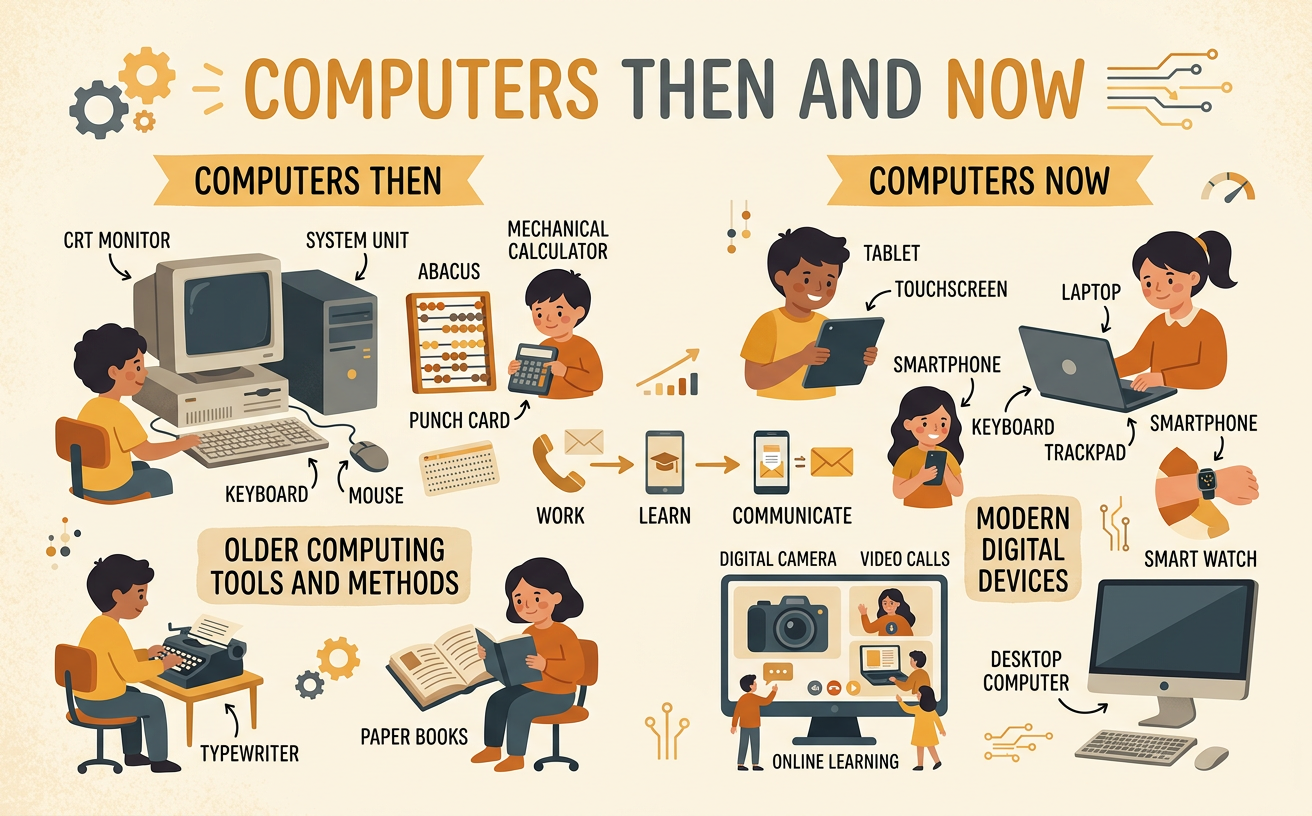
Meet Tools from the Past
Long ago, people used tools that did many jobs we still do today. A typewriter put letters on paper when someone pressed its keys. It could not easily erase, save, or send the words. A corded telephone let people talk from different places, but it stayed connected to a wall. A paper map helped travelers find roads. People also used books and library card drawers to find facts. For example, a child who wanted to learn about whales might ask a librarian, look through cards, and then find a book on a shelf. These tools were useful for their time. Studying them helps us notice what people needed: ways to write, talk, travel, and learn.

Explore Modern Computer Tools
Today, many tools contain computers. A desktop computer may have a screen, keyboard, and mouse. A laptop folds and can be carried. A tablet has a touchscreen. A smartphone is a small phone that can also run computer programs. These devices follow instructions called programs. They can store words and pictures, play sounds, and connect to other computers. For example, a student can use a tablet to hear a story, view a picture of a whale, and draw a whale on the screen. Different computer tools have different sizes and parts, but they can do many similar jobs. Children should use connected devices with a trusted adult and follow classroom or family safety rules.

Match Tools That Do Similar Jobs
Older and newer tools can do similar jobs in different ways. A typewriter and a laptop both help people write. A paper map and a map program both help people find places. A mailed letter and an email both carry messages. A printed encyclopedia and a trusted website can both provide information. To make a match, first ask, “What job does this tool do?” For example, imagine that Maya wants to send news to her uncle. In the past, she might write a letter, place it in an envelope, and mail it. Today, with an adult’s help, she might type and send an email. The tools are different, but Maya’s goal is the same: sharing a message with someone far away.

Compare Past and Present
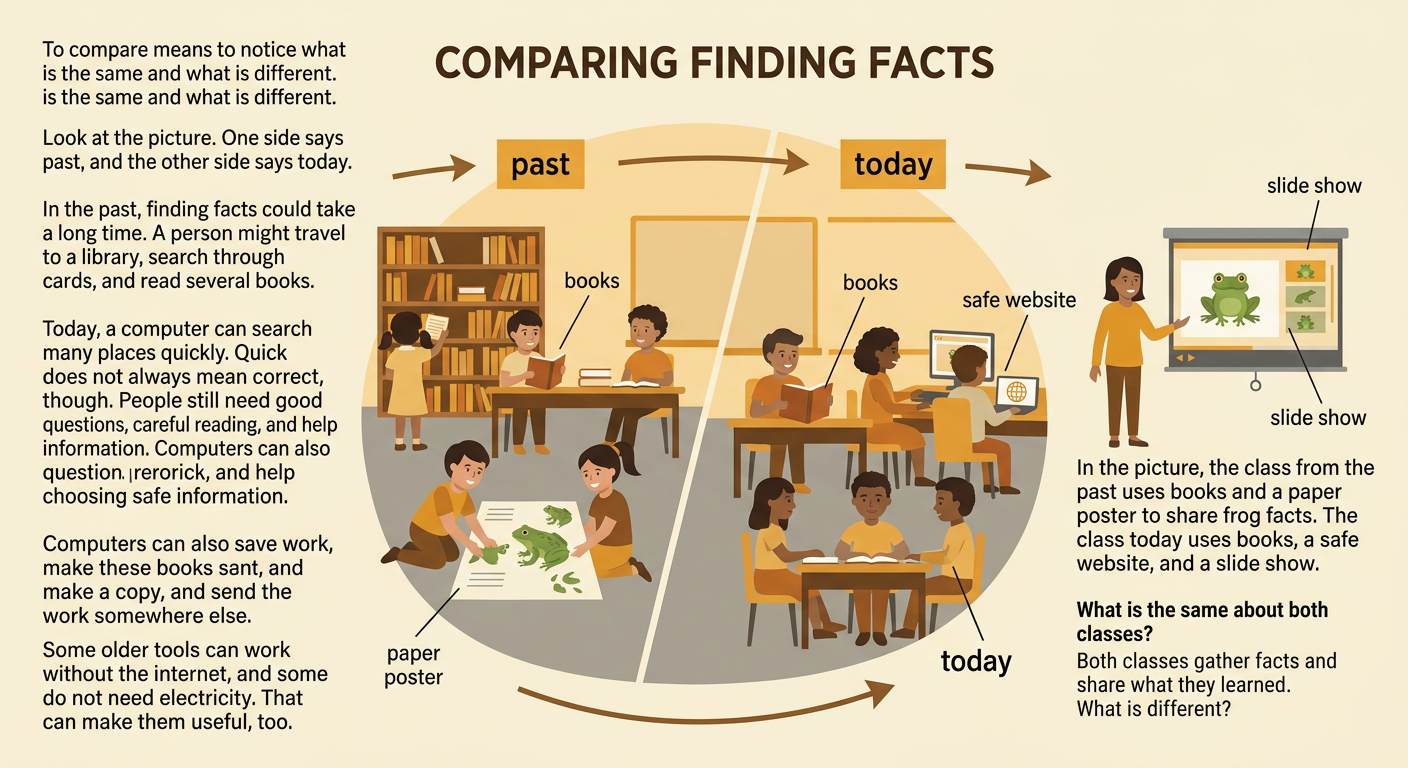
Comparing means noticing what is the same and what is different. In the past, finding information could take more time. A person might visit a library, search through cards, and read several books. Today, a computer can help a person search many sources quickly. Both ways still require careful reading and good questions. Computers can also save work, copy it, and send it to another place. Older tools often worked without the internet or electricity, so they can still be useful. For example, a class in the past might use books and a paper poster to report on frogs. A class today might use books, a safe website, and a slide show. Both classes gather facts and share what they learned, but their tools are different.
Share How Computers Help People
Computers can help people work, learn, and communicate. Workers may use computers to make plans, count supplies, or design buildings. Students may use them to practice letters, watch a science demonstration, or create a picture. Families may send messages or make video calls. Think about a situation someone wants to improve. Suppose Leo’s grandmother lives far away, and Leo wants to see her while they talk. A corded telephone lets them hear each other, but a tablet with a video call can let them hear and see each other. The improved tool helps solve Leo’s problem. Computers do not make every choice for people. People decide which tool fits the job, use it kindly, and ask a trusted adult for help when needed.
