
Create a Branching Digital Story with Conditionals
Students use if-then conditionals to program an interactive story in which a character’s choices lead to different outcomes.

Illustrations are auto-generated and may be placeholders. They can be refreshed to match the narration.
Explore Choices and Outcomes
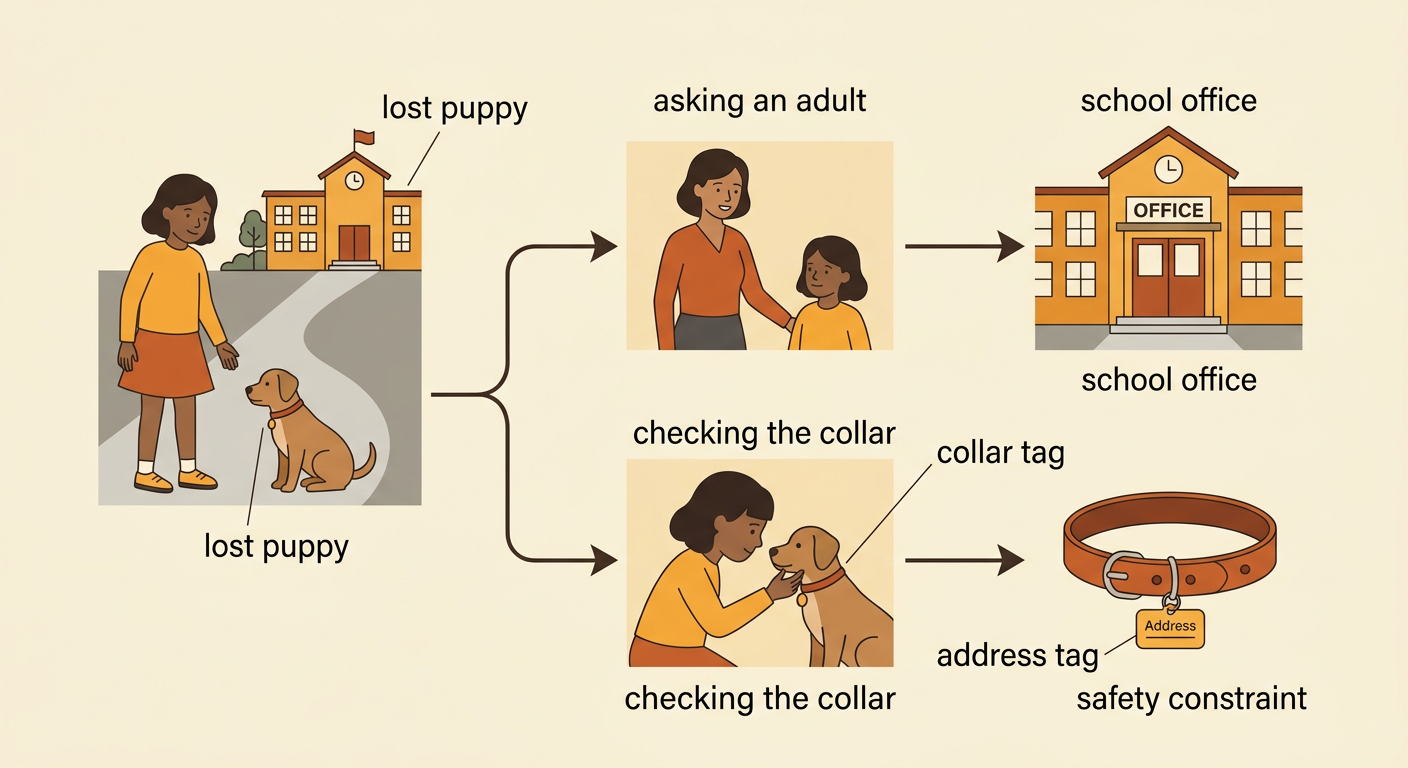
Interactive stories let the reader make choices that affect what happens next. Each choice is a decision, and each result is an outcome. Imagine a story about Maya finding a lost puppy near school. The reader can choose, “Ask an adult for help” or “Look for the owner’s address.” Asking an adult might lead Maya to the school office. Looking for an address might reveal a tag on the puppy’s collar. Both choices help solve the problem, but they create different event sequences. Good choices should be safe, realistic, and connected to the story. Communities also use decision-making procedures, such as discussing options or voting. Before programming, compare possible choices. Ask whether each one meets the story’s goal and follows its rules or constraints. Then predict the outcome of each choice.
Write If-Then Rules
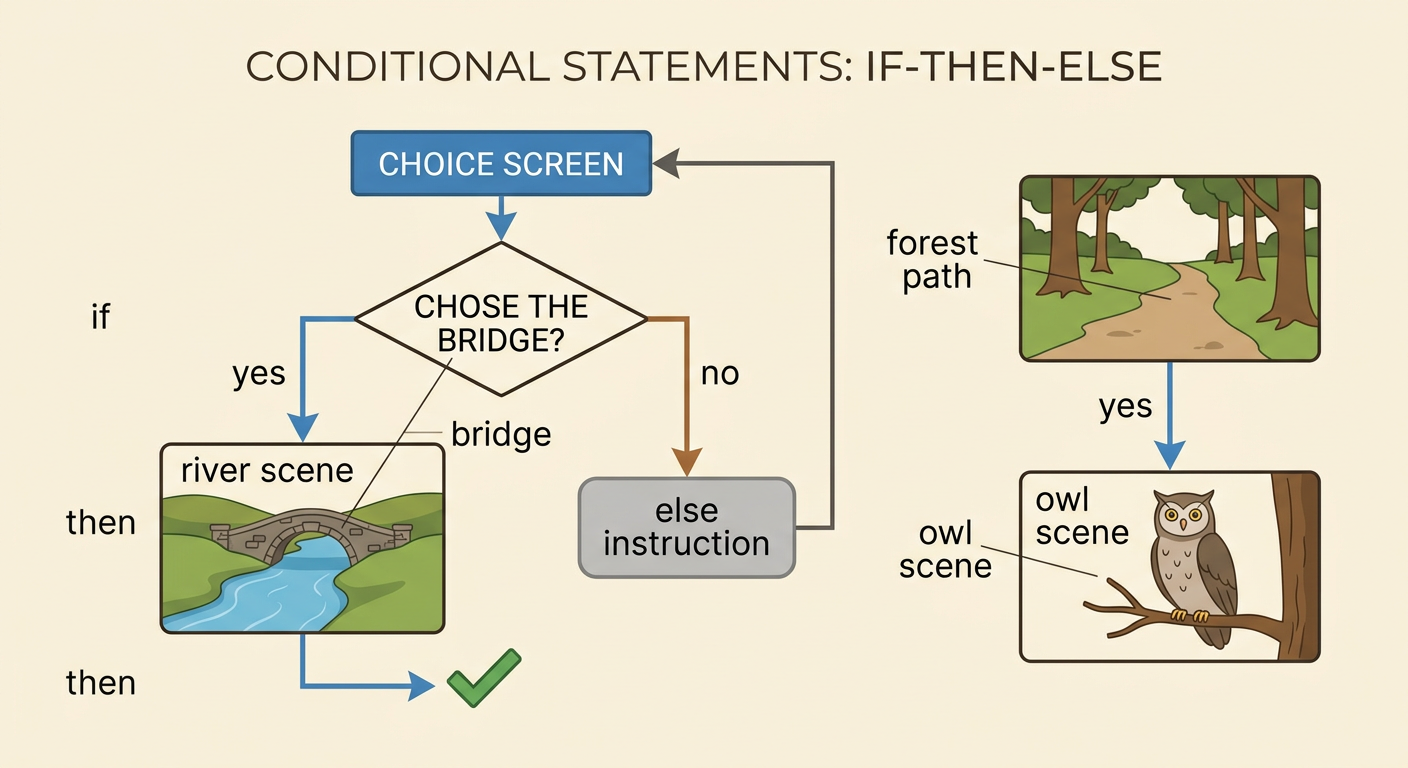
A conditional is a rule that tells a program what to do when a certain condition is true. We often write it as an if-then statement. The if part names the condition, and the then part names the action or outcome. For example: “If the reader chooses the bridge, then show the river scene.” A second rule could say, “If the reader chooses the forest path, then show the owl scene.” The program checks the reader’s choice and follows only the matching path. Write conditions that are specific so the computer can interpret them correctly. “If the reader chooses option A” is clearer than “If the reader makes a good choice.” You can also include an else action for any choice that does not match the first condition, such as returning the reader to the choice screen.
Plan a Branching Story
Plan your story before you program it. Begin with a clear setting, character, and problem. Then draw a story map that shows where the reader will make decisions. Each decision point should have two or more choices, and every arrow should lead to a logical next event. For example, Leo needs to choose a class service project. Readers can choose a book drive or a playground cleanup. The book drive path may include making posters and collecting books. The cleanup path may include gathering supplies and organizing volunteers. Both paths can end with Leo helping the community. Compare the paths using criteria such as safety, available time, and needed materials. Keep the number of branches manageable, and make sure every path has a beginning, connected events, and a satisfying ending.

Program the Conditional Paths
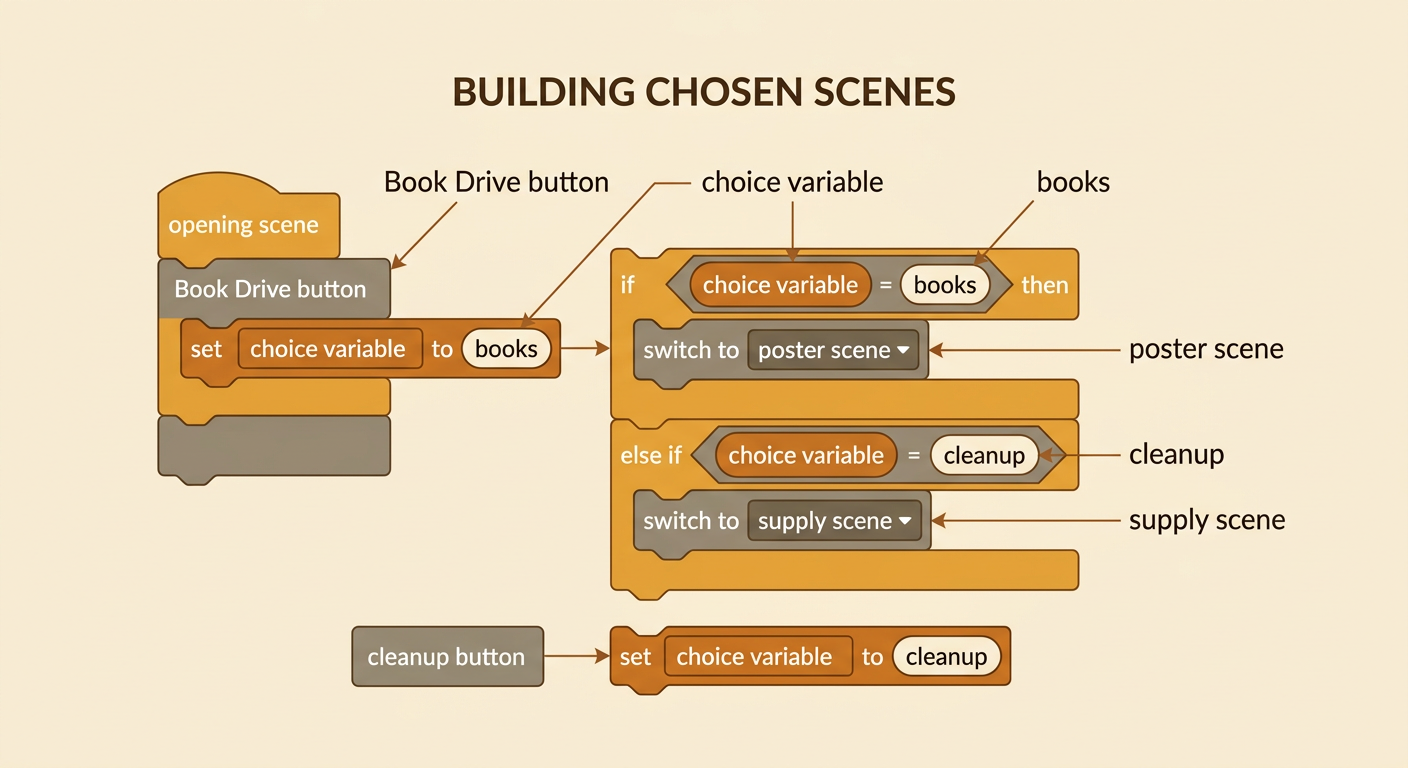
Use your story map to build each scene in a block-based coding program. Create the opening scene, add buttons for the choices, and connect each button to a conditional rule. For example, a “Book Drive” button can set a variable named choice to “books.” The program can then check: “If choice equals books, then switch to the poster scene.” Another button can set choice to “cleanup,” causing the program to switch to the supply scene. Add dialogue, movement, and backgrounds in the correct order so the narrative is easy to follow. Give buttons clear names and place them where readers can find them. Include a way to continue, restart, or return to an earlier decision. Program one branch at a time so you can confirm that each condition leads to its intended scene.
Test and Revise Each Outcome
Testing helps you find problems and improve both the code and the story. Play the story from the beginning and select every choice, including choices you did not pick during the first test. Check that each button works, each condition opens the correct scene, and every path reaches an ending. Also read the narrative aloud. Make sure events happen in a clear order and that dialogue and descriptions help readers understand the outcome. For example, if the cleanup button accidentally opens the book drive scene, inspect the variable value and conditional rule. Change the incorrect word, then test again. Ask a classmate to try the story without your help and explain any confusing parts. Record each problem, revision, and result. Continue testing until all paths work and meet your criteria for clarity, safety, and reader choice.
