
Create an Online Safety Decision Tree
Students use yes-or-no questions and branching choices to create a decision tree for deciding whether information is safe to share online.

Illustrations are auto-generated and may be placeholders. They can be refreshed to match the narration.
Public or Private Information
Information can be public or private. Public information is usually safe to share with many people, such as your favorite book or a picture of a craft that does not show personal details. Private information can identify you, locate you, or give someone access to an account. Examples include your home address, phone number, password, school schedule, and current location. Some information may be safe only with permission from a trusted adult. For example, imagine that a game asks Maya to post her favorite animal. She may share “dolphin.” If the game asks for her address, she should stop, keep it private, and tell a trusted adult. Online safety rules help everyone make responsible choices before posting, sending, or entering information.

How Decision Trees Work
A decision tree is a tool that helps people make choices step by step. It begins with a question and uses branches to show different answers. In an online safety decision tree, each question should usually have two branches labeled “Yes” and “No.” Each branch leads to another question or to a final action. For example, begin with “Does this information show where you live?” If the answer is yes, follow the branch to “Do not share.” If the answer is no, follow the other branch to the next safety question. A decision tree does not make the choice for you. It organizes your thinking so you can check important safety rules. Shapes, arrows, and clear labels make the path easy to follow.

Write Yes-or-No Questions
A useful decision-tree question must be clear enough to answer with yes or no. Ask about one safety issue at a time. Questions such as “Does it include your password?” and “Does it show your current location?” are specific and easy to answer. Avoid a broad question such as “Is this okay?” because people may not know which safety rule to check. Also avoid combining ideas. Instead of asking, “Does it show your school or your address?” make two separate questions. Suppose Leo wants to post a soccer photo. He can ask, “Does the photo show my school name?” If yes, he should not post it without help from a trusted adult. Classmates can read one another’s questions aloud and discuss whether each question is clear, respectful, and focused on safety.

Build the Safety Decision Tree
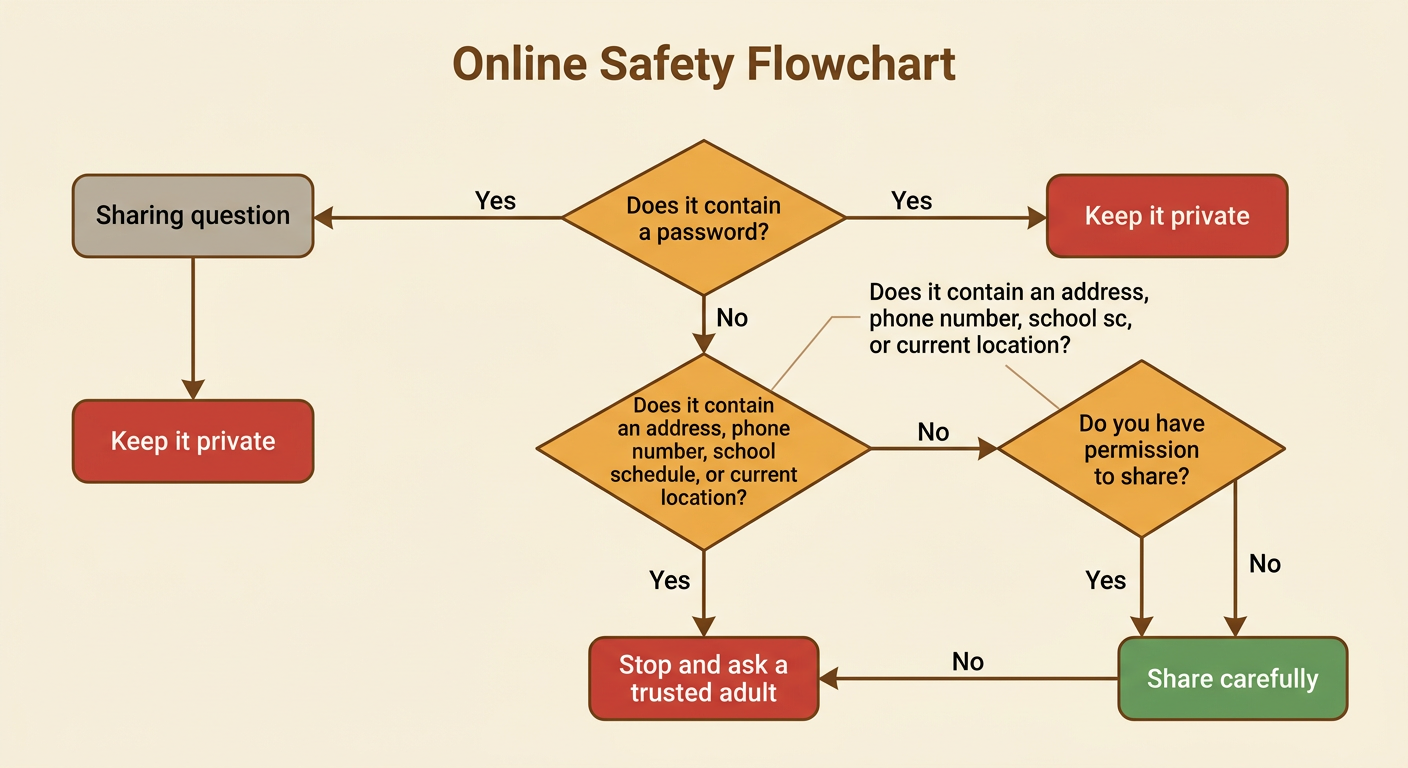
Begin your tree with “Do you want to share information online?” Then add safety questions in a sensible order. First ask whether the information contains a password. If yes, the action is “Keep it private.” If no, ask whether it shows an address, phone number, school schedule, or current location. A yes answer should lead to “Stop and ask a trusted adult.” A no answer can lead to another question: “Do you have permission to share it?” If yes, the path may end with “Share carefully.” If no, ask first. Work with classmates to compare possible tree designs. Your group must include clear questions, Yes and No branches, arrows, and safe ending actions. These are the criteria for a useful tree. Limited page space is a constraint, so keep the design simple and readable.
Test and Improve the Branches
Testing helps you find missing, confusing, or unsafe branches. Choose sample information and follow the tree exactly. For example, test the message “My favorite color is green.” It contains no password, address, schedule, or current location. If a trusted adult has given permission, the path may lead to “Share carefully.” Next, test “I am at Pine Park right now.” A strong tree should recognize the current location and lead to “Stop and ask a trusted adult.” Have a partner test your tree with another example. Listen as the partner explains each choice. If a question is confusing, rewrite it. If a branch has no ending, add one. Compare versions using the criteria of safety, clarity, and completeness. Improvement is part of the design process, and respectful discussion helps the group choose the best solution.
