Cybersecurity Threat Modeling and Layered Defense
Students analyze a network scenario, identify assets and potential attack paths, and design a layered defense that includes technical safeguards and responsible incident-reporting procedures.
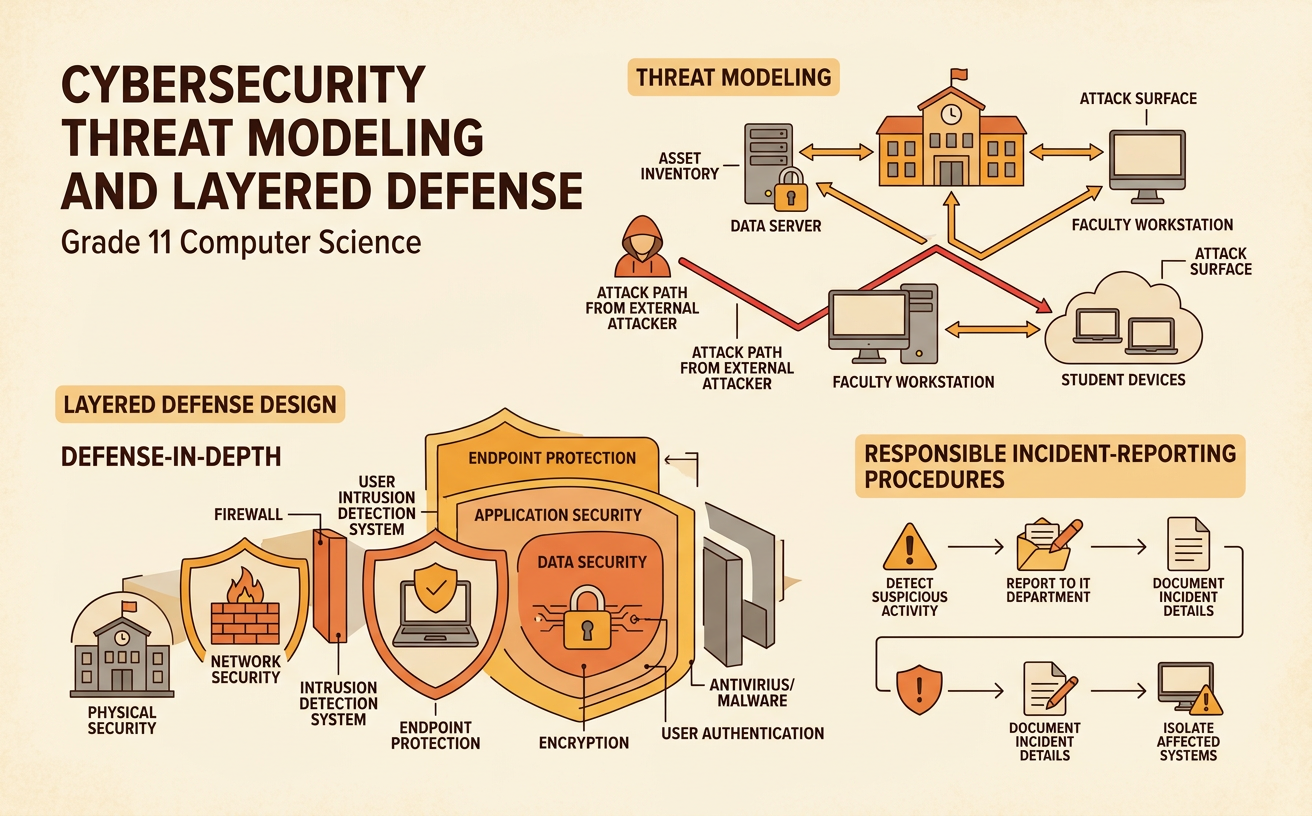
Illustrations are auto-generated and may be placeholders. They can be refreshed to match the narration.
Assets, Threats, and Vulnerabilities
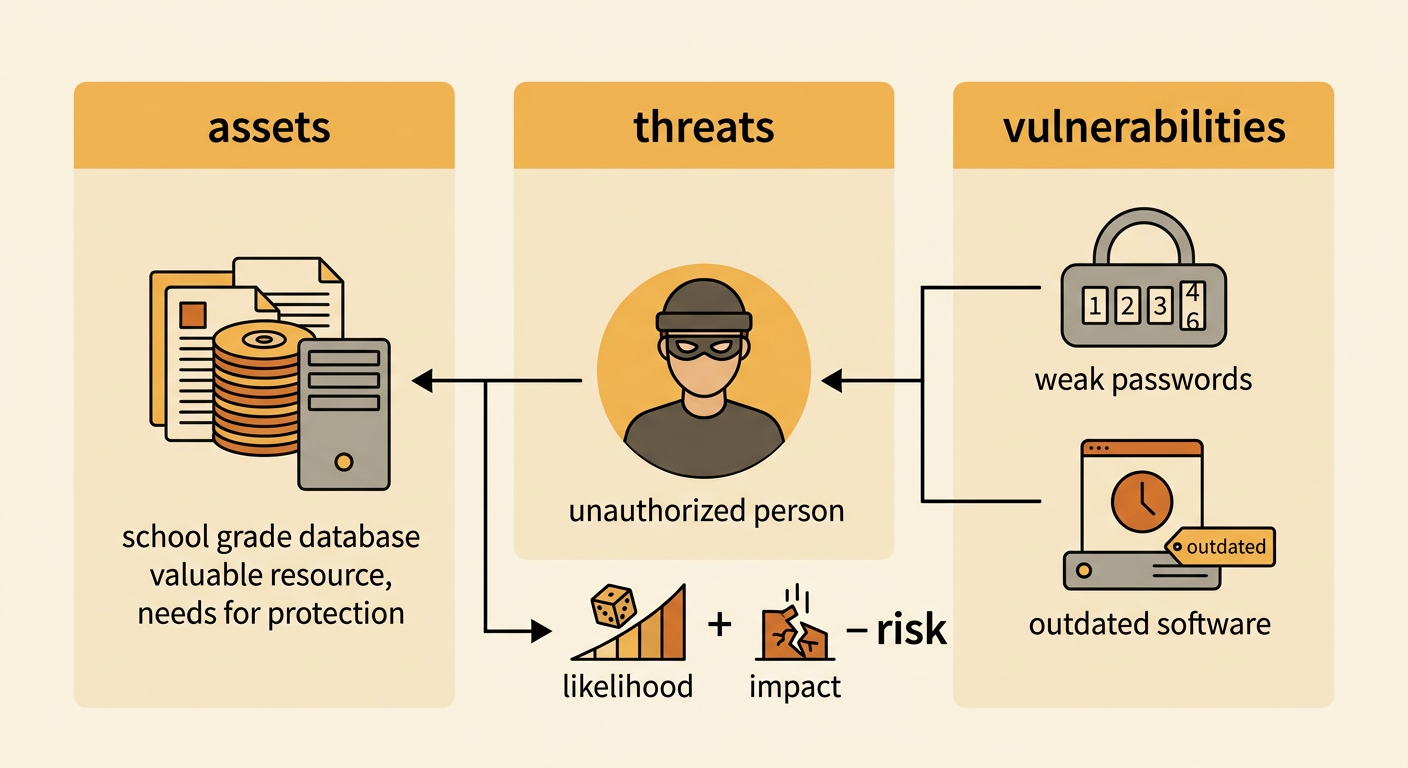
Threat modeling begins by identifying assets, threats, and vulnerabilities. Assets are resources that need protection, such as student records, account credentials, devices, and network availability. A threat is something that could cause harm, while a vulnerability is a weakness that a threat could exploit. Risk depends on both the likelihood of an event and the seriousness of its impact. For example, a school stores grades in an online database. The grades and student identities are assets. An attacker seeking private information is a threat. Weak passwords and outdated server software are vulnerabilities. Students should gather information from network diagrams, device inventories, security policies, and interviews, then compare the sources for missing or conflicting details. Dividing the system into people, devices, software, data, and connections makes the larger security problem easier to analyze.
Mapping Possible Attack Paths
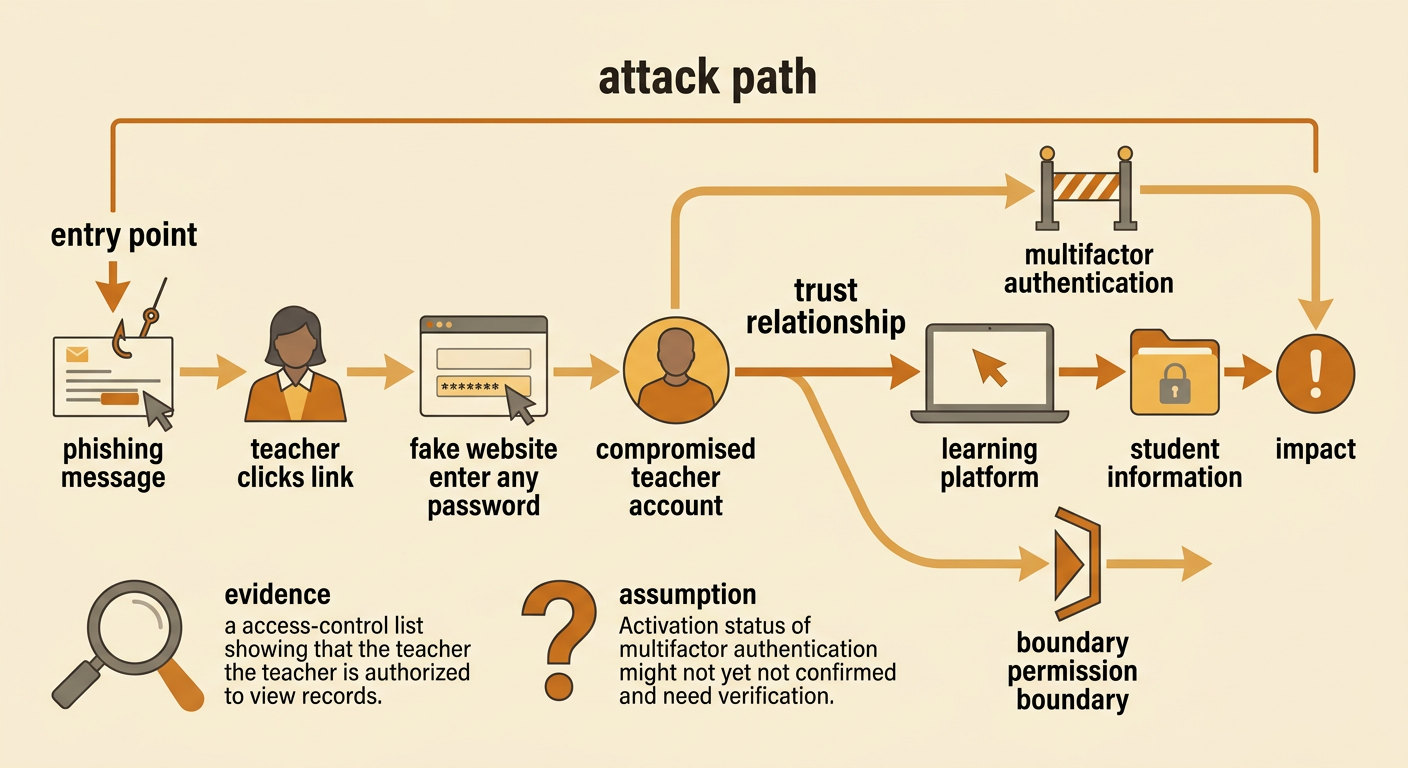
An attack path is a sequence of steps through which a threat could reach an asset. A useful map begins with an entry point, follows connections and trust relationships, and ends at a possible impact. Consider a phishing message sent to a teacher. If the teacher enters a password on a fake website, an attacker might use the stolen account to enter the learning platform and attempt to access student information. The map should mark assumptions, such as whether multifactor authentication is enabled or whether the account has permission to view records. It should also distinguish evidence from speculation. Students can compare a network diagram, access-control list, and user policy to evaluate whether each step is possible. Mapping several paths helps teams find shared weaknesses, such as one account granting access to multiple systems, without assuming that every imagined path will succeed.
Applying Layered Security Controls
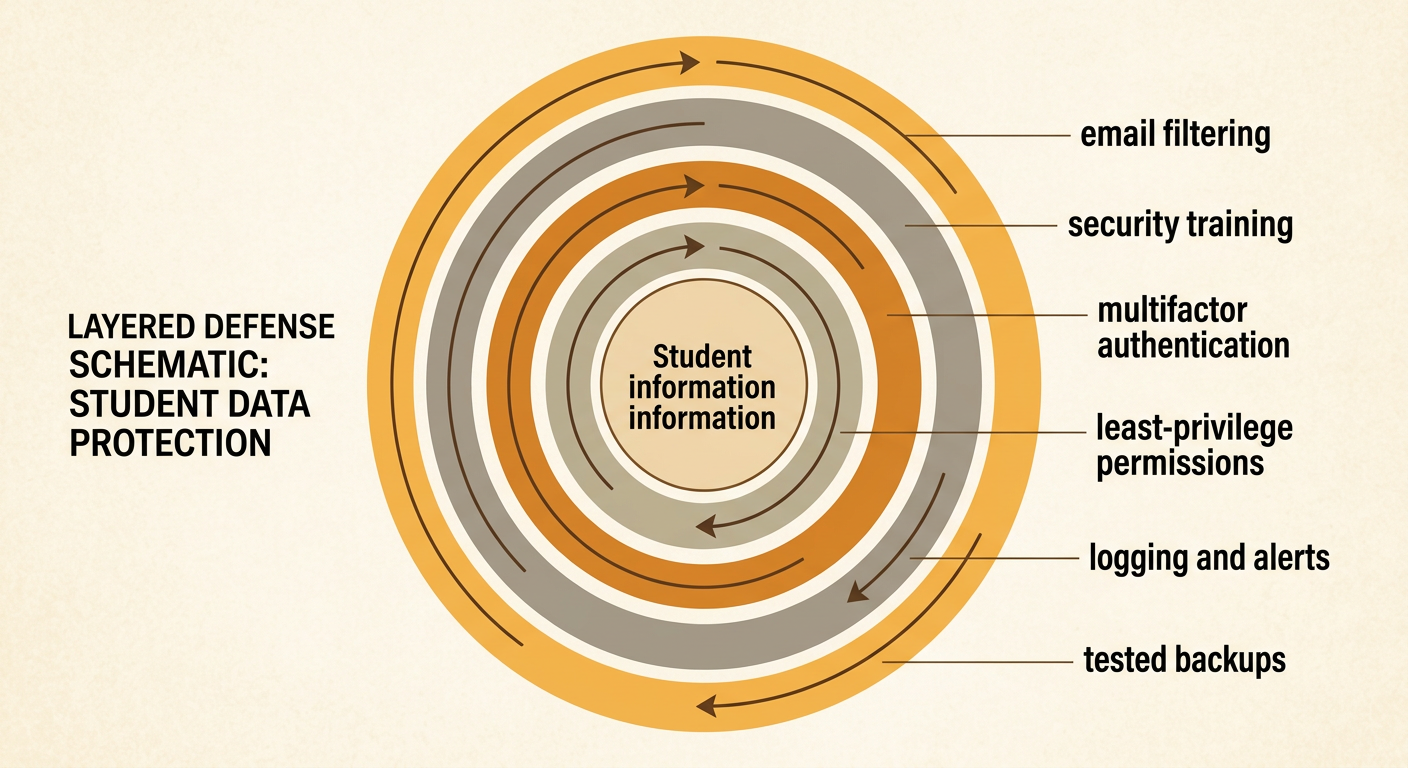
Layered defense uses several independent safeguards so that one failure does not expose the entire system. Controls may be preventive, detective, or corrective, and they may involve technology, people, or procedures. In the school example, email filtering can reduce phishing messages, security training can help teachers recognize suspicious requests, multifactor authentication can limit the value of stolen passwords, and least-privilege permissions can restrict what an account can reach. Logging and alerts can reveal unusual sign-ins, while tested backups can support recovery from data loss. Each control should match a specific risk rather than being added without purpose. Students should also consider usability, cost, maintenance, accessibility, and privacy. A strong design explains how the layers work together: if a deceptive message bypasses the filter, a trained user or an additional authentication factor may still stop unauthorized access.
Testing the Defense Plan
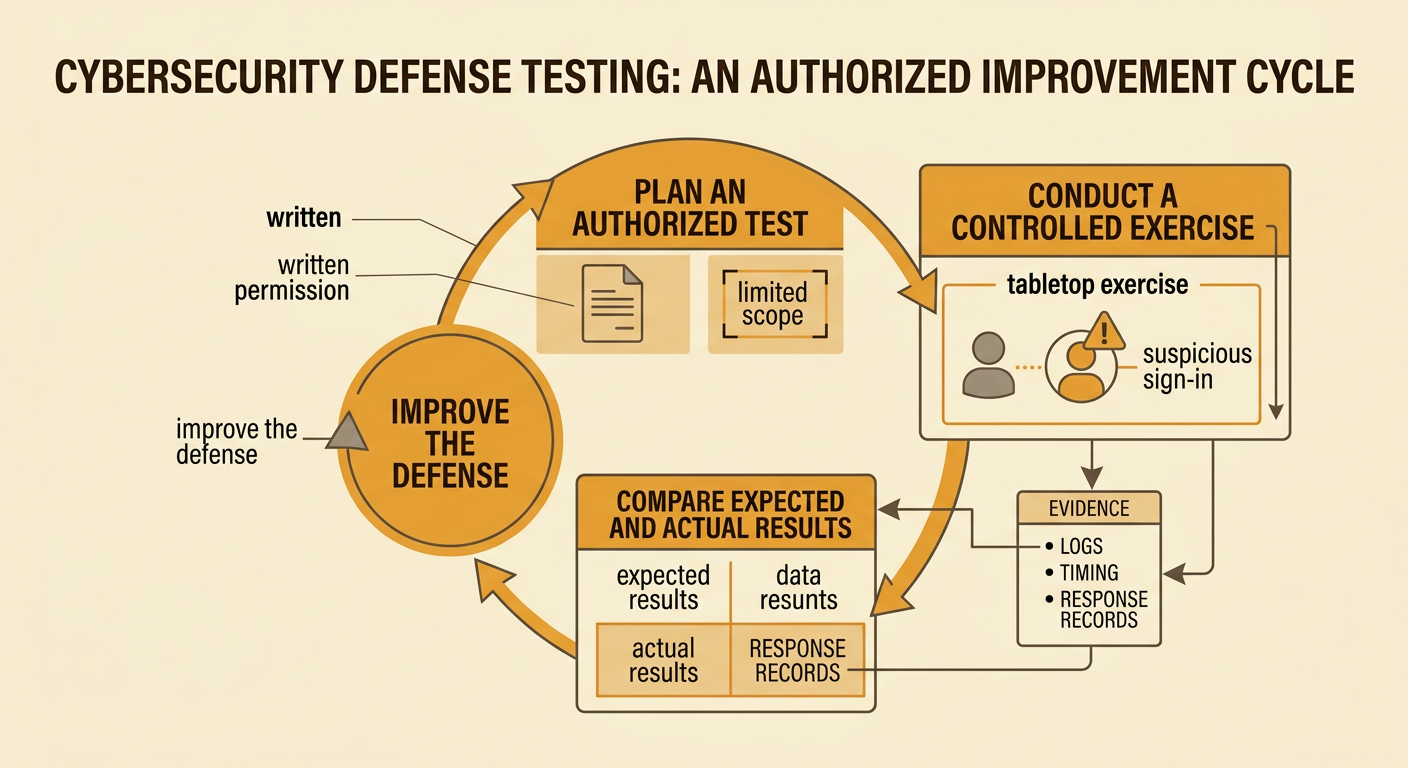
A defense plan should be tested safely before anyone assumes it works. Testing can include configuration reviews, tabletop exercises, backup restoration checks, authorized simulations, and analysis of logs from a controlled scenario. Tests must have written permission, a limited scope, and rules that protect real users and data. For example, a school team might conduct a tabletop exercise in which a teacher reports a suspicious sign-in. Participants then check whether the report reaches the right staff member, whether the account can be secured quickly, and whether logs provide enough information to understand the event. The team records expected results, actual results, evidence, and needed improvements. If alerts arrive too late, the manageable subproblem is notification timing rather than the entire security system. Repeating the test after changes supports evidence-based evaluation and shows whether the revised design actually reduces risk.
Legal and Ethical Incident Reporting
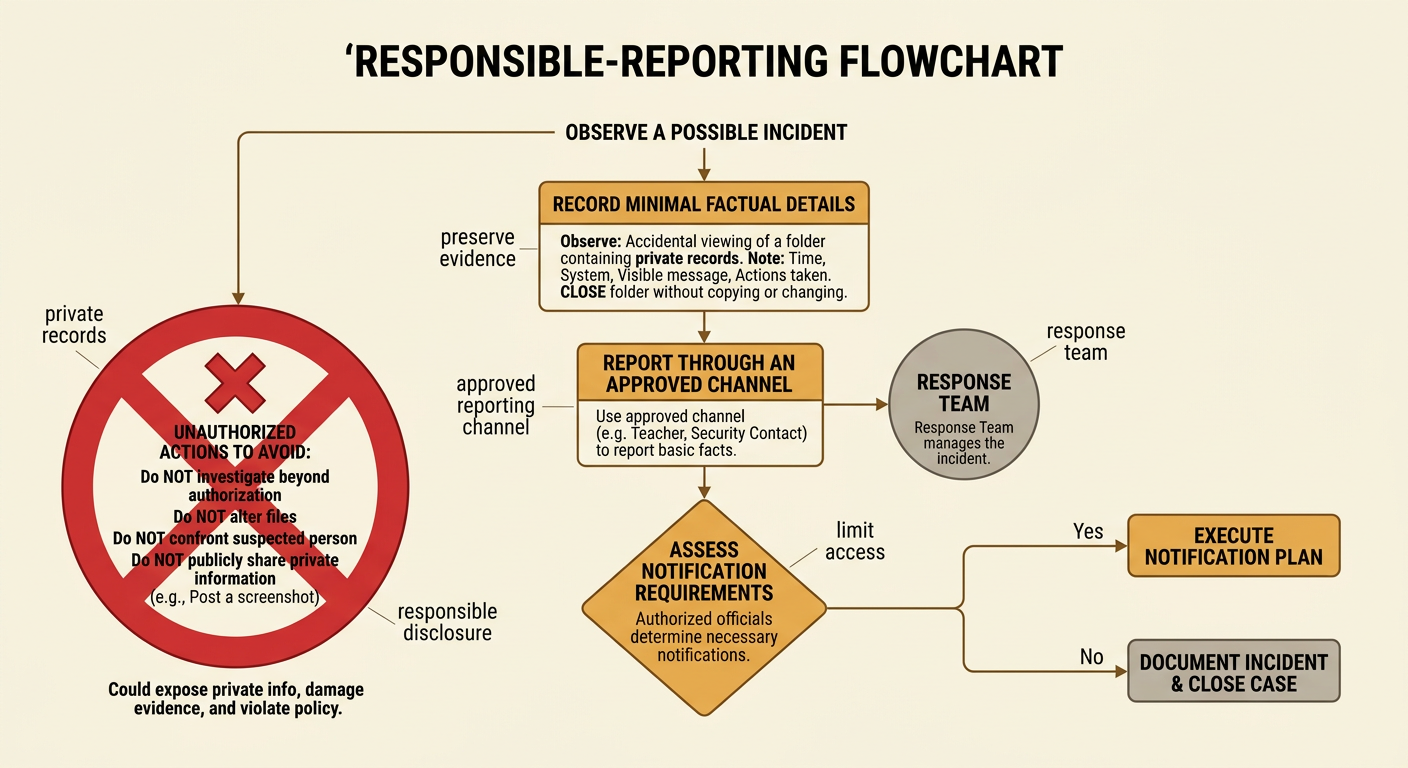
Incident reporting should protect people, preserve evidence, and follow laws and organizational policy. A student or employee who notices a possible security event should avoid investigating beyond authorization, changing files, confronting a suspected person, or publicly sharing private information. Instead, the observer should record basic facts, such as the time, system, visible message, and actions already taken, then use the approved reporting channel. For example, a student who accidentally sees a folder containing private records should close it, avoid copying the files, and notify the teacher or designated security contact. The response team can preserve relevant logs, limit access, and determine whether administrators, affected people, law enforcement, or regulators must be notified. Reporting rules reflect public debates about privacy, transparency, due process, surveillance, and responsible disclosure. People may use or challenge laws and policies when they believe those rules inadequately protect rights or public safety.