Cybersecurity Threat Modeling and Privacy Trade-Offs
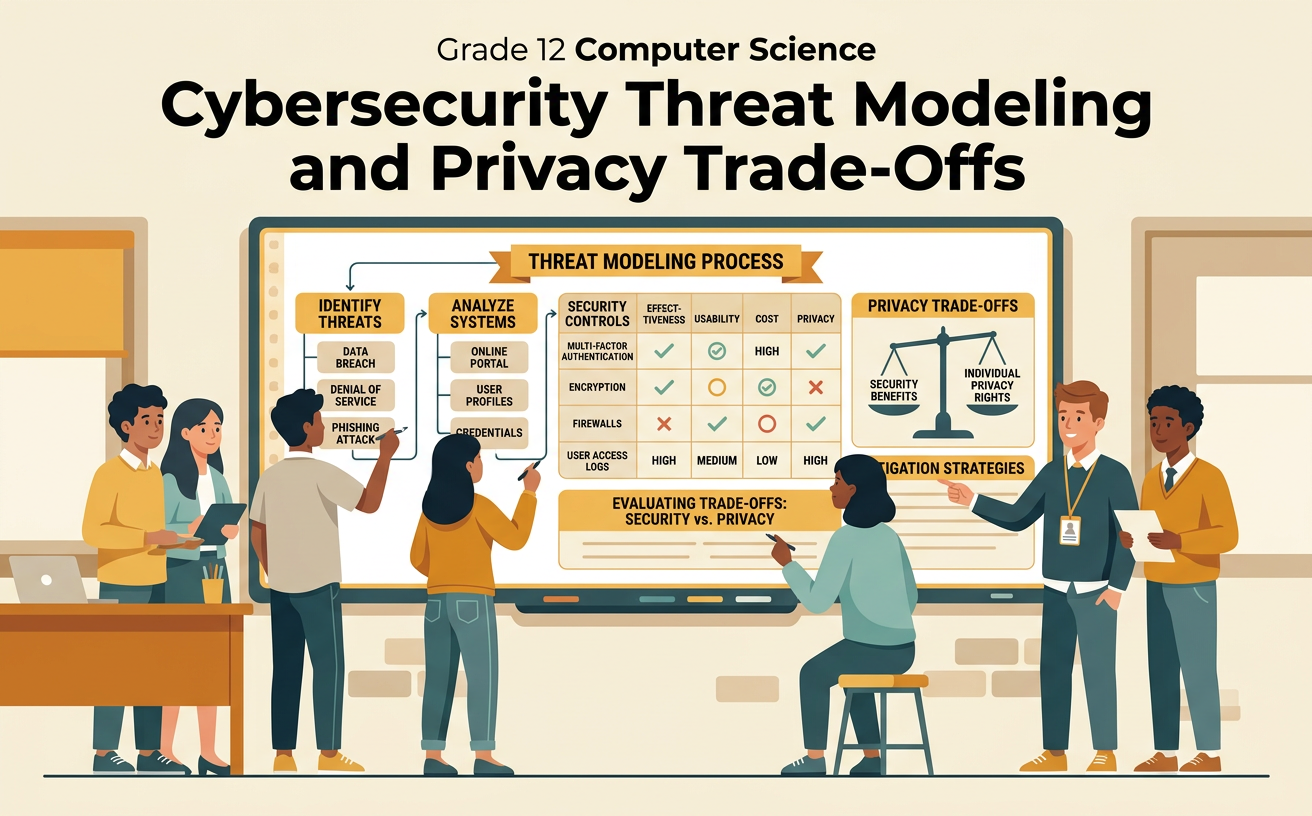
Students create a basic threat model for an online system and evaluate security controls based on effectiveness, usability, cost, and individual privacy rights.
Illustrations are auto-generated and may be placeholders. They can be refreshed to match the narration.
Identify Assets and Stakeholders
A threat model begins by defining the system boundary, identifying valuable assets, and listing people or groups affected by security decisions. Assets include data, accounts, devices, services, and system availability. Stakeholders may include users, administrators, organizations, families, regulators, and people whose information is stored without their direct involvement. For example, a school learning portal contains student grades, assignments, passwords, attendance records, and teacher feedback. Students value privacy and reliable access, while teachers need efficient class management. Administrators must protect records and follow legal requirements. The software provider may prioritize operating cost and performance. Draw a system boundary around the portal, then show where assets are stored and which stakeholders interact with them. This step prevents the team from protecting only obvious assets while overlooking privacy, access, or availability concerns.

Map Threats and Vulnerabilities
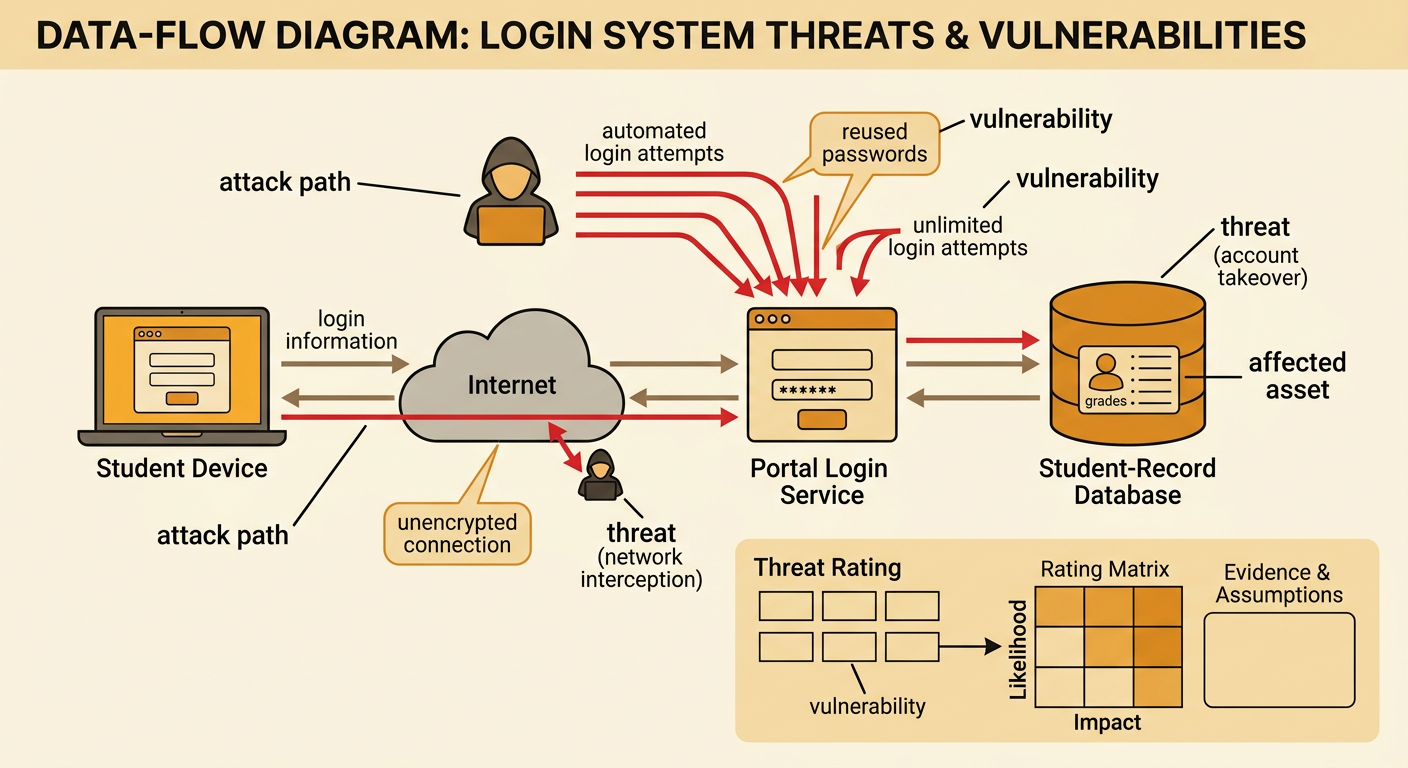
A threat is a possible harmful event, while a vulnerability is a weakness that makes the event more likely or damaging. Map how data moves through the system, including login pages, networks, servers, databases, and outside services. Then examine each point for unauthorized access, data disclosure, tampering, service disruption, or misuse. In the school portal, an attacker might use passwords stolen from another website to attempt automated logins. Reused passwords and unlimited login attempts are vulnerabilities; account takeover is the threat. An unencrypted connection could also expose data to someone monitoring network traffic. Show threat actors, attack paths, vulnerabilities, and affected assets on the same data-flow diagram. Rate each threat by likelihood and impact, but state the evidence and assumptions behind each rating. A rare threat with severe consequences may deserve attention even if its overall probability is uncertain.
Select Security Controls
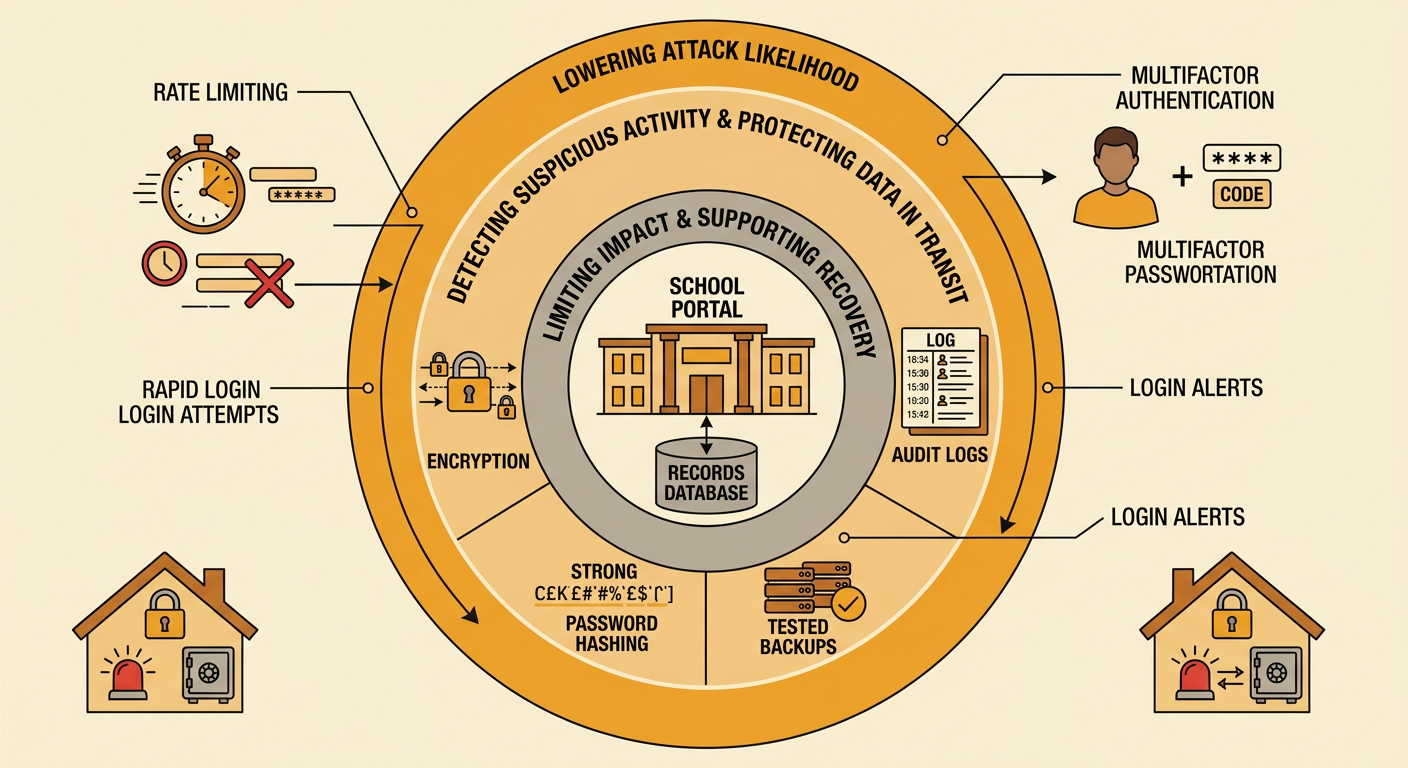
Security controls reduce the likelihood or impact of identified threats. Controls can prevent attacks, detect suspicious activity, or support recovery after an incident. Select controls that directly address the mapped vulnerabilities rather than adding technology without a clear purpose. For the school portal, multifactor authentication can limit damage from stolen passwords, while rate limiting can slow automated login attempts. Strong password hashing protects stored credentials, encryption protects data in transit, and secure backups support recovery. Login alerts and carefully limited audit logs can help detect misuse. A layered design is usually stronger because no single control is perfect. However, each control should be checked for accessibility, reliability, maintenance cost, and privacy effects. For example, an authentication app may be effective but could exclude students who do not own smartphones, so the system should provide secure alternative methods.
Evaluate Design Trade-Offs
Evaluate each proposed control using prioritized criteria such as effectiveness, usability, cost, accessibility, reliability, and privacy. Also identify constraints, including budgets, laws, school policies, available staff, and technical limits. A control can improve security while creating another risk. For example, software that records every student webpage and keystroke might help investigate misuse, but broad monitoring collects sensitive information, can discourage lawful expression, and may be misused or breached. Students, families, teachers, and administrators may weigh these effects differently because their responsibilities and personal interests differ. Compare that option with narrower controls, such as recording only failed login attempts and major account changes for a limited time. Consider individual privacy rights, transparency, equal treatment, and a fair process for challenging errors. A decision matrix makes the trade-offs visible, but the team must explain why some criteria receive greater weight than others.
Defend the Final Threat Model
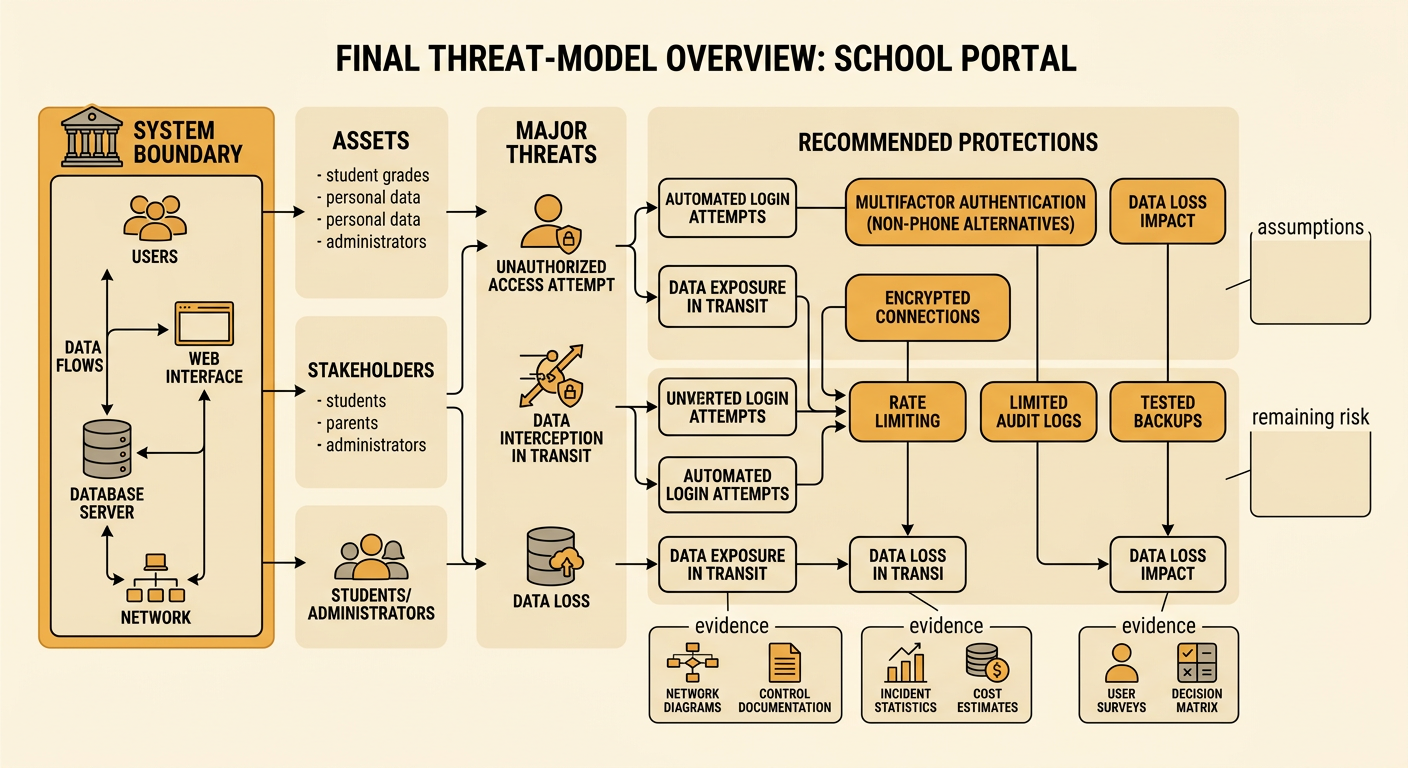
A final threat model should present the system boundary, assets, stakeholders, data flows, major threats, vulnerabilities, selected controls, and remaining risk. Defend the design with evidence from multiple formats, such as network diagrams, control documentation, incident statistics, cost estimates, user surveys, and the decision matrix. For the school portal, a team might recommend multifactor authentication with nonphone alternatives, encrypted connections, rate limiting, limited audit logs, and tested backups. The defense should explain that these controls address account takeover and data loss while avoiding continuous student surveillance. It should also acknowledge residual risks, such as social engineering or a compromised administrator account. State assumptions and uncertainties instead of claiming perfect security. During peer review, answer objections from different stakeholder perspectives and revise the model when stronger evidence appears. A persuasive defense connects every recommended control to a specific threat, criterion, constraint, and privacy consideration.