Decomposing a Program into Functions
Students break a complex program specification into smaller functions, define each function’s inputs and outputs, and trace how the components work together.

Illustrations are auto-generated and may be placeholders. They can be refreshed to match the narration.
Why Decompose Programs?
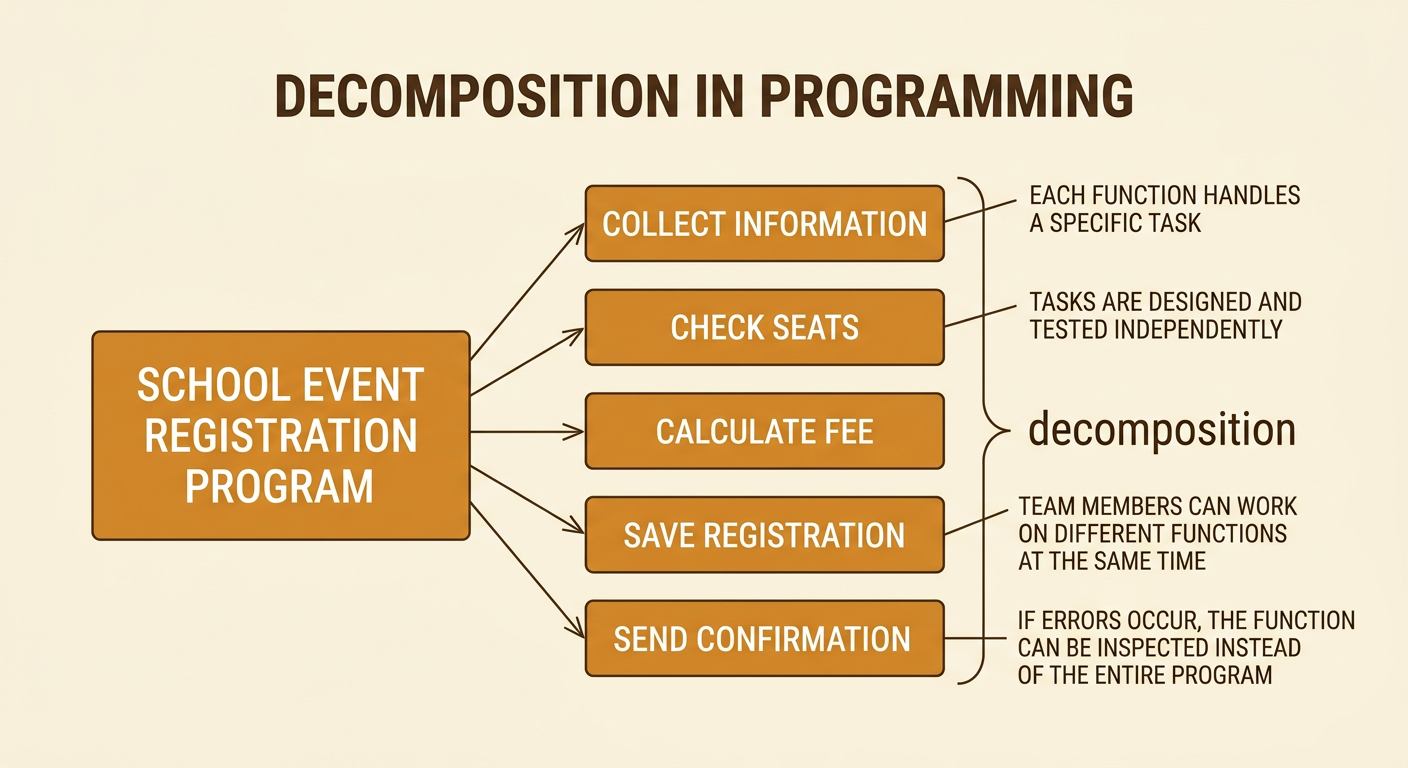
A complex program can be difficult to understand, build, test, and repair if all its instructions are placed in one long block. Decomposition means breaking the program into smaller functions, with each function handling a specific task. Imagine a program that registers students for a school event. It must collect student information, check available seats, calculate any fee, save the registration, and send a confirmation. Treating each task as a separate function makes the design easier to manage. Team members can work on different functions, and each function can be tested independently. If confirmations are incorrect, the programmer can inspect the confirmation function instead of searching the entire program. Decomposition supports the engineering practice of turning one complex problem into smaller, solvable problems.
Identify the Program Requirements
Before defining functions, programmers must identify exactly what the program is required to do. Requirements describe needed behaviors, information, rules, and constraints. For a school event registration program, requirements might state that the program must collect a student ID, allow the student to choose an event, reject registration when no seats remain, calculate a fee based on ticket type, and provide a confirmation number. Constraints may include protecting student information and preventing duplicate registrations. Separate required features from optional ideas, such as displaying event photos. Also identify unusual cases: What happens if the student ID is missing or the payment fails? Clear requirements prevent the team from solving the wrong problem. Each requirement should be specific enough that the finished program can be tested against it.

Divide the Problem into Functions
After listing requirements, group related actions into functions. Each function should have one clear purpose and a descriptive name. In the event registration program, getStudentInfo can collect and validate identifying information. checkSeatAvailability can determine whether the selected event has an open seat. calculateFee can apply ticket prices or discounts. saveRegistration can store an approved registration, and createConfirmation can produce a confirmation number and message. Avoid making functions too broad. A function named handleEverything does not reveal its purpose and would be difficult to test. Also avoid splitting a simple action into unnecessary pieces. A useful test is to complete this sentence: “This function is responsible for one task.” If the sentence requires several unrelated tasks, divide the function again.

Define Inputs, Outputs, and Responsibilities
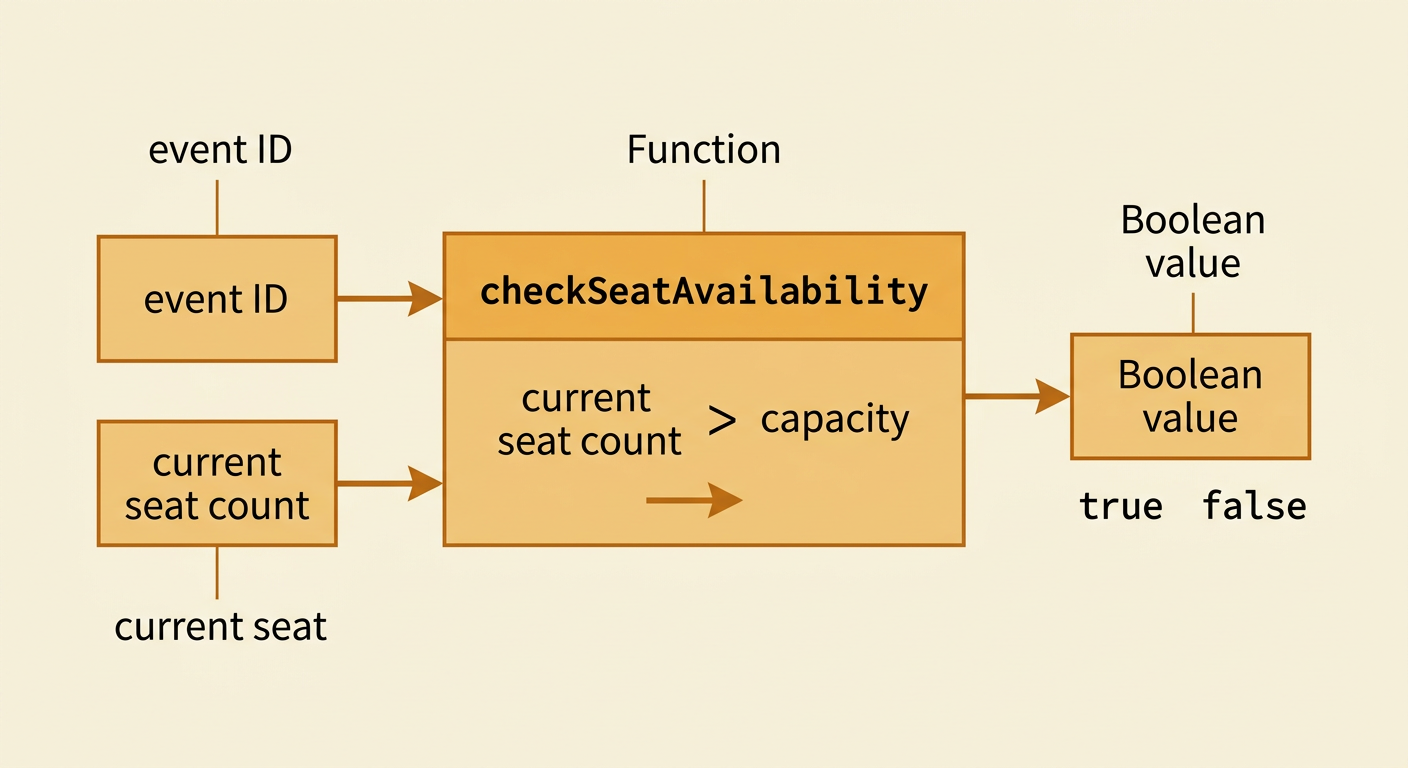
For every function, define its inputs, output, and responsibility before writing code. Inputs are values the function receives, while the output is the value or result it returns. The responsibility states what the function does and what it does not do. For example, checkSeatAvailability might receive an event ID and the current seat count. Its responsibility is to compare the seat count with the event capacity, and its output is a Boolean value: true if a seat is available or false if the event is full. It should not charge a fee or save student data. Clear definitions create a contract between functions. Other parts of the program can use the output without needing to know every internal step. This also makes test cases easier to design.
Trace the Flow Between Functions
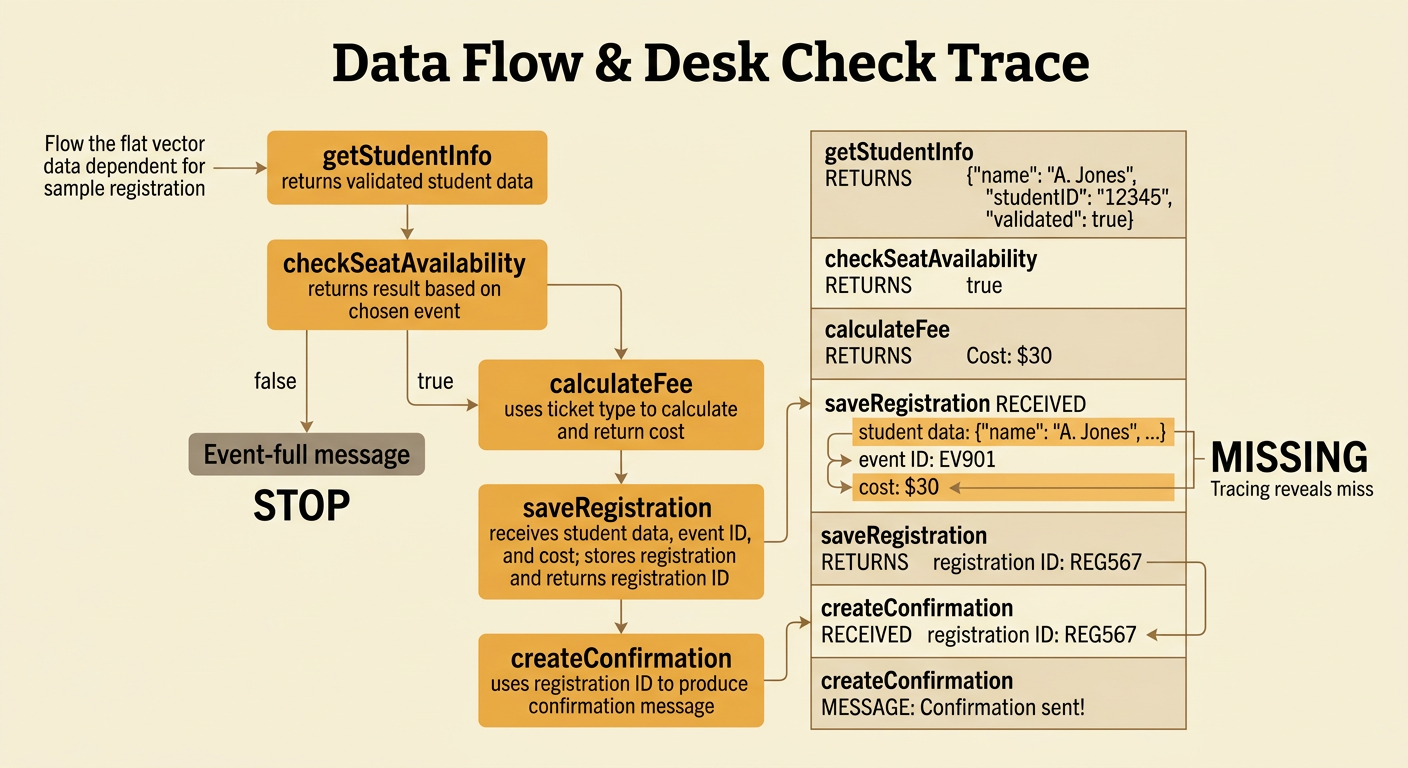
Functions must work together in the correct order, so programmers trace the flow of data and decisions through the design. In the registration example, getStudentInfo first returns validated student data. The program then sends the chosen event to checkSeatAvailability. If that function returns false, the program displays an event-full message and stops. If it returns true, calculateFee uses the ticket type to return a cost. Next, saveRegistration receives the student data, event ID, and cost, then returns a registration ID. Finally, createConfirmation uses that ID to produce a message. Tracing helps reveal missing data, incorrect order, and paths that have no result. Programmers can perform a desk check by following one sample registration through every arrow and recording each intermediate value.
Review and Refine the Design
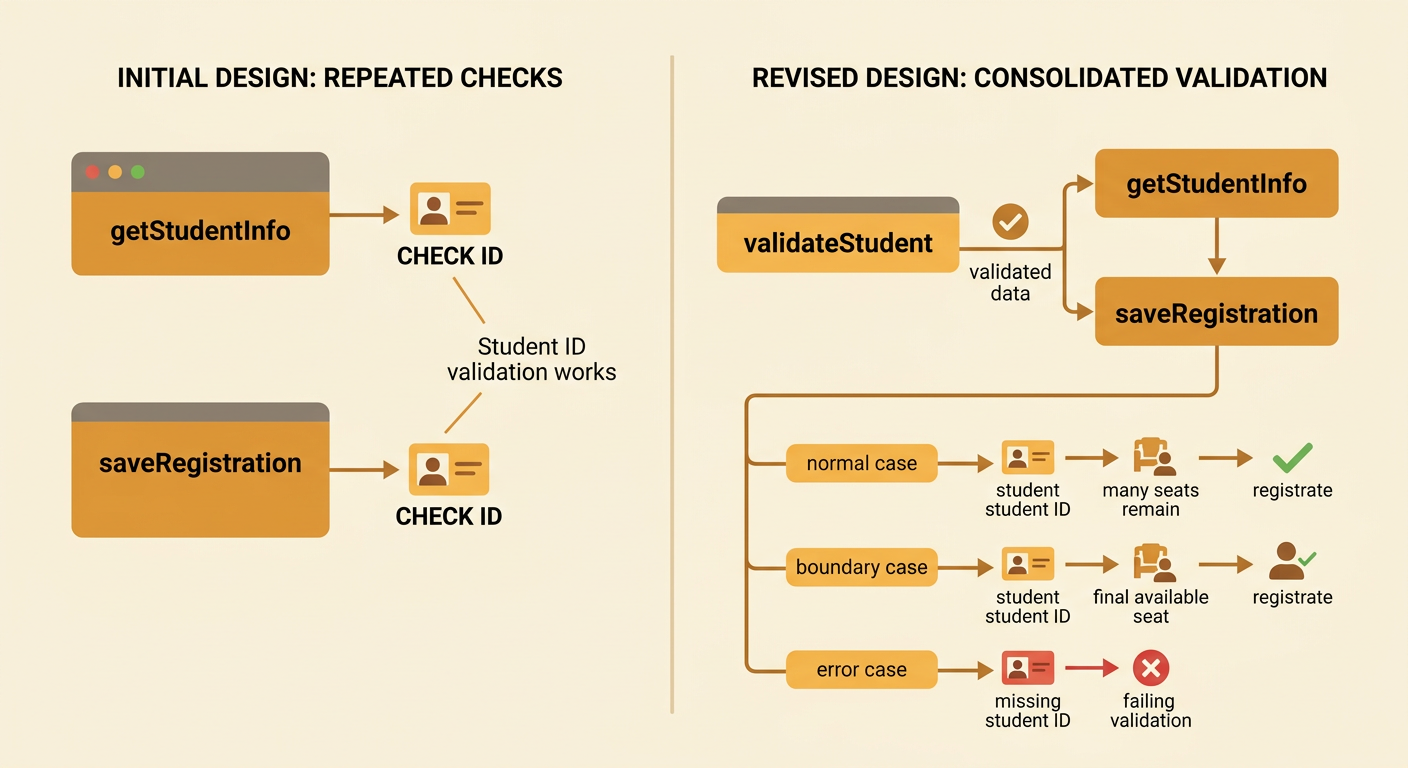
A first design is rarely the best design. Review the functions to find missing requirements, repeated work, unclear names, unnecessary dependencies, and unhandled cases. For example, suppose both getStudentInfo and saveRegistration check whether a student ID is valid. That repeated rule could lead to inconsistent results. The design can be refined so validation occurs once in a separate validateStudent function, and later functions use the validated data. Then test the revised design with normal, boundary, and error cases. A normal case might register a student when many seats remain. A boundary case might use the final available seat. An error case might provide a missing student ID. Refinement continues until every requirement is assigned to a function, each data path is clear, and the design handles expected failures safely.