
Decomposing a Real-World Problem into Pseudocode
Students break a school or community problem into manageable steps and express a possible digital solution using sequenced pseudocode with decisions and exceptions.
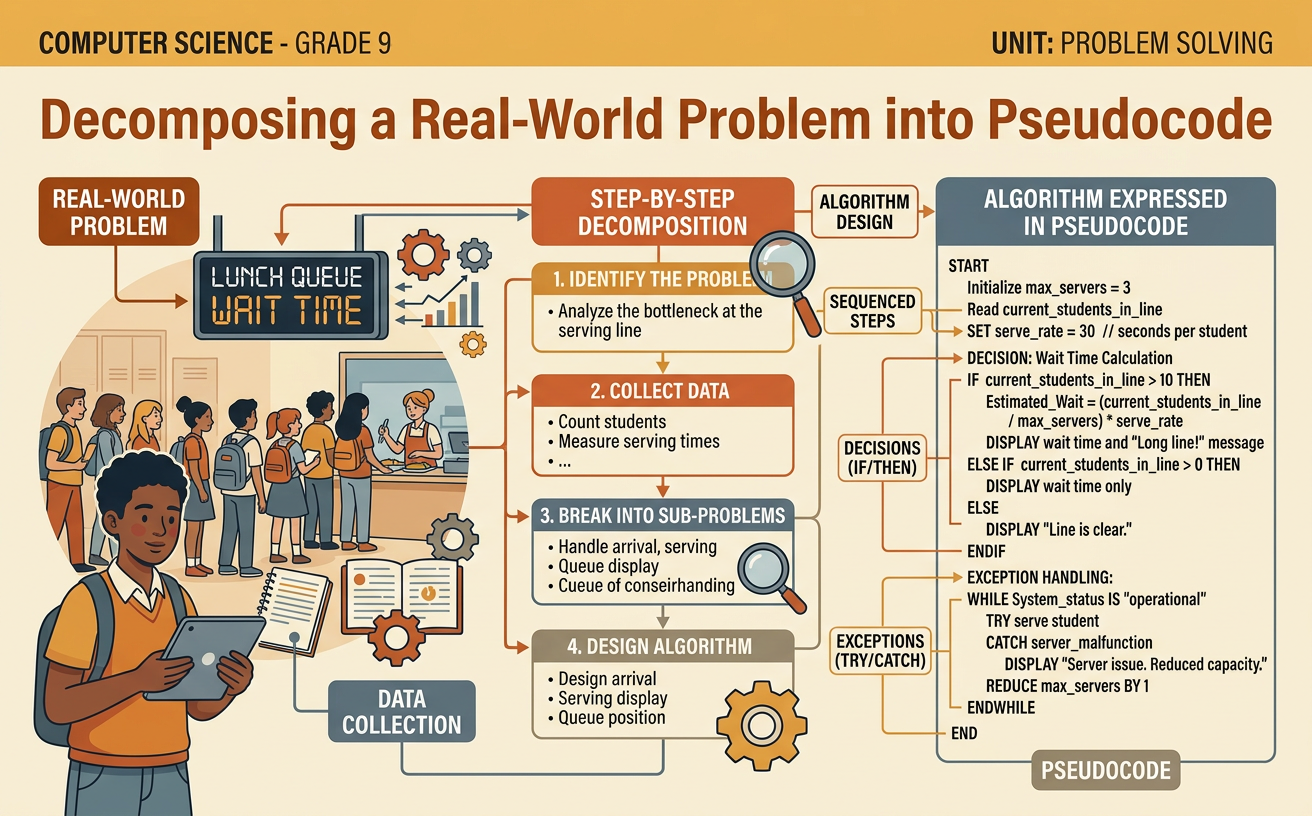
Illustrations are auto-generated and may be placeholders. They can be refreshed to match the narration.
Identify the Problem and Users
Begin by describing the real problem, not merely naming a technology you might build. Ask what is happening, who is affected, why it matters, and what limits must be considered. For example, students may notice that broken classroom equipment is repaired slowly because reports are incomplete or sent to different people. The users include students and teachers who submit reports, office staff who review them, and maintenance workers who complete repairs. Interviewing or surveying these groups can reveal different needs, such as simple forms, accurate locations, or clear repair priorities. A focused problem statement could be: The school needs a consistent way to report damaged equipment so maintenance staff receive complete, useful information. Avoid assuming that an app alone will solve the problem. Consider accessibility, privacy, school rules, available devices, and the needs of people with limited internet access.

Define Inputs and Desired Outputs
Inputs are the information a digital solution receives, while outputs are the useful results it produces. Select only inputs that are necessary, accurate, and appropriate to collect. For an equipment-reporting system, inputs might include the room number, equipment type, description of the damage, urgency, and an optional photograph. Avoid collecting private information that is not needed. Desired outputs might include a confirmation number for the reporter, a repair request for maintenance staff, a prioritized work list, and a status update when the repair is finished. Define what makes each input valid. A room number should match an existing school location, and a description should not be blank. Also define what success looks like. For example, every accepted report should reach the maintenance queue with a unique identification number and enough information for staff to respond.

Decompose the Problem
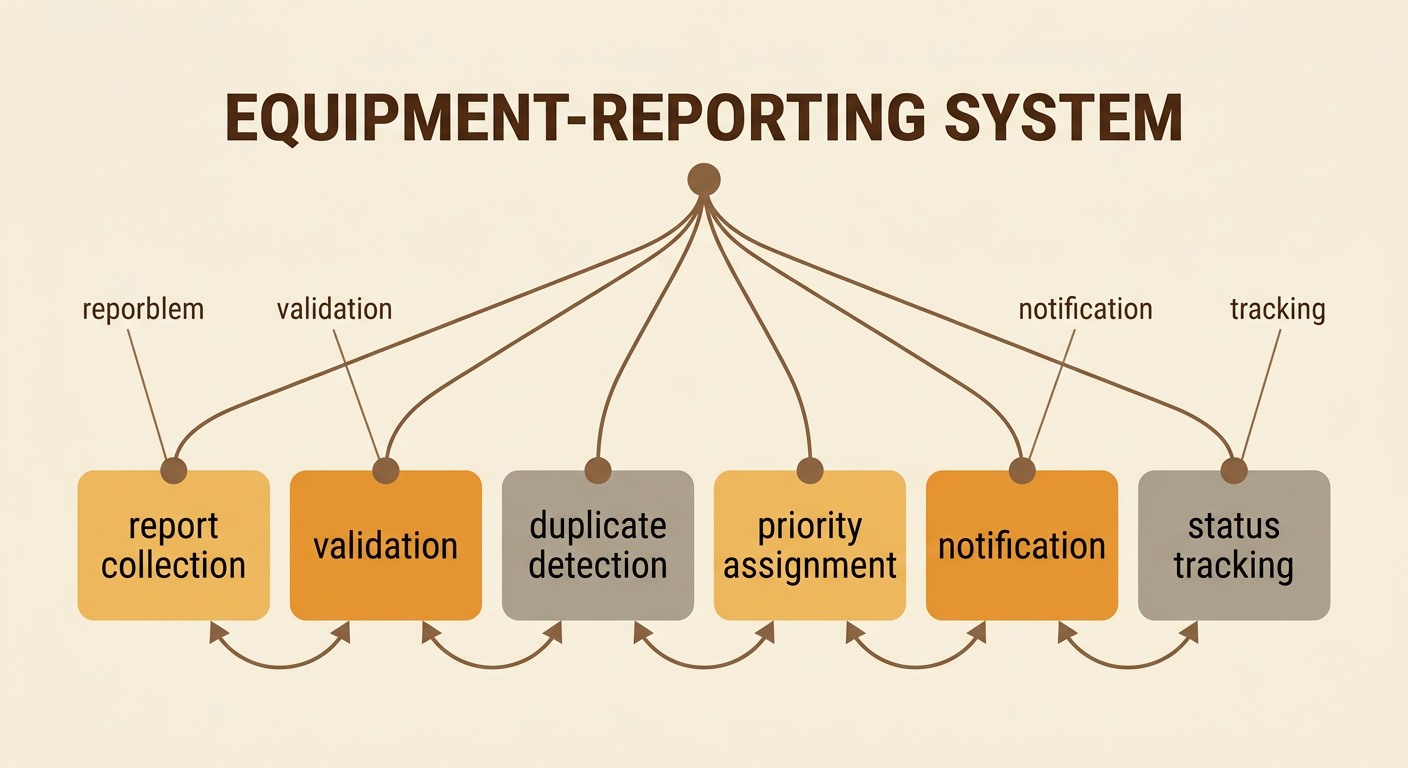
Decomposition means dividing a complex problem into smaller subproblems that can be designed, tested, and improved separately. For the equipment-reporting system, one subproblem is collecting report details. Another is checking that required information is present. Other subproblems include detecting possible duplicate reports, assigning a priority, sending the request to maintenance, storing its status, and notifying the reporter. Each subproblem should have a clear purpose and a connection to the next step. This prevents a team from trying to solve everything at once. It also allows team members to compare possible approaches. For example, one group might design the report form while another develops rules for priority levels. Afterward, the groups must check that their parts use compatible information, such as the same room numbers, equipment categories, and request identification numbers.
Write Sequenced Pseudocode
Pseudocode expresses an algorithm in organized, readable steps without requiring the exact syntax of a programming language. Put actions in the order the computer should perform them, use precise verbs, and give each step one main purpose. A basic sequence for the reporting system could be: START; DISPLAY report form; GET room number, equipment type, and description; CREATE request identification number; SAVE request; SEND request to maintenance queue; DISPLAY confirmation number; END. This sequence assumes that all information is acceptable, so decisions and exceptions will be added later. Trace the order carefully. If the system displays a confirmation before saving the request, the user might receive a number for a report that was never stored. Use consistent names throughout the pseudocode. If the input is called room number at the beginning, do not unexpectedly rename it location code later.

Add Decisions and Exceptions
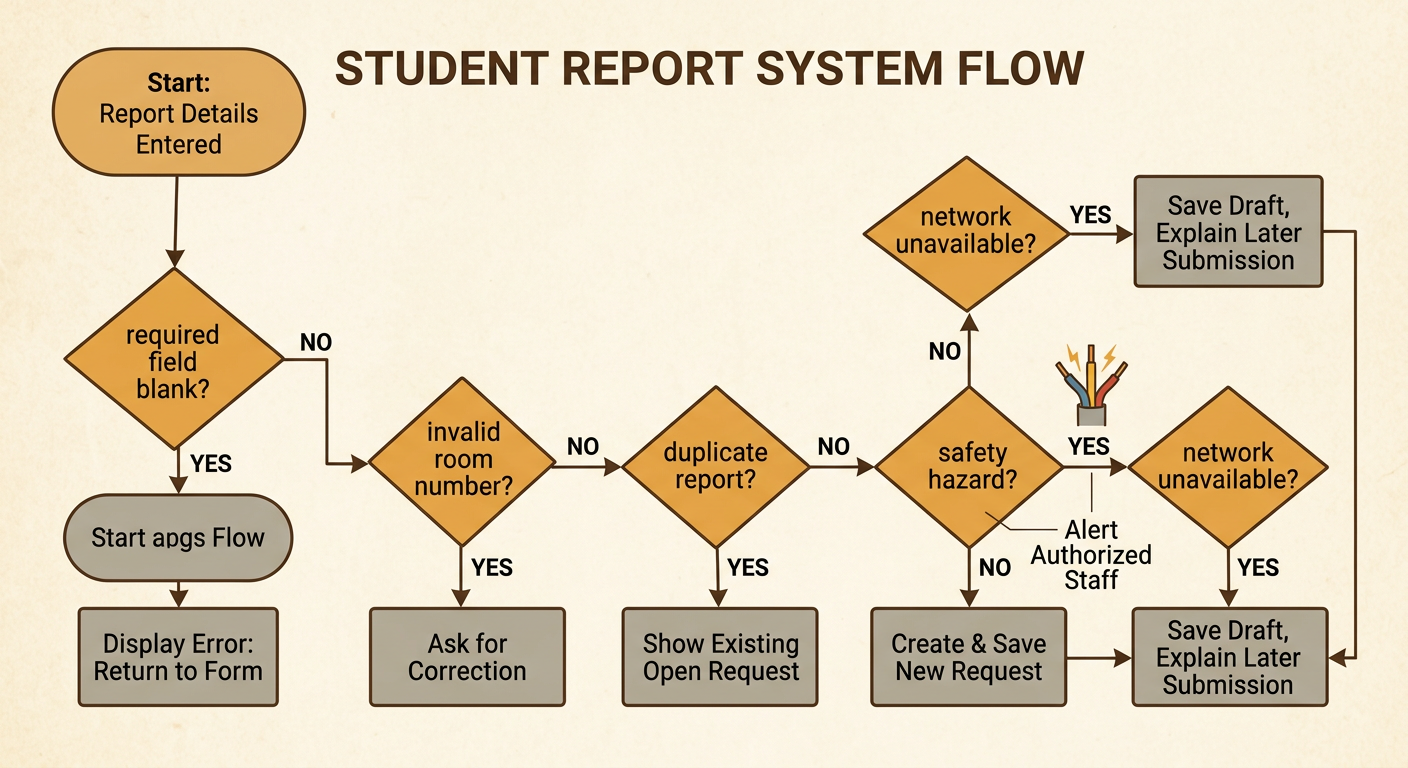
Real systems must respond when conditions differ from the normal sequence. Add decisions with IF, ELSE IF, and ELSE statements, and identify exceptions that could prevent completion. For example: IF a required field is blank, DISPLAY an error and RETURN to the form. ELSE IF the room number is invalid, ASK the user to correct it. ELSE IF a matching open report already exists, SHOW the existing request instead of creating a duplicate. ELSE CREATE and SAVE a new request. An urgent safety hazard, such as exposed electrical wiring, could trigger an alert to authorized staff, but the priority rules should be approved by school leaders rather than invented by the programmer. Plan for technical exceptions too. If the network is unavailable, the system might save a draft and explain how to submit it later. Every branch should lead to a safe result, a clear message, or another defined step.
Peer-Trace and Revise
Peer-tracing means having another person act like the computer and follow the pseudocode exactly. Give the reviewer several test cases, including a typical report and important special cases. For example, test a complete report for a broken projector, a report with no room number, a duplicate projector report, a safety hazard, and a submission attempted without network access. For each case, record the expected output, the actual path through the pseudocode, and any confusing or missing step. The reviewer should not guess what the writer intended. If a step says “handle error” without explaining how, the algorithm needs revision. Discuss the evidence respectfully, compare possible changes, and agree on priorities before editing. Then revise the pseudocode and trace it again. A solution is more reliable when every test ends with the correct record, message, alert, or recovery action.
