Designing a Digital Privacy Decision Tree
Students use Boolean conditions and branching logic to create and test a decision tree that helps users make safe choices when sharing personal information online.

Illustrations are auto-generated and may be placeholders. They can be refreshed to match the narration.
Personal Data and Privacy
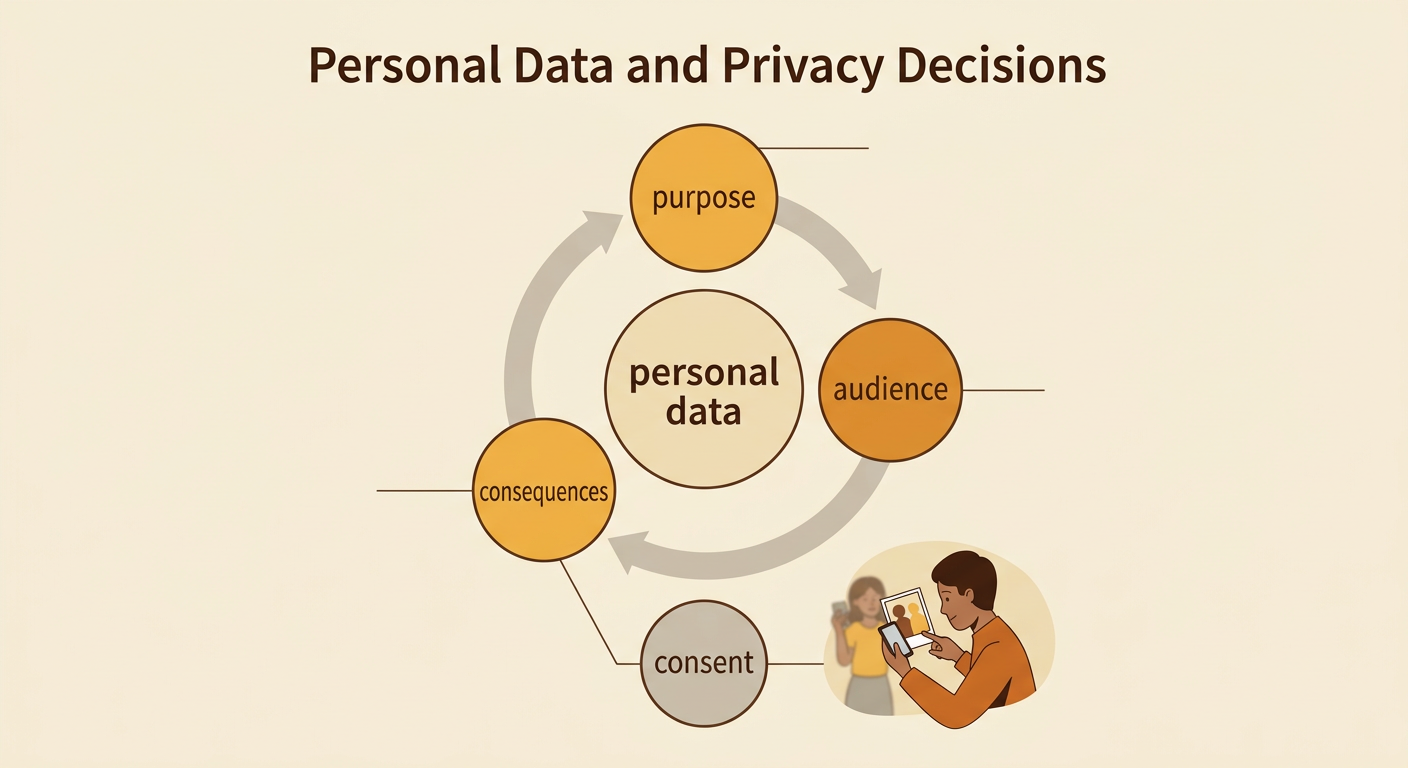
Personal data is information that identifies you or reveals details about your life. It includes your full name, home address, school, exact location, passwords, photos, and account information. Privacy means having appropriate control over who can access and use this information. Before sharing, consider the purpose, audience, and possible consequences. For example, a gaming app may ask for your exact location to show nearby players. That feature might be convenient, but it could expose where you live or spend time. A safer choice is to deny location access or allow only an approximate location. People may have different interests and perspectives about sharing, but respecting consent, safety, and other people’s privacy supports responsible participation in an online community.
Boolean Conditions
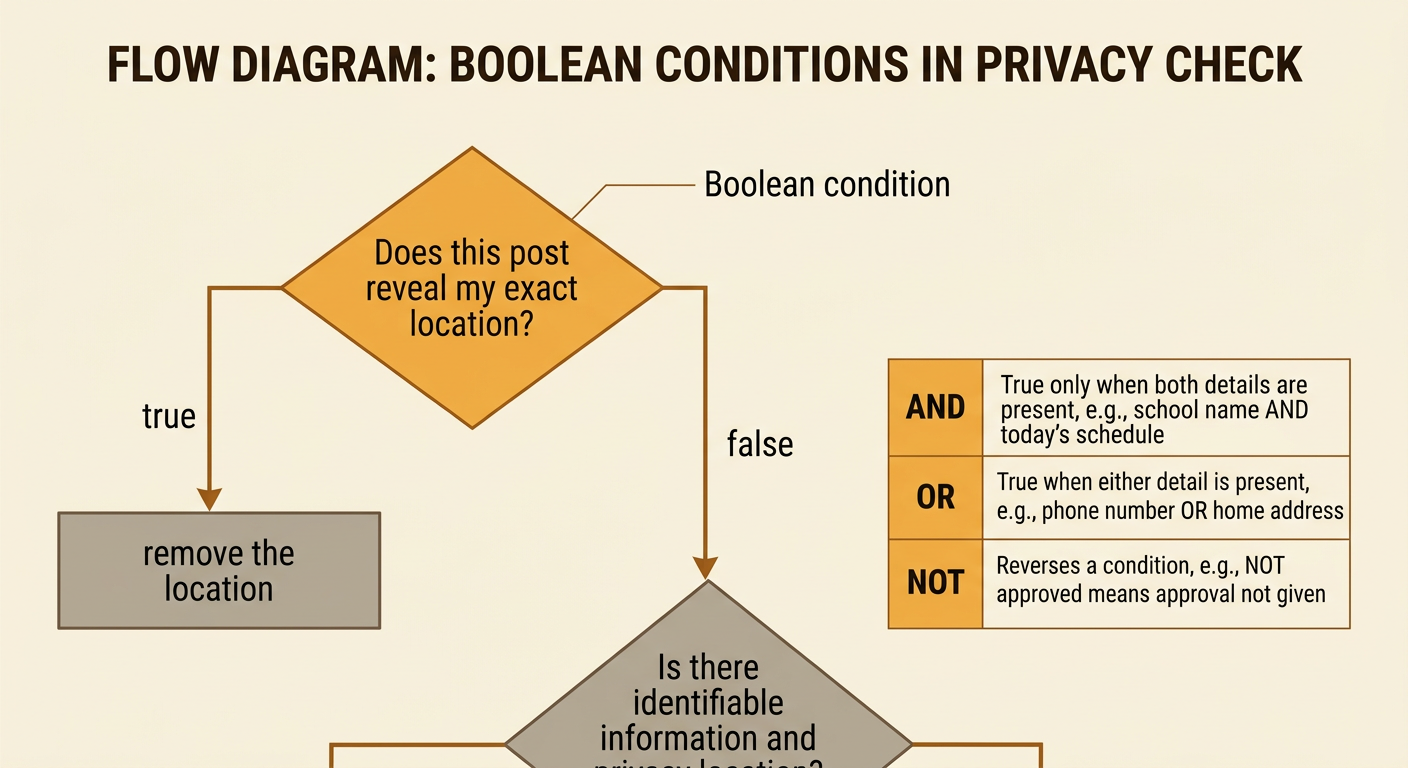
A Boolean condition is a question or statement that has one of two values: true or false. Programs use Boolean conditions to decide which branch to follow. In a privacy decision tree, the condition “Does this post reveal my exact location?” is true if a location tag or recognizable address is included. If it is true, the tree can direct the user to remove the location. If it is false, the tree moves to another question. Conditions can be joined with AND, OR, and NOT. “The post includes my school name AND today’s schedule” is true only when both details appear. “The post includes my phone number OR home address” is true when either detail appears. Clear, specific conditions make the decision tree easier to test and less likely to produce unsafe advice.
Building the Decision Tree
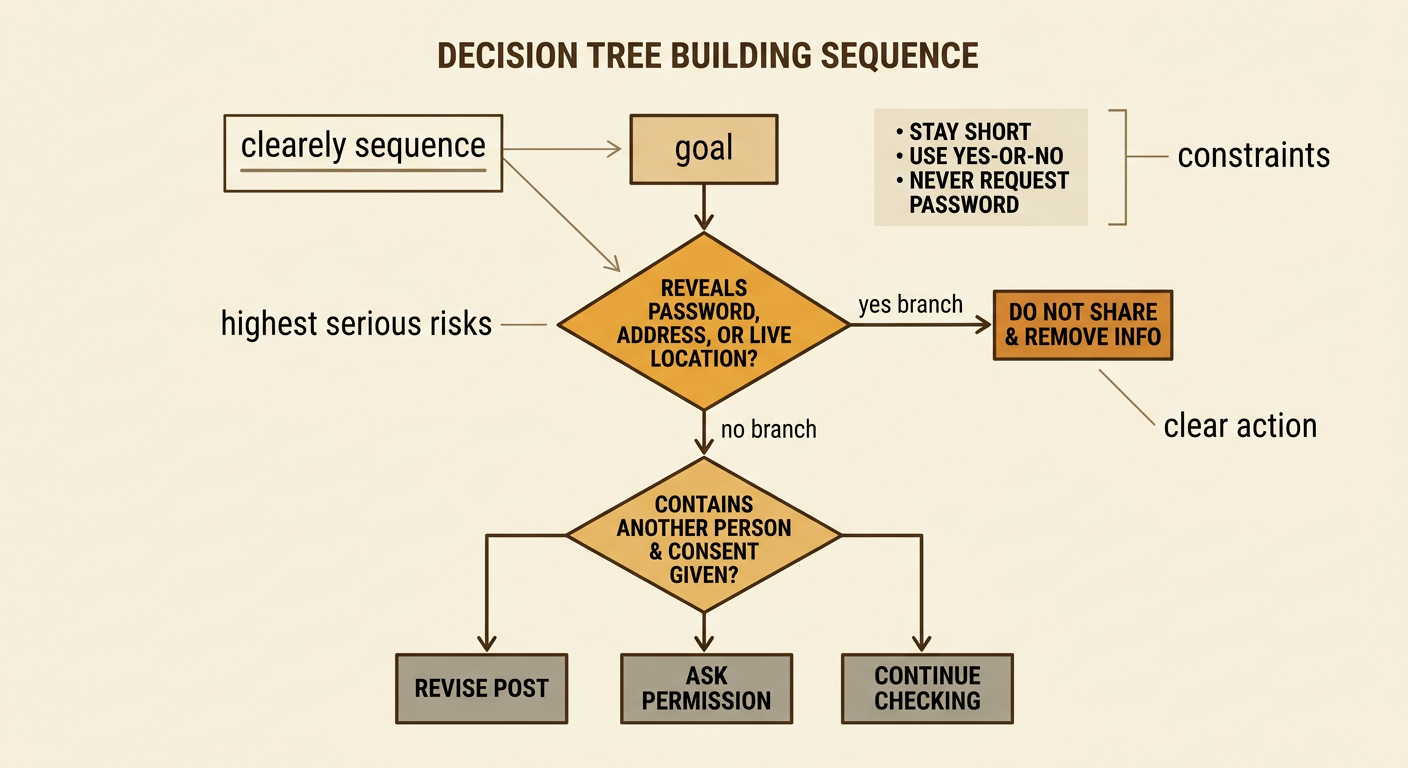
Build the decision tree by following a precise sequence. First, define the goal: help a user decide whether sharing a post is safe. Second, identify constraints, such as keeping the tree short, using yes-or-no questions, and never requesting the user’s actual password. Third, place the most serious risks near the beginning. For example, start with “Does the post reveal a password, home address, or exact live location?” A yes branch should lead to “Do not share; remove the information.” A no branch can lead to “Does it identify another person?” If yes, ask whether that person gave permission. Continue until every path ends with a clear action, such as share, revise, ask a trusted adult, or do not share. Numbering the steps helps builders follow and check the procedure.
Testing Different Inputs
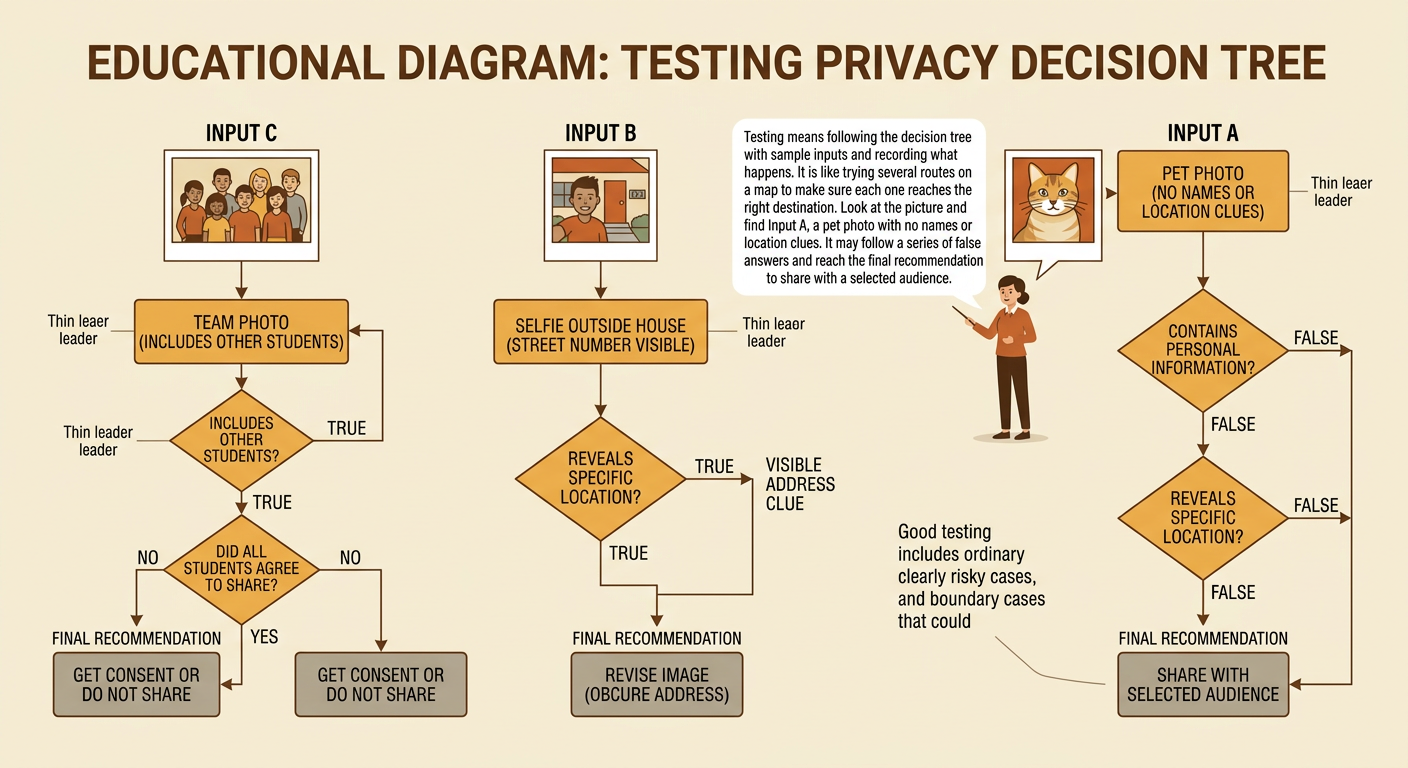
Testing means following the decision tree with several sample inputs and recording the result. Include ordinary cases, risky cases, and boundary cases that might be confusing. Suppose Input A is a photo of a pet with no names or location clues. It may pass each condition and reach “Share with selected audience.” Input B is a selfie taken outside a house with the street number visible. Even without a location tag, the tree should detect the address clue and recommend revising the image. Input C is a team photo that includes other students. The tree should check whether they agreed to have it shared. For every test, record the input, the path of true and false answers, the final recommendation, and whether that recommendation meets the safety goal. Never test with real passwords or private account details.
Revising for Safer Decisions
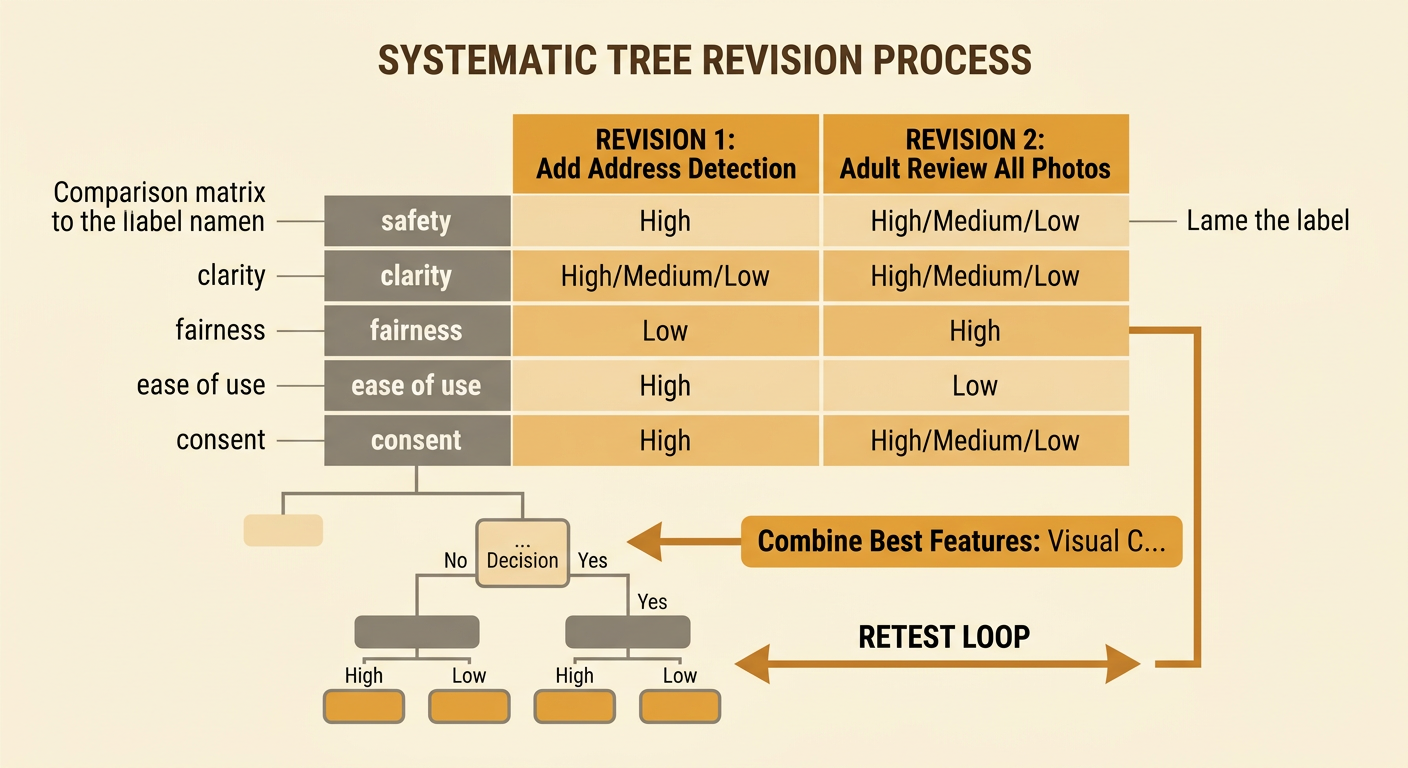
Use test results to compare possible revisions systematically. Establish criteria such as safety, clarity, fairness, and ease of use, along with constraints such as a limited number of questions. Imagine the tree incorrectly approves a photo because it checks only for typed addresses, not addresses visible in images. One solution adds the condition “Does the image show an address or location clue?” Another solution sends every photo to a trusted adult. The first solution may be faster and more practical, while the second may provide more support but reduce independence. Score both solutions against the same criteria, then select or combine the strongest features. Also examine perspective and civic responsibility: a user’s interest in posting quickly does not outweigh another person’s consent or safety. Revise the branches, retest the earlier inputs, and document why the new design better protects users and the community.