Designing Privacy Rules with Boolean Logic
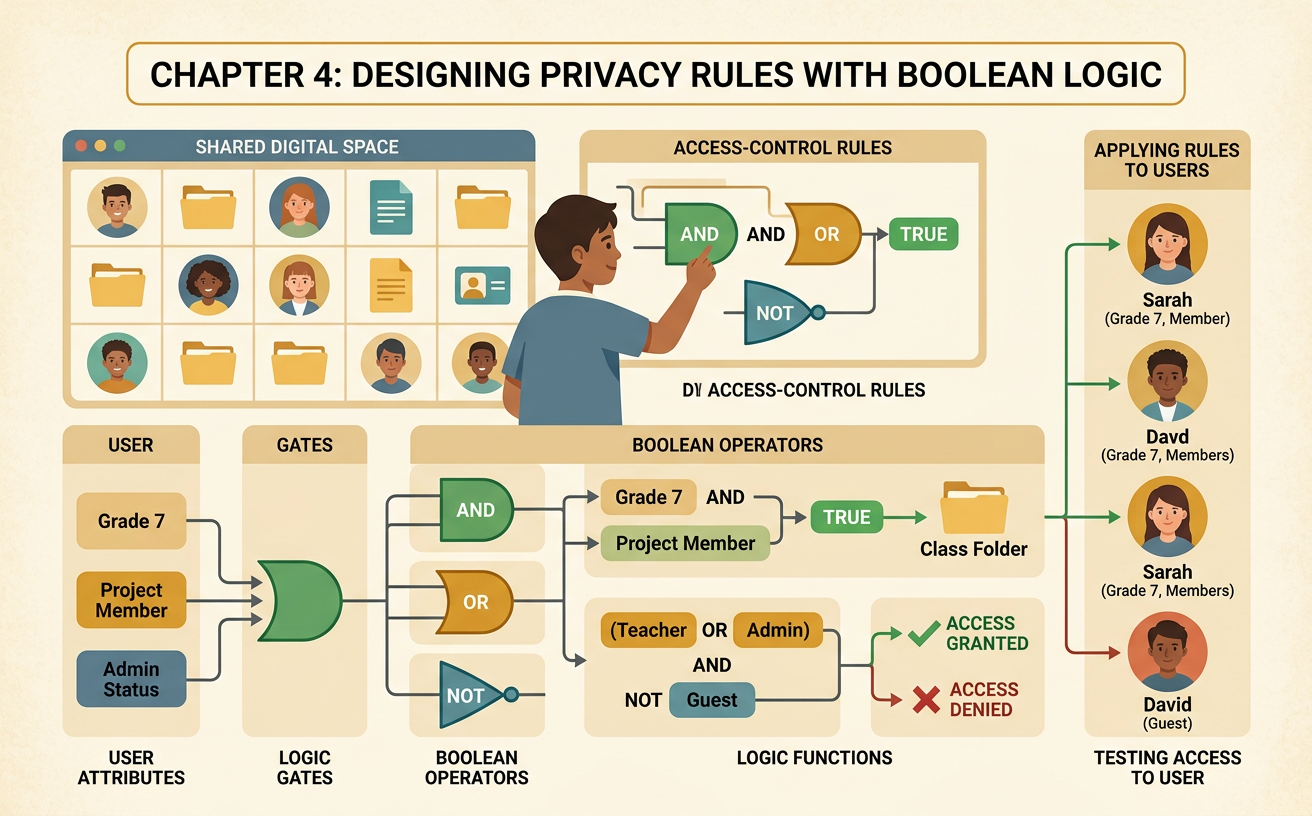
Students use AND, OR, and NOT operators to create and test access-control rules for a shared digital space.
Illustrations are auto-generated and may be placeholders. They can be refreshed to match the narration.
Access and Privacy Scenario
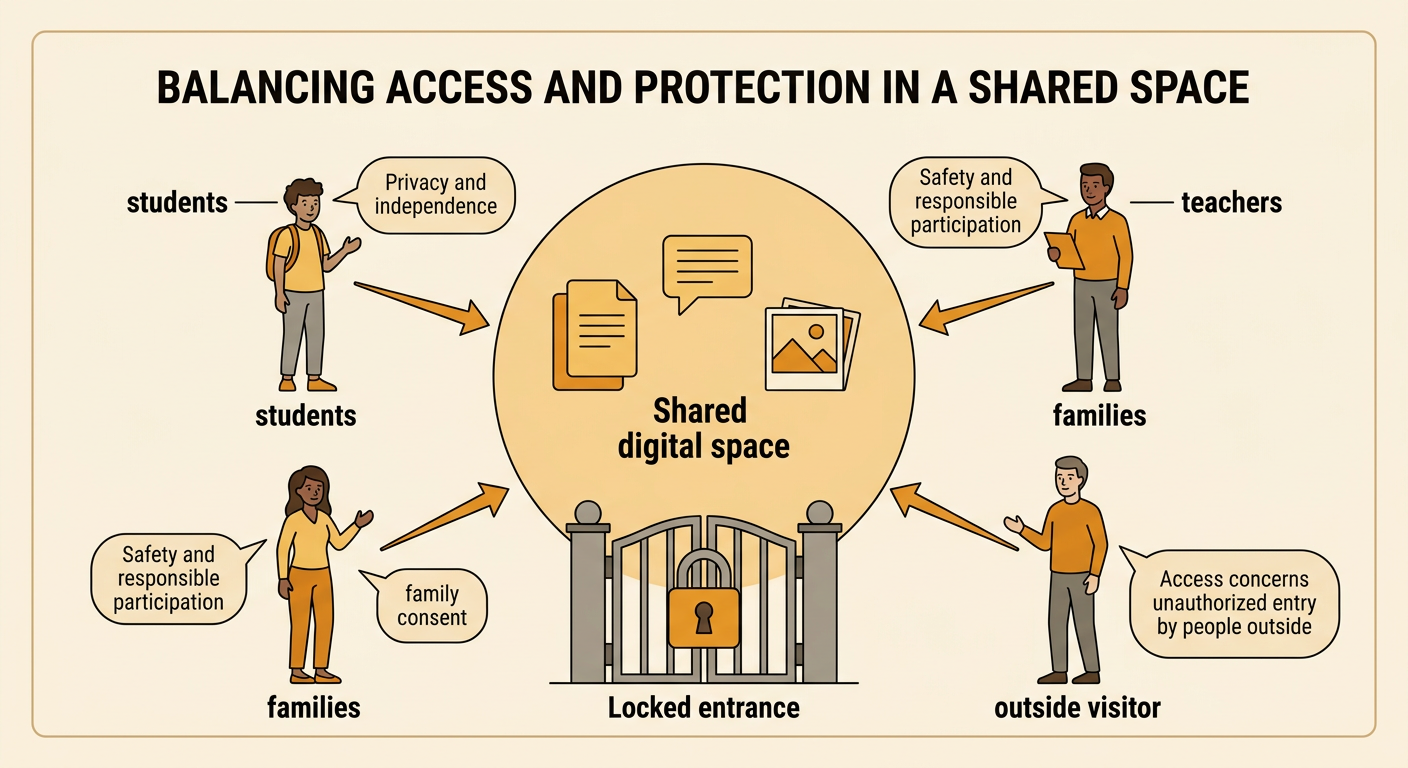
Imagine that your class uses a shared digital space for posting project files, comments, and photos. Students want easy access, but they also want personal information protected. Teachers need access to guide the work, while people outside the class should not automatically enter. The class must design a fair access-control rule. Before writing the rule, identify the interests and perspectives involved. Students may value privacy and independence. Teachers may value safety and responsible participation. Families may expect consent rules to be followed. A fair system should balance these interests and apply the same stated conditions to everyone. For example, the class might decide that a student can enter only if the student is a class member, has family consent, and is not suspended from the space.
Boolean Operators Review
Boolean logic combines statements that are either true or false. AND means that every connected condition must be true. If the rule is Member AND Consent, a person needs both class membership and consent. OR means that at least one connected condition must be true. Teacher OR Member allows access when the person is a teacher, a member, or both. NOT reverses a condition. NOT Suspended is true when the person is not suspended. Parentheses show which conditions belong together and should be evaluated as a group. For example, (Teacher OR Member) AND NOT Suspended allows a teacher or member to enter, but only when that person is not suspended. Carefully reading each operator is important because changing one operator can change who is allowed into the space.

Build an Access Rule
Begin by naming each condition clearly. Let Teacher mean the requester is a teacher, Member mean the requester is enrolled in the class, Consent mean required family consent is recorded, and Suspended mean access has been temporarily removed. Then write the rule: (Teacher OR (Member AND Consent)) AND NOT Suspended. Follow the procedure in order. First, check whether Member and Consent are both true. Second, check whether Teacher is true or the grouped student conditions are true. Third, check NOT Suspended. Finally, combine the results with the last AND. For example, Maya is a class member, has consent, and is not suspended. Member AND Consent is true, and NOT Suspended is also true, so Maya receives access. Recording each step makes the decision understandable and repeatable.

Trace Sample User Requests
Trace several requests by substituting true or false for every condition. For Maya, Teacher is false, Member is true, Consent is true, and Suspended is false. The rule gives true, so access is allowed. For Leo, Teacher is false, Member is true, Consent is false, and Suspended is false. Member AND Consent is false, so access is denied. For Ms. Chen, Teacher is true and Suspended is false. The teacher part makes the grouped OR true, and NOT Suspended is true, so access is allowed. For Jordan, Teacher is false, Member is true, Consent is true, but Suspended is true. NOT Suspended becomes false, so access is denied. Using a trace table prevents guessing and shows exactly which condition caused each result.

Test and Revise the Rule
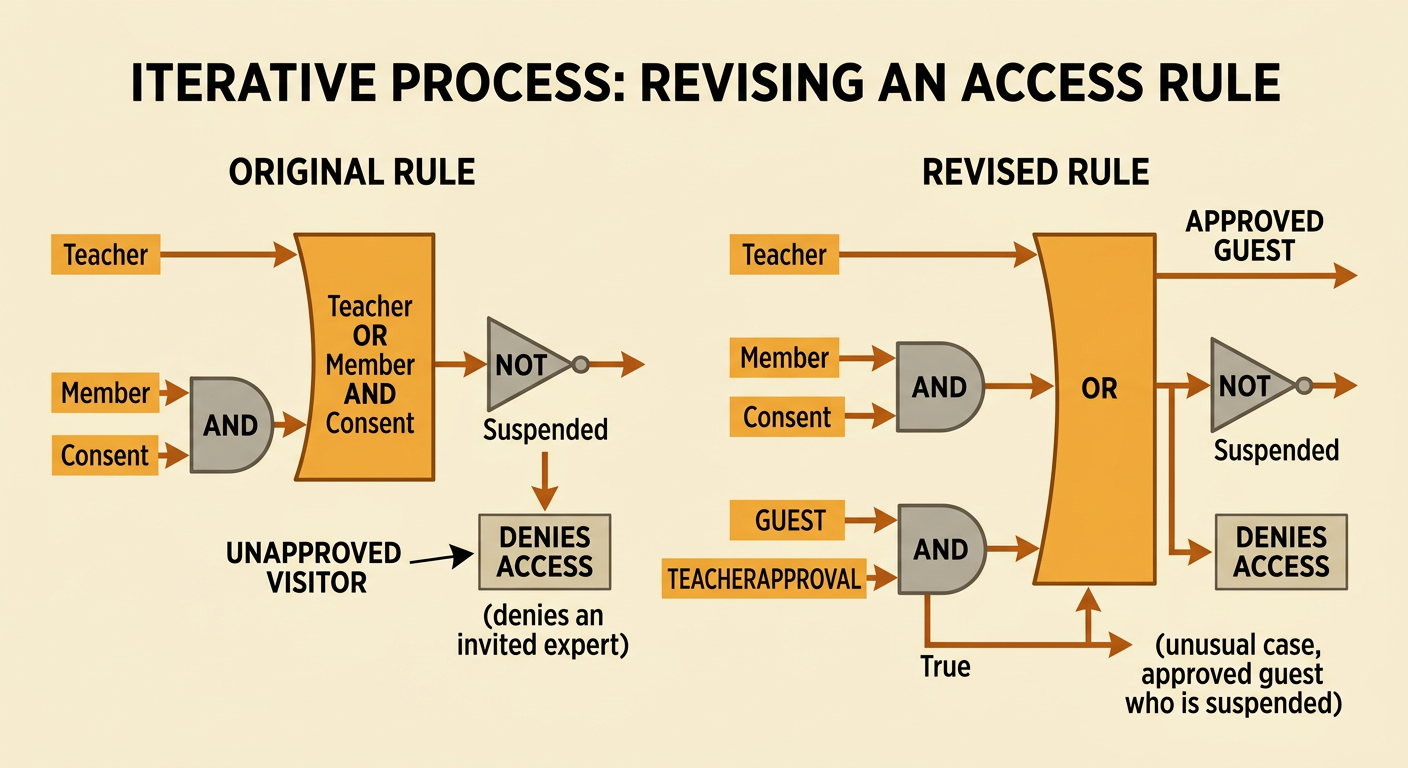
Testing may reveal that a rule is safe but does not meet every reasonable need. Suppose an invited guest expert must view one project, but the original rule denies the request because the guest is neither a teacher nor a member. The class can collect test results, discuss privacy concerns, and revise the model. Add two conditions: Guest and TeacherApproval. The revised rule is (Teacher OR (Member AND Consent) OR (Guest AND TeacherApproval)) AND NOT Suspended. Now an invited guest with teacher approval can enter, while an unapproved visitor cannot. Test the revised rule with allowed and denied examples, including unusual cases. If it grants too much access, revise it again. This iterative process respects student privacy, supports useful participation, and uses shared principles to make access decisions fair and transparent.