Find and Fix a Computer Bug
Students identify a mistake in a simple picture-based program, suggest a correction, and test whether the revised program works.

Illustrations are auto-generated and may be placeholders. They can be refreshed to match the narration.
What Is a Bug?
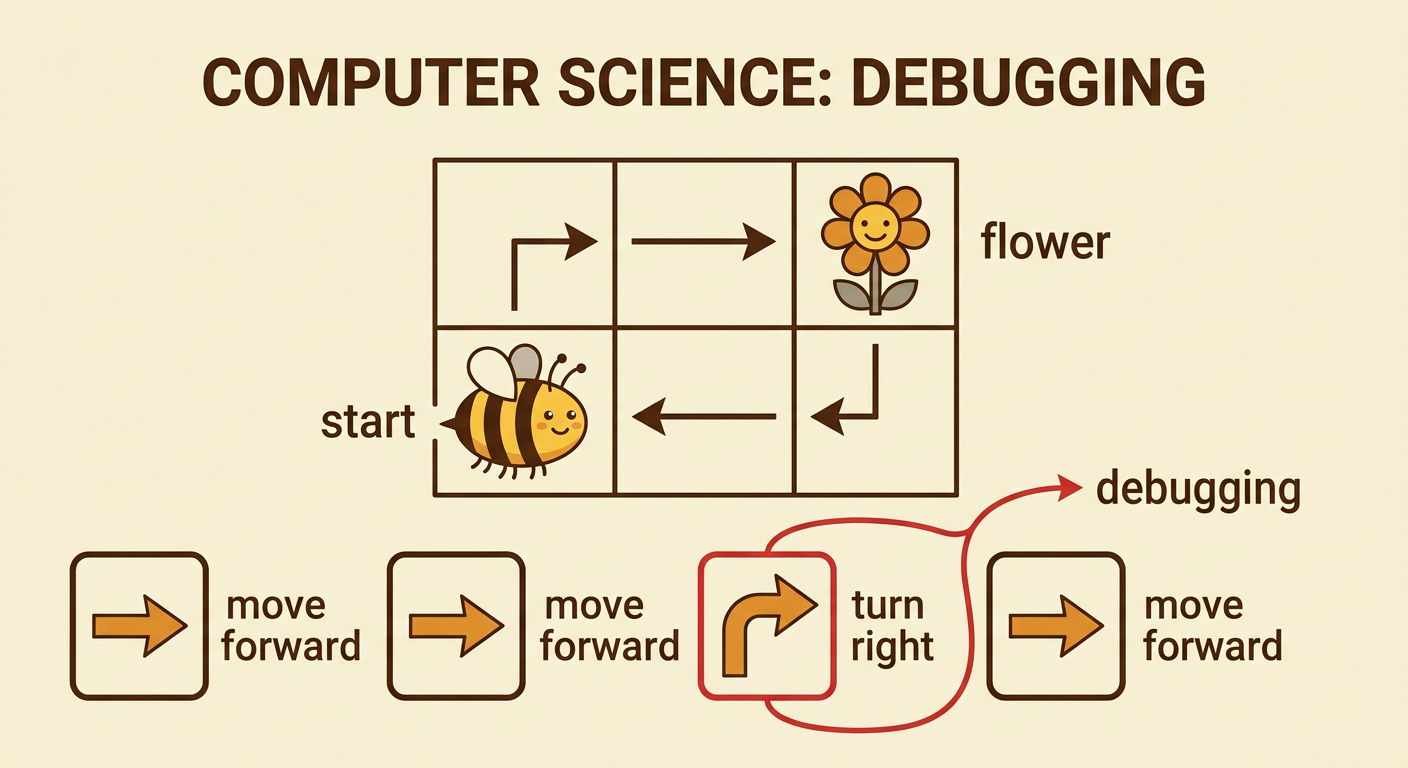
A program is a set of steps that tells a computer or robot what to do. The steps must be in the correct order. A bug is a mistake in one or more of those steps. It is not a real insect. A bug can make a character move the wrong way or stop at the wrong place. Imagine a bee that starts facing right. A flower is two spaces to the right and one space up. The program says, “Move forward, move forward, turn right, move forward.” The bee does not reach the flower because one turn is wrong. Finding and fixing bugs is called debugging. Computer scientists debug programs. They stay calm, look closely, and try again when a program does not work.
Act Out the Program
We can act like robots to learn what each command does. Place a start card on the floor. One student stands on it facing forward. Another student shows the picture commands one at a time: move forward, move forward, turn right, and move forward. The robot student follows only the command being shown. Everyone else watches quietly and checks each step. Use agreed-upon rules: take turns, keep hands to yourself, listen to the speaker, and move safely. After the last command, look at where the robot stopped. Did the robot reach the flower card? Acting out the program helps us see exactly what the program tells the robot to do, even when that result is not what we wanted.

Spot the Mistake
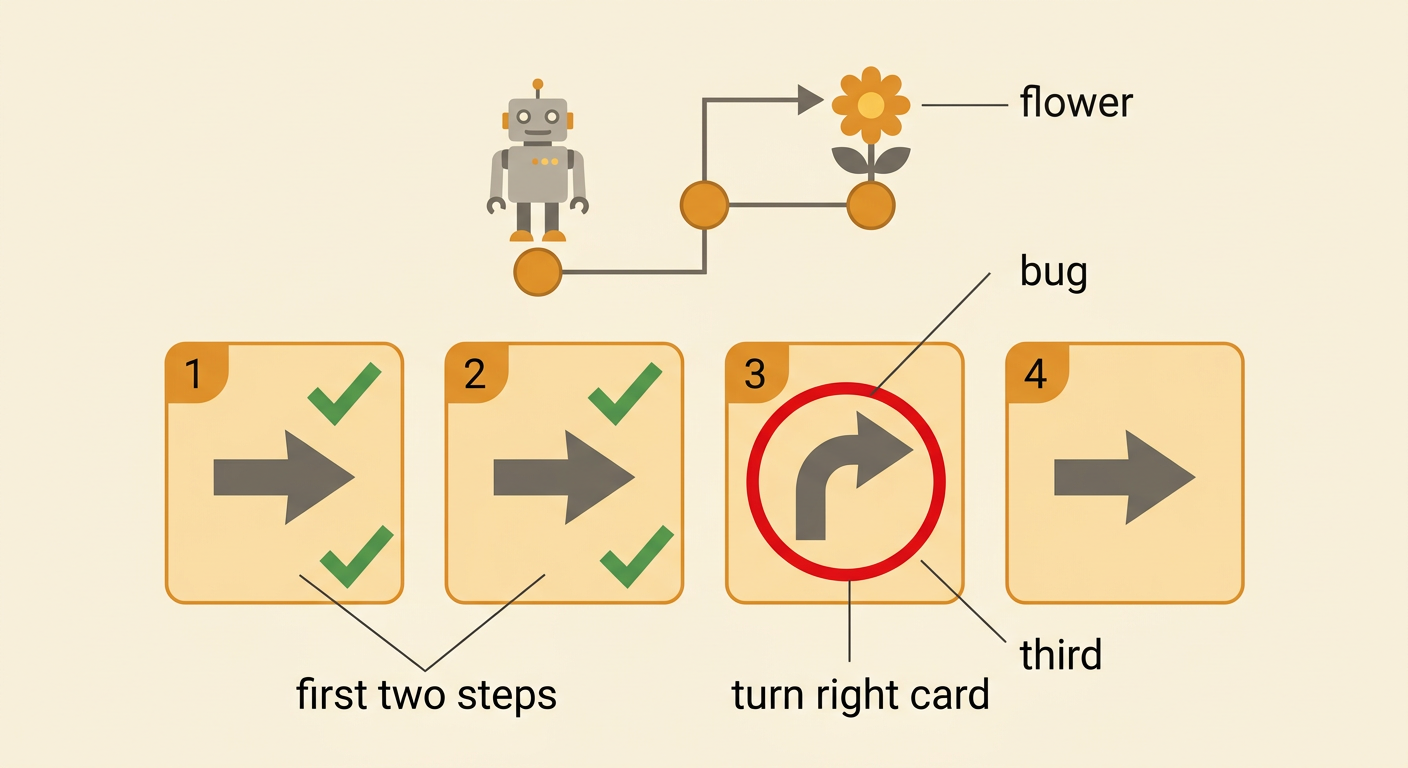
Now look closely at what happened. The robot moved forward two spaces correctly. Then it turned right and moved away from the flower. The mistake happened at the third command. We know this because the robot was in the correct place after the first two commands, but it faced the wrong direction after the turn. Point to the picture card that caused the problem. Say what you noticed: “The turn right card made the robot face away from the flower.” Listen as classmates share their ideas. You may notice the same clue or a different clue. Finding the exact step where the result changed helps us spot the bug. We do not blame the person acting as the robot. The robot followed the program correctly.
Choose a Fix
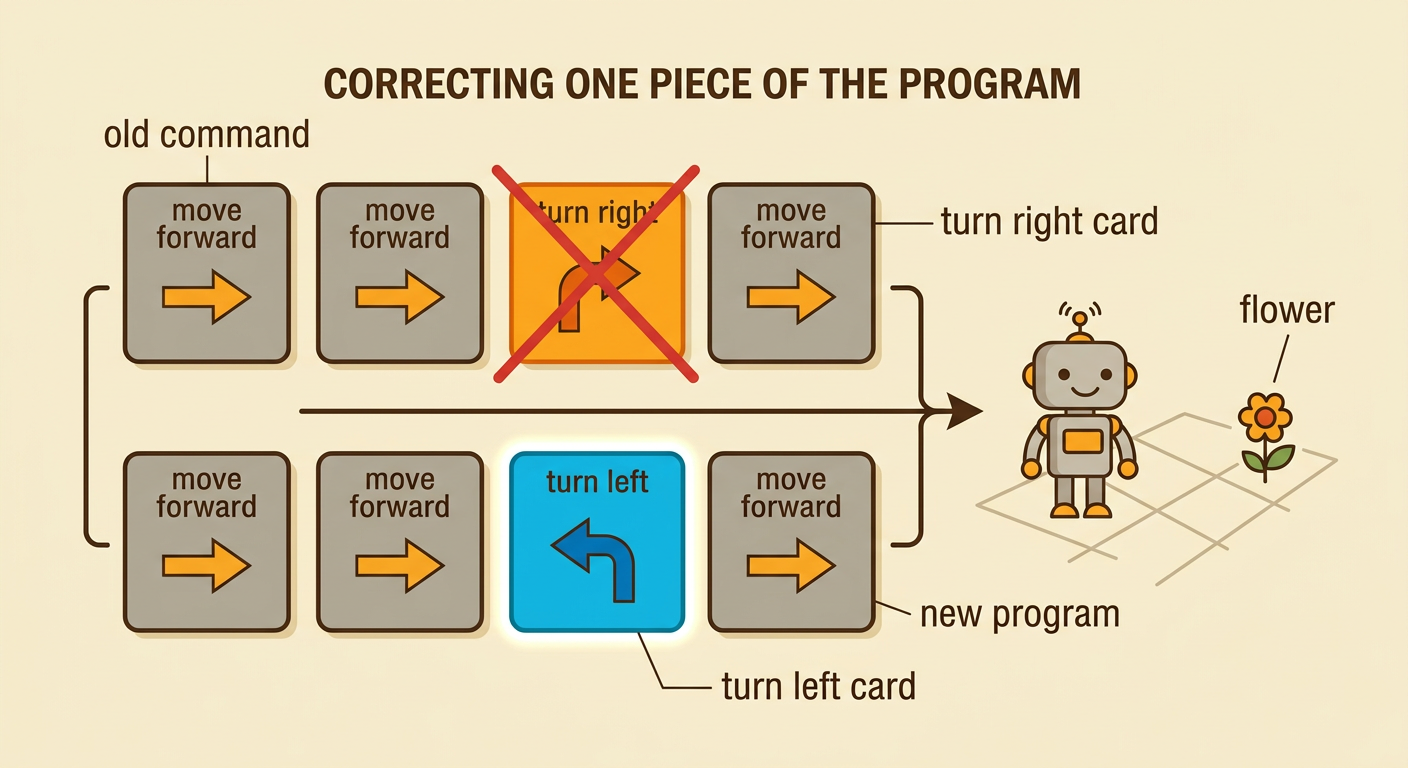
After we find the bug, we choose a change that might fix it. The third command says to turn right, but the flower is on the robot’s left. We can replace the turn right card with a turn left card. The new program is: move forward, move forward, turn left, move forward. Before testing, talk with a partner about the change. One partner can point to the old command, and the other can place the new command. Use kind words such as, “I think this could work because the flower is on the left.” If partners have different ideas, listen to both ideas and compare them. Choose one change to test first. A fix is a careful idea, not a guess we must prove is correct.
Test the New Program
Testing means running the changed program and watching what happens. Put the robot back at the same start place and make sure it faces the same direction as before. Follow the new commands in order: move forward, move forward, turn left, and move forward. This time, the robot should stop on the flower. Compare the two tests. In the first test, the robot ended away from the flower. In the second test, the robot reached the flower. Keeping the same start place makes the comparison fair. If the new program still does not work, do not give up. Check one step at a time, suggest another fix, and test again. Trying, checking, and improving are important parts of solving a problem.

Share What Worked
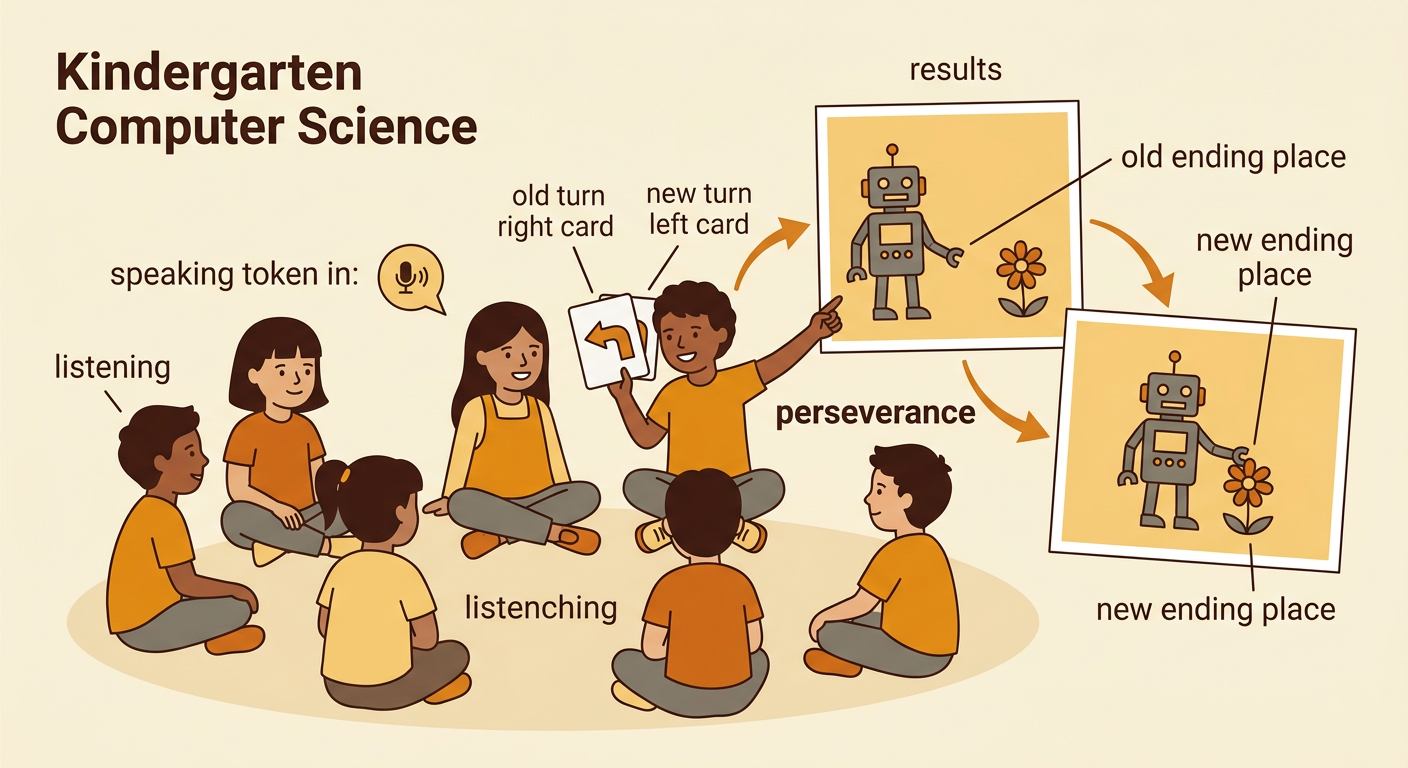
After testing, tell the group what you learned. Hold up the old turn right card and the new turn left card. You might say, “The first program made the robot turn away from the flower. We changed right to left. Then the robot reached the flower.” Show the two ending places so everyone can compare the results. Take turns speaking and listening. Ask a helpful question, such as, “How did you know which card to change?” Thank classmates for their ideas and teamwork. A successful fix is easier to understand when we explain the evidence from our tests. We can also celebrate perseverance. The first program did not work, but the group kept trying, followed the rules, and improved the solution together.