
Giving a Computer Clear Directions
Students create, follow, and improve a simple sequence of picture-based commands to guide a classmate to a destination.
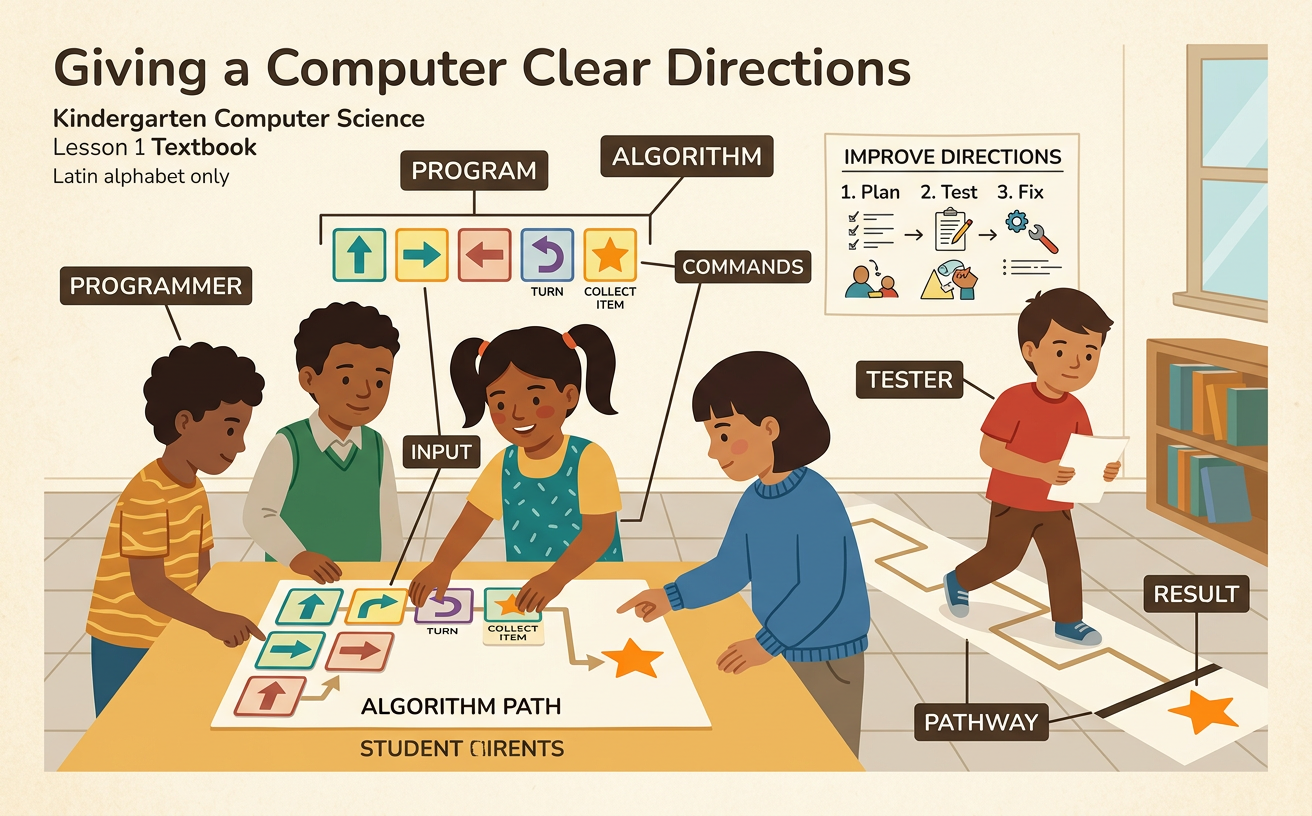
Illustrations are auto-generated and may be placeholders. They can be refreshed to match the narration.
What Is a Command?
A command is a clear direction that tells someone or something what to do. Computers follow commands exactly in the order they receive them. They do not guess what we mean. A command can use words, pictures, or symbols. For example, a card with an arrow pointing up can mean “move forward one space.” A curved arrow can mean “turn right.” If we want a classmate to move to a red star, we might give these commands: move forward, move forward, and stop. Each command should show only one action. We also need to say commands loudly and clearly so our partners can understand. When we listen, wait our turn, and help one another, we work like a strong computer science team.

Teacher Robot Demonstration
The teacher will pretend to be a robot. A robot follows only the commands it is given. First, the class places a toy block three floor spaces in front of the teacher. A student holds up one “move forward” picture card and says, “Move forward one space.” The teacher robot moves exactly one space, not all the way to the block. Students take turns giving the next commands. If someone says only, “Go over there,” the robot stays still because the direction is not clear. The class can improve it by saying, “Move forward one space.” Watch how the teacher faces, turns, and moves. Clear speaking, careful listening, cooperation, and turn-taking help the robot reach the toy safely.

Build a Picture-Card Sequence
A sequence is a group of commands placed in order. A sequence can also be called an algorithm. Work with a partner to guide a classmate from the start square to a picture of a house. Look at the path before choosing cards. Suppose the house is two spaces ahead and one space to the right. You might place cards for “move forward,” “move forward,” “turn right,” “move forward,” and “stop.” Put the cards in a line from left to right. Point to each card and say its command clearly. Your partner should listen and check the path. Take turns adding cards, and ask before changing your partner’s work. The finished card sequence is a simple physical model that shows how your commands can solve the path problem.

Follow the Algorithm
Now one student will be the mover, and one student will be the programmer. The programmer points to the first picture card and says the command in a clear voice. The mover completes only that action. Then the programmer points to the next card. For example, the cards may say, “Move forward, turn left, move forward, and stop.” The mover follows that exact order. If the turn card comes before the forward card, the mover must turn first. Order matters because changing the order can change the destination. Partners should move slowly, keep hands to themselves, and wait for each command. When the mover reaches the goal, switch roles. Both partners get a chance to speak, listen, follow the sequence, and help the team.

Find and Fix Mistakes
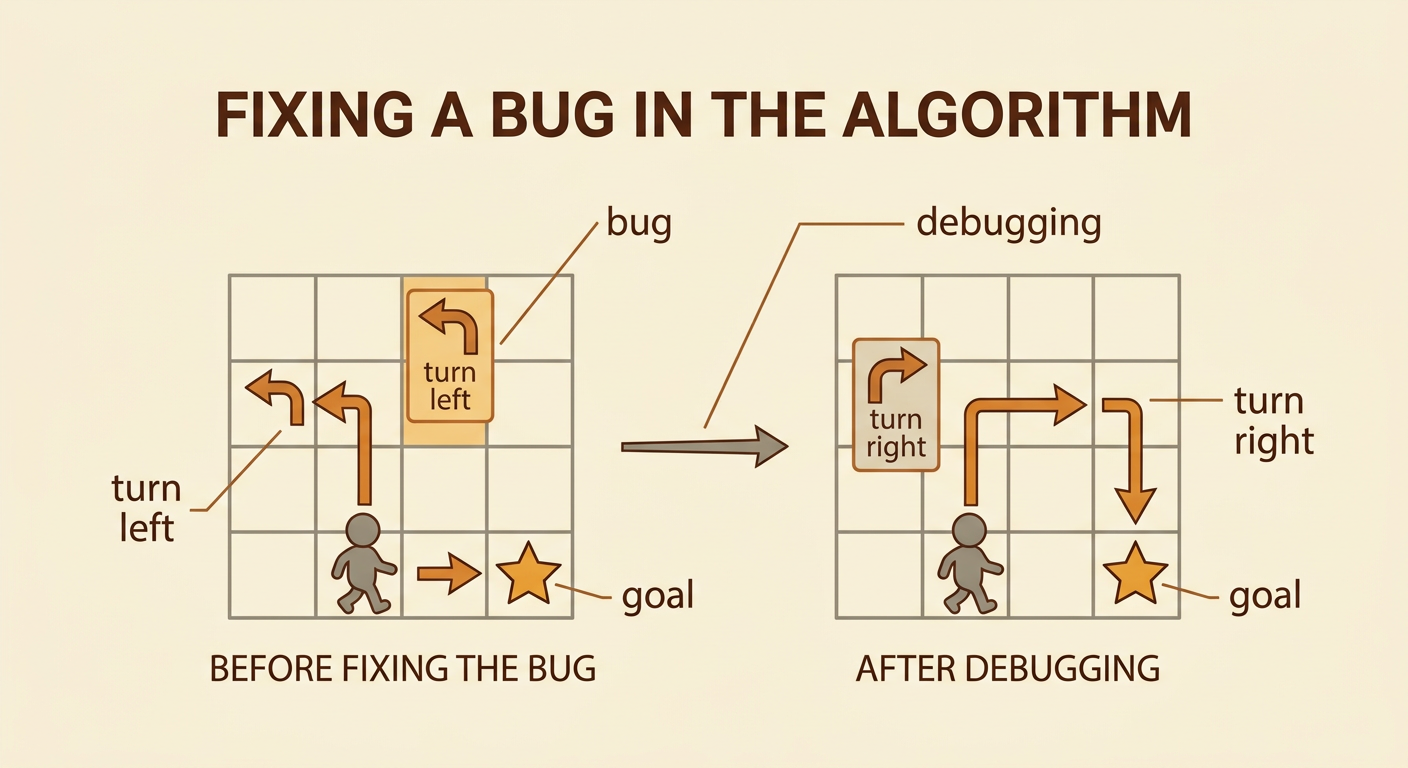
Sometimes an algorithm does not lead to the goal. A mistake in the commands is called a bug. Finding and fixing the mistake is called debugging. Do not worry when you find a bug; it helps you learn. Test the sequence one card at a time. Suppose the mover needs to turn right, but the card says “turn left.” The mover ends beside the goal instead of on it. Point to the card where the path changed. Replace the left-turn card with a right-turn card, return the mover to the start, and test again. Partners can say, “I noticed the path went left,” or “Let’s try this card.” Use kind voices, listen to both ideas, and take turns making changes until the algorithm works.
Share and Reflect
Share your picture-card algorithm with the class. Hold up the cards in order and speak loudly enough for everyone to hear. Explain the start, the goal, and one command. You might say, “Our first command is move forward one space.” Tell the class about any bug your team fixed. For example, “We changed turn left to turn right, and then our mover reached the star.” Classmates can listen quietly and ask a helpful question, such as, “Why did you use two forward cards?” Think about how you worked with your partner. Did you take turns? Did you listen? Did you use kind words when you disagreed? Clear directions and cooperation helped your team solve the problem. End by naming one thing you would improve next time.
