How Packets Travel Across the Internet
Students model packet switching and compare possible network routes based on speed, reliability, and congestion.
Illustrations are auto-generated and may be placeholders. They can be refreshed to match the narration.
Breaking Data into Packets
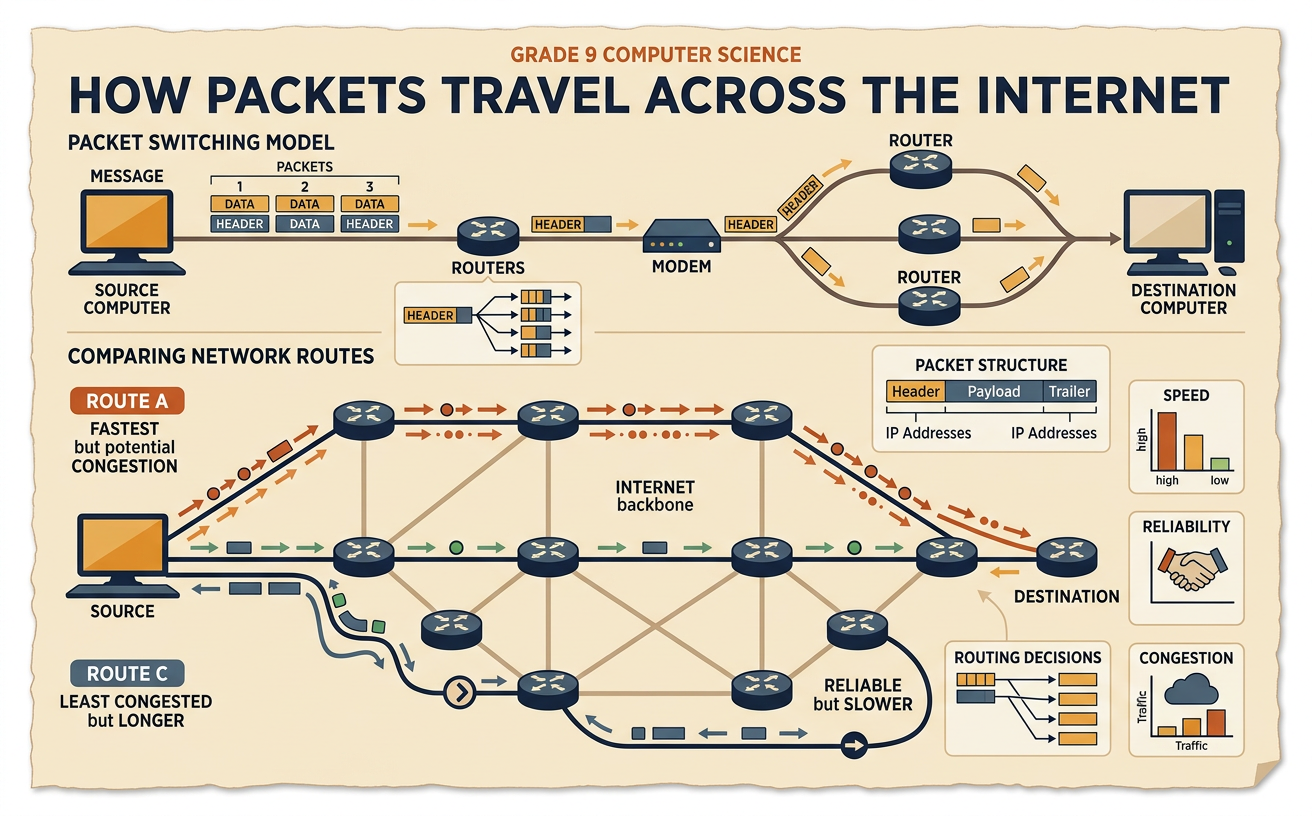
Internet data is usually divided into smaller units called packets before it is sent. Each packet carries part of the data plus control information in a header, such as source and destination addresses. When TCP is used, sequence information helps the receiving device put the pieces in order and detect missing data. For example, a photo might be divided into 20 packets. The packets do not need to arrive together or in numerical order. Packet 12 might arrive before packet 11, but the receiver can wait and arrange them correctly. If a packet is lost, a reliable transport protocol such as TCP can request or trigger retransmission. Dividing data this way allows many users to share network connections instead of reserving an entire connection for one message.

Routers and Network Paths
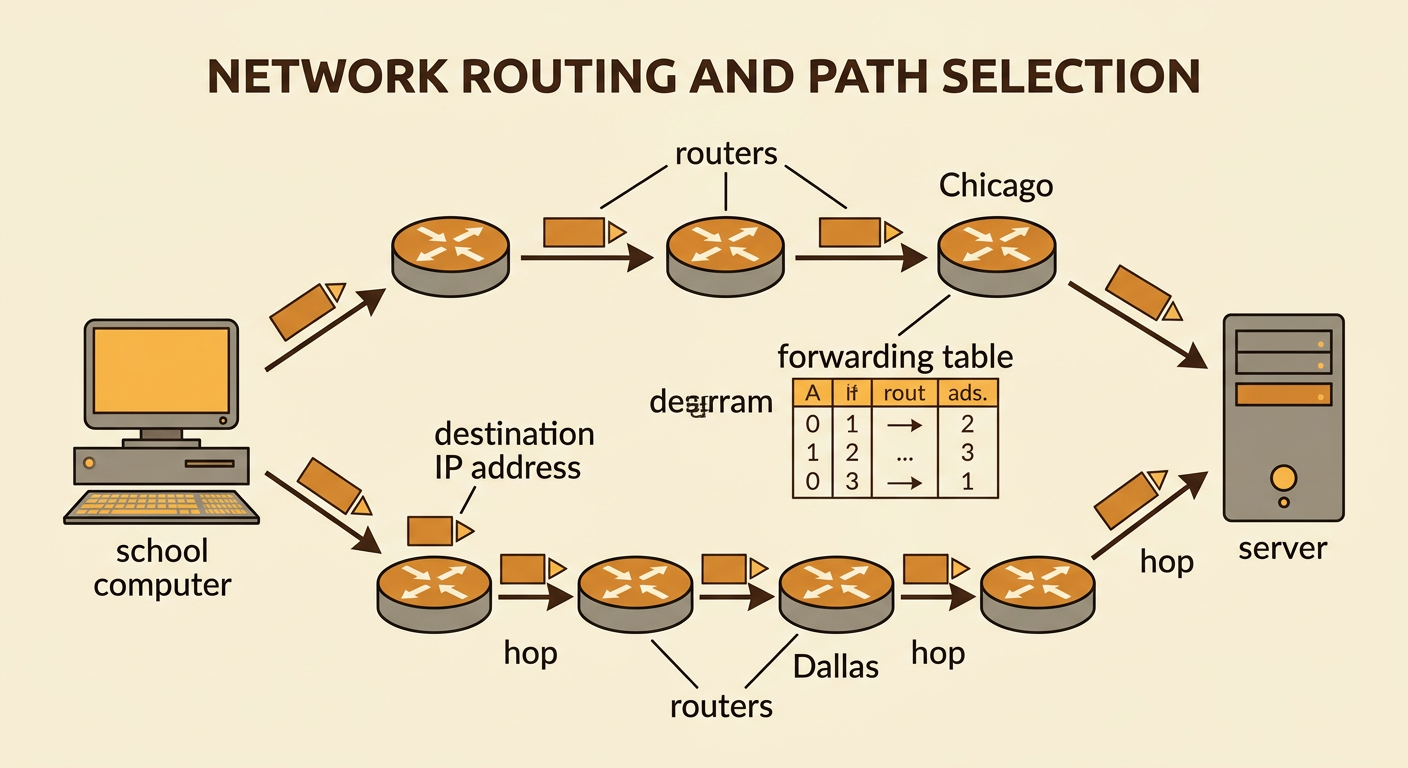
Routers are network devices that forward packets toward their destinations. When a router receives a packet, it reads the destination IP address and checks a forwarding table to select an appropriate next connection, or hop. A complete trip may include several routers. Different packets from the same message can sometimes take different routes because network conditions and routing information can change. For example, one packet traveling from a school in Denver to a server in Boston might pass through Chicago, while another might pass through Dallas and Atlanta. The route with the fewest hops is not always the fastest because connection speeds, distance, congestion, and router delays also matter. Routers generally make local forwarding decisions rather than planning and controlling a packet’s entire path in advance.
Simulating Packet Travel
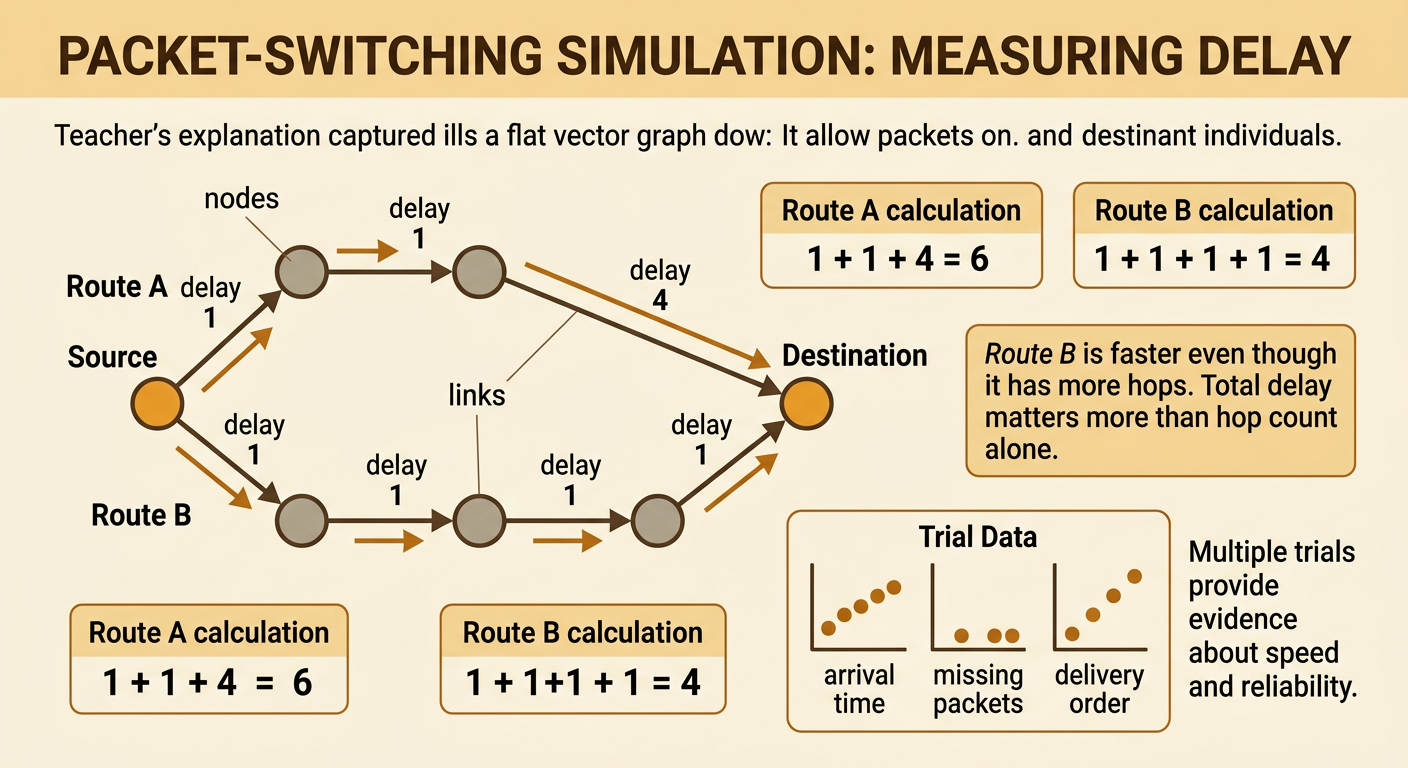
A packet-switching simulation can model how travel time changes across a network. Represent computers and routers as nodes, and represent connections as links. Give each link a delay, such as one, two, or four time units. Students can move numbered packet cards from the source to the destination and add the delay for every link used. For example, Route A may have three links with delays of 1, 1, and 4 units, for a total of 6. Route B may have four links that each take 1 unit, for a total of 4. Although Route B has more hops, it is faster in this model. Run several trials because packets may experience different delays. Record arrival time, missing packets, and delivery order to compare routes with evidence.
Responding to Congestion or Failure
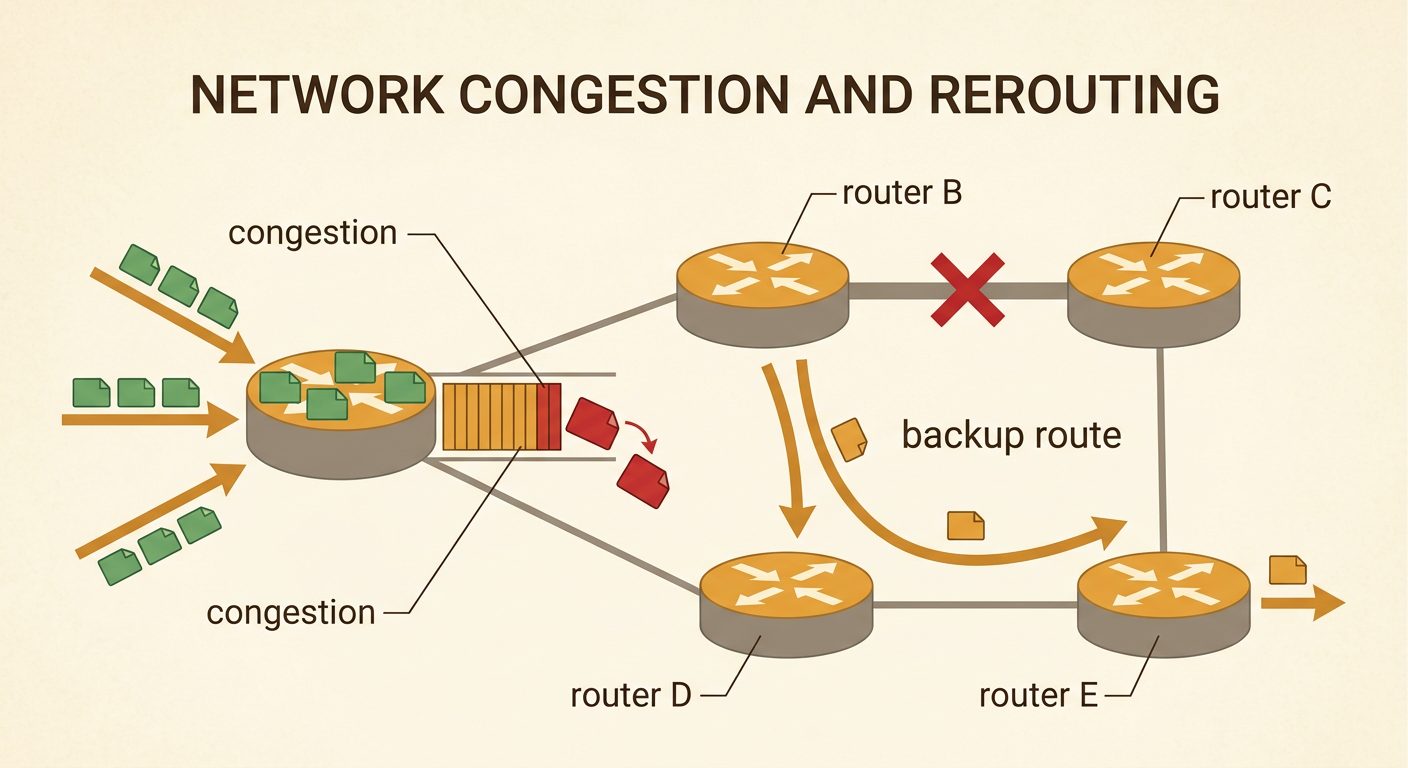
Congestion occurs when packets arrive at a router faster than the router or its outgoing connection can handle them. The router temporarily stores packets in a queue, which increases delay. If the queue becomes full, the router may drop packets. Reliable protocols can detect missing acknowledgments and retransmit lost data, but retransmission also adds traffic and time. Networks can also respond to a failed router or broken link. Routing protocols share updated reachability information, and routers eventually change their forwarding tables to use another available path. For example, if a link between routers B and C fails, packets may be redirected through routers B, D, and E. The backup route keeps communication possible, but it may be slower. Rerouting is not always immediate because the network needs time to detect the failure and update routes.
Comparing Routing Trade-Offs
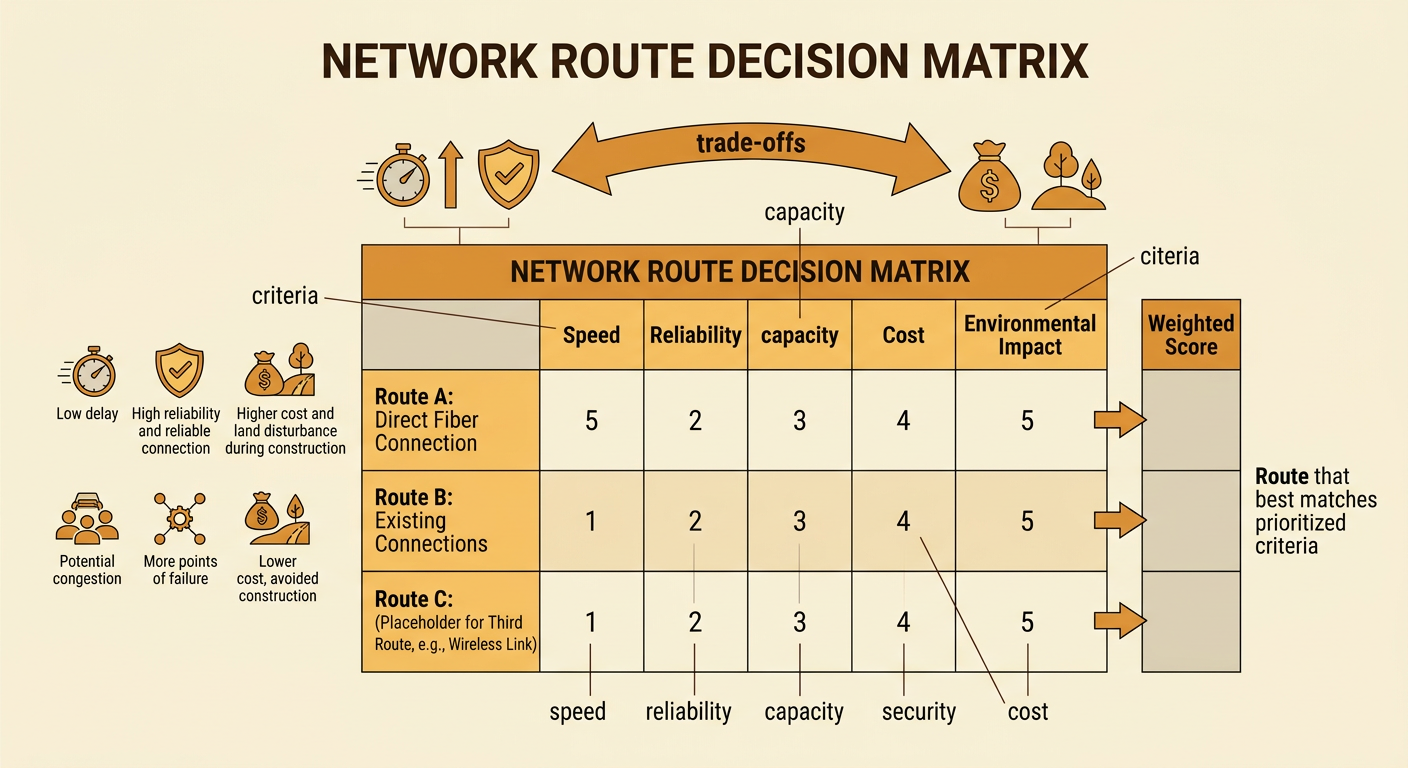
No single network route is best under every condition, so engineers evaluate routes using prioritized criteria and constraints. Important criteria include speed, reliability, available capacity, security, and cost. A direct fiber connection may provide low delay and high reliability, but installing it can be expensive and can disturb land during construction. A lower-cost route through existing connections may reduce construction impacts but have more congestion or points of failure. For example, a hospital might prioritize reliability and low delay for remote medical communication, while a video service might accept brief delays to reduce cost. Students can score each proposed route from 1 to 5 for speed, reliability, and cost, then give greater weight to the most important criterion. The resulting choice should include evidence and explain which benefits were gained and which trade-offs were accepted.