
Input or Output? How Computers Connect With Us
Students identify common computer inputs and outputs and act out how a device receives information and produces a response.
Illustrations are auto-generated and may be placeholders. They can be refreshed to match the narration.
Meet Inputs and Outputs
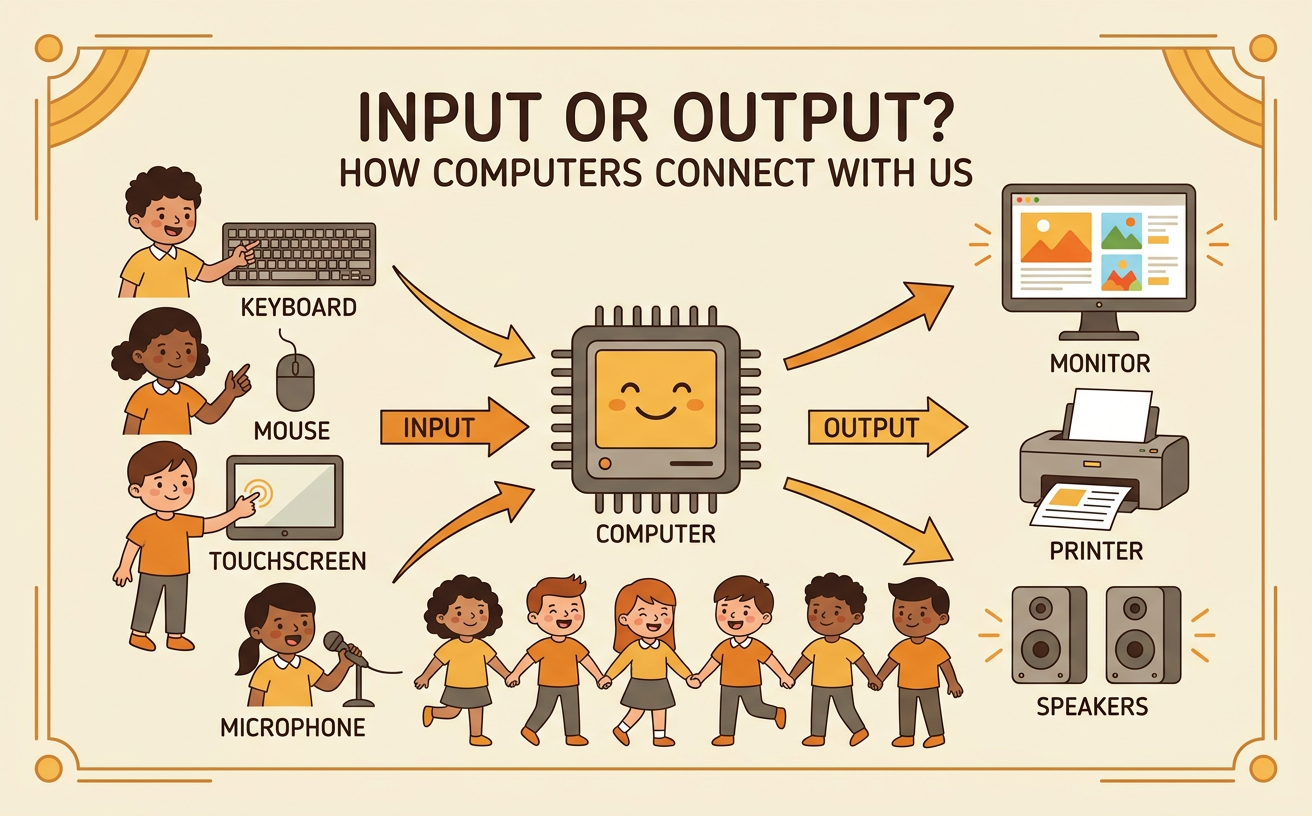
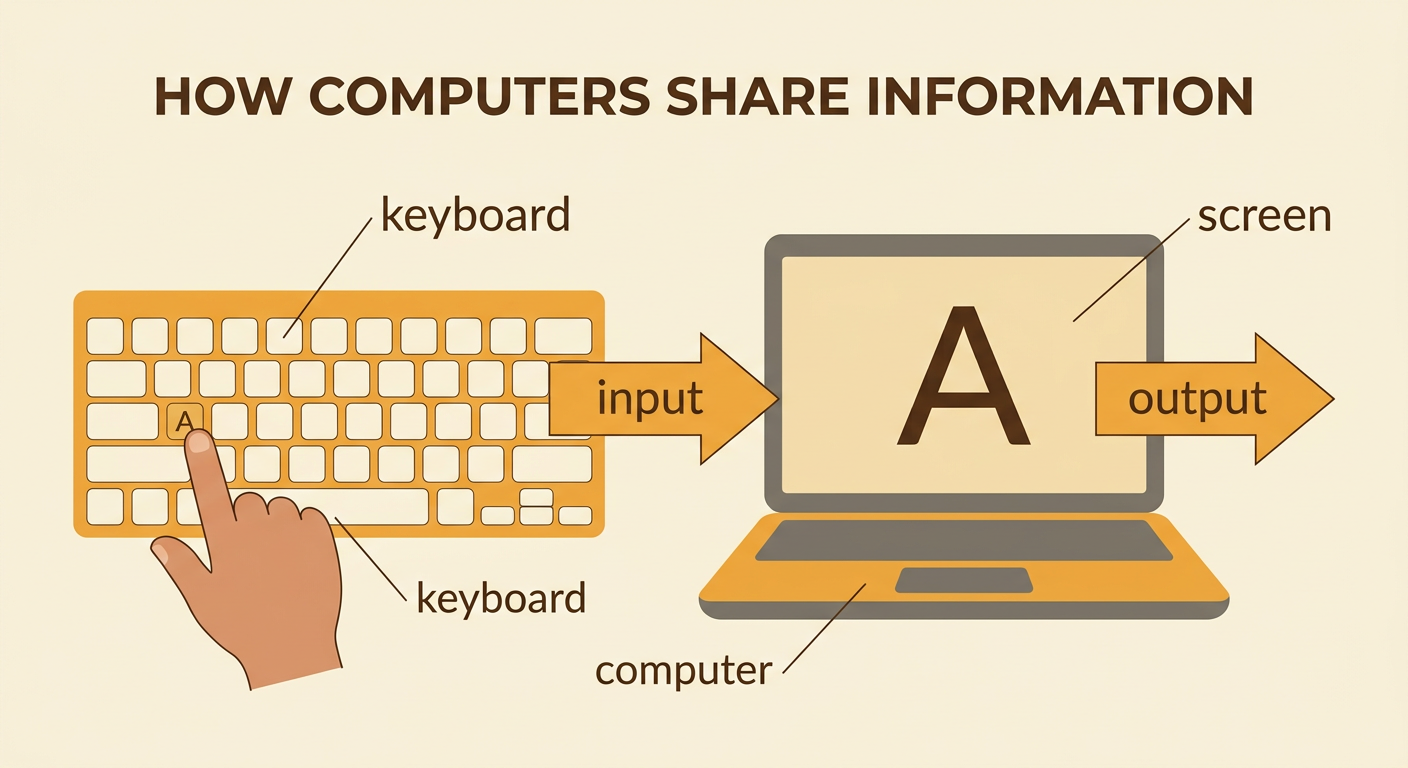
Computers share information with people in two main ways. An input is information that goes into a computer. When you tap a key, move a mouse, or speak into a microphone, you give the computer input. An output is information that comes out of a computer. A picture on a screen, music from a speaker, or a page from a printer is output. Imagine that you press the letter A on a keyboard. The key press is input. The computer receives that information and shows the letter A on the screen. The letter on the screen is output. When classmates talk about inputs and outputs, take turns, listen carefully, and follow the class discussion rules. Ask a question if you are unsure whether information is going into or coming out of the computer.
Explore Computer Parts
Computer parts have different jobs. A keyboard has keys that send letters, numbers, and commands into a computer. A mouse or touchpad sends information about where you point and click. A microphone sends sound into a computer. These parts provide input. A monitor shows words, pictures, and videos. Speakers play sounds, and a printer puts words or pictures on paper. These parts provide output. Some parts can do both jobs. A touchscreen shows pictures as output and receives taps as input. Look closely at each part and ask, “What information does this part send or show?” For example, when you tap a picture of a drum on a tablet, the touchscreen receives your tap. Then the tablet’s speaker plays a drum sound that you can hear.

Sort Input and Output Devices
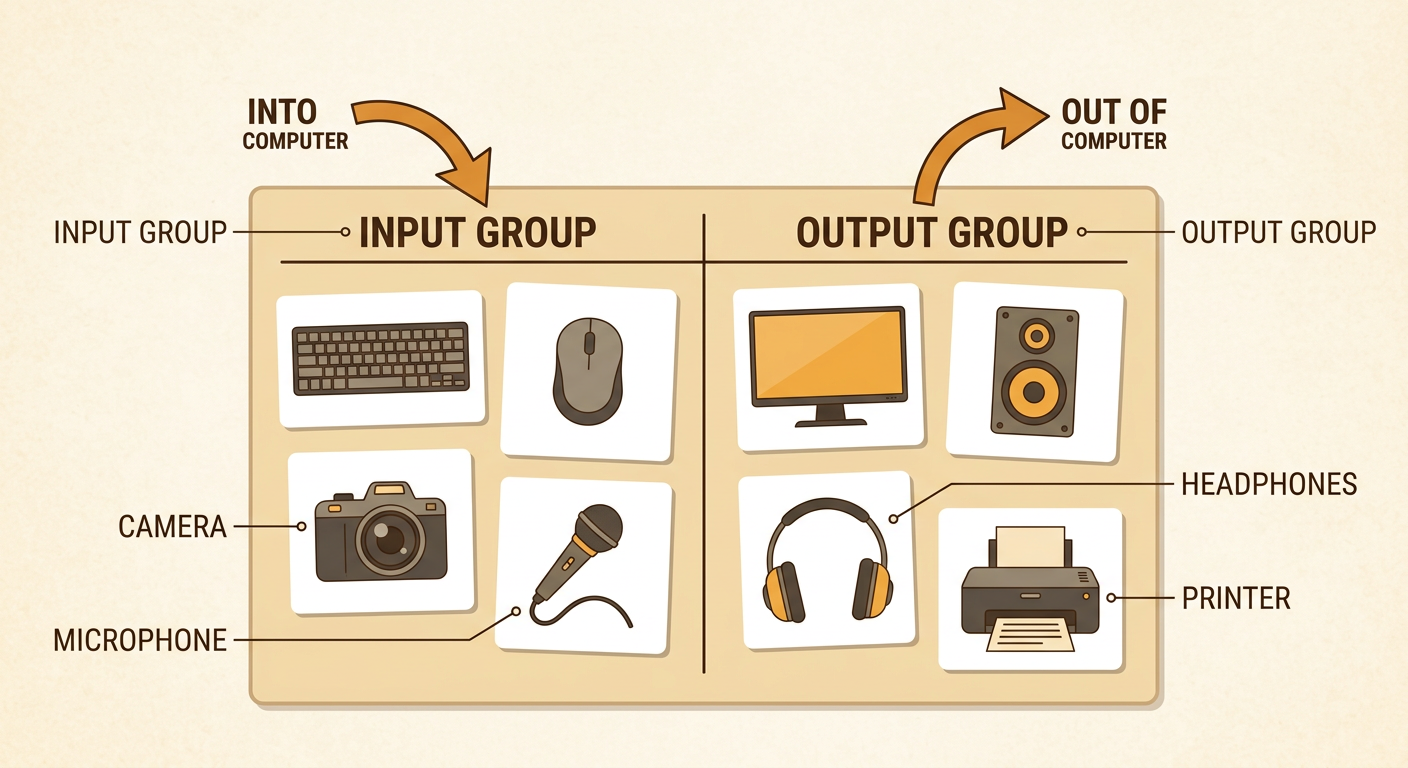
You can sort computer devices by following the information. If a device sends information into a computer, place it in the input group. If it gives information from the computer to a person, place it in the output group. A keyboard, mouse, camera, and microphone belong in the input group. A monitor, speaker, headphones, and printer belong in the output group. Think carefully about what each device does instead of sorting by its shape or size. For example, a camera is an input device because it sends picture information into a computer. Work with a partner to sort picture cards. Take turns choosing a card and explaining your choice. Listen to your partner, use kind words, and follow the agreed-upon rule that each person speaks without being interrupted.
Act Out a Computer Response
People can act out how a computer receives input and produces output. Work in a group of three. One student is the user, one is the computer, and one is the output device. Agree on a simple rule before you begin. For example, the rule can be, “If the user holds up a red card, show a red circle.” The user holds up the card as input. The computer observes the card, follows the rule, and tells the output student what to display. The output student holds up a red circle as output. Try again with a blue card and a blue circle. Take turns playing each role. Speak one at a time, follow the group rule, and notice what happens. Computers respond correctly only when they receive information and follow instructions designed by people.

Explain the Information Flow
Information flow is the path information follows through a computer system. First, a person gives input. Next, the computer receives the input and follows its instructions. Then an output device shares the result. You can explain this path with the words input, computer, and output. For example, when you click the play button, the mouse sends input to the computer. The computer follows the play command. The speakers produce music as output. Point to each step as you explain it to a partner. Your partner can ask a question or share an observation. If the result is not what you wanted, gather information about what happened. Check the input, the instructions, and the output device. Then suggest one change, such as clicking the correct button or turning on the speakers.
