
Inside a Computer: Hardware, Software, and Digital Information
Students examine how hardware and software work together as a system to receive input, process and store digital information, and produce output.

Illustrations are auto-generated and may be placeholders. They can be refreshed to match the narration.
What Makes a Device a Computer?
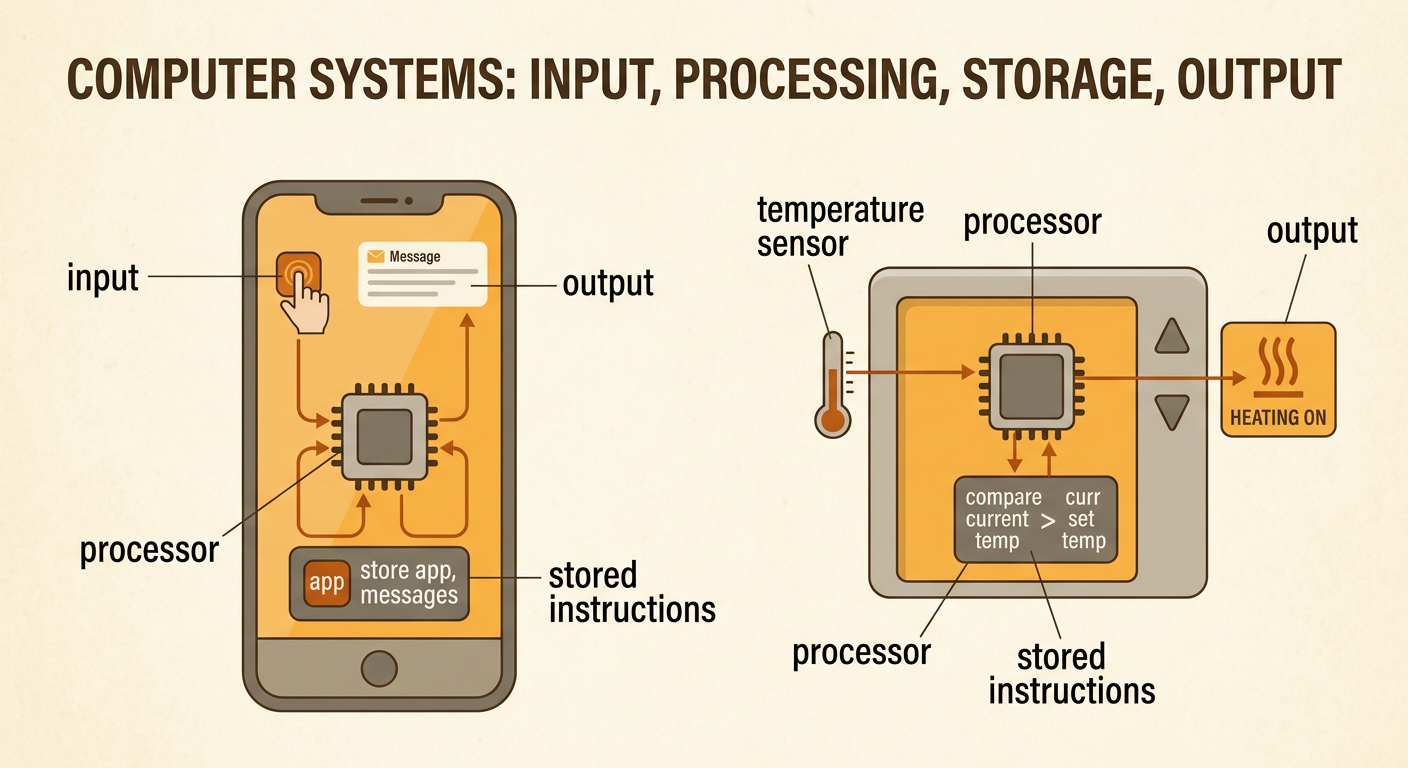
A computer is a device that follows stored instructions to work with information. It receives input, processes data, may store data, and produces output. These functions make many devices computers, even when they do not look like desktop computers. For example, a smartphone receives a tap as input. Its processor follows instructions from an app, retrieves stored information, and displays a message as output. A digital thermostat is also a computer: a sensor measures temperature, a processor compares the measurement with a set temperature, and the system turns heating or cooling equipment on or off. A simple light switch is not usually considered a computer because it does not process data by following stored instructions. Computers are systems because their connected parts work together to perform tasks.
Hardware and Software
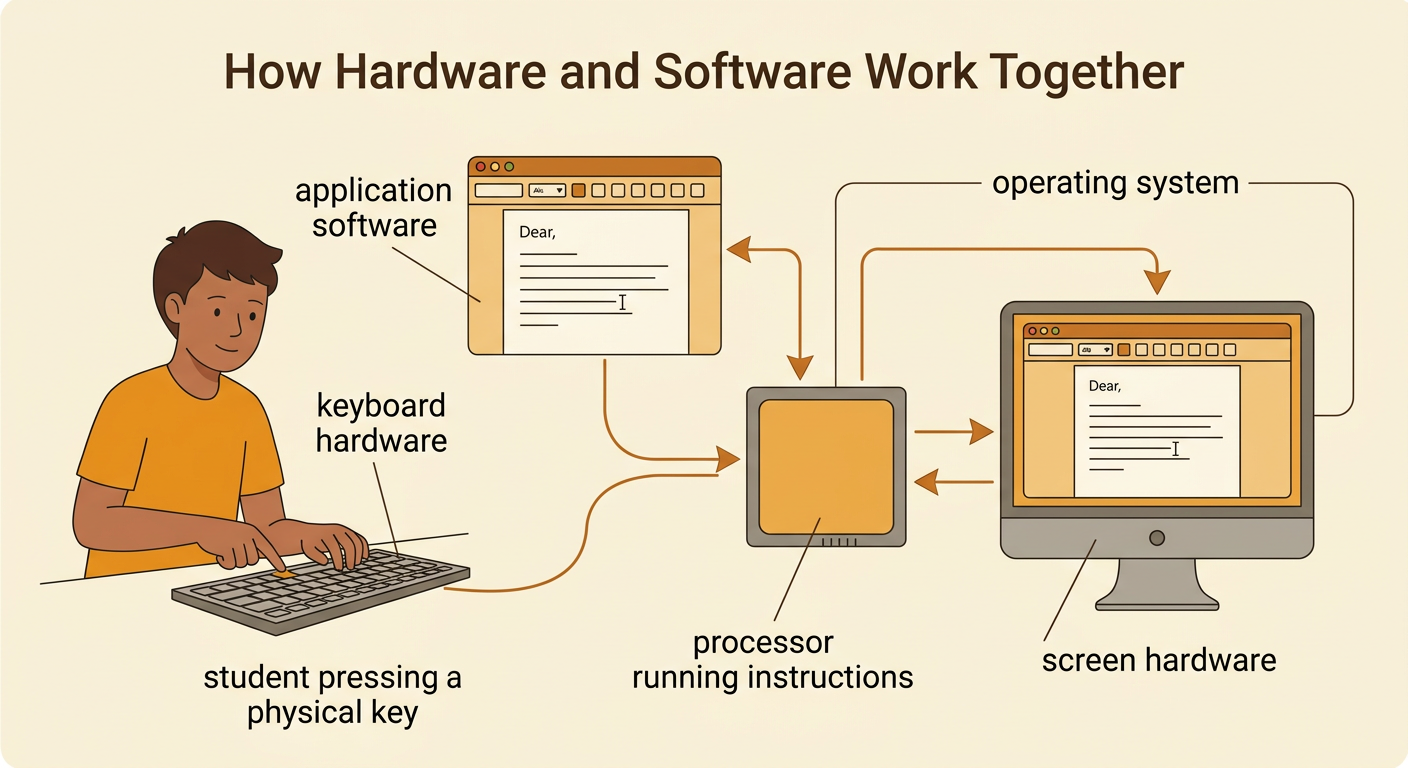
Hardware includes the physical parts of a computer that can be touched, such as the keyboard, screen, processor, memory chips, speakers, and storage drive. Software is the set of coded instructions and data that tells the hardware what to do. Operating system software manages the device and helps other programs use its hardware. Application software performs tasks for a user, such as writing a document or playing a game. Hardware and software depend on each other. For example, when a student types in a word-processing application, the keyboard hardware detects each key press. Software interprets the signal, the processor runs the instructions, and the screen hardware displays the letters. Without software, the hardware would not know how to complete the task. Without hardware, the software could not run or interact with the user.
Input, Processing, Storage, and Output
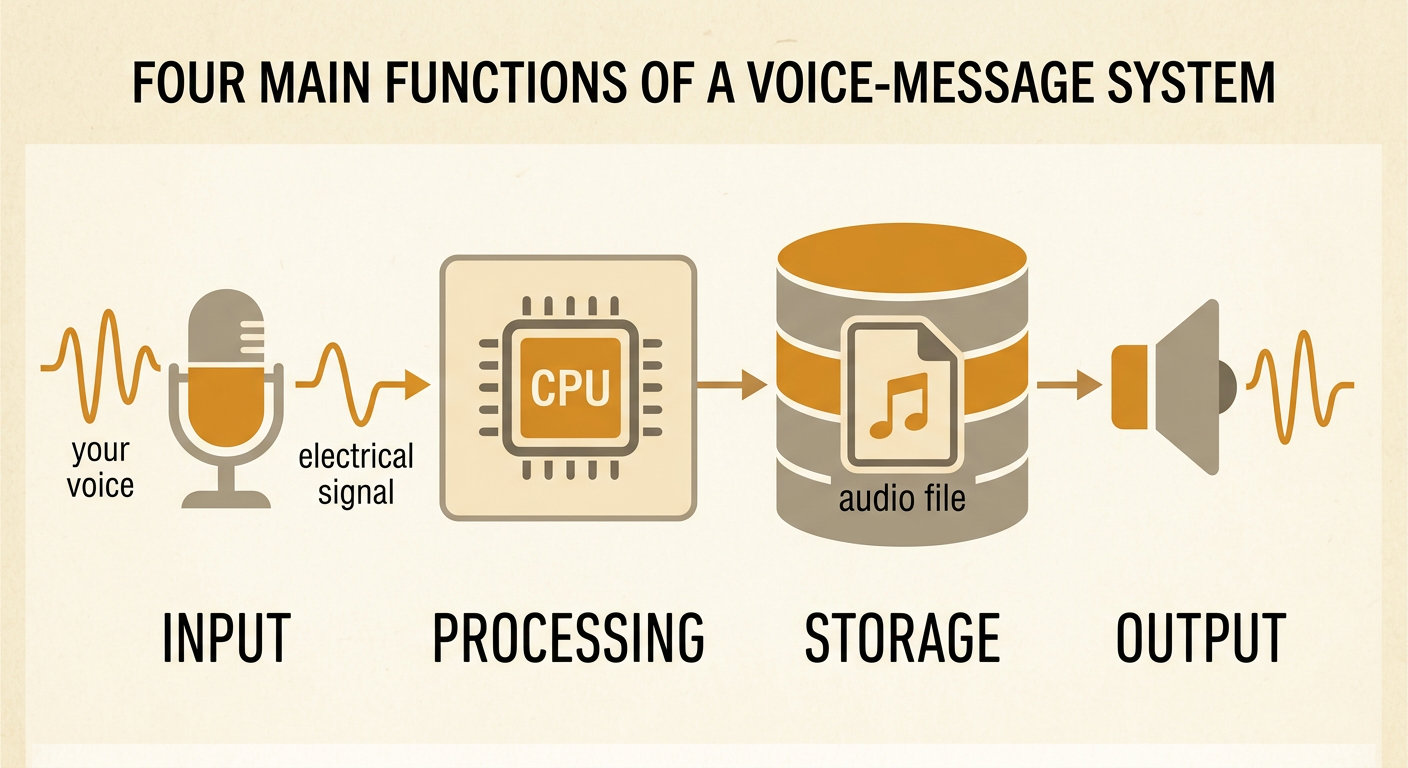
A computer task can be explained with four functions: input, processing, storage, and output. Input is information or a command entering the system through devices such as a keyboard, microphone, camera, or sensor. During processing, the central processing unit, or CPU, follows instructions and performs operations on the data. Storage keeps data and instructions for later use. Output is information the computer sends through a screen, speaker, printer, or another device. Consider recording a short voice message. The microphone receives sound as input and changes it into an electrical signal. The system converts and processes the signal as digital data. A storage device saves the audio file, and a speaker later produces sound as output. Some tasks repeat this cycle as new output affects the next input.
How Computers Encode Digital Information
Computers encode information using bits. A bit has one of two possible values: 0 or 1. Groups of bits can represent text, numbers, colors, images, and sounds. For example, a digital image is made of pixels, and each pixel’s color is represented by a pattern of bits. Digital signals transmit these patterns as distinct states, such as low and high electrical levels. Noise may weaken or disturb a signal as it travels. If the receiver can still identify each state as 0 or 1, it can reconstruct the original bit pattern. Repeaters can also recognize the pattern and send a fresh copy. In contrast, noise added to an analog signal may remain in each copy. This evidence supports the claim that digitized signals are generally more reliable for encoding, copying, and transmitting information, although severe interference can still cause errors.

From Early Computers to Modern Devices
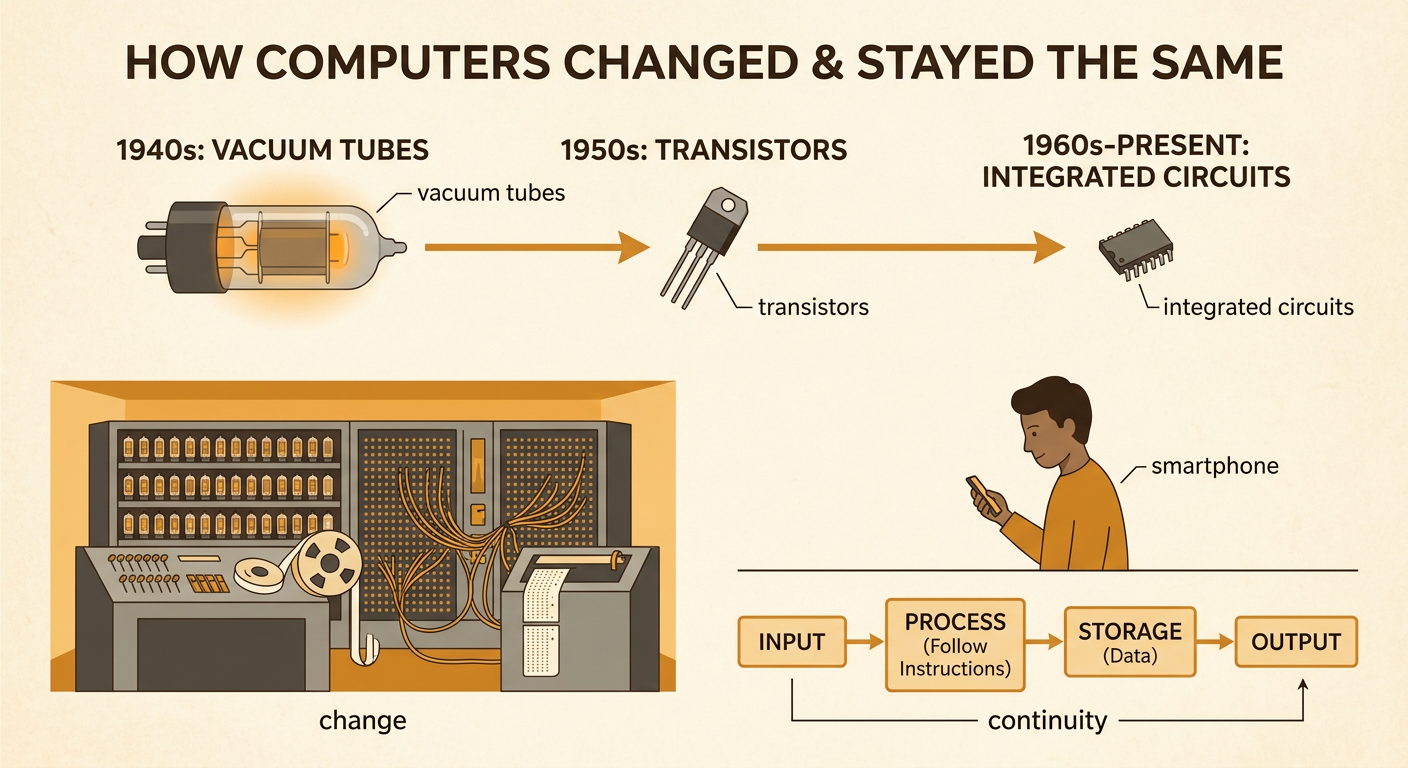
Computer history includes both major changes and important continuities. Early electronic computers of the 1940s filled large rooms, used thousands of vacuum tubes, and required large amounts of electricity. Programs and data were often entered with switches, cables, punched cards, or punched tape. The development of transistors and then integrated circuits allowed many electronic components to fit into much smaller spaces. Computers became faster, less expensive, more energy efficient, and portable. Today, a smartphone has far more computing power than many early computers and combines communication, photography, navigation, and data storage. These developments are examples of change. One important continuity is the basic system function: early and modern computers both receive input, follow instructions to process information, store data, and produce output. Classifying change and continuity helps explain how technology developed over time.
Modeling a Computer System
A system model identifies parts, shows how they are connected, and traces the movement of information. To model a computer-controlled school sprinkler, begin with input. A soil-moisture sensor sends a digital measurement to a controller. The processor runs software that compares the measurement with a stored threshold. Memory holds the instructions and threshold value. If the soil is too dry, the controller sends an output signal that opens a water valve. The system may then take another measurement, creating a feedback loop. Arrows in the model represent the movement of data or control signals, not the physical movement of the computer parts. A useful model also marks the system boundary and identifies information coming from or going to the environment. Students can use the model to predict what might happen if a sensor, software instruction, or output device fails.
