Keeping Personal Information Private
Students identify personal information and practice asking a trusted adult before sharing it on a computer or tablet.

Illustrations are auto-generated and may be placeholders. They can be refreshed to match the narration.
What Is Personal Information?
Personal information is information that tells who you are, where you are, or how someone can contact you. It includes your full name, home address, phone number, birthday, school name, passwords, and pictures of you. This information belongs to you and should be handled carefully. A person online may seem friendly, but you may not know who that person really is. Imagine that a game asks, “What street do you live on?” Your street name is personal information. Do not type it into the game. Pause and show the question to a trusted adult. Keeping personal information private helps you and your community stay safer.

Safe to Share or Keep Private?
Some information is usually safe to share in a classroom conversation, such as your favorite color, favorite animal, or favorite book. Other information should be kept private online, including your address, phone number, password, and exact location. The place and the person matter. You might tell your teacher your first name during class, but you should not type your full name into an unfamiliar game or message. Even when something seems safe, follow your family’s rules and ask an adult if you are unsure. For example, if an art app asks for your favorite color, pause and check whether the app also wants your name or location. When you are not sure, keep the information private and ask.

Meet the Trusted Adults
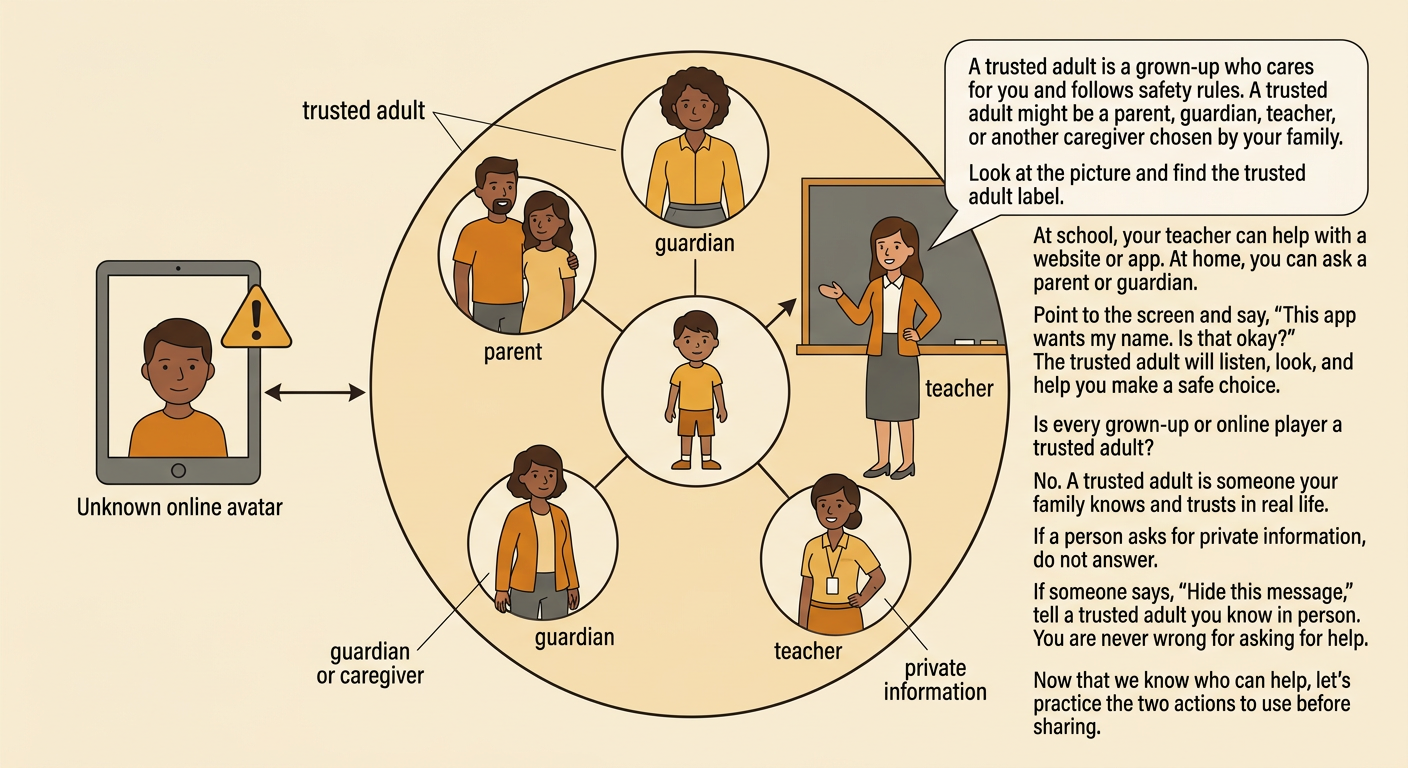
A trusted adult is a grown-up who helps care for you and follows safety rules. Trusted adults may include a parent, guardian, teacher, or another caregiver your family has chosen. At school, your teacher can help when a website or app asks a question. At home, you can ask your parent or guardian. Point to the screen and say, “This app wants my name. Is that okay?” A trusted adult will listen, look at the request, and help you make a safe choice. Not every adult or online player is a trusted adult. If someone asks for private information or tells you to hide a message, do not answer. Tell a trusted adult you know in person.
Stop and Ask Before Sharing
Use two simple steps when a computer or tablet asks for information: stop and ask. First, stop your hands. Do not type, tap “send,” or take a picture. Next, ask a trusted adult to look at the screen with you. You can say, “May I share this?” Wait for the adult’s answer before doing anything else. For example, a game may offer a prize and ask for your phone number. Stop, leave the box empty, and call a trusted adult. The prize can wait. If you share something by mistake, tell a trusted adult right away. You will not be in trouble for asking for help. The adult can close the page, change a password, or take another step to protect you.

Practice with Picture Scenarios
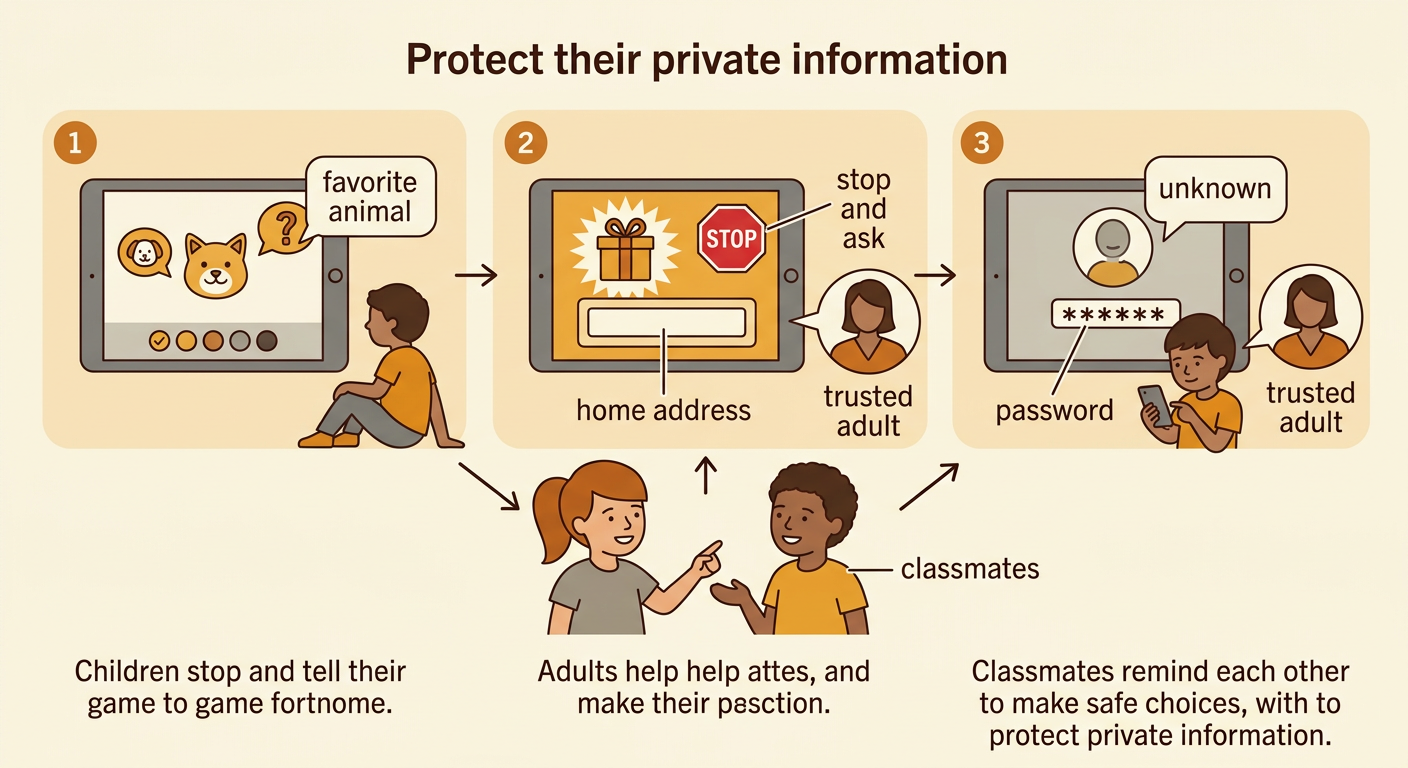
Look at each picture and talk with a partner about what the child should do. In the first picture, a drawing app asks for a favorite animal. The child should still check the rules and ask if unsure. In the second picture, a game asks for a home address to deliver a prize. The child should stop and ask a trusted adult. In the third picture, an unknown player asks for a password. The child should not share it and should tell a trusted adult. Take turns speaking and listening. Explain your choice with a sentence such as, “That is private, so I would stop and ask.” Everyone has an important job: children pause and tell, adults help, and classmates remind one another about safe choices.