
Making Decisions with Conditionals
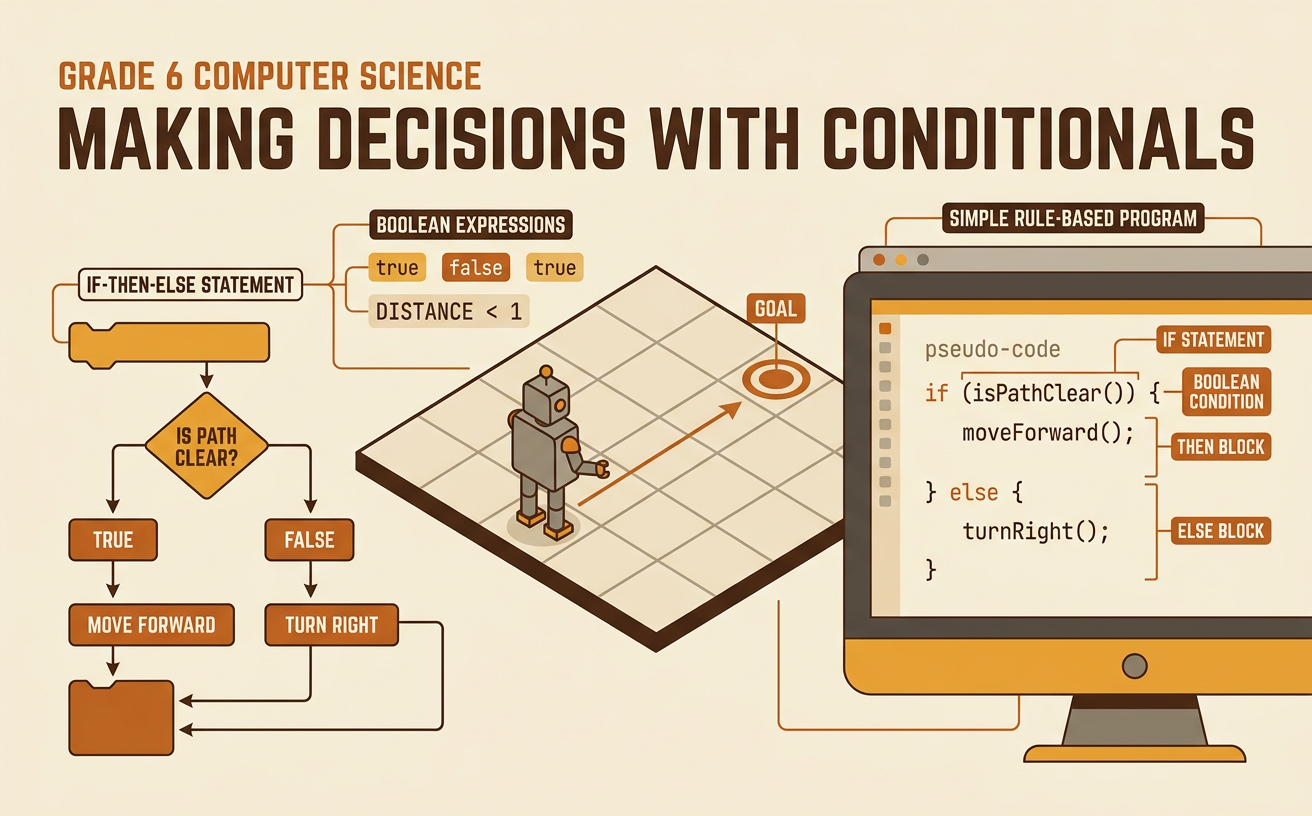
Students use Boolean expressions and if-then-else statements to create and evaluate a simple rule-based computer program.
Illustrations are auto-generated and may be placeholders. They can be refreshed to match the narration.
Everyday If-Then Decisions
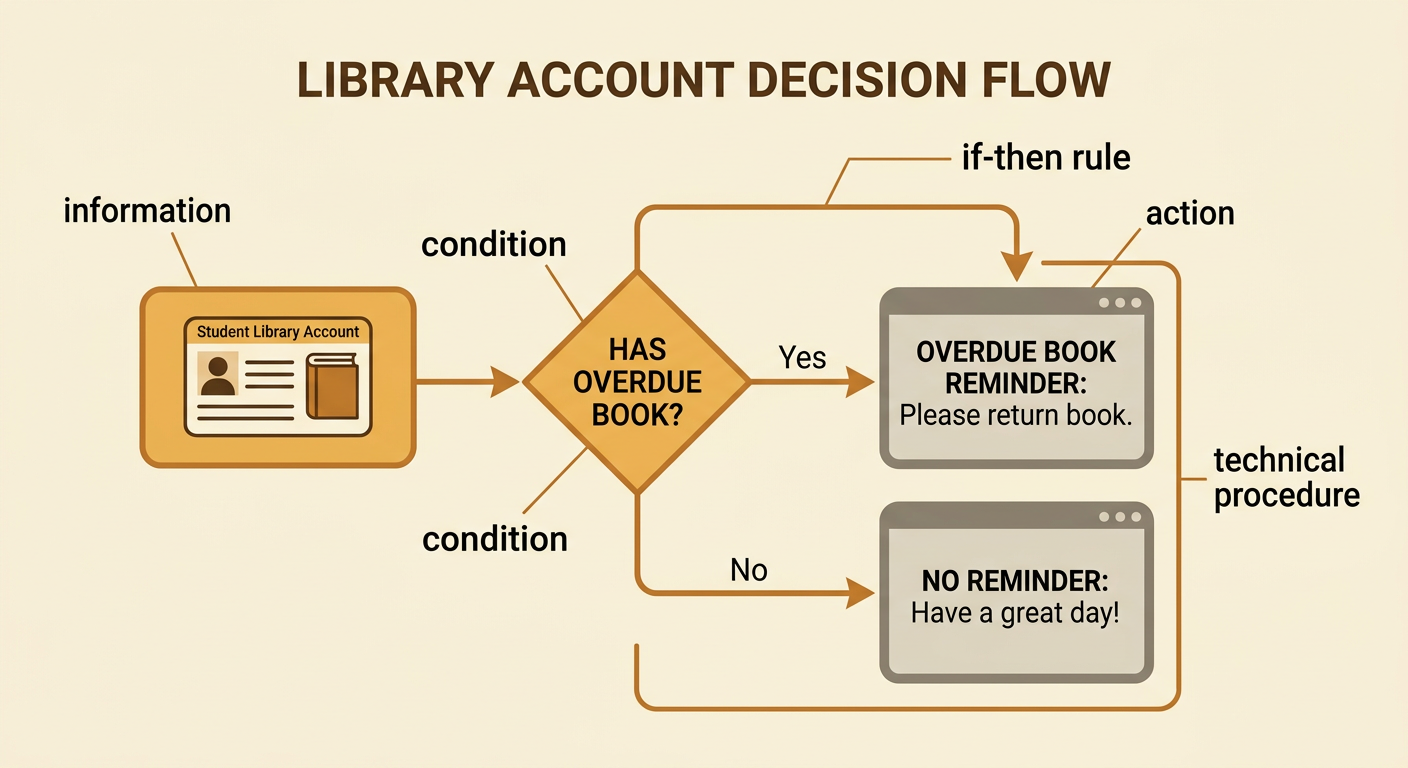
People make decisions by checking conditions. A condition is something that can be answered yes or no. For example, a school library may use this rule: If a student has an overdue book, then show a reminder. The condition is “student has an overdue book.” The action is “show a reminder.” Computers follow similar rules, but every step must be stated clearly. A computer cannot guess what someone means or use information that was not provided. To describe a decision, first identify the information being checked. Next, state the condition. Finally, state the action that happens when the condition is met. These steps form a simple technical procedure. Clear if-then rules help programmers predict what a computer will do and find rules that are incomplete or confusing.
True-or-False Boolean Expressions
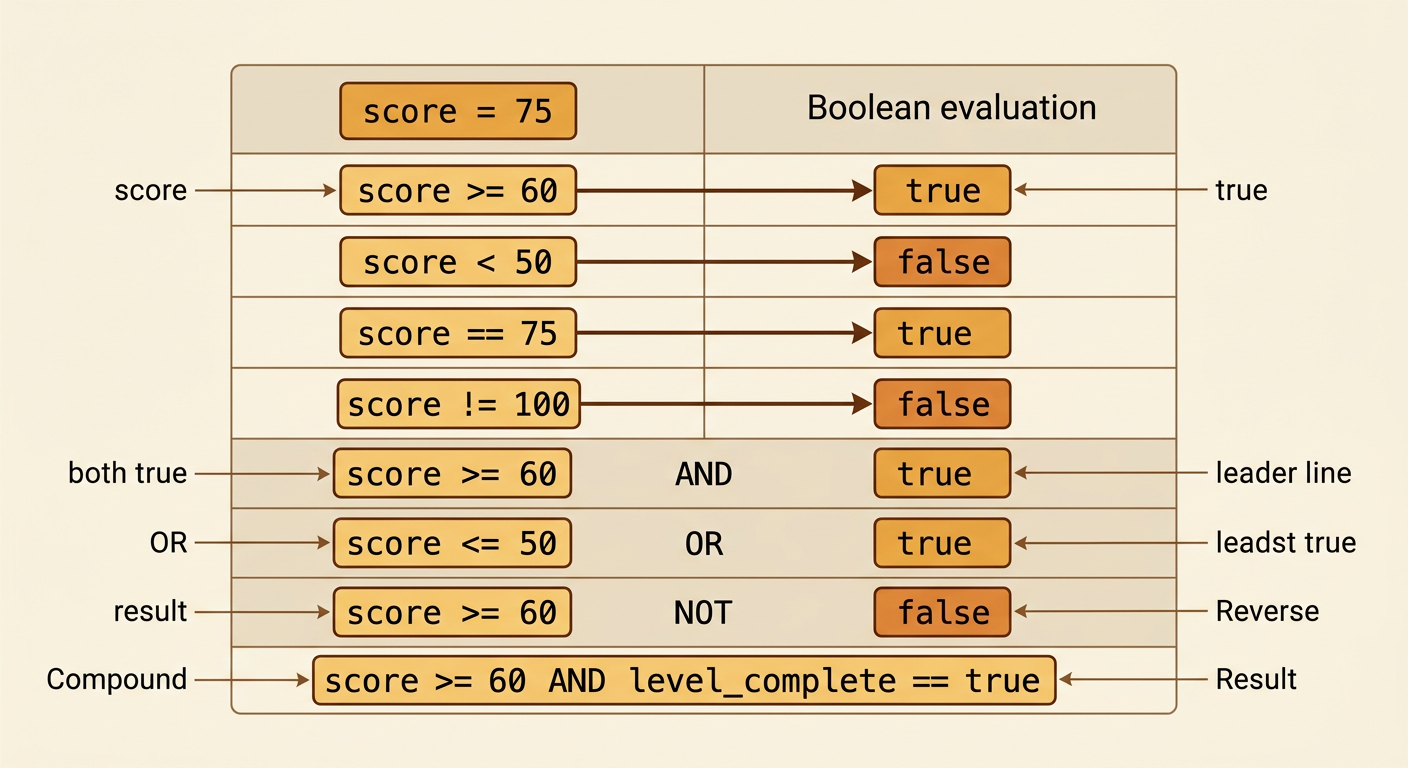
A Boolean expression is a statement that has only one of two values: true or false. Boolean expressions often compare numbers, text, or other data. Suppose a game stores a player’s score as 75. The expression “score >= 60” is true because 75 is greater than or equal to 60. The expression “score < 50” is false. Programmers use comparison operators such as >, <, ==, and !=. The operator == asks whether two values are equal, while != asks whether they are different. Boolean expressions can also use AND, OR, and NOT. For example, “score >= 60 AND levelComplete == true” is true only when both parts are true. Evaluating each part carefully helps prevent mistakes before the expression controls a program decision.
Building If-Then-Else Rules
An if-then-else statement tells a program what to do for both possible results of a condition. The if branch runs when the condition is true, and the else branch runs when it is false. Imagine a weather app with this rule: If temperature < 50, then display “Wear a jacket”; else, display “A jacket may not be needed.” To build the rule, name the input, write a Boolean condition, and give one action for each outcome. The order matters because the computer follows the instructions exactly. More conditions can be added with else-if branches, but every added branch makes the program more complex. Programmers should compare designs and choose one that is accurate, easy to understand, and efficient. Testing values below, at, and above a boundary such as 50 helps confirm that the rule works as intended.

Tracing Program Outcomes
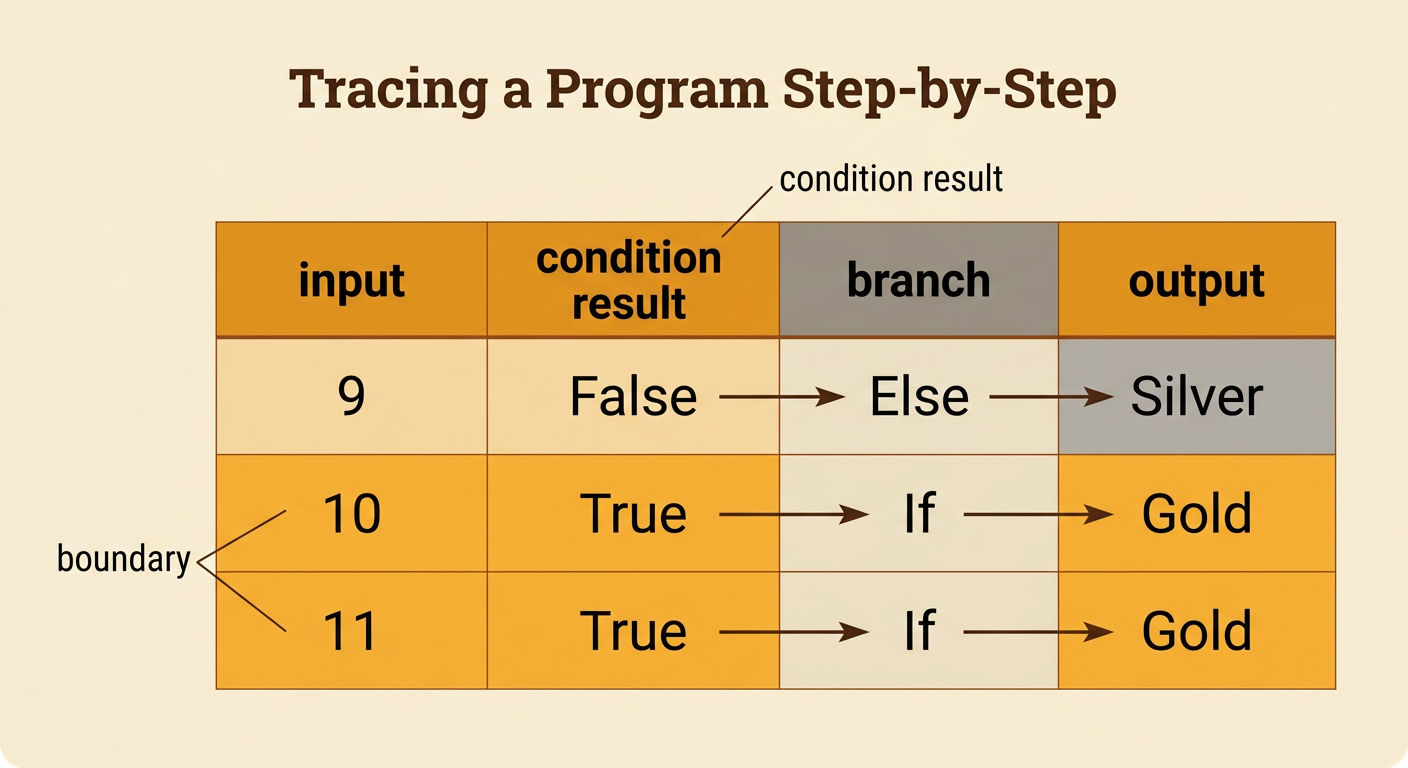
Tracing means following a program one step at a time to predict its output. Start by recording the input values. Next, evaluate the Boolean condition. Then, follow only the branch that matches the result and record the output. Consider this program: If tickets >= 10, then set reward to “gold”; else, set reward to “silver.” For tickets = 12, the expression 12 >= 10 is true, so the program chooses “gold.” For tickets = 8, the expression is false, so it chooses “silver.” A trace table keeps this process organized with columns for input, condition result, branch, and output. Test values should include one below the boundary, one exactly at it, and one above it. This systematic process reveals incorrect operators, missing outcomes, and unexpected results.
Testing Rules for Fairness
A rule can work exactly as programmed and still affect people unfairly. Suppose a community center gives early activity registration only to people who can sign up online before noon. The condition is clear, but it may disadvantage families without reliable internet access or adults who work during the morning. Personal needs, schedules, and access to technology shape how people experience the rule. To test fairness, programmers can list different users, try realistic inputs, compare outcomes, and ask who benefits or faces barriers. They can also compare solutions using criteria such as fairness, accuracy, privacy, and ease of use. A better design might allow online, phone, and in-person registration during the same time period. No rule removes every concern, so designers should gather feedback, explain trade-offs, and revise the system when evidence shows unequal effects.
