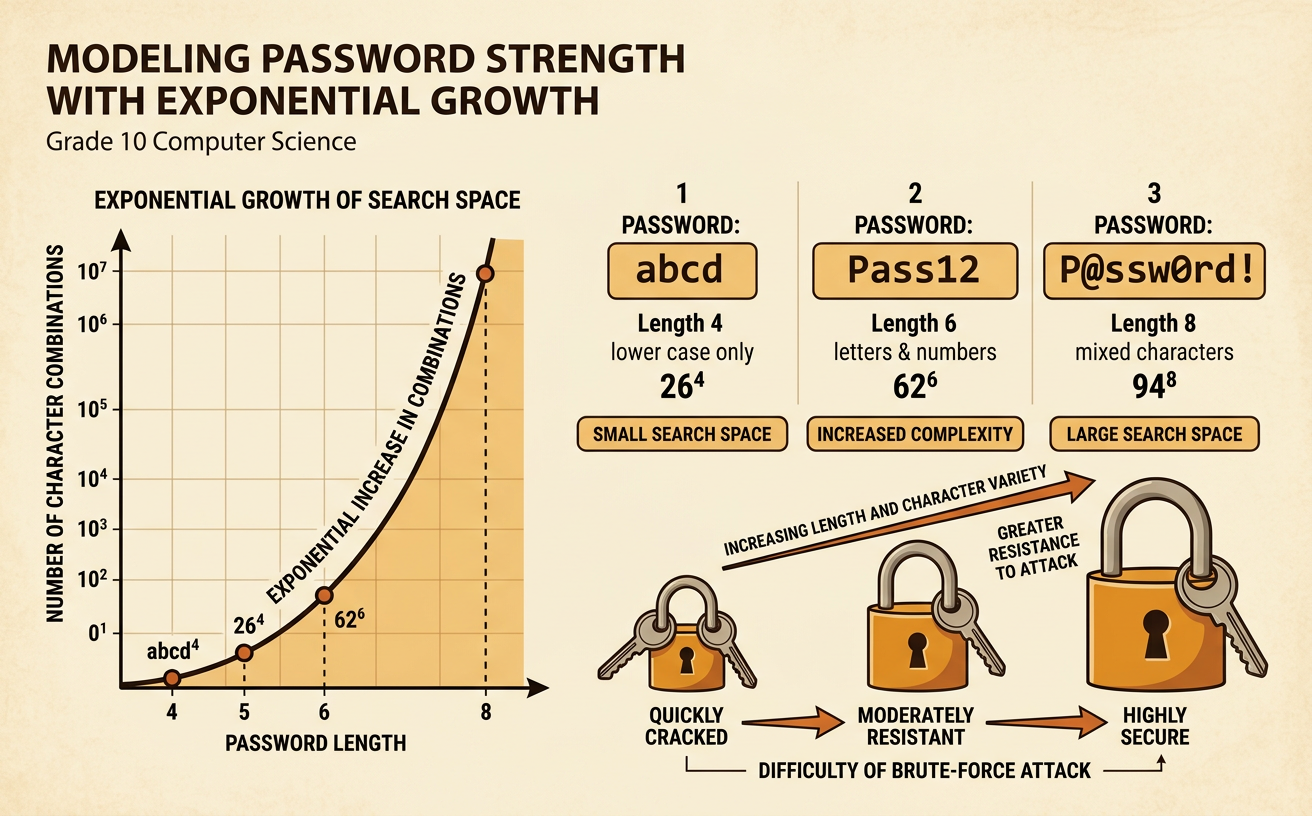
Modeling Password Strength with Exponential Growth
Students calculate and compare password search spaces to explain how length and character variety affect resistance to brute-force attacks.
Illustrations are auto-generated and may be placeholders. They can be refreshed to match the narration.
How Brute-Force Searches Work
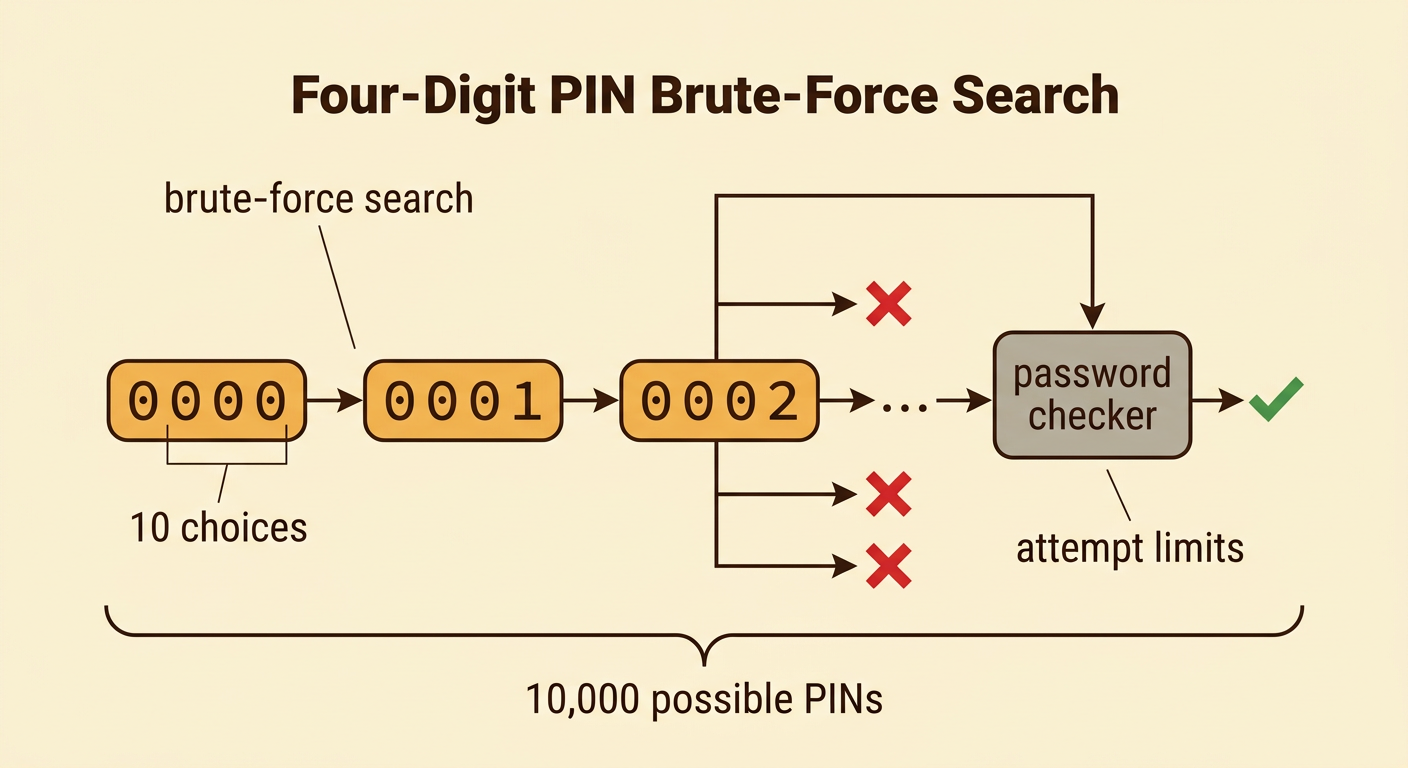
A brute-force search tests possible passwords until one matches. The attacker may try candidates in a predictable order or use common passwords first, but a complete brute-force search can eventually test every allowed combination. For example, a four-digit PIN has 10 choices for each position, from 0000 through 9999. That creates 10,000 possible PINs. In the worst case, the correct PIN is the final candidate tested. If the correct PIN is equally likely to be anywhere in the search order, the average search takes about half of all possible attempts. Online systems can slow searches with attempt limits and delays. Offline searches against stolen password data may be much faster, so secure systems store passwords using slow, salted password-hashing methods.
Calculating a Password Search Space
A password search space is the total number of passwords permitted by a rule. If every position has N possible characters and the password has length L, the search space is S = N^L. This follows the multiplication principle: multiply N choices once for each independent position. For example, a four-character password using only lowercase English letters has 26 choices in each position. Its search space is 26 × 26 × 26 × 26 = 26^4 = 456,976 passwords. When the character set stays fixed, length produces exponential growth because each additional character multiplies the search space by N. The formula assumes every position can use every character and that only passwords of exactly length L are being counted.

Comparing Length and Character Variety
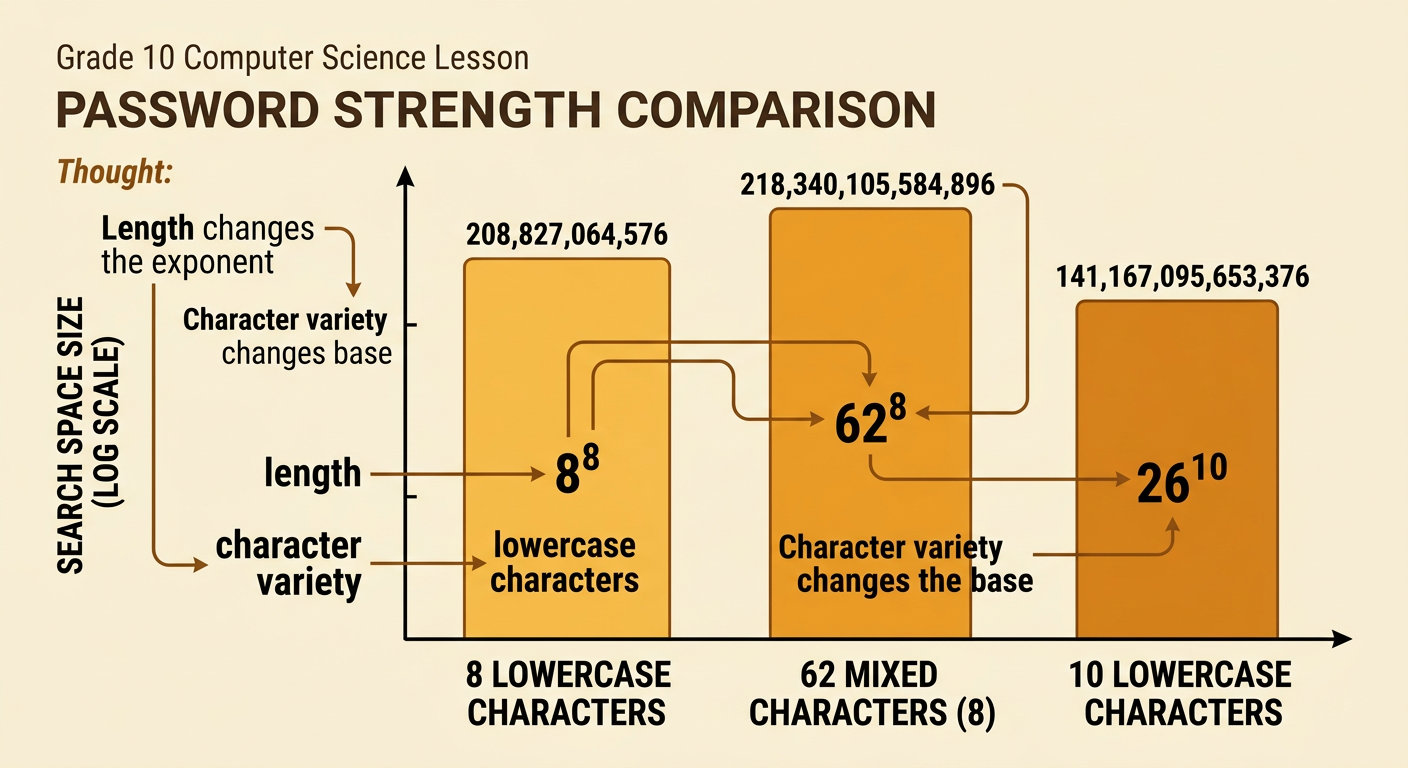
Both password length and character variety can enlarge a search space, but they affect the exponent model differently. Length increases the exponent, while variety increases the base. An eight-character lowercase password has 26^8 = 208,827,064,576 possibilities. Allowing 26 lowercase letters, 26 uppercase letters, and 10 digits gives 62 choices per position, so an eight-character password has 62^8 = 218,340,105,584,896 possibilities. Increasing a lowercase password from eight to ten characters produces 26^10 = 141,167,095,653,376 possibilities. Thus, either change can be substantial. However, predictable choices such as Password1 do not receive the full practical benefit of the mathematical search space because attackers often test common patterns early. Random or independently generated choices better fit the model.
Estimating Time to Crack
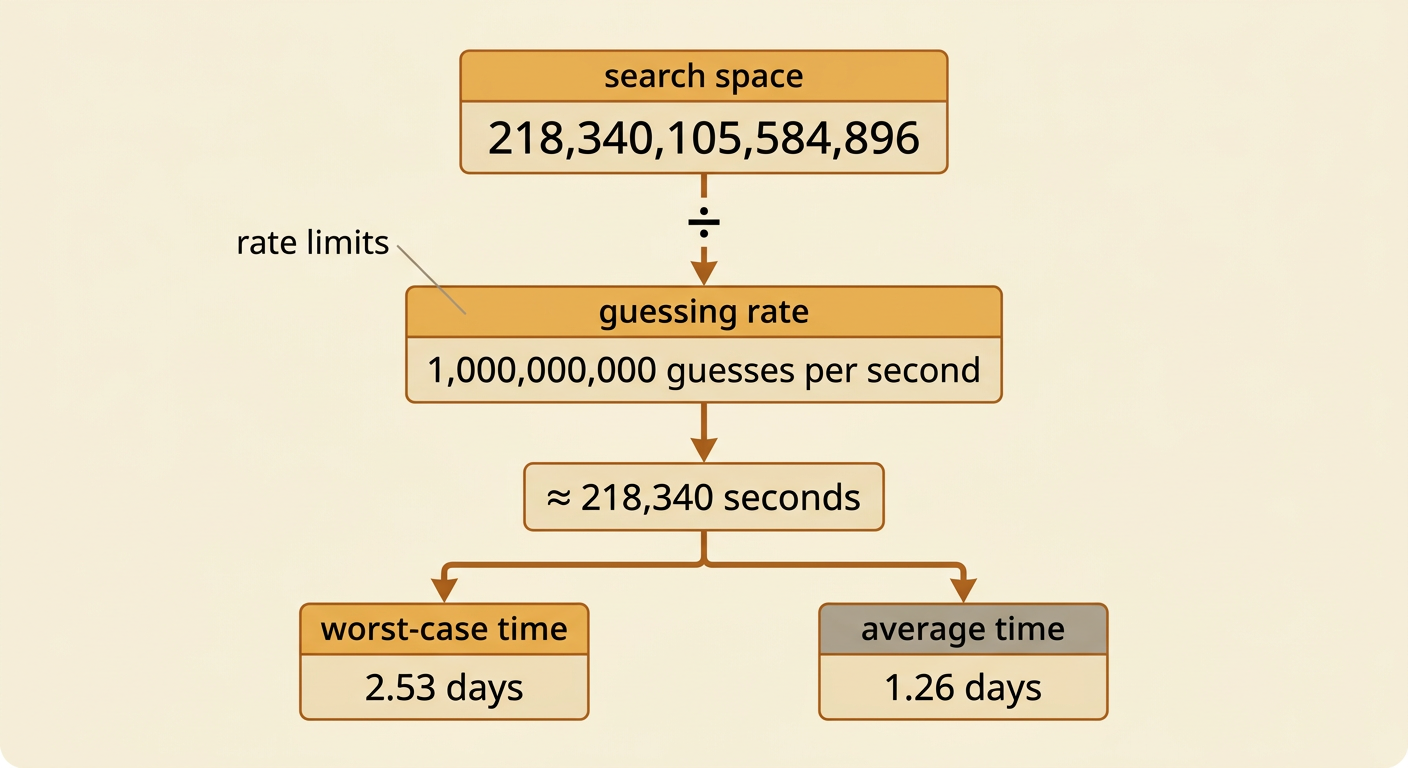
Search-space size can be translated into a time estimate when the testing rate is known. If S is the number of possibilities and R is the number of guesses per second, the worst-case time is T = S ÷ R. The average time is about half that amount when the password is chosen uniformly and its position in the search order is random. For example, 62^8 equals 218,340,105,584,896 possibilities. At one billion guesses per second, testing the entire space would take about 218,340 seconds, or 2.53 days. The average would be about 1.26 days. This is only a model. Actual rates depend on hardware, password-hashing methods, salts, system defenses, and whether attempts occur online or offline. Rate limits can make online guessing dramatically slower.
Balancing Security and Usability
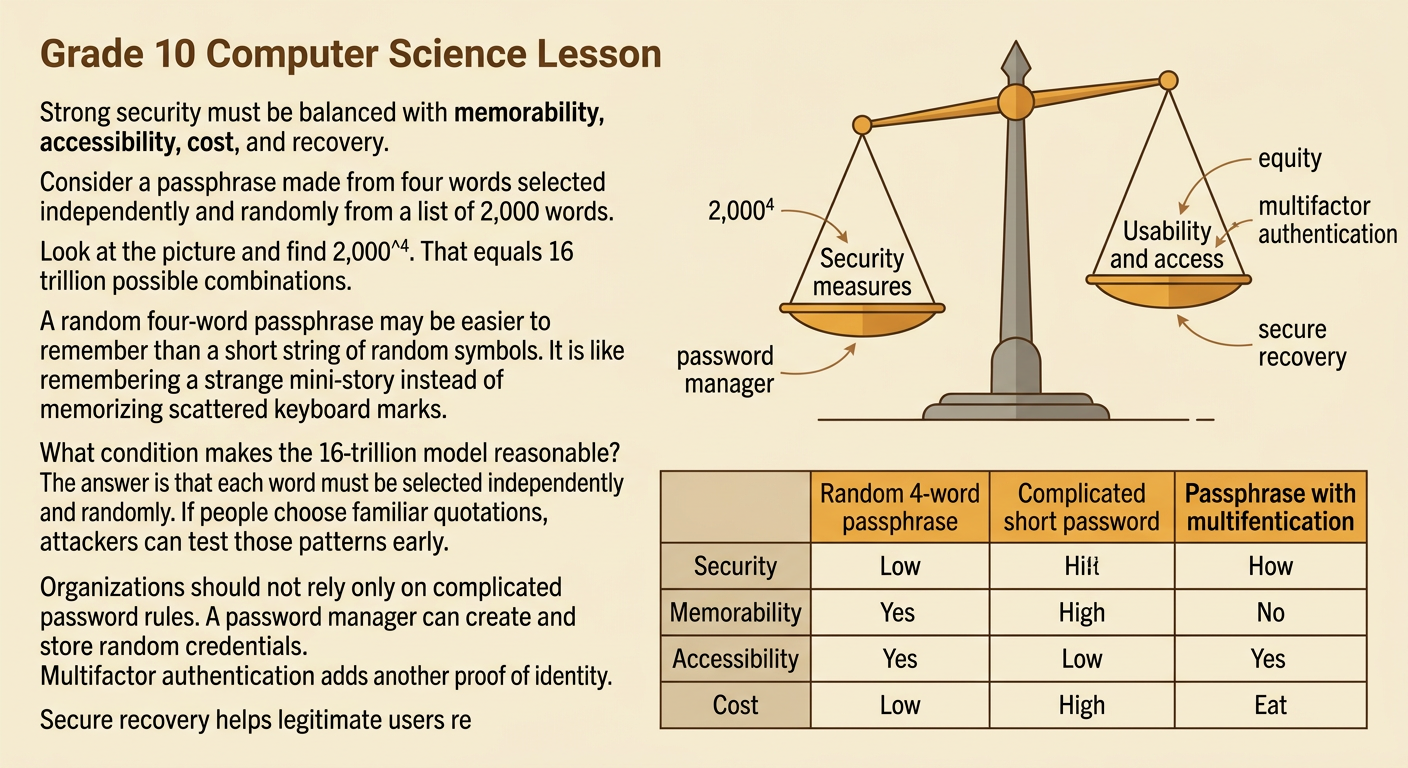
A strong password policy must balance security, memorability, accessibility, cost, and recovery needs. Consider a passphrase made from four words selected independently and randomly from a list of 2,000 words. Its search space is 2,000^4, or 16 trillion combinations. Such a passphrase may be easier to remember than a short string of random symbols, although its strength depends on truly random selection. Organizations can also add multifactor authentication, rate limits, password managers, and secure recovery procedures instead of relying only on complicated composition rules. Schools and public agencies should evaluate trade-offs: requiring a phone for every login may improve security but can exclude people without reliable device access. Policies should therefore prioritize account protection while considering equity and usability. Different institutions and historical contexts may justify different solutions as technology, threats, and public access change.