Pixel Pictures: How Computers Show Images
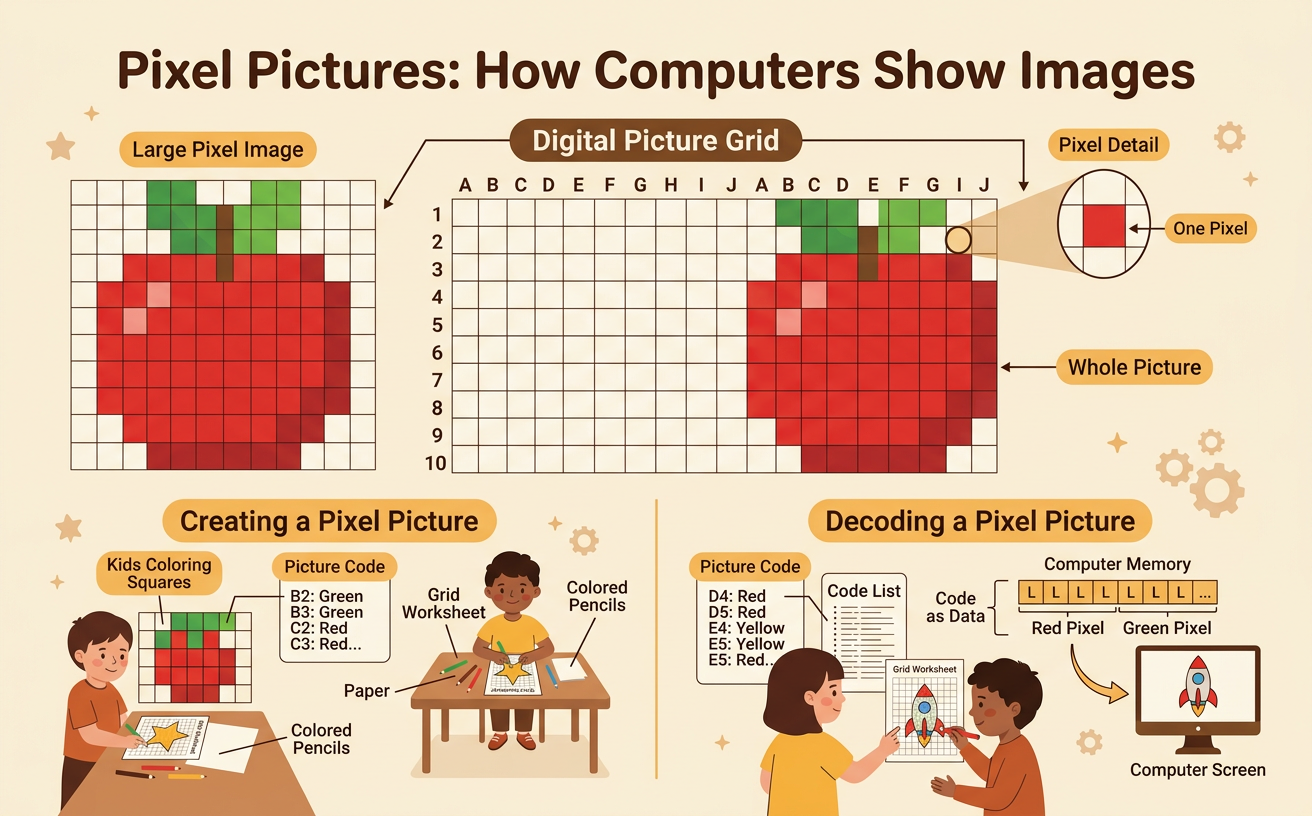
Students create and decode simple pictures by coloring squares on a grid, learning that computers represent images as collections of tiny picture elements called pixels.
Illustrations are auto-generated and may be placeholders. They can be refreshed to match the narration.
Meet the Pixel
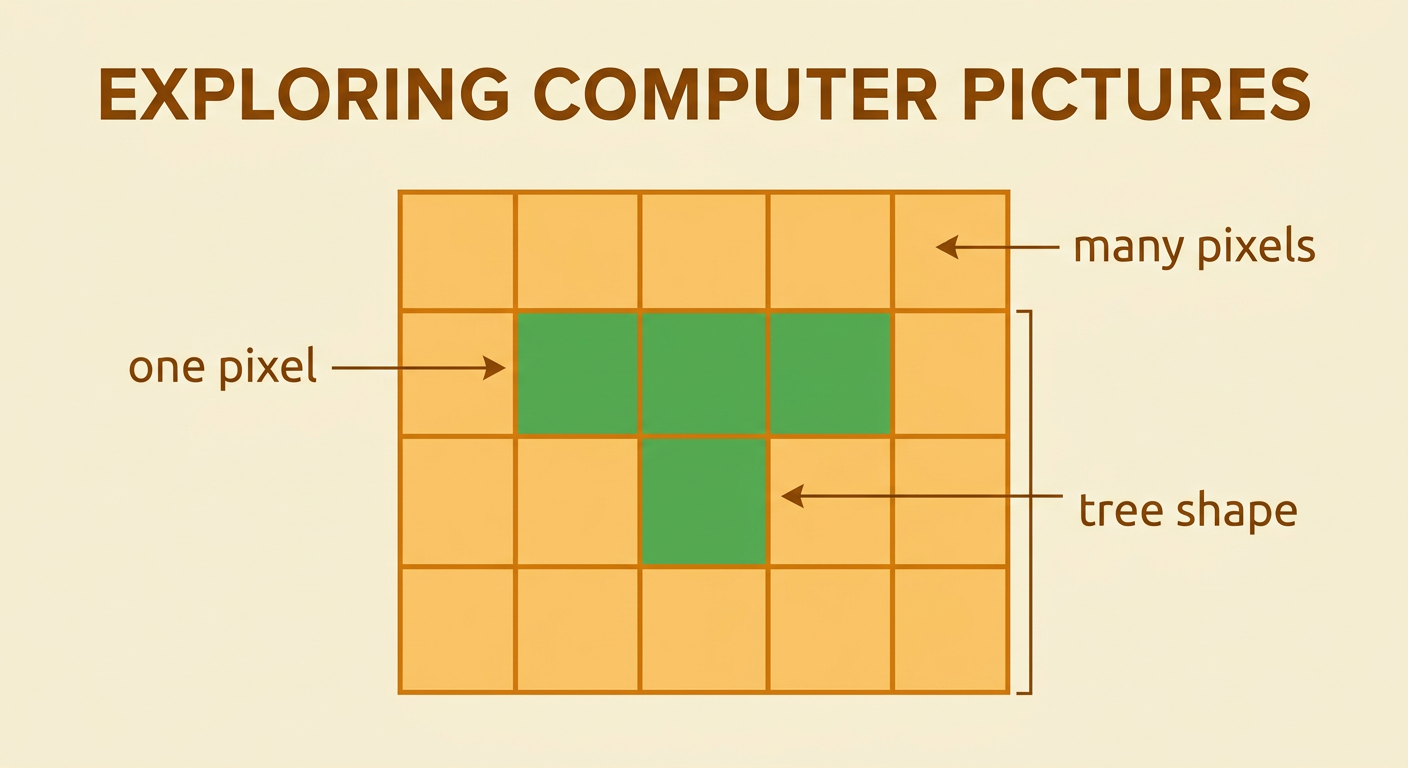
A computer picture is made from many tiny parts called pixels. A pixel is one small square of color. When many pixels sit side by side, they can form a larger picture. Think about building a shape with square tiles. One tile is only a square, but several tiles can make a house, a heart, or a letter. For example, place three green pixels in a row. Then place one green pixel below the middle square. Together, the four pixels make a simple tree shape. Computers use thousands or even millions of pixels for detailed pictures. Today, you will use only a few large pixels so that you can see how the parts join to make a complete image.
Examine a Grid Picture
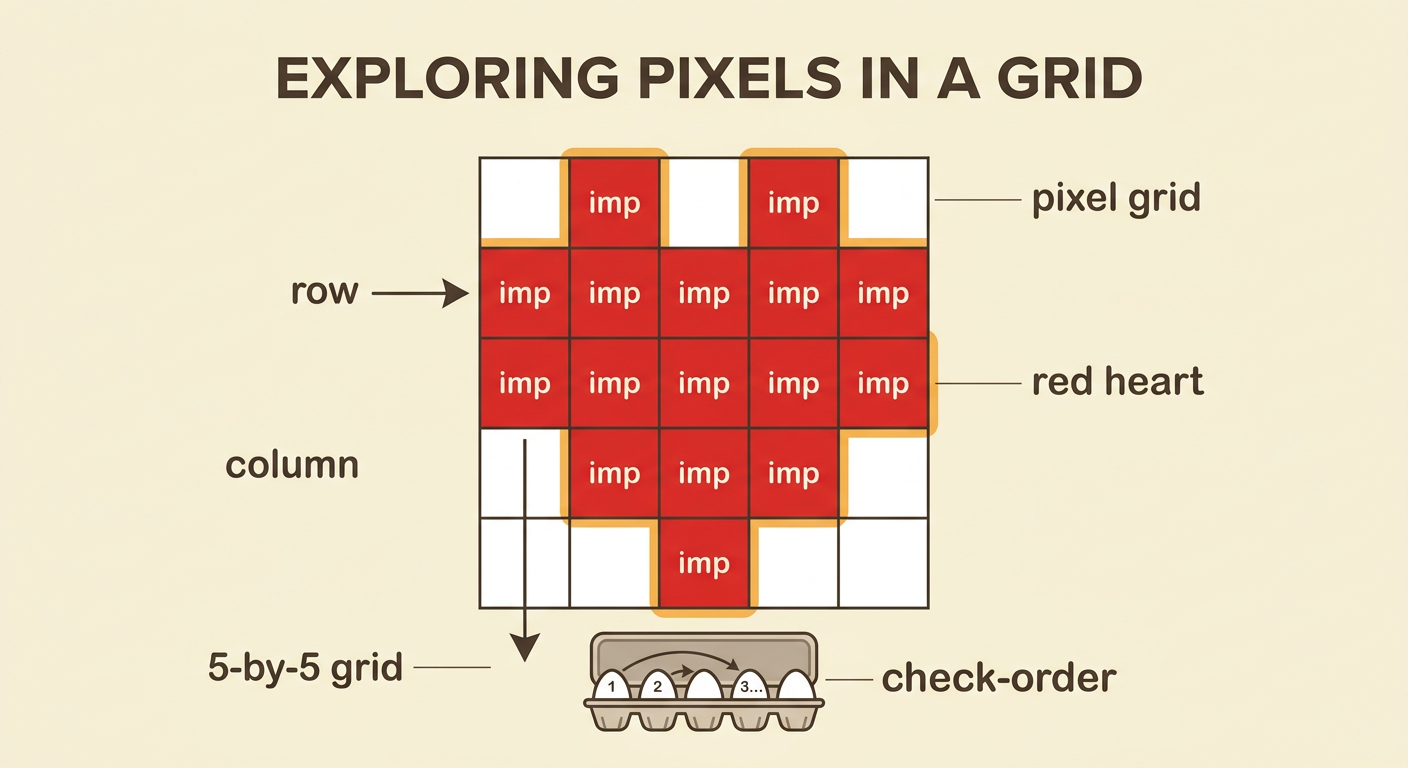
A pixel grid is made of equal rows and columns of squares. Each square has one place in the grid. Look at a 5-by-5 grid with a simple red heart. Count five squares across each row and five squares down each column. Some squares are red, and the other squares are white. The red squares work together to form the heart. Start at the top row and move from left to right. Then examine the next row in the same way. Looking in a set order helps you notice every square. You can also find smaller shapes inside the picture. Two red blocks at the top make the rounded parts, while connected red squares below make the heart’s point.
Encode a Simple Image
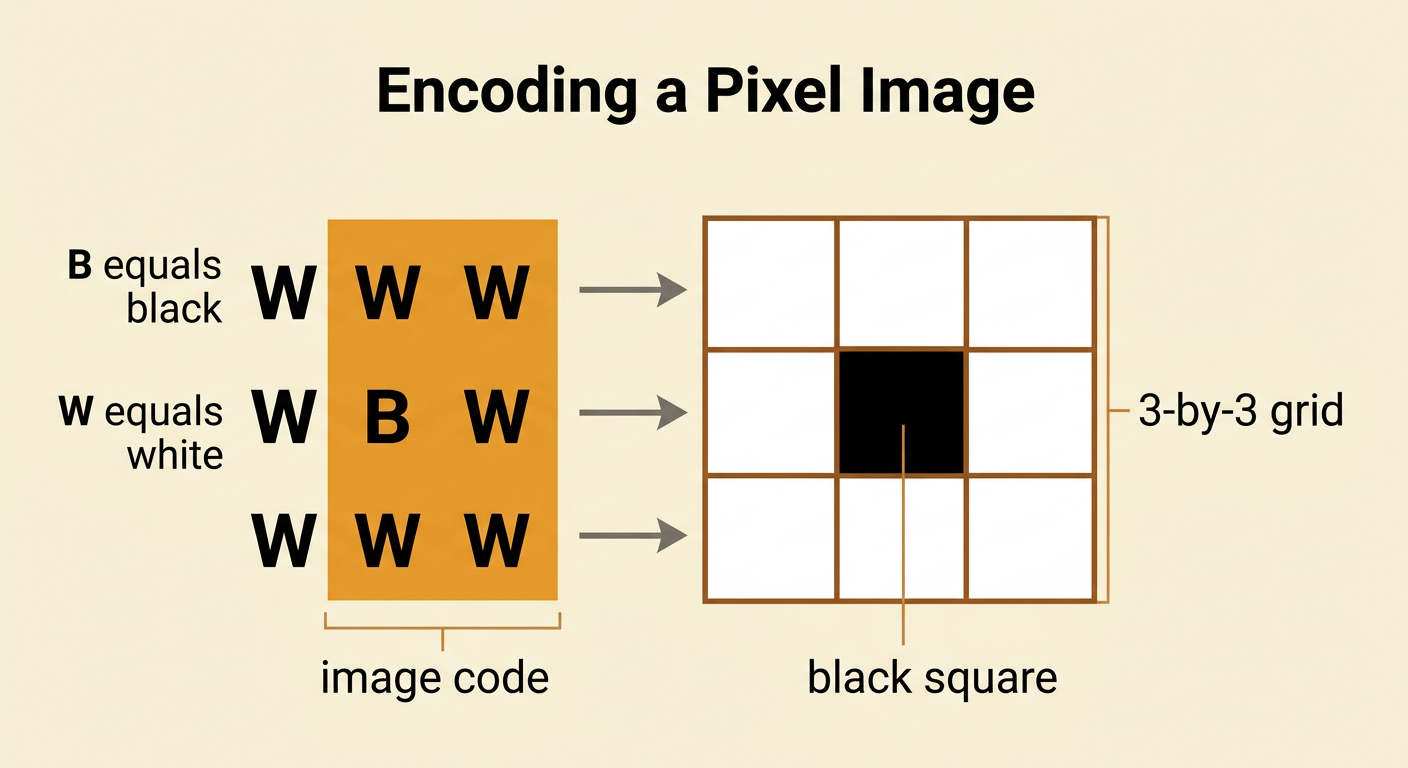
To encode an image means to record information that tells someone how to make it. You can encode a black-and-white grid picture with letters. Use B for a black square and W for a white square. Suppose a 3-by-3 picture has a black square in the center and white squares everywhere else. Write one line of letters for each row. The code is W W W for the first row, W B W for the second row, and W W W for the third row. Read each line from left to right. Your code describes the color of every pixel without showing the picture itself. A partner can use the code to color a new grid.
Swap and Decode
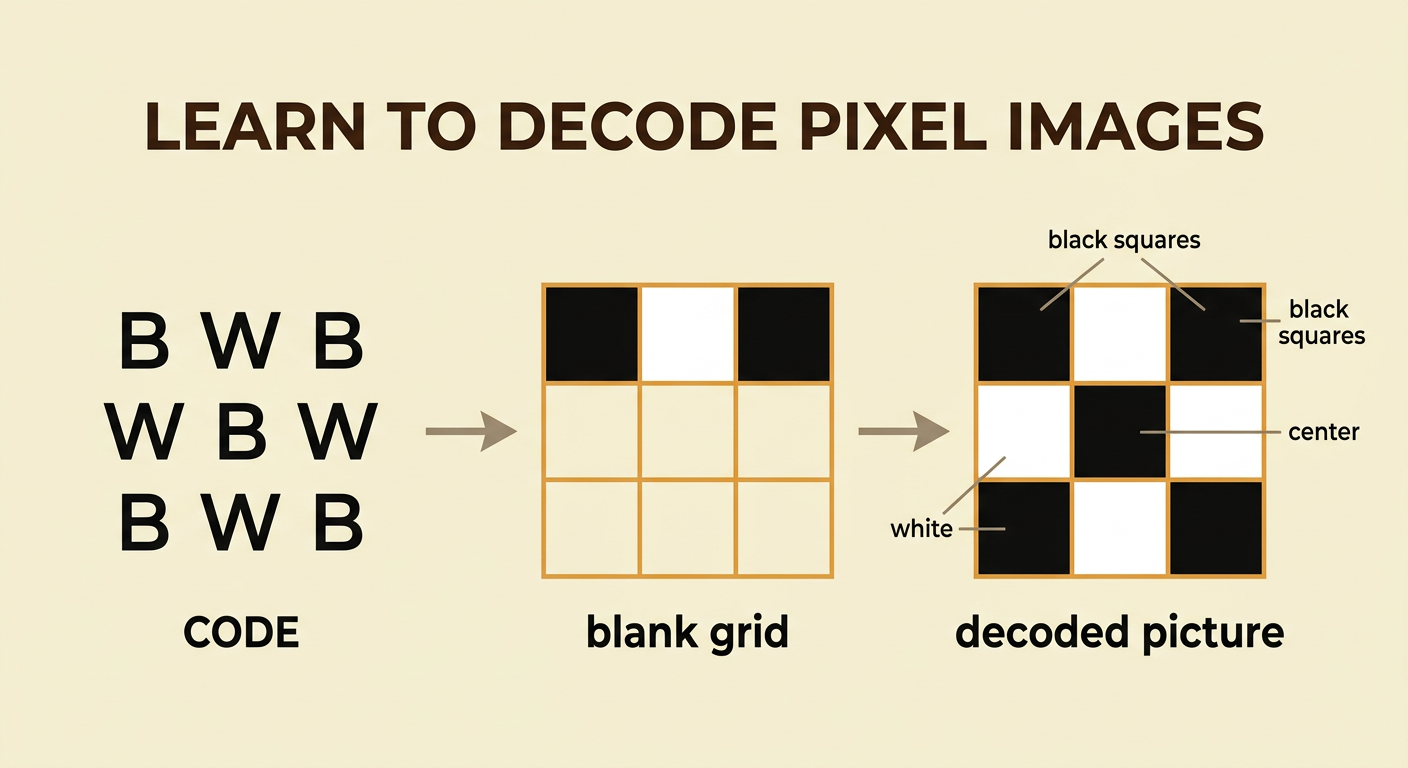
Now swap image codes with a partner. To decode means to use the recorded information to rebuild the picture. Begin with the first line of the code and the first row of a blank grid. Read from left to right. If the letter is B, color the square black. If the letter is W, leave the square white. Then move to the next line and the next row. For example, decode B W B, W B W, and B W B on a 3-by-3 grid. The finished image has black squares at all four corners and in the center. Check each row before moving on. Careful decoding helps the recreated picture match the picture your partner encoded.
Compare the Recreated Pictures
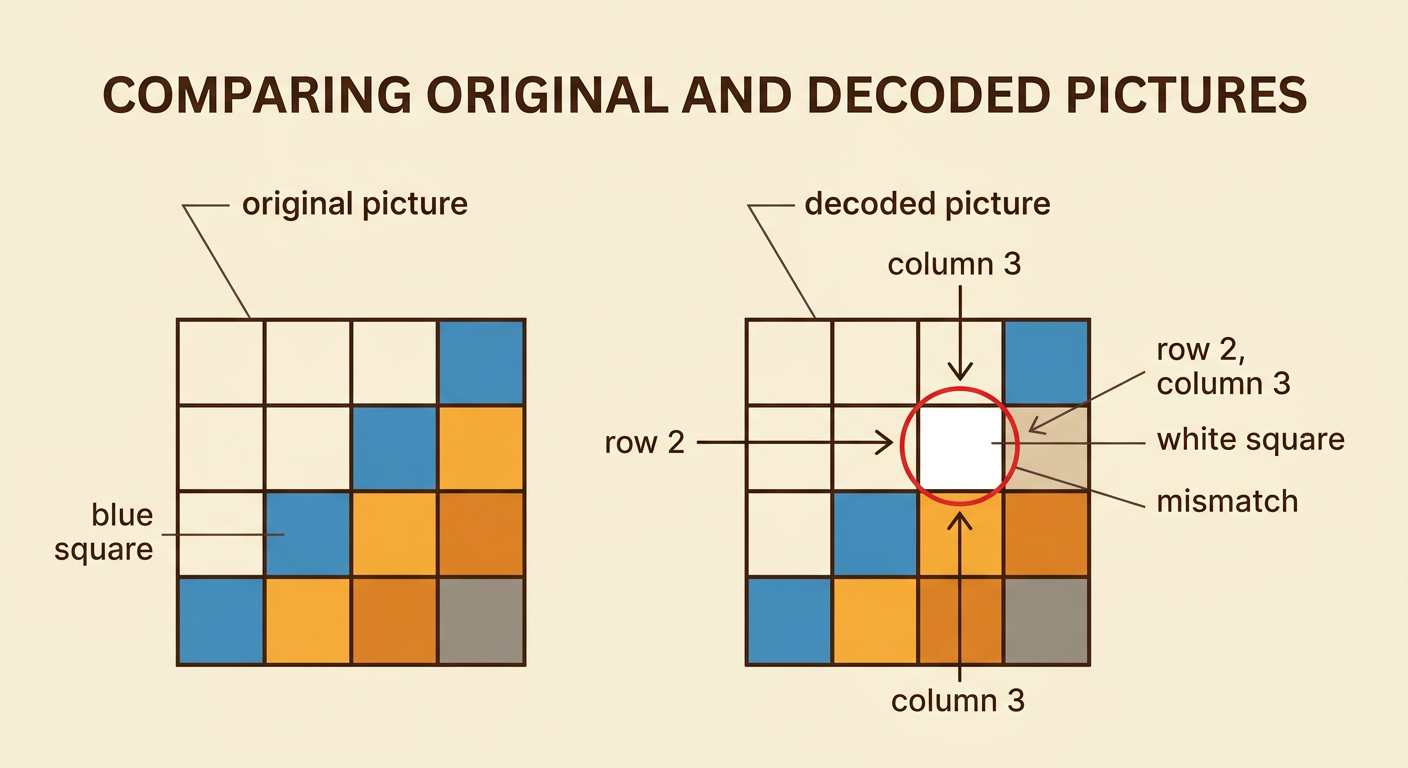
Place the original picture beside the decoded picture. Compare one row at a time and look at every matching square. Ask, “Are the colors in the same places?” If every square matches, the code and decoding worked. If one square is different, circle that place and check the matching letter in the code. For example, the original may have a blue square in row 2, column 3, while the recreated picture has a white square there. The encoder may have written the wrong letter, or the decoder may have colored the wrong square. Fix the square and compare again. Notice how the small squares combine into larger shapes in both pictures. Accurate pixel placement makes the complete images look alike.