Program a Character Through a Maze
Students create, run, and debug a sequence of movement commands that guides a character through a grid maze.
Illustrations are auto-generated and may be placeholders. They can be refreshed to match the narration.
Explore Sequences and Commands
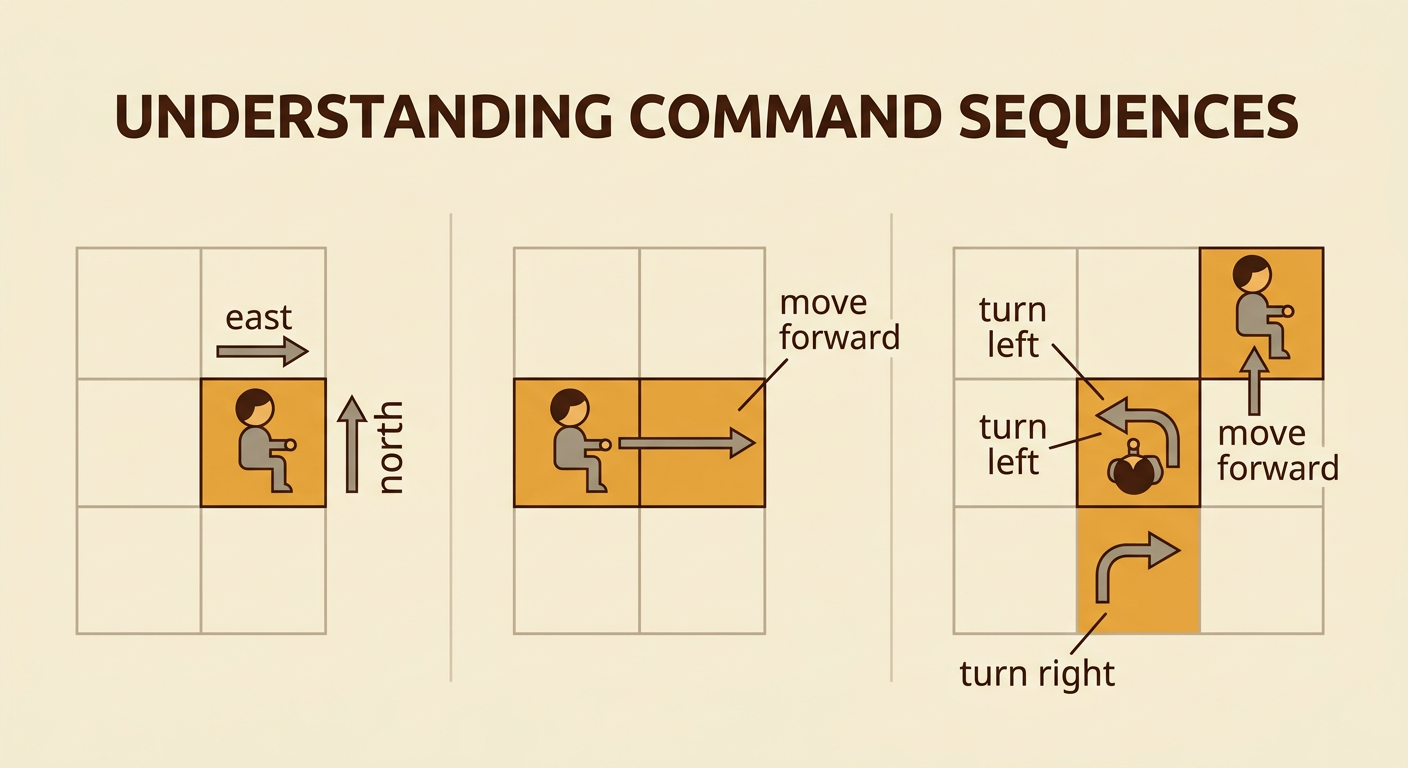
A program is a sequence of commands that a computer follows in order. Each command must have one clear meaning. In this lesson, move forward means travel one grid square in the direction the character faces. Turn left and turn right change the direction the character faces, but they do not move the character to another square. The order of commands matters. For example, imagine a character facing east. The sequence move forward, turn left, move forward sends the character one square east and then one square north. If the first two commands are switched, the character turns north first and moves to a different square. Before programming the maze, act out short command sequences and predict the ending location and direction.
Study the Grid Maze
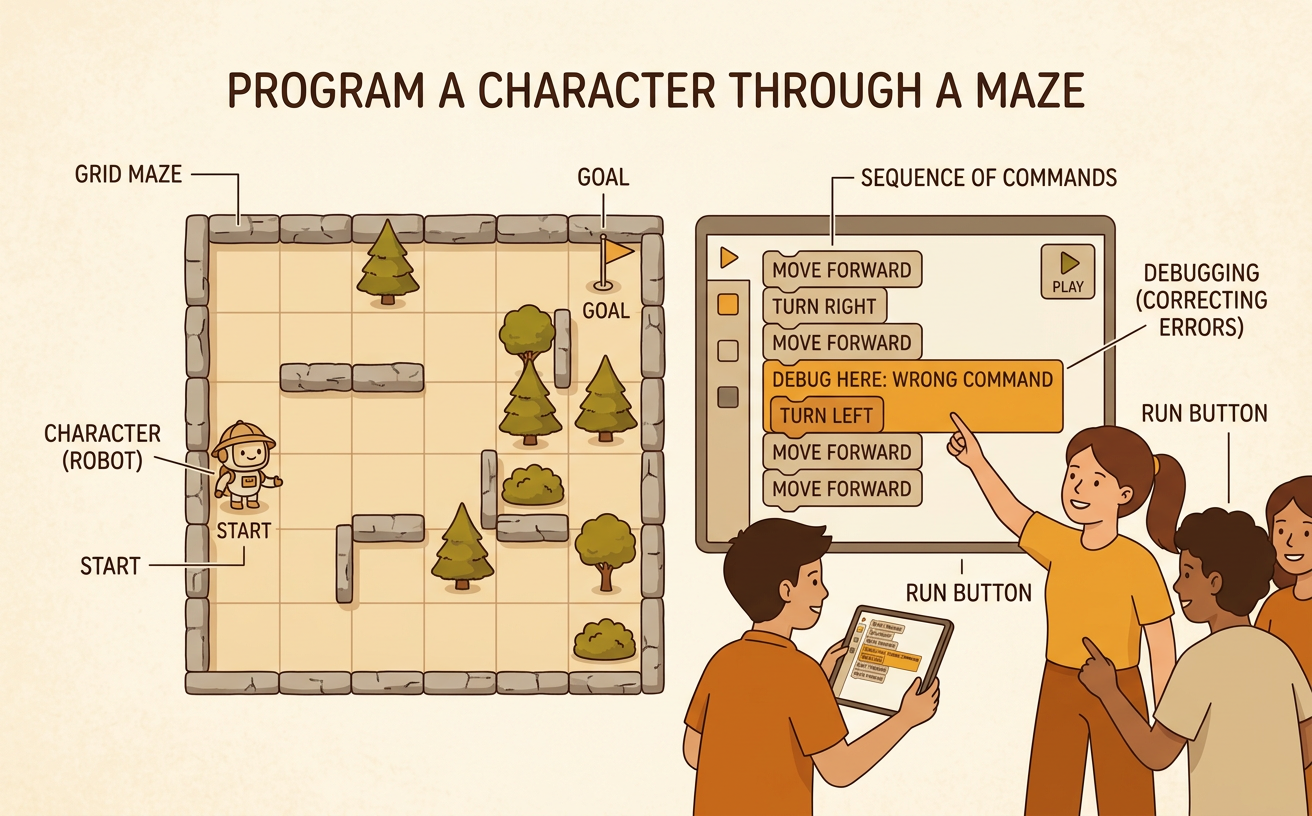
A grid maze is made of rows and columns of equal squares. Use coordinates to name each location. In this maze, columns are numbered 1 through 5 from left to right, and rows are numbered 1 through 5 from top to bottom. The character starts at coordinate (1, 5) facing east, and the goal is at (5, 1). Blocked squares are located at (3, 5), (1, 3), (2, 3), (4, 3), and (4, 2). The character cannot enter a blocked square or leave the grid. Study the maze before writing commands. For example, moving forward twice from the start would fail because the second move would try to enter the blocked square at (3, 5). A successful route must first turn toward an open square.

Write the Movement Algorithm
An algorithm is a step-by-step plan for completing a task. Trace a safe route with your finger before turning it into commands. For this maze, begin at (1, 5) facing east. One working algorithm is: move forward, turn left, move forward, turn right, move forward, move forward, move forward, turn left, move forward, move forward, move forward. The first move reaches (2, 5). Turning left points the character north, and the next move reaches (2, 4). After turning right, three forward moves carry the character east to (5, 4). The final left turn points north, and three more forward moves reach the goal at (5, 1). Write one command per step so that the sequence is easy to run, check, and revise.

Run and Record the Test
Run the program exactly as written, one command at a time. For a fair test, keep the maze, blocked squares, starting coordinate, starting direction, and command meanings the same. Only the command sequence should be tested. Record the character’s location and direction after every command. In the example algorithm, command 1 moves the character to (2, 5) facing east. Command 2 leaves it at (2, 5) but changes its direction to north. Command 7 places it at (5, 4) facing east, and command 11 reaches (5, 1) facing north. If the character hits an obstacle, leaves the grid, or stops before the goal, circle that command as the failure point. A complete record helps show exactly where the program worked and where improvement may be needed.

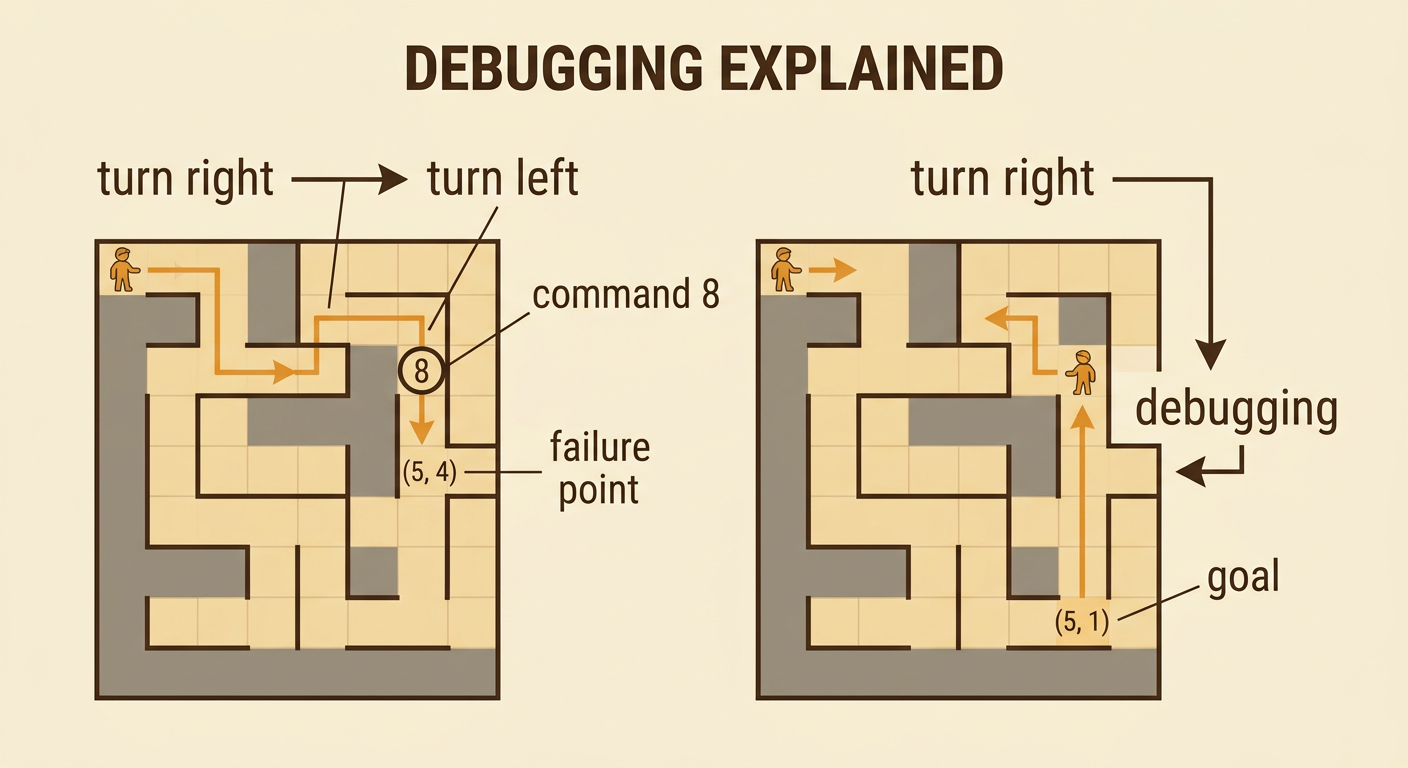
Debug and Improve the Program
Debugging means finding and fixing a problem in a program. Begin with the first place where the actual result differs from the planned result. Suppose command 8 in the example says turn right instead of turn left. At (5, 4), the character would face south and move away from the goal. Command 8 is the failure point. Change only that command from turn right to turn left, then run the entire program again. Keep the maze, start, direction, and all other commands unchanged so the test is fair. If the corrected program reaches (5, 1), the evidence shows that the changed turn improved the program. If it still fails, identify the new first failure point and make one careful change. Debugging often takes several tests, but controlled changes reveal which revision solves each problem.