
Program a Path with Sequences and Loops
Students create, test, and revise an algorithm that uses ordered commands and repeated steps to move a character through a coordinate grid.

Illustrations are auto-generated and may be placeholders. They can be refreshed to match the narration.
Introduce the Grid Challenge
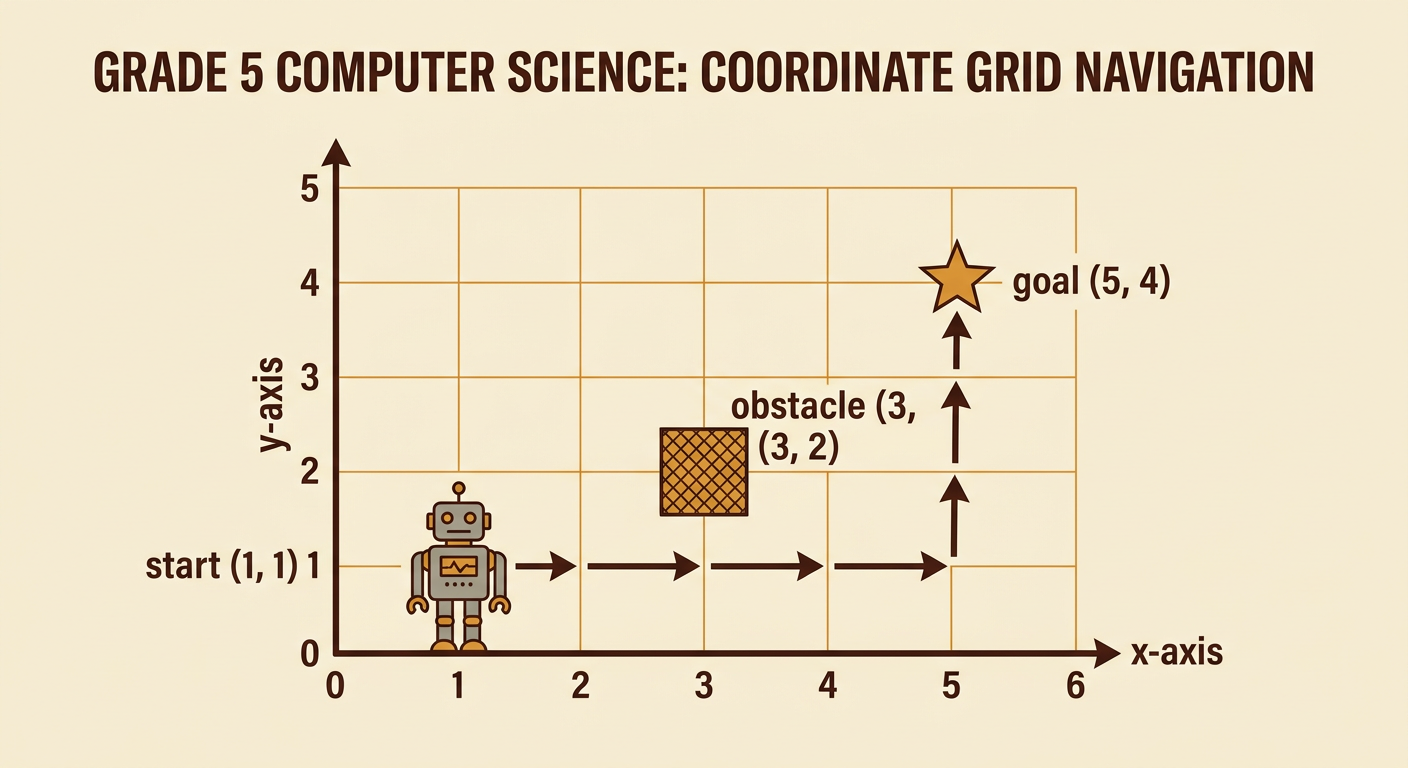
A coordinate grid uses ordered pairs to name locations. The first number tells how far to move along the horizontal x-axis, and the second tells how far to move along the vertical y-axis. In this challenge, a robot starts at (1, 1) and must reach the goal at (5, 4). It may move one square right, left, up, or down with each command. An obstacle is located at (3, 2), so the robot cannot enter that square. Before programming, trace a possible path with your finger. One safe path moves right along the bottom row until the robot reaches (5, 1), and then moves up to (5, 4). Coordinate labels help everyone describe and test the same challenge.
Write an Ordered Command Sequence
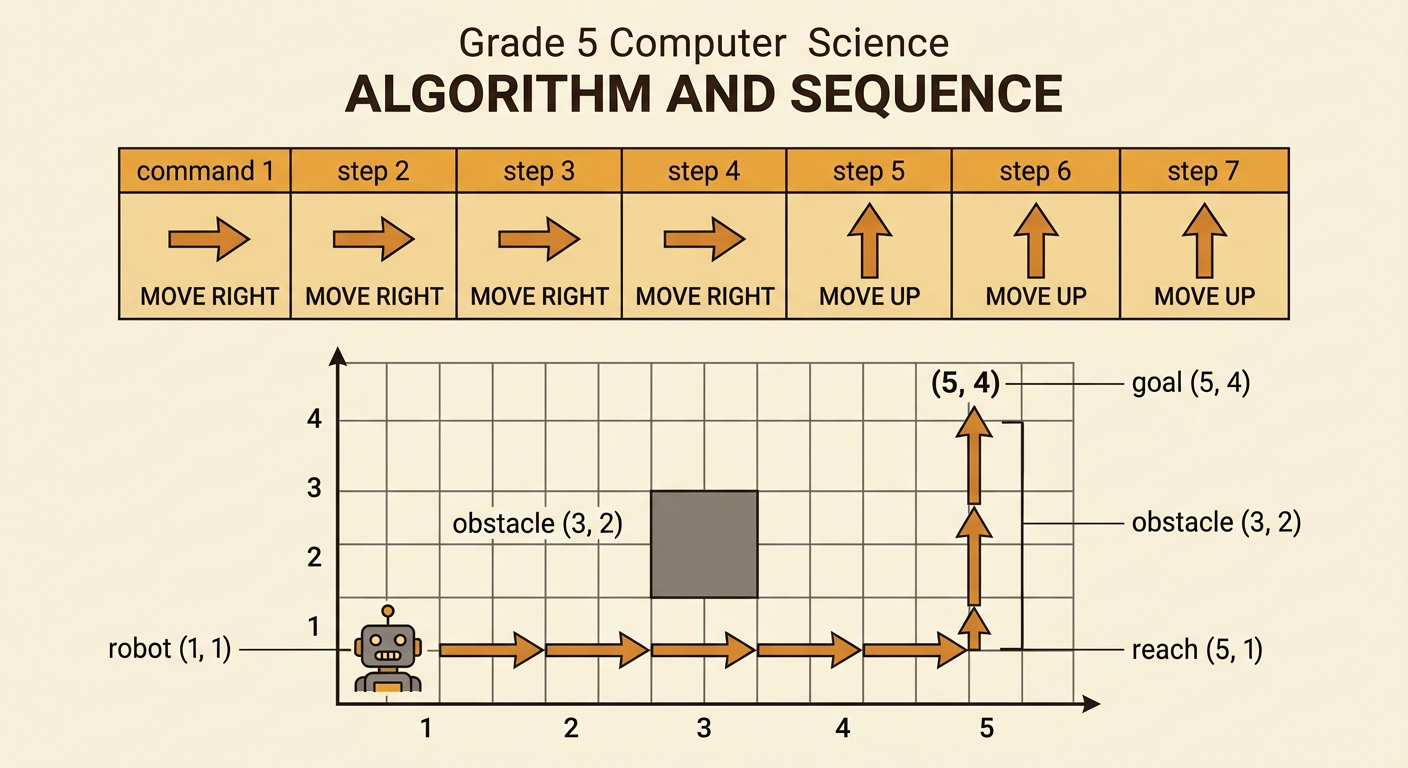
An algorithm is a set of steps for completing a task. A sequence is an algorithm whose commands are carried out in a specific order. Write one command for every square the robot enters. For the safe path, the sequence is: MOVE RIGHT, MOVE RIGHT, MOVE RIGHT, MOVE RIGHT, MOVE UP, MOVE UP, MOVE UP. Follow the commands from left to right. After the first four commands, the robot should be at (5, 1). After the next three commands, it should be at (5, 4). Order matters. If a MOVE UP command is placed after only two right moves, the robot enters the obstacle at (3, 2). Numbering commands makes it easier to locate a mistake and explain the sequence to a partner.
Replace Repeated Steps with Loops
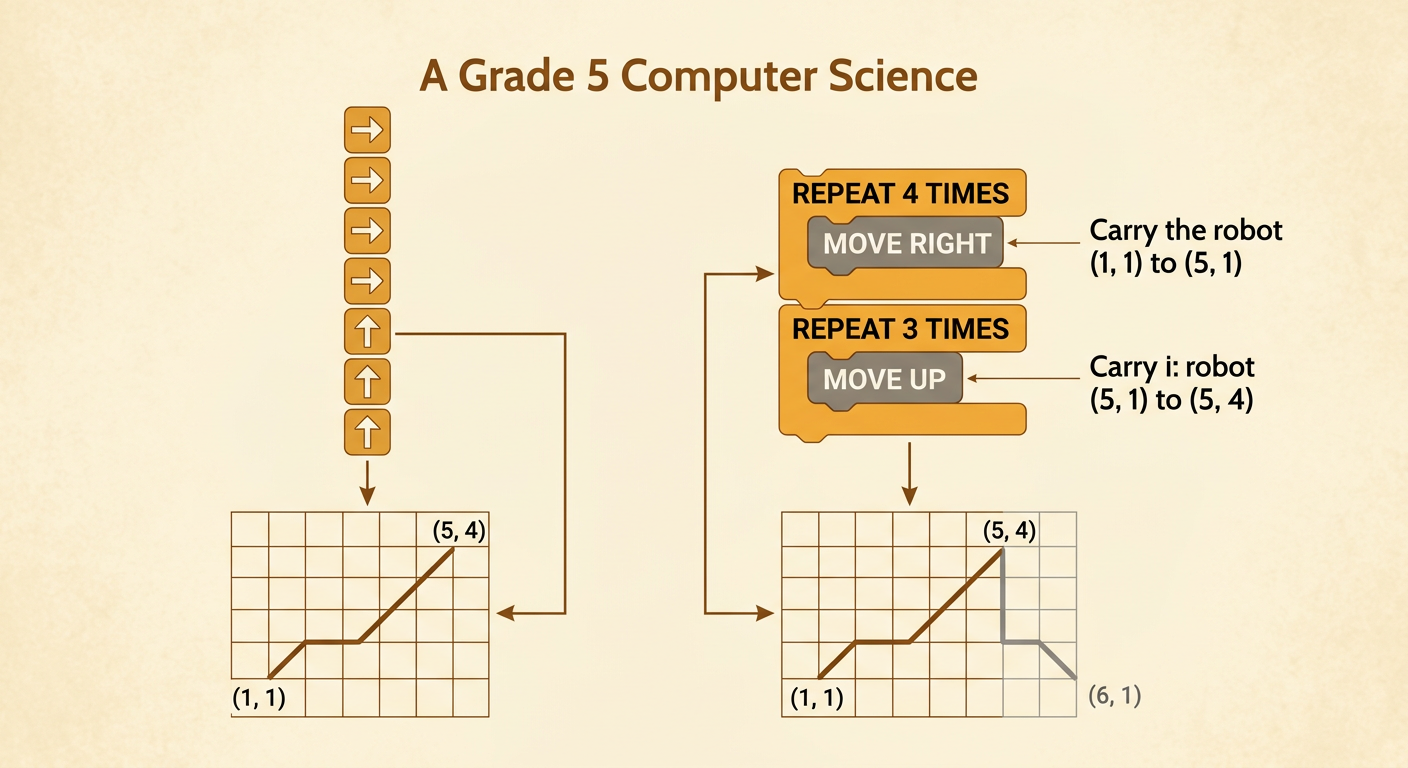
A loop repeats a command or group of commands a chosen number of times. Loops make programs shorter and easier to read when the same action occurs again and again. The seven-command sequence can be rewritten as: REPEAT 4 TIMES {MOVE RIGHT}, then REPEAT 3 TIMES {MOVE UP}. The first loop moves the robot from (1, 1) to (5, 1). The second loop moves it from (5, 1) to (5, 4). The loop version produces exactly the same path as the longer sequence. Always check the repeat count. If the first loop repeats five times instead of four, the robot passes the goal column and reaches (6, 1). A loop saves space only when its command, count, and order are correct.
Peer-Test the Program
Testing helps programmers find where an algorithm succeeds or fails. Exchange programs with a partner, but use the same grid, start point, goal, obstacle, and command meanings so the test is fair. One student reads each command while the other moves a counter one square at a time. Record the coordinate after every command or loop repetition. For example, the first loop should produce (2, 1), (3, 1), (4, 1), and (5, 1). Stop and mark the failure point if the counter leaves the grid, enters (3, 2), or finishes away from (5, 4). Test the original program before changing anything. Partners should take turns, listen carefully, and use evidence from the coordinate record when deciding whether the program works.
Revise and Explain the Algorithm
Revision means changing an algorithm based on test evidence. First identify the exact failure point, and then change only the command or loop count that caused it. Suppose a test program says REPEAT 3 TIMES {MOVE RIGHT}, followed by REPEAT 3 TIMES {MOVE UP}. The robot reaches (4, 1) and then moves to (4, 4), missing the goal at (5, 4). Revise the first count from 3 to 4 and test again under the same conditions. When classmates suggest different fixes, let each person explain, compare the predicted results, and agree on a fair choice before testing. Finish by explaining why the revised algorithm works: the first loop changes the x-coordinate to 5, and the second loop changes the y-coordinate to 4 without touching the obstacle.
