
Program a Score Counter with Variables
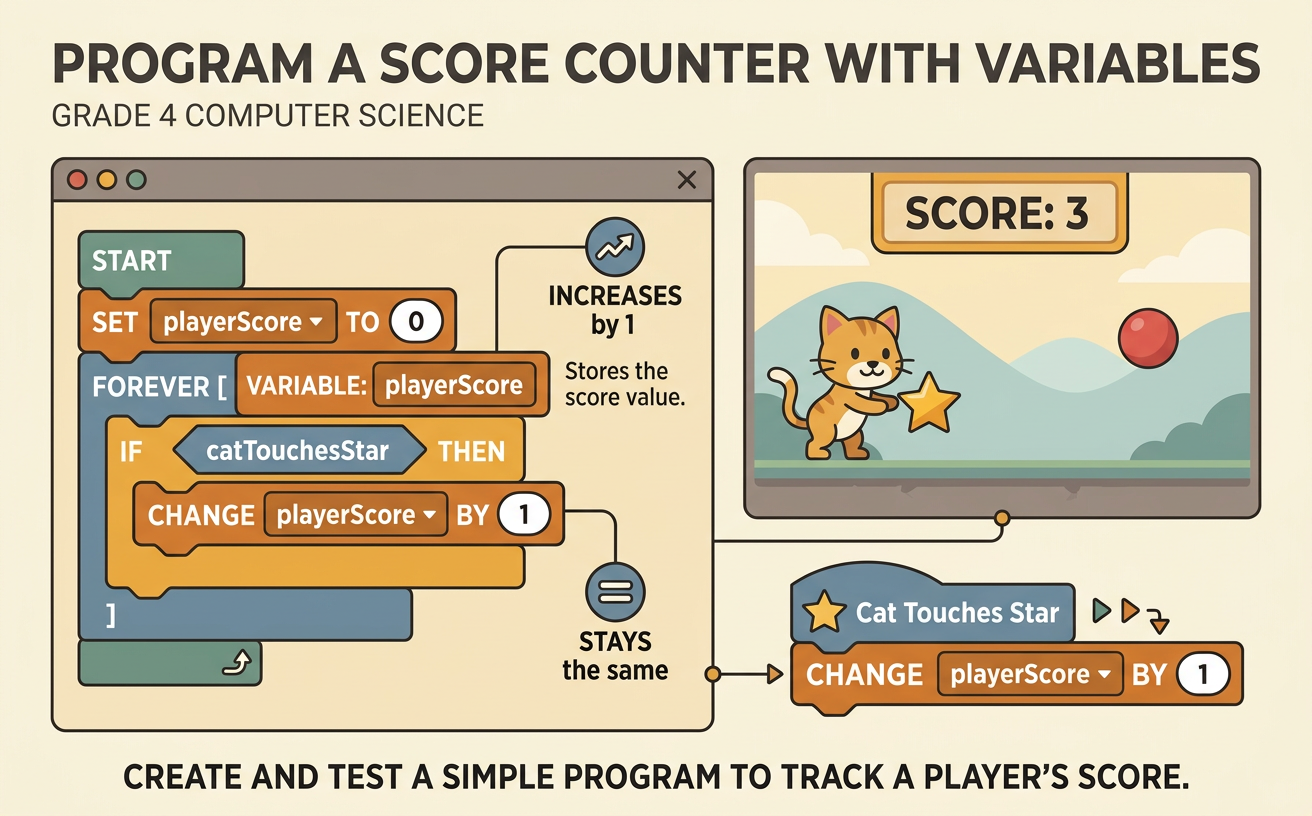
Students create and test a simple program that uses a variable to store and update a player's score when different events occur.
Illustrations are auto-generated and may be placeholders. They can be refreshed to match the narration.
Explore How Scores Change
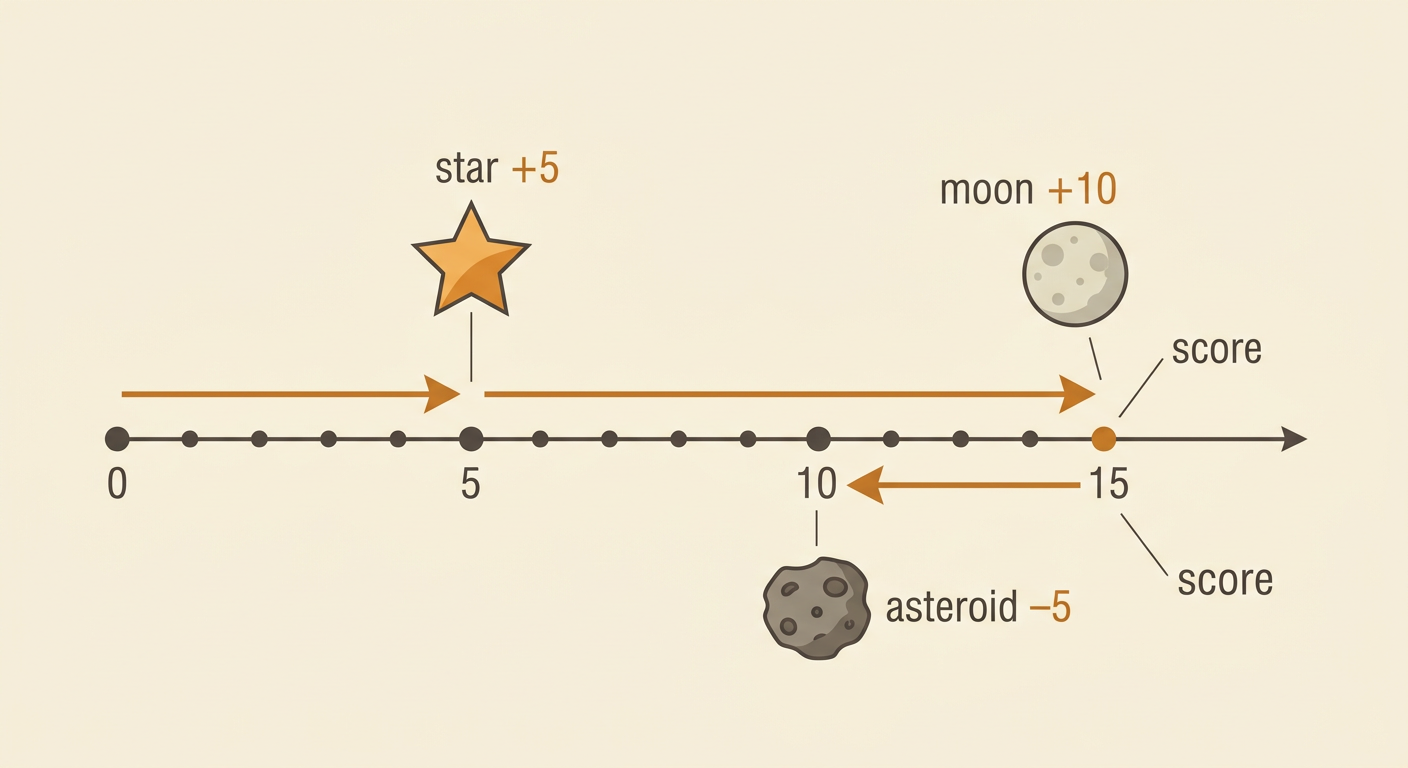
A score shows how many points a player has earned. The score can change when different events happen in a game. Imagine a space game that begins with 0 points. Collecting a star adds 5 points, touching a moon adds 10 points, and hitting an asteroid subtracts 5 points. If the player collects a star and then touches a moon, the score changes from 0 to 5 to 15. Each new score depends on the score before it and the event that just happened. A computer program must follow clear rules to make these changes correctly. Before writing code, list the game events and decide how many points each event should add or subtract.
Define a Variable
A variable is a named place where a program stores information that can change. For a score counter, create a variable named score. At the beginning of the game, set score to 0. The program can then read the current value, change it, and save the new value in the same variable. Think of the variable as a labeled box. If the player earns 5 points, the program takes the current value of 0, adds 5, and stores 5 in the score box. If the player later earns 10 more points, the stored value becomes 15. Use a clear variable name so anyone reading the program can understand what the value represents.

Program Scoring Events
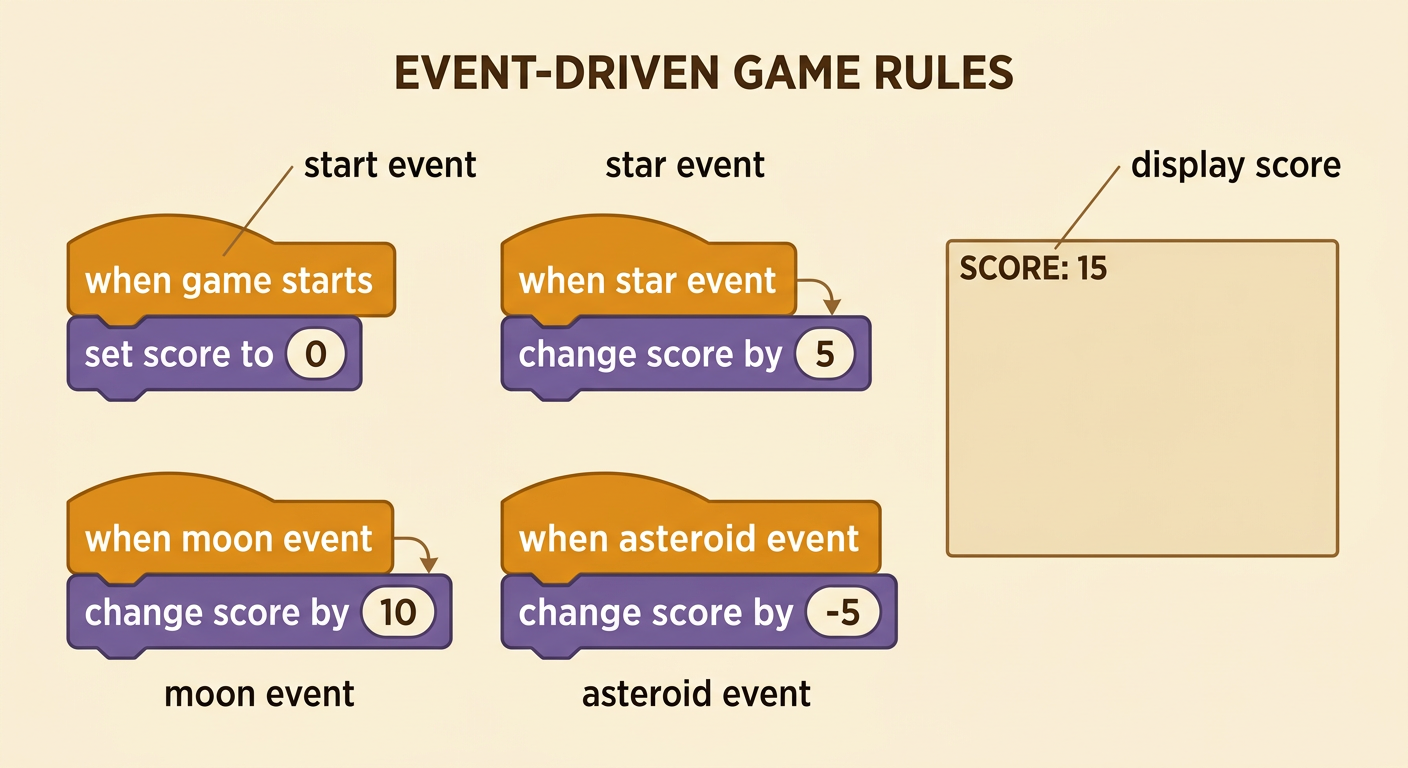
An event is an action that tells the program to run certain instructions. Build a score counter by connecting each game event to a score rule. First, use a start event with the instruction set score to 0. Next, program a star event with change score by 5. Program a moon event with change score by 10. You can also program an asteroid event with change score by -5. The negative number makes the score decrease. For example, if score is 20 and the player hits an asteroid, the program calculates 20 + (-5), so the new score is 15. Add a display instruction so the player can always see the current score on the game screen.
Predict the Score Pattern
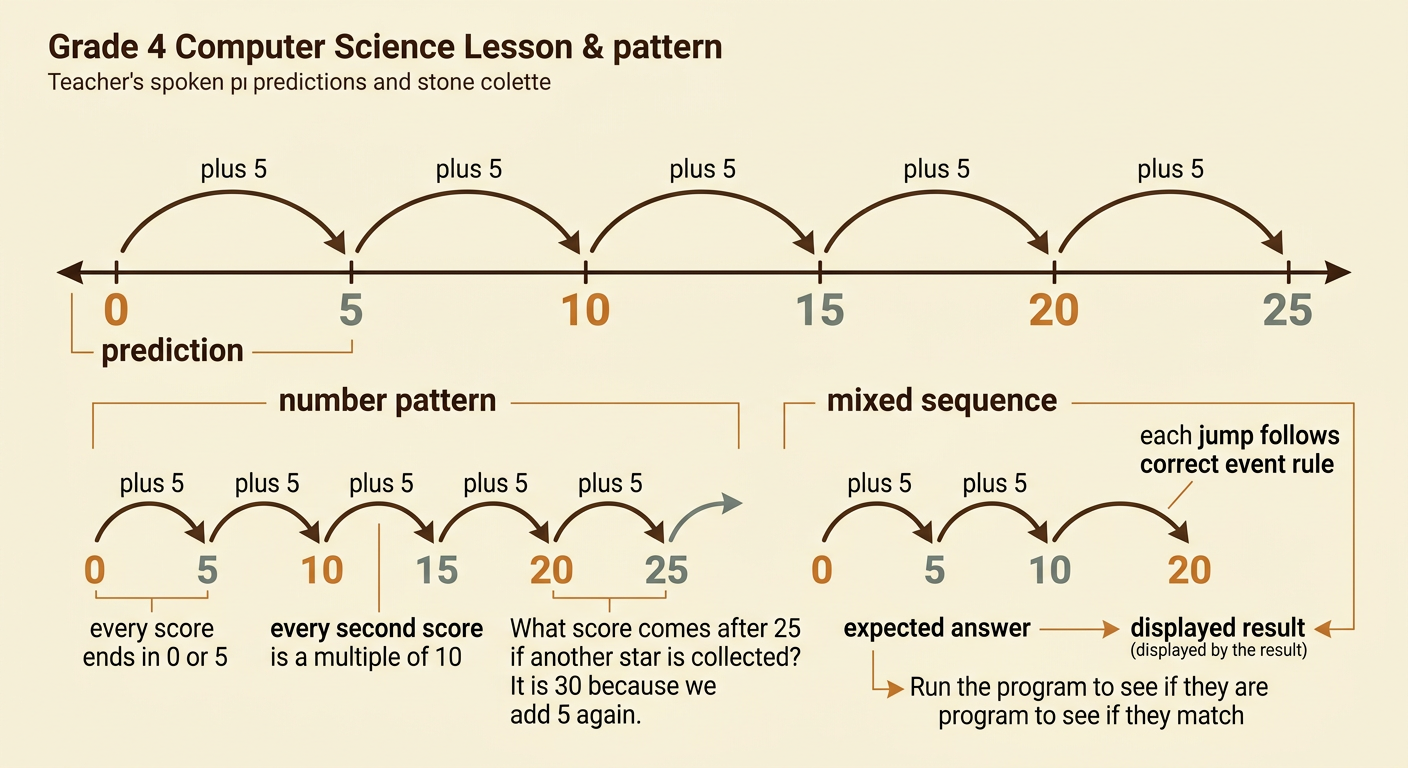
Before running the program, predict how the score will change. Suppose a player collects one star every turn, and each star adds 5 points. Starting at 0, the scores are 0, 5, 10, 15, 20, and 25. This is a number pattern with the rule add 5. You can also notice a feature that the rule does not directly state: every score ends in 0 or 5. Another feature is that every second score is a multiple of 10. Now predict a mixed sequence. If the player starts at 0, collects two stars, and touches one moon, the scores are 0, 5, 10, and 20. Writing predictions makes it easier to decide whether the program works correctly.
Test and Debug
Testing means running a program and checking whether it behaves as expected. Make a test plan with an event sequence and a predicted score. For example, start at 0, collect a star, touch a moon, and hit an asteroid. The predicted scores are 0, 5, 15, and 10. Run those events in order and compare the displayed score with your prediction after every step. If the final score is 20, there is a bug, or mistake, in the code. Perhaps the asteroid block adds 5 instead of subtracting 5. Change that block to change score by -5, reset the game, and test again. Debugging means finding the cause of a problem, correcting it, and retesting the program.

Share the Finished Counter
When your score counter works, share it with a classmate. Explain that the score variable begins at 0 and changes when game events occur. Demonstrate each event so your partner can see the star add 5, the moon add 10, and the asteroid subtract 5. Ask your partner to choose an event sequence and predict the final score before playing it. For example, two moons, one star, and one asteroid produce 0, 10, 20, 25, and 20. Watch the displayed score to confirm the prediction. Invite your partner to suggest an improvement, such as a bonus gem worth 20 points or a rule that prevents the score from going below 0. Sharing your reasoning shows that both the code and its number patterns make sense.
