
Protecting Data with Simple Encryption
Students use a Caesar cipher to model how encryption transforms readable data, evaluate its weaknesses, and connect data security to personal privacy.

Illustrations are auto-generated and may be placeholders. They can be refreshed to match the narration.
Why Data Needs Protection
Digital data can travel through many devices and networks before reaching its destination. Without protection, someone who intercepts the data might read, copy, or change it. Encryption reduces this risk by transforming readable information into a form that is difficult to understand without the correct method or key. For example, when Maya sends her home address to a trusted school website, encryption helps prevent another person on the network from reading it. Data security can be broken into manageable goals: keep information confidential, prevent unauthorized changes, and make it available to approved users. Different information requires different levels of protection. A public event schedule may need little protection, while passwords, medical records, financial information, and private messages require strong safeguards. Encryption is one part of security; safe passwords, software updates, and access controls are also important.

Plaintext, Ciphertext, and Keys
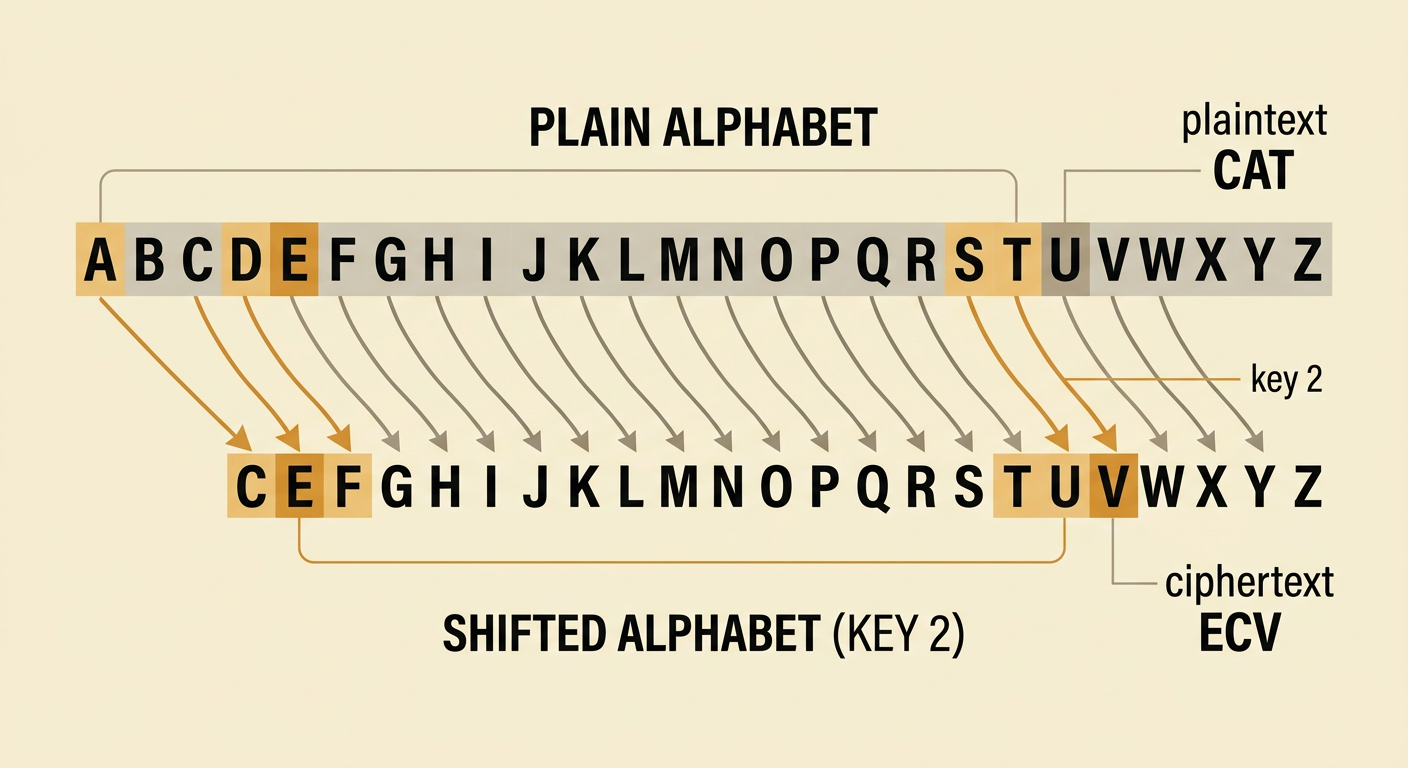
Plaintext is the original readable message. Ciphertext is the transformed message produced by an encryption rule. A key is a value that controls how the transformation works. In a Caesar cipher, the key tells how many positions each letter moves through the alphabet. Suppose the plaintext is CAT and the key is a shift of 2. C moves to E, A moves to C, and T moves to V, producing the ciphertext ECV. If a shift passes Z, it wraps around to A. For example, Z shifted by 2 becomes B. The same key must be interpreted consistently by the sender and receiver. Spaces and punctuation are usually left unchanged in a simple classroom Caesar cipher. Clearly identifying the plaintext, algorithm, and key makes the procedure easier to follow, test, and explain.
Encrypt with a Caesar Cipher
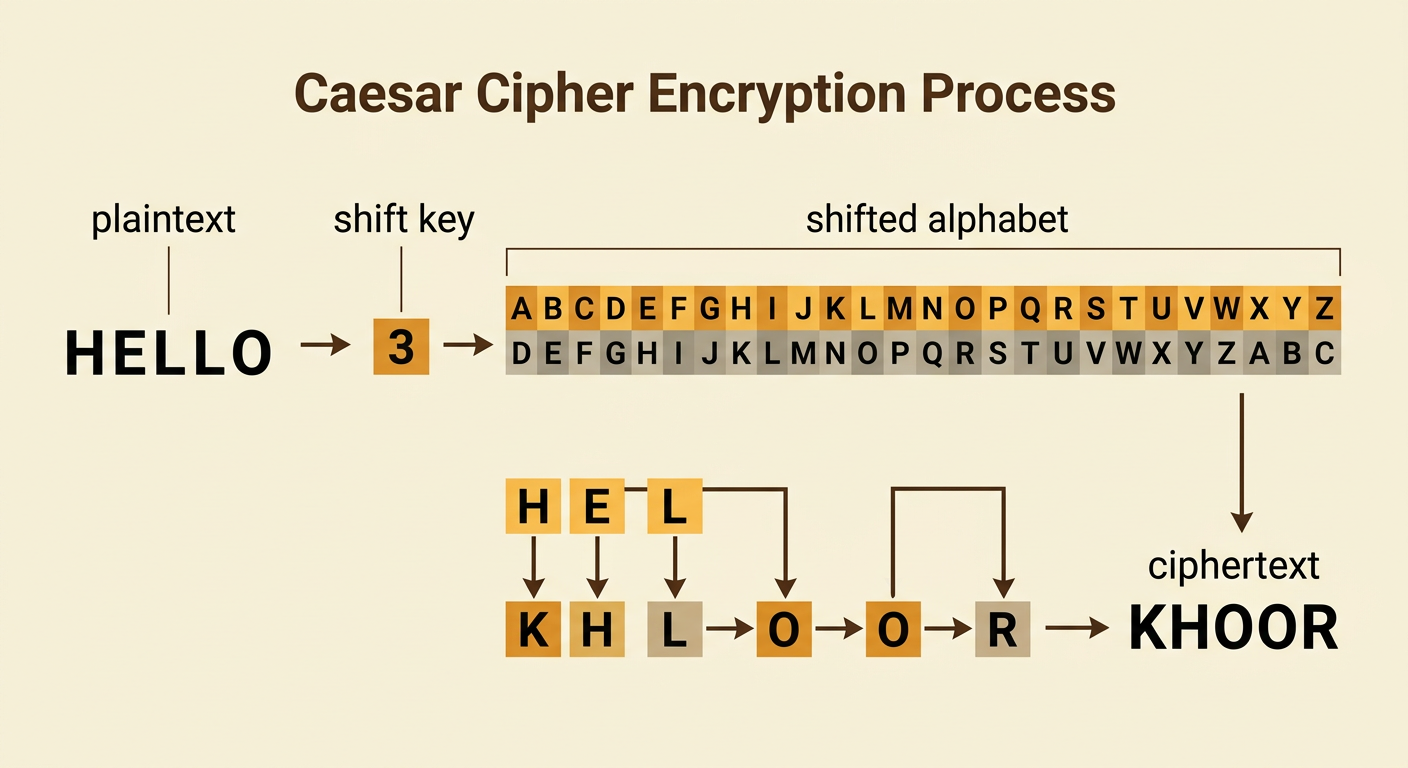
To encrypt with a Caesar cipher, first write the plaintext and choose a shift key. Next, process one character at a time. For each letter, find it in the alphabet, move forward by the key value, and write the new letter. Wrap around to A after Z. Keep spaces and punctuation unchanged, then review every character. For example, encrypt HELLO with a shift of 3. H becomes K, E becomes H, both Ls become Os, and O becomes R. The ciphertext is KHOOR. A useful way to avoid mistakes is to break the task into smaller parts: record the key, build a shifted alphabet, transform each letter, and check the final message. If a result seems wrong, return to the first mismatched letter and trace the procedure again rather than guessing.
Decrypt and Check Results
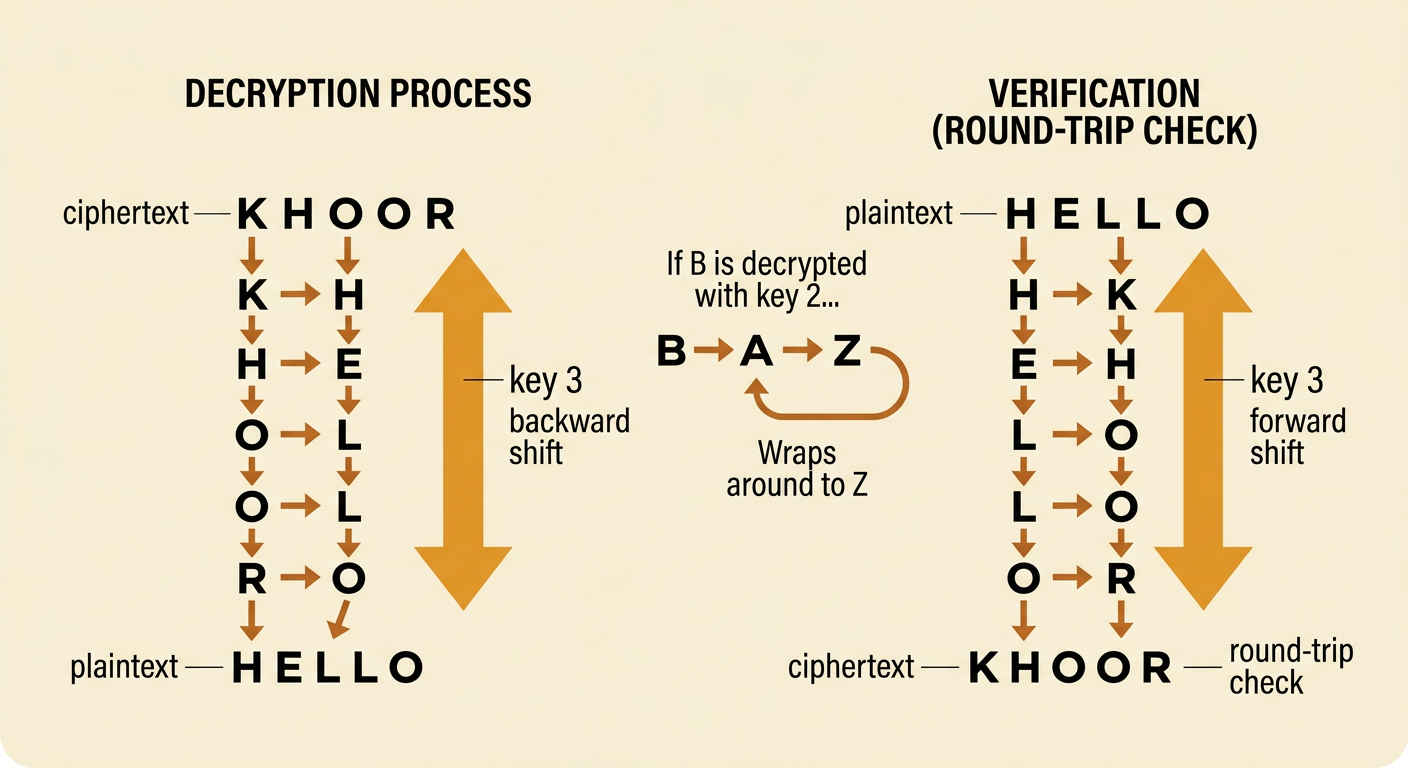
Decryption reverses encryption. With a Caesar cipher, move each ciphertext letter backward by the key value. If a move goes before A, wrap around to Z. To decrypt KHOOR with a key of 3, K moves back to H, H moves back to E, each O moves back to L, and R moves back to O. The recovered plaintext is HELLO. Always verify the result with a round-trip check: encrypt the recovered plaintext again using the original key. If HELLO becomes KHOOR, the operations are consistent. If it does not, check the direction of the shift, the key value, and any wraparound letters. For example, decrypting B with a shift of 2 should produce Z, not D. Careful checking turns an answer into evidence that the multistep procedure was followed correctly.
Identify Security Weaknesses
A Caesar cipher demonstrates encryption, but it does not provide strong security. It has only 25 useful nonzero shift keys, so an attacker can try every possibility quickly. This is called a brute-force attack. The cipher also preserves language patterns: repeated plaintext letters become repeated ciphertext letters, and common letters remain common after shifting. An attacker can use frequency analysis to compare ciphertext patterns with typical English patterns. For example, the ciphertext KHOOR can be tested with different shifts until shift 3 reveals HELLO. A longer message gives even more clues because common words and letter frequencies appear repeatedly. To evaluate a security design, separate the problem into key size, resistance to pattern analysis, key storage, and possible attacks. Modern encryption uses far larger key spaces and thoroughly tested algorithms, so a Caesar cipher should never protect real passwords or private records.

Privacy and Responsible Use
Encryption supports personal privacy by limiting who can read sensitive data, but using it responsibly requires more than choosing a cipher. People should protect their own information, obtain permission before handling someone else's data, and use modern, approved security tools. For example, a student should use the school's secure system to send a counselor a private document rather than encrypting it with a Caesar cipher and posting it publicly. Government policies can also affect privacy and security. A policy requiring agencies to obtain a court-approved warrant before accessing certain private data may protect people from unreasonable searches. Other policies may authorize limited access during investigations to support public safety. Citizens should examine who may access data, what evidence is required, how access is documented, and what oversight exists. Strong solutions balance individual privacy, cybersecurity, legal rights, accountability, and legitimate public safety needs.
