
Protecting Personal Data Online
Students identify personal data, evaluate risks of sharing it online, and create a simple privacy plan based on effective digital safety rules.

Illustrations are auto-generated and may be placeholders. They can be refreshed to match the narration.
What Counts as Personal Data?
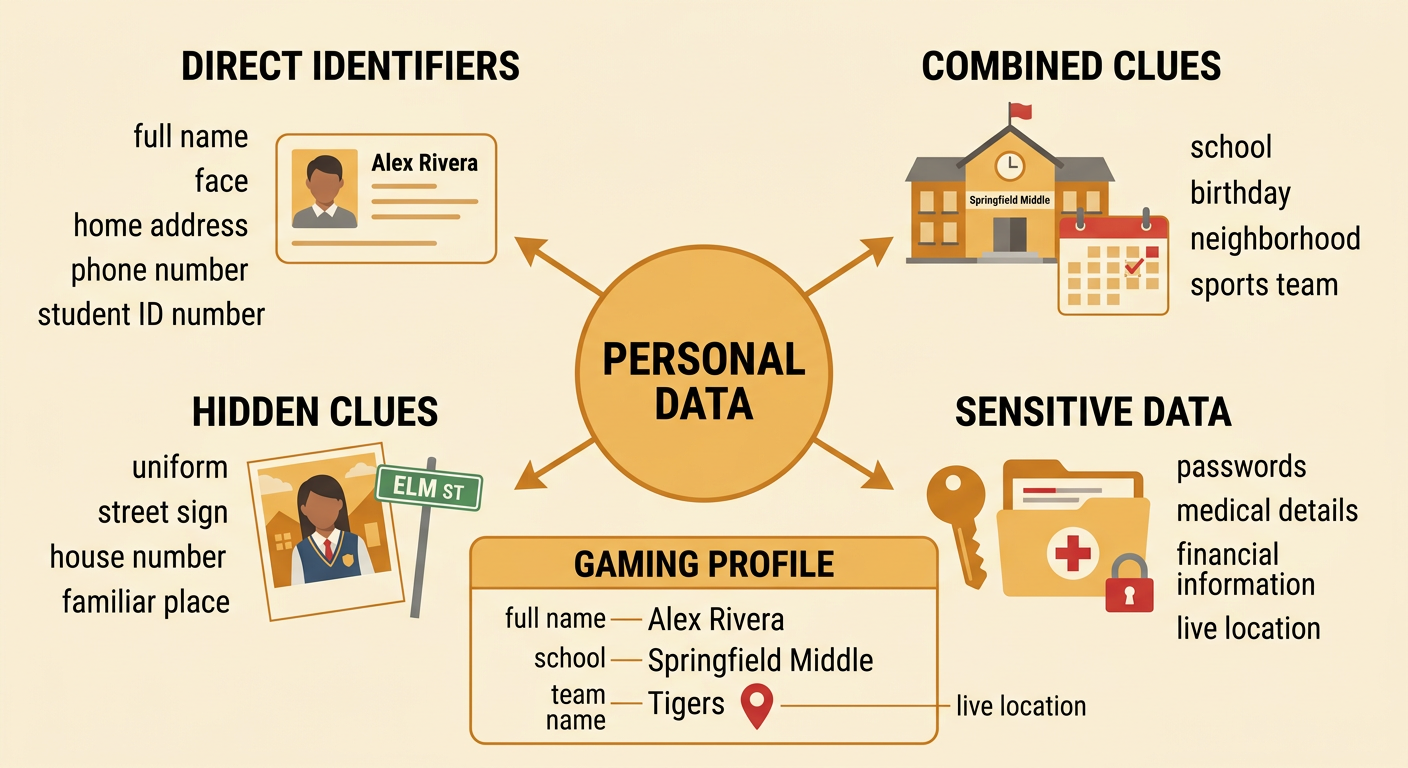
Personal data is information connected to a person. Some data identifies you directly, such as your full name, face, home address, phone number, or student identification number. Other data may identify you when combined, such as your birthday, school, neighborhood, and sports team. Passwords, medical details, live location, and financial information are especially sensitive because misuse could cause serious harm. Photos and videos may also reveal faces, uniforms, street signs, or location clues. For example, a student creating a gaming profile might think a first name is harmless. However, adding the student’s school, grade, team name, and photograph could make the student easy to identify. Before posting, ask whether the information points to you or someone else and whether an unknown person truly needs it.
How Websites and Apps Collect Data
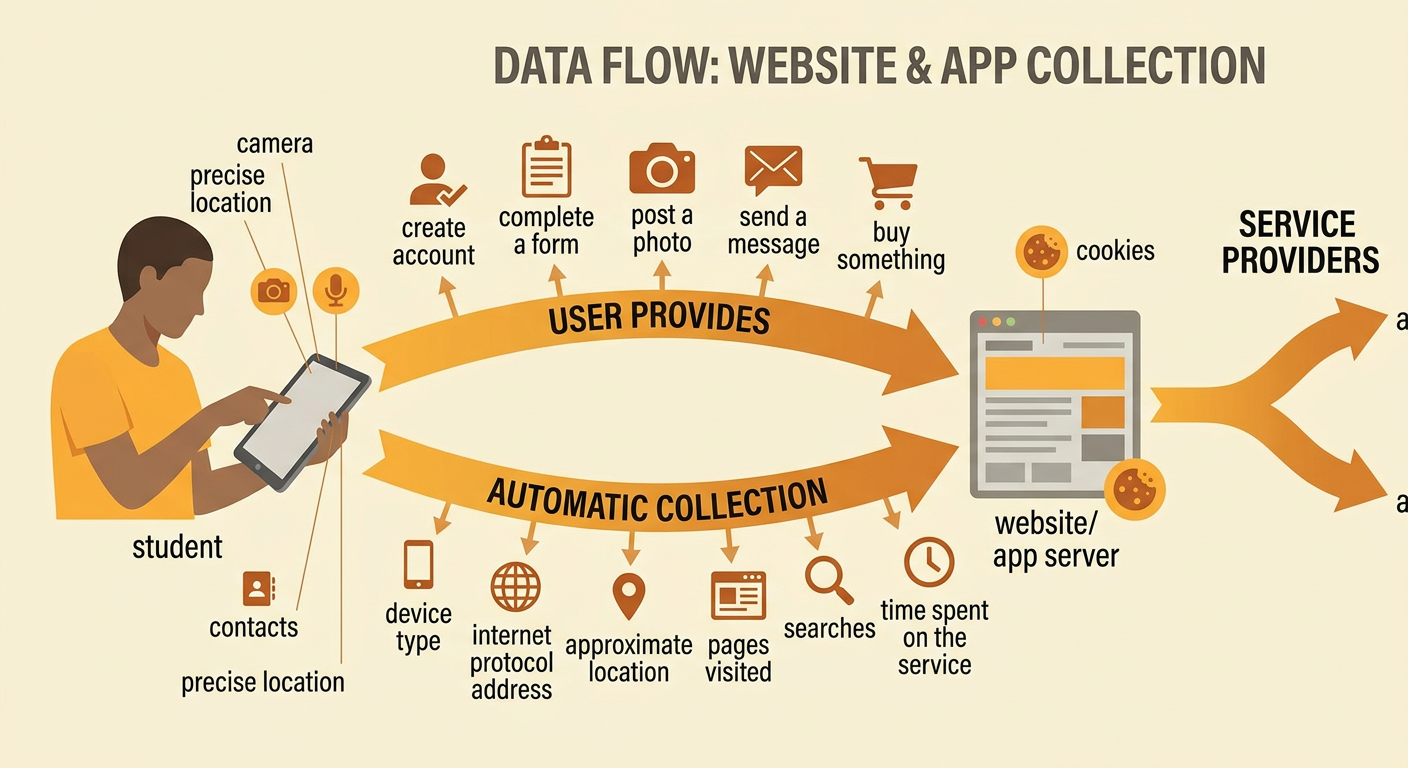
Websites and apps collect data in two main ways. First, users provide information by creating accounts, completing forms, posting photos, sending messages, or making purchases. Second, technology may collect information automatically, including device type, internet protocol address, approximate location, pages visited, search history, and time spent using a service. Cookies and similar tools can remember settings or track activity. Apps may also request access to a camera, microphone, contacts, or precise location. For example, a weather app needs a general location to show a local forecast, but it may not need contact-list access. Data can be stored by the company or shared with service providers and advertisers according to the service’s policy. Reading permission requests and privacy notices helps users understand what is collected, why it is needed, and who may receive it.
Evaluating Online Sharing Risks
A systematic risk check helps you decide whether to share. First, identify the data and the intended audience. Next, consider possible harms, such as embarrassment, unwanted contact, identity theft, account access, or revealing someone’s location. Rate how likely each harm is and how serious it would be. Then compare safer choices: do not post, remove identifying details, limit the audience, ask permission, or use a different service. For example, posting a public video titled with your full name and showing your house number creates a greater risk than sharing a version without those details in a private family group. Privacy settings reduce exposure, but screenshots, forwarding, data breaches, and setting changes remain possible. Choose the option that protects people while still meeting the communication goal, and check whether the benefits are worth the remaining risk.

Comparing Privacy and Safety Rules
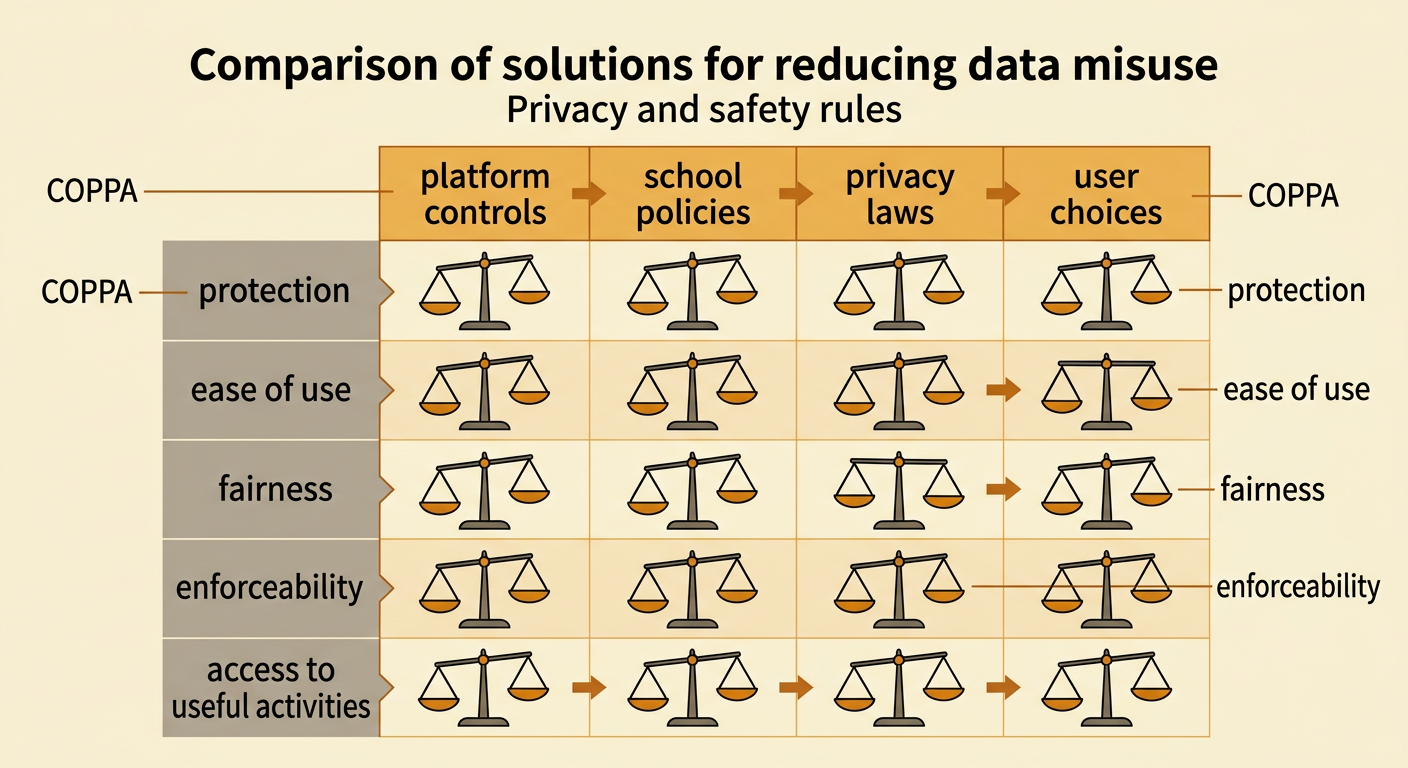
Privacy and safety rules are design solutions for the public problem of data misuse. Platform rules might limit who can message a child, require strong passwords, or let users block and report others. School rules may restrict posting student records or photographs. Laws create broader requirements. For example, the Children’s Online Privacy Protection Act requires covered online services to follow special rules when collecting personal information from children under 13, including parental notice and verifiable consent in qualifying situations. To compare rules fairly, use the same criteria: protection, ease of use, fairness, enforceability, and effect on useful activities. A rule requiring parental approval may protect younger users but can also make account setup slower. No single rule prevents every harm. Effective protection combines clear laws, responsible company practices, school policies, family guidance, and informed choices by users.
Create a Personal Data Privacy Plan
A personal data privacy plan is a short, informative guide for protecting your information. Begin by listing the data you use online and marking sensitive items. Set rules for accounts, devices, sharing, and emergencies. Use long, unique passwords or passphrases, turn on multifactor authentication when available, review app permissions, install updates, and keep accounts private when appropriate. Decide what you will never post publicly, such as passwords, home address, daily schedule, or live location. Include a response plan: save evidence when safe, stop contact, block and report harmful users, change exposed passwords, and tell a trusted adult. For example, Jordan’s plan says to share team photos only after checking for names and location clues and receiving permission from people shown. Review the plan regularly because apps, settings, and risks change. Clear reasons and examples make the plan useful to others.
