Public or Private? Safe Sharing Online
Students classify information as public or private and practice choosing a safe response when a website, app, or person requests personal information.

Illustrations are auto-generated and may be placeholders. They can be refreshed to match the narration.
What Is Personal Information?
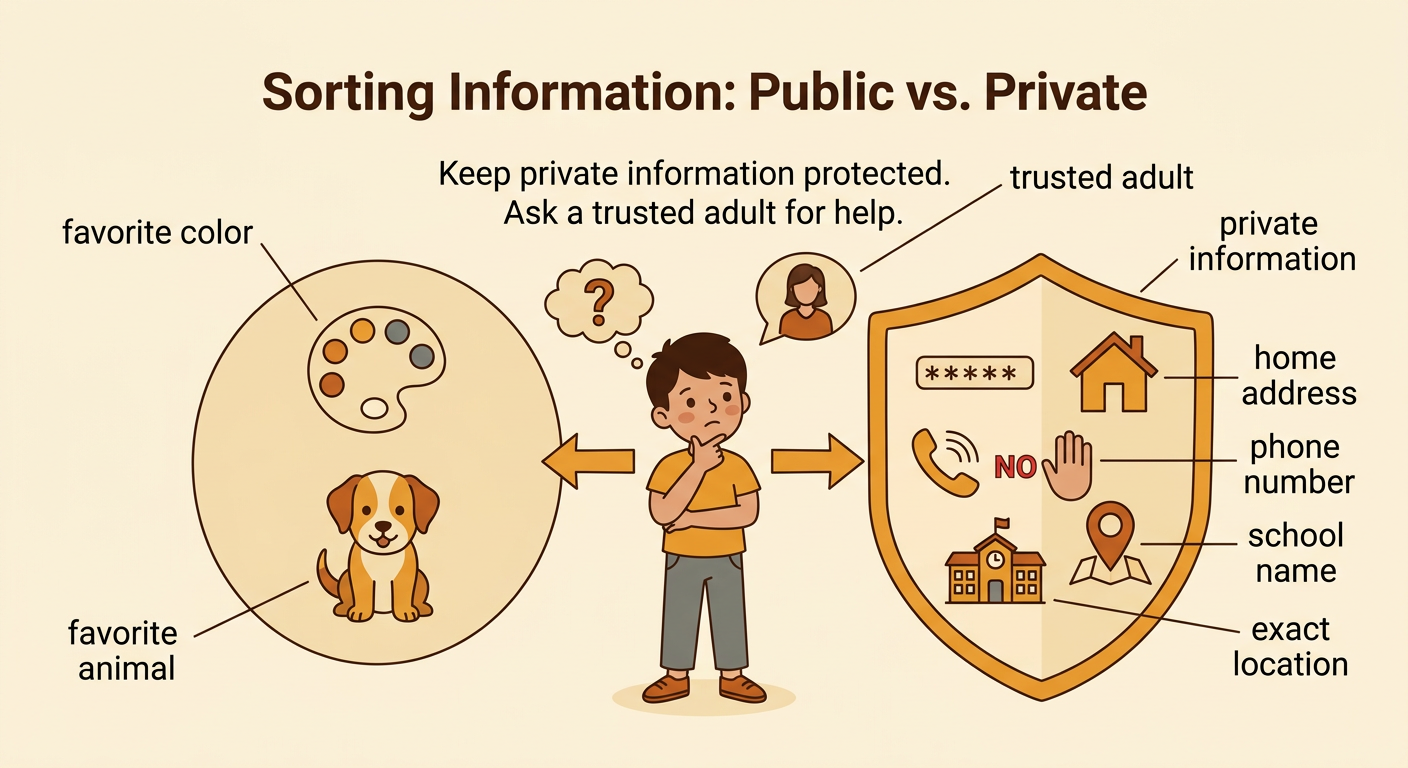
Personal information is information that tells something about you. Some personal information, such as your favorite color or favorite animal, may be okay to share in a class activity. Private information can identify you, contact you, or show where you are. It includes your full name, home address, phone number, passwords, school name, and exact location. Keep private information protected, especially online. For example, a drawing website may ask, “What is your favorite color?” That may be safe to answer with a trusted adult’s permission. If it asks for your home address, stop and ask a trusted adult for help. Even if a request looks friendly, you do not have to answer it.
Public or Private Sorting Game
Work with classmates to sort information cards into two groups: “Okay to Share with Permission” and “Keep Private.” Take turns choosing a card, saying your answer, and explaining your reason. Listen politely when classmates speak. A card that says “favorite book” can usually go in the share group when a trusted adult approves. A card that says “account password” belongs in the private group because another person could use it to enter the account. Some cards may need discussion. For example, a first name may be used at school, but you should ask an adult before entering it online. If the group is unsure, place the card in an “Ask an Adult” space. Safe choices are more important than fast choices.

Why Online Rules Matter
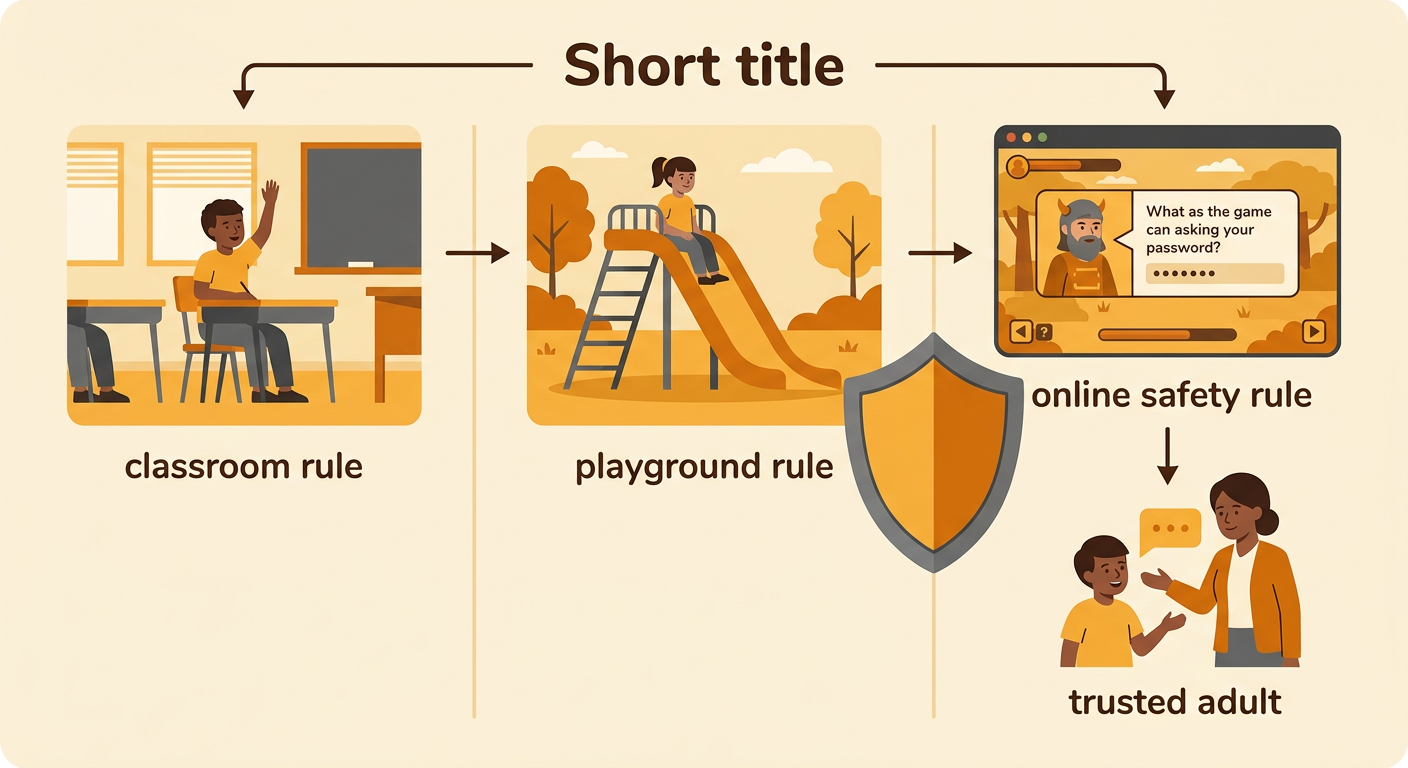
Rules help people act safely and responsibly in different places. In a classroom, a rule may say to raise your hand before speaking. On a playground, a rule may say to wait your turn on the slide. Online, a rule may say never to share a password or exact location. The settings are different, but each rule helps protect people and supports fair choices. Imagine that a game promises extra points if you type your password into a message. The online safety rule tells you not to do it, even when the prize sounds exciting. Stop using the game and tell a trusted adult. When we compare rules and discuss why they exist, we can make better choices as a responsible digital community.
Practice Safe Responses
When a website, app, message, or person asks for private information, use a safe response. First, stop and do not type, send, or say the information. Next, close the page or move away if you can do so safely. Then, tell a trusted adult, such as a parent, caregiver, or teacher. You can say, “I need help. This app is asking for my address.” Never keep the request secret, even if someone offers a prize or says it is urgent. For example, if a pop-up asks for your phone number to win a toy, do not enter it. Ask an adult to check the pop-up. Practice these steps with a partner so the response becomes easy to remember.

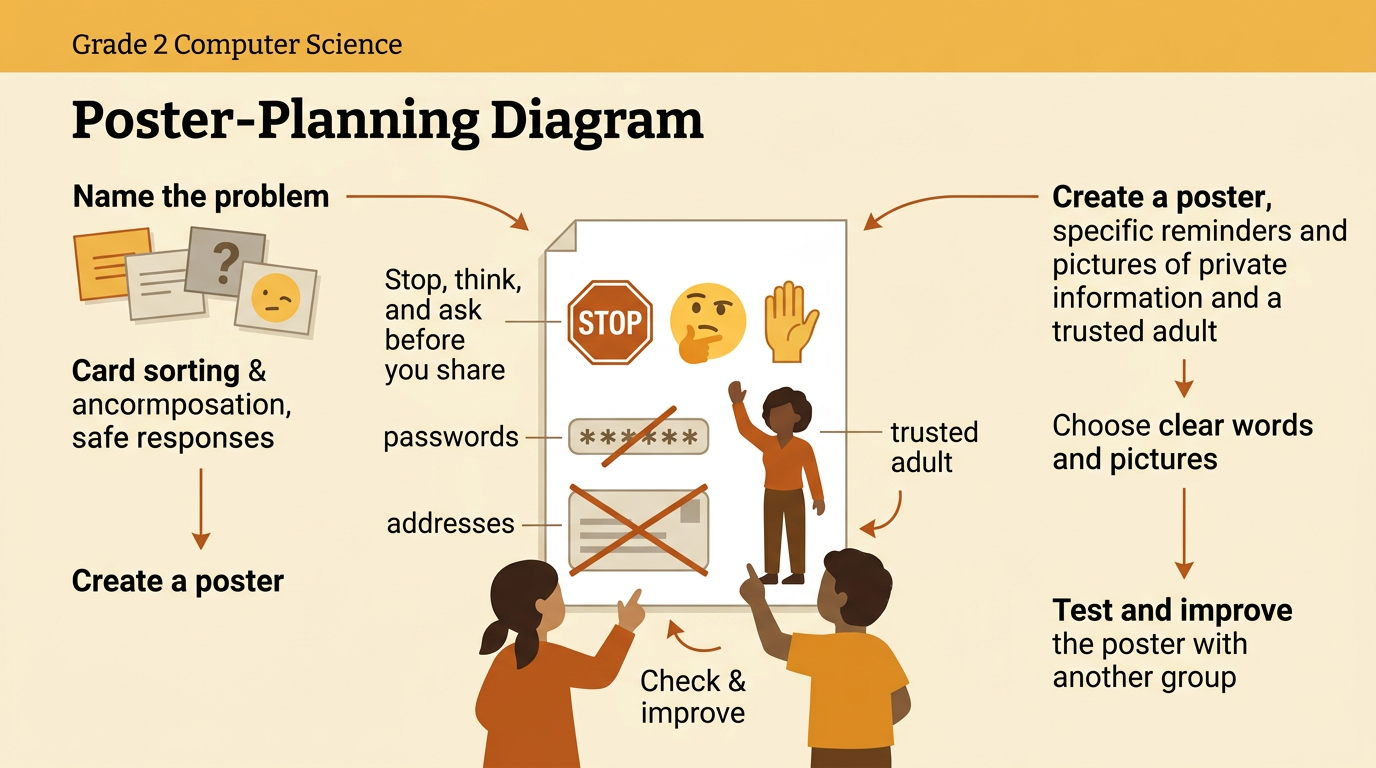
Create a Class Safety Reminder
Create one class reminder that helps everyone remember safe online sharing. Begin by naming the problem: people may be asked for private information when they use websites, apps, or messages. Share observations from the sorting game and safe-response practice. Then suggest short reminder sentences. Your class might choose, “Stop, think, and ask before you share.” Work together to decide which words and pictures are clearest for Grade 2 students. Include examples of private information, such as passwords and addresses, and show a trusted adult who can help. After making the reminder, test it by asking another group what action it teaches. If the message is confusing, improve the words or pictures. Display the finished reminder near classroom devices.