
Repeating Actions with Loops
Students learn how loops make programs shorter and more efficient by repeating a set of instructions a specified number of times.

Illustrations are auto-generated and may be placeholders. They can be refreshed to match the narration.
Spot Repeated Instructions
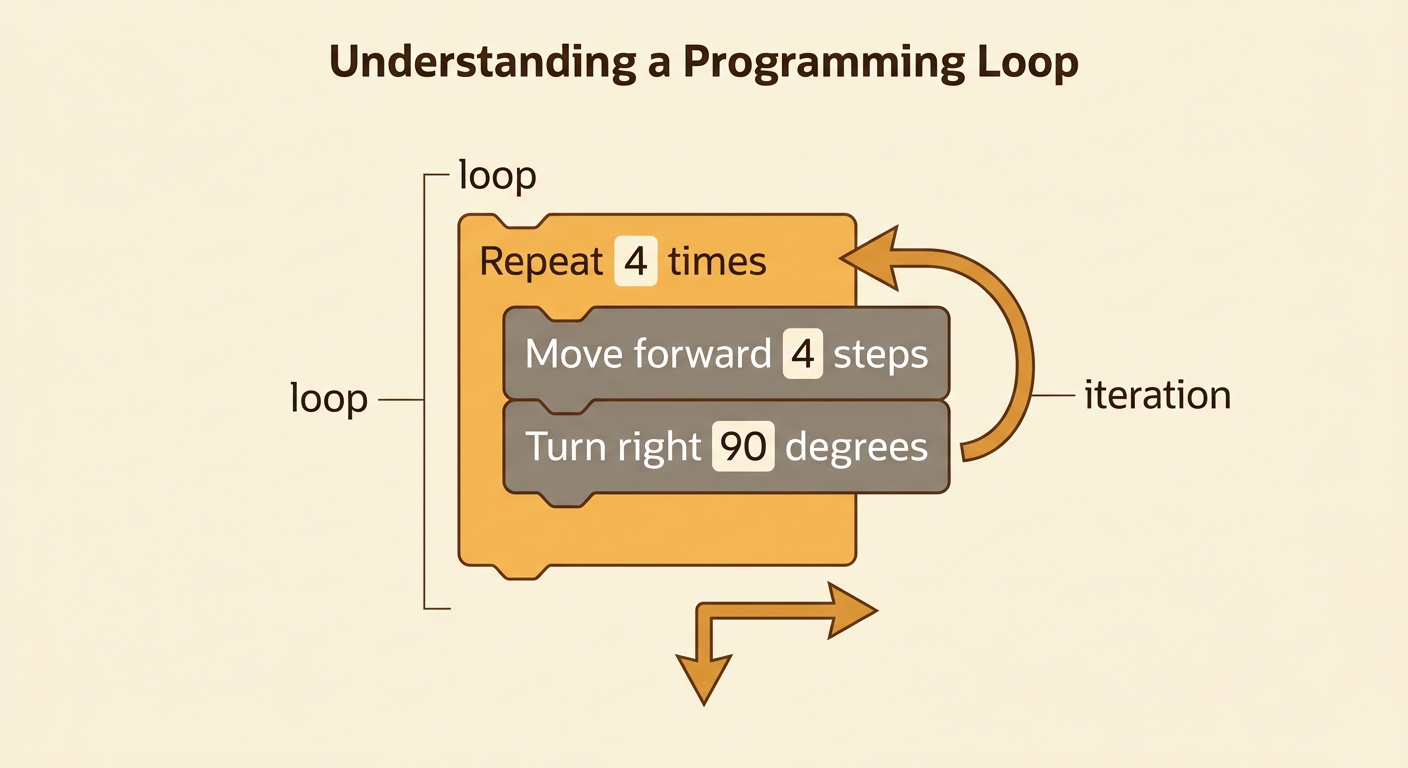
Programs often contain patterns in which the same instructions appear several times. Imagine programming a robot to draw a square. The robot could follow these commands: move forward 4 steps, turn right 90 degrees, move forward 4 steps, turn right 90 degrees, and continue until it has drawn four sides. The pair of commands “move forward 4 steps” and “turn right 90 degrees” appears four times. This repeated pair is a pattern. Finding patterns is an important programming skill because repeated instructions can often be replaced by a loop. Before creating a loop, identify exactly which commands repeat and how many times they repeat. Do not include a command that happens only before or after the repeated pattern.

Introduce Loops
A loop is a programming structure that repeats one or more instructions. Instead of writing the same commands again and again, a programmer places the commands inside a loop. For the square-drawing robot, the program can say, “Repeat 4 times: move forward 4 steps, then turn right 90 degrees.” The loop keeps the commands in the same order during every repetition. One trip through the loop is called an iteration. In this example, each iteration draws one side and makes one turn. After four iterations, the robot has drawn a complete square. A loop makes the program shorter and makes its repeating pattern easier to see. It can also reduce copying mistakes because the repeated commands need to be written correctly only once.
Set the Repeat Count
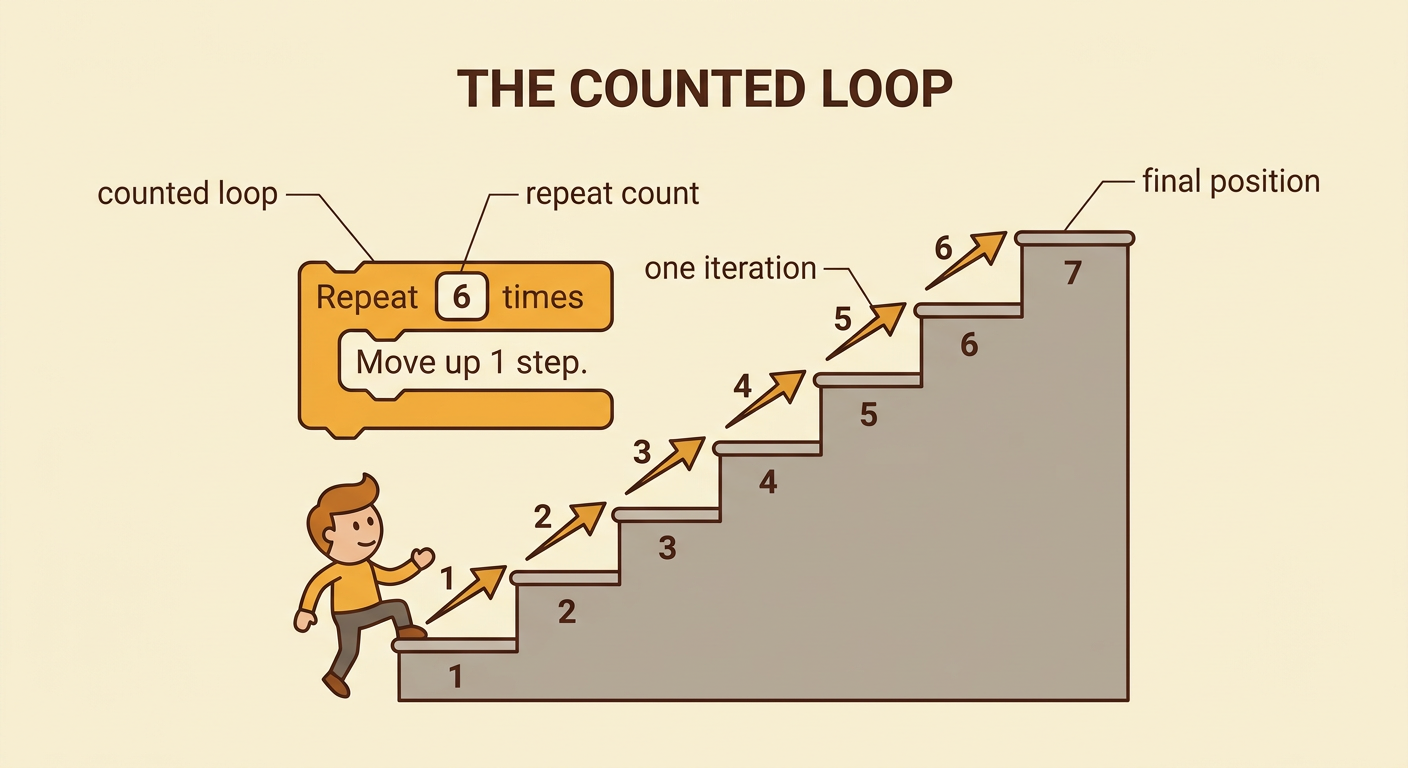
A counted loop repeats its instructions a specified number of times. The repeat count must match the goal of the program. Suppose a character needs to climb a staircase with six steps. If one iteration moves the character up one step, the loop should repeat 6 times. A count of 5 would stop the character one step too soon, while a count of 7 would move it one step too far. To choose the count, ask what one iteration accomplishes and how many times that action is needed. The count is usually a whole number such as 3, 6, or 10. Changing only the repeat count can change the result without changing the instructions inside the loop. Testing the final position helps confirm that the count is correct.
Trace a Loop Step by Step
Tracing means following a program one instruction and one iteration at a time. Consider this loop: “Repeat 3 times: move forward 2 spaces, collect 1 coin.” The character starts at position 0 with no coins. After iteration 1, the character is at position 2 and has 1 coin. After iteration 2, it is at position 4 and has 2 coins. After iteration 3, it is at position 6 and has 3 coins. The loop then stops because the repeat count has been reached. A trace table can record the iteration number, position, and coin total. Tracing helps programmers predict the output and locate errors. It also shows regularity: the position increases by 2 and the coin total increases by 1 during every iteration.

Build a Loop-Based Program
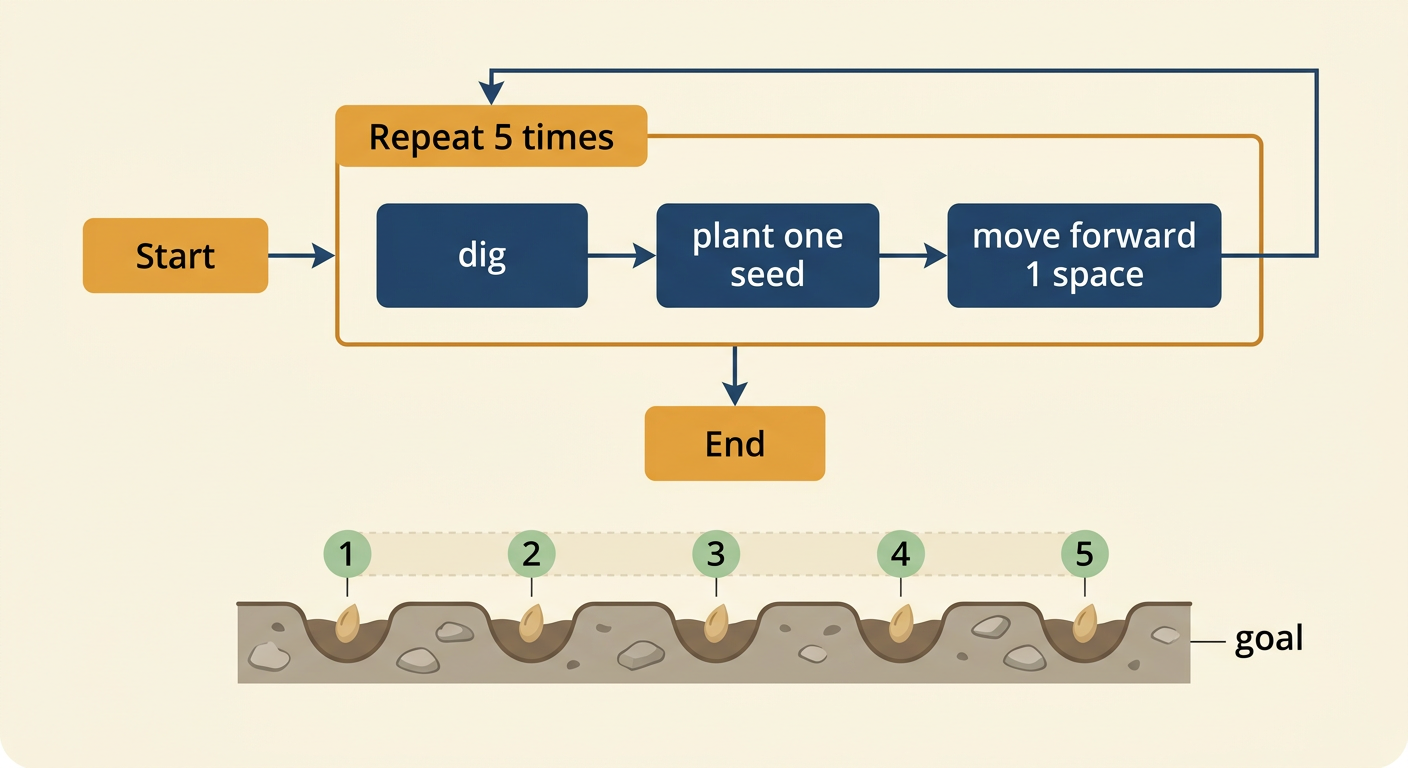
To build a loop-based program, first state the goal, find the repeated actions, and determine the repeat count. Suppose a robot must plant five seeds in a straight row. Each planting cycle has three commands: dig a hole, plant one seed, and move forward 1 space. These commands should go inside a loop that repeats 5 times. The completed program is, “Repeat 5 times: dig, plant one seed, move forward 1 space.” Test the program by tracing all five iterations. The robot should dig five holes, plant five seeds, and move a total of five spaces. Command order matters. If the robot moves before planting, the first seed will be placed in a different location. A successful loop repeats the correct instructions, in the correct order, the correct number of times.
Reflect on Efficiency
Loops improve efficiency by making program code shorter, clearer, and easier to revise. Imagine that a light must blink 20 times. Without a loop, the commands “turn light on” and “turn light off” would each need to be written 20 times, creating 40 written command lines. With a loop, the programmer writes one repeat instruction and places the two light commands inside it. The computer still performs 40 light-changing actions, but the program itself is much shorter. If the light should blink 50 times instead, the programmer changes the repeat count rather than copying more commands. Loops are especially useful when a pattern occurs many times. However, instructions that should happen only once must remain outside the loop. Efficient code communicates the repeated reasoning clearly while producing the same intended result.
