
Route Data Packets Across a Network
Students divide a message into numbered packets, route them through a classroom network model, reassemble the message, and compare paths for efficiency and reliability.
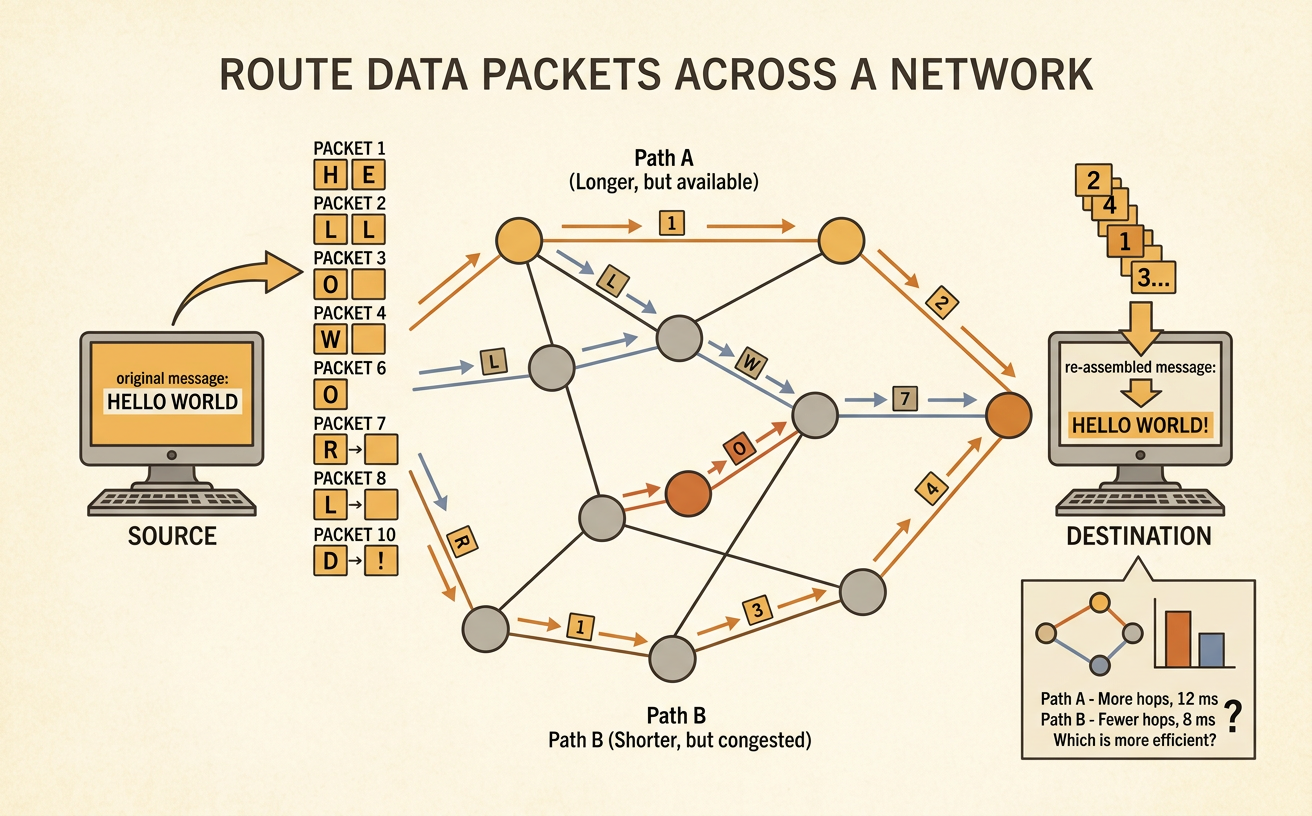
Illustrations are auto-generated and may be placeholders. They can be refreshed to match the narration.
What Is a Data Packet?
A data packet is a small piece of information sent across a network. Networks often divide large messages into packets because smaller pieces are easier to send and manage. Each packet carries part of the message plus information that helps it reach the correct destination and return to the right order. Imagine sending the message “MEET AT NOON.” It could be divided into three packets: “MEET,” “ AT,” and “ NOON.” The packets might travel along different paths through computers and routers. A router is a device that directs packets toward their destination. After all three packets arrive, the receiving device uses their numbers to rebuild the original message. If one packet is missing, the receiver may need that packet to be sent again.

Build a Classroom Network Map
A network map shows devices as points called nodes and connections as lines called links. Turn the classroom into a model network by choosing locations for a sender, a receiver, and several routers. For example, the teacher’s desk could be Sender A, the reading table could be Receiver B, and four student desks could be routers. Draw each location as a circle or box. Connect locations that can pass packets directly to each other. Each link can represent one step. Make sure the map offers at least two possible routes from sender to receiver. One route might be A–R1–R2–B, while another is A–R3–R4–R2–B. Include a map key so everyone understands the symbols. Work together to check that every drawn connection matches the classroom model.

Split and Label the Message
Choose a short message and divide it into equal-sized pieces when possible. Then give every piece a packet number and record the total number of packets. Suppose the message is “BRING BLUE PAPER.” One useful split is Packet 1: “BRING,” Packet 2: “ BLUE,” and Packet 3: “ PAPER.” Label them 1 of 3, 2 of 3, and 3 of 3. The number before “of” shows the packet’s position, and the second number shows how many packets belong to the message. Also write the sender and receiver on each packet card. These labels help prevent confusion if packets arrive out of order or mix with another team’s packets. Before sending, arrange the cards by number and read them aloud to confirm that they rebuild the exact original message, including spaces between words.

Route and Reassemble Packets
Send each packet from the sender to the receiver along a valid route on the network map. At every router, a student checks which connected node can move the packet closer to its destination. Different packets may take different routes. For example, Packet 1 might travel A–R1–R2–B, while Packet 2 travels A–R3–R2–B. Record each hop, which is one move between connected nodes. The receiver should wait until all packets arrive, then place them in number order and read the rebuilt message. To model a problem, hold back Packet 3. The receiver can use the labels to notice that 3 of 3 is missing and request it again. Team members should clearly announce packet numbers, routes, arrivals, and problems so the group can work accurately and respectfully.

Compare Route Efficiency
Route efficiency describes how well a path uses time or steps. Count the hops in each possible route. If Route 1 is A–R1–R2–B, it has 3 hops. If Route 2 is A–R3–R4–R2–B, it has 4 hops. For five packets, Route 1 would require 5 × 3 = 15 total packet hops, while Route 2 would require 5 × 4 = 20. Route 1 is more efficient because it uses 5 fewer packet hops. However, the shortest path is not always the most reliable. If R1 is unavailable, Route 1 fails, but Route 2 may still deliver the packets. Compare both efficiency and reliability before choosing a plan. A strong network has alternate paths, so information can continue moving when a link or router cannot be used.
