
Sort Fossil Data with a Selection Algorithm
Students follow and test a repeatable selection-sort algorithm to organize digital fossil records from oldest to newest.
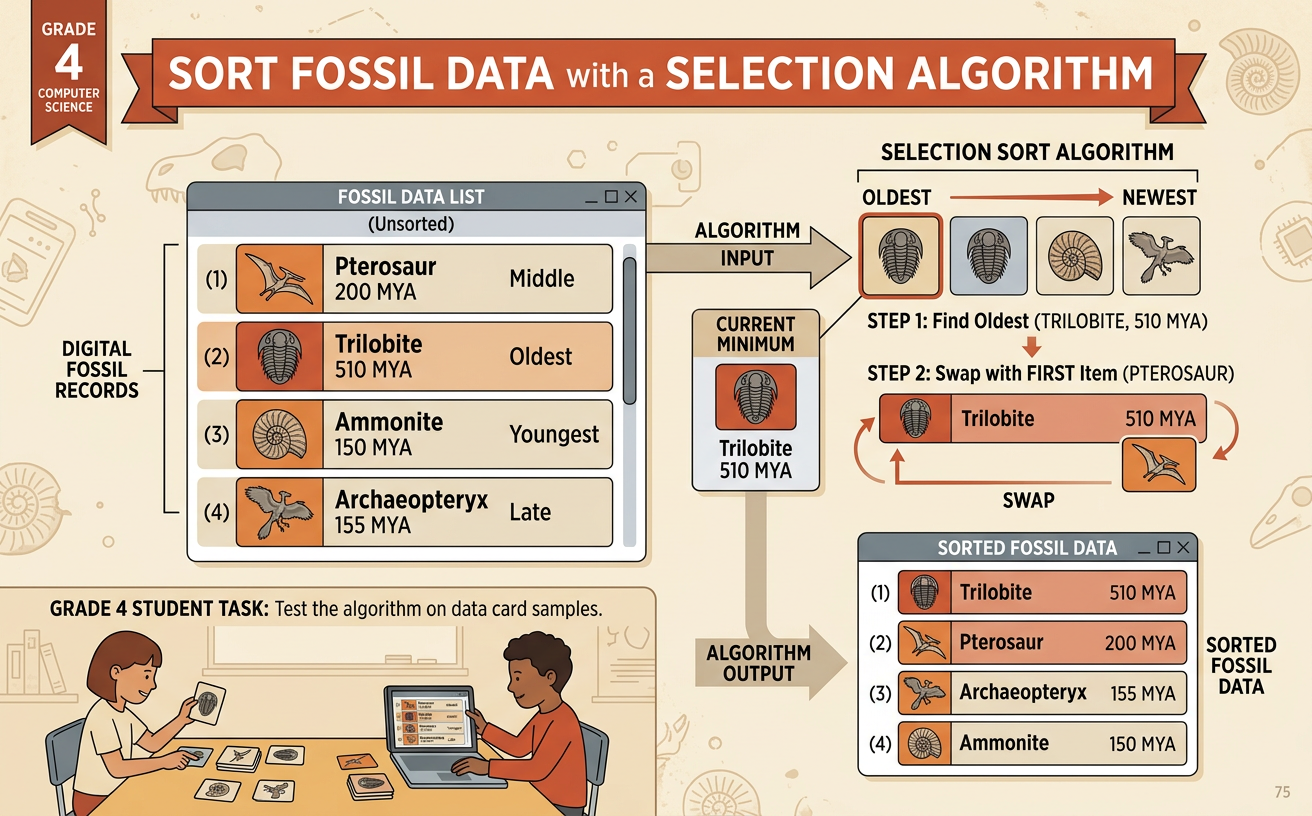
Illustrations are auto-generated and may be placeholders. They can be refreshed to match the narration.
Examine the Fossil Records
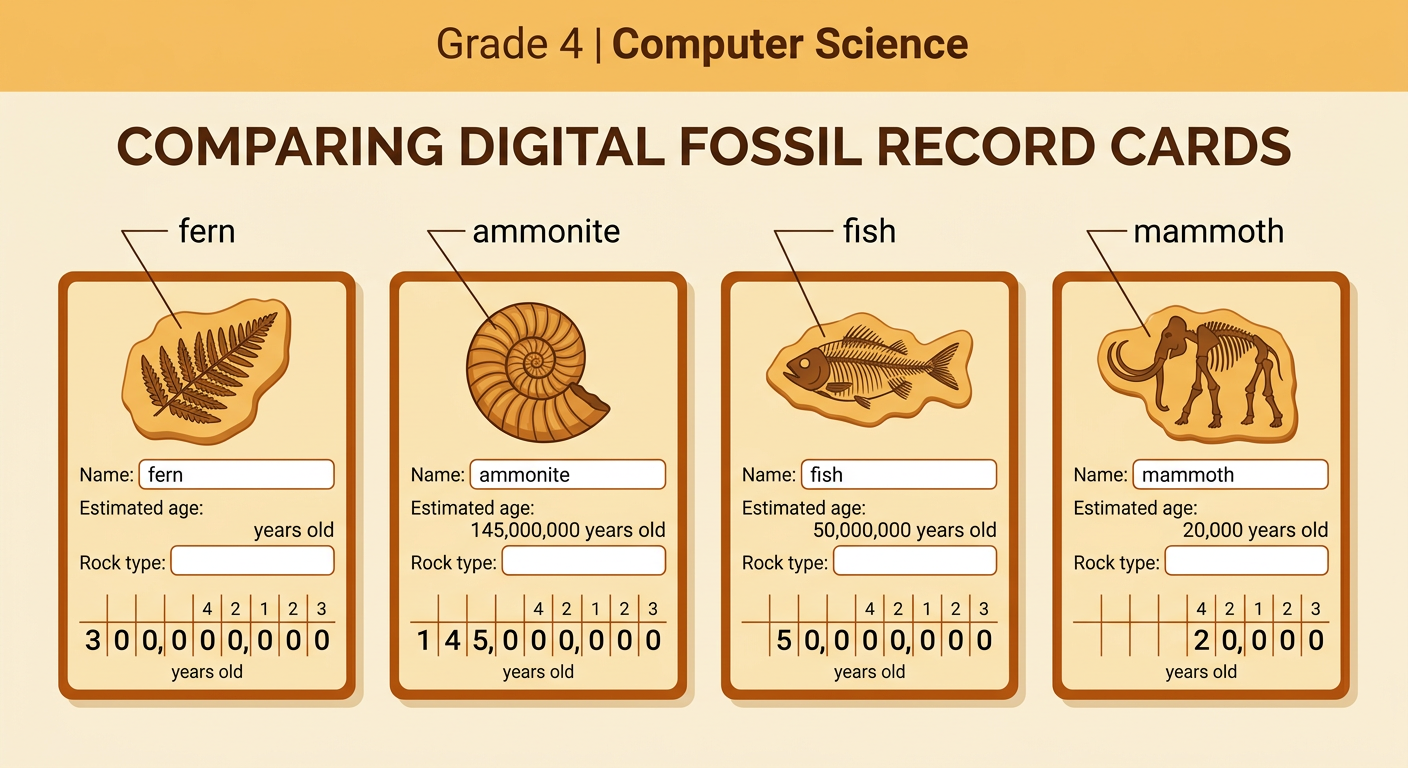
A digital fossil record can include a fossil name, its estimated age, and the kind of rock where it was found. Scientists use fossils and rock layers as evidence of how environments changed over time. Consider four records: a fern fossil estimated at 300,000,000 years old, an ammonite at 145,000,000 years old, a fish at 50,000,000 years old, and a mammoth at 20,000 years old. To compare these multi-digit numbers, begin with the greatest place value. For example, 300,000,000 is greater than 145,000,000, so the fern fossil is older. An ordered set of records can help reveal a sequence, such as ancient plant life appearing long before mammoths. Remember that a greater number of years ago means an older fossil.
Define the Sorting Goal
Before sorting, state the goal clearly: arrange the fossil records from oldest to newest. Because each age tells how many years ago the organism lived, the greatest number must come first. In the example set, 300,000,000 years is older than 145,000,000 years, and 145,000,000 years is older than 50,000,000 years. The 20,000-year-old mammoth belongs last. The sorting rule is therefore greatest age to least age. If two records have the same estimated age, keep them next to each other and use a second field, such as the fossil name, to make their order predictable. A precise goal lets everyone in a group check the same result and discuss disagreements using evidence from the numbers.

Follow the Selection-Sort Steps
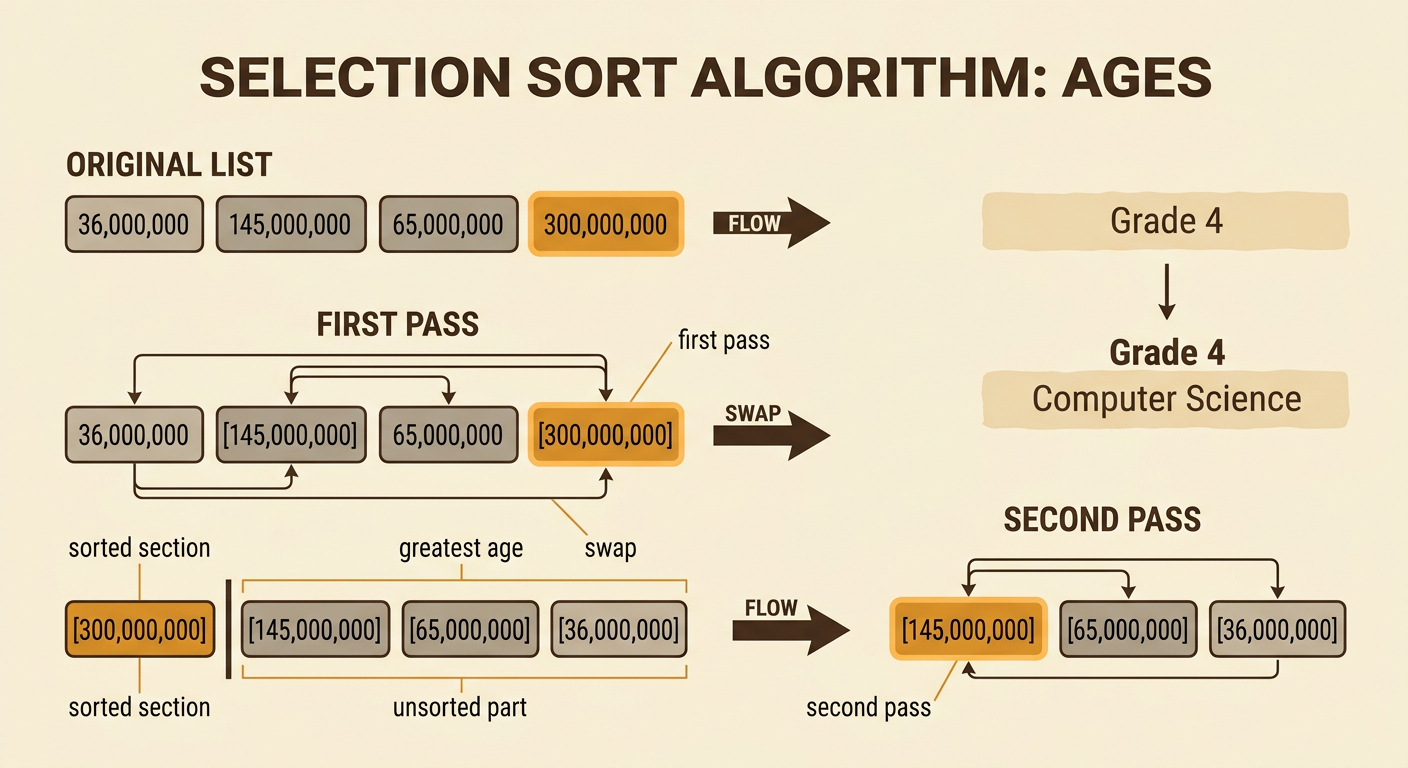
Selection sort repeatedly selects the correct record for the next position. Start with ages listed as 36,000,000; 145,000,000; 65,000,000; and 300,000,000 years. On the first pass, examine every record and select the greatest age, 300,000,000. Swap it with the record in the first position. The list becomes 300,000,000; 145,000,000; 65,000,000; 36,000,000. Mark the first position as sorted. On the second pass, search only the unsorted part. Its greatest value is 145,000,000, which is already in the correct position, so no swap is needed. Continue by selecting 65,000,000 and then 36,000,000. Each pass makes the sorted section one position longer until no unsorted records remain.
Test the Ordered Data
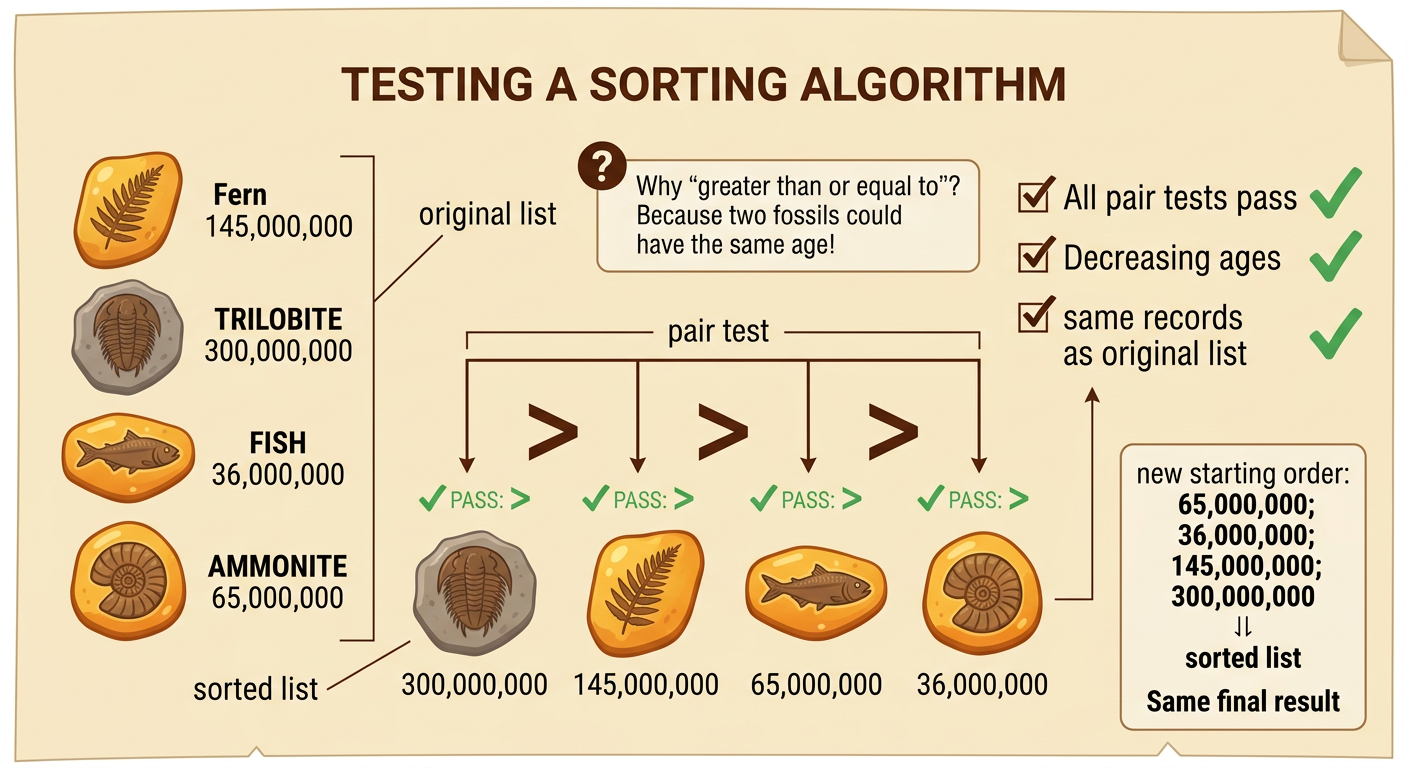
Testing checks whether the algorithm produced the required order. Read each neighboring pair from left to right. The first age must be greater than or equal to the second, the second must be greater than or equal to the third, and so on. For the list 300,000,000; 145,000,000; 65,000,000; and 36,000,000, every pair passes the test. Also confirm that no record was lost or copied during a swap. The sorted list must contain exactly the same fossil records as the original list. Then run the algorithm again with a different starting order, such as 65,000,000; 36,000,000; 300,000,000; and 145,000,000. It should produce the same final sequence. This chronological order can help students discuss patterns in fossils and evidence of changes over time.
Debug and Explain the Algorithm
Debugging means finding and fixing a mistake in the steps or their results. Suppose a program checks every unsorted record except the last one. For the list 145,000,000; 65,000,000; and 300,000,000, it might select 145,000,000 as the oldest because it never examines 300,000,000. The incorrect result begins with the wrong fossil. Fix the loop so each pass checks every record in the unsorted section, including the last one. Then test the same data again. When explaining the algorithm to a partner, describe the goal, the comparison rule, the selected value, the swap, and the test. Partners can ask questions or point to evidence in the list. A repeatable explanation is: find the greatest remaining age, move it to the next open position, and repeat until the records are ordered.
