
Storing and Updating Data with Variables
Students use named variables to store, retrieve, and update information in a simple program.
Illustrations are auto-generated and may be placeholders. They can be refreshed to match the narration.
What Is a Variable?
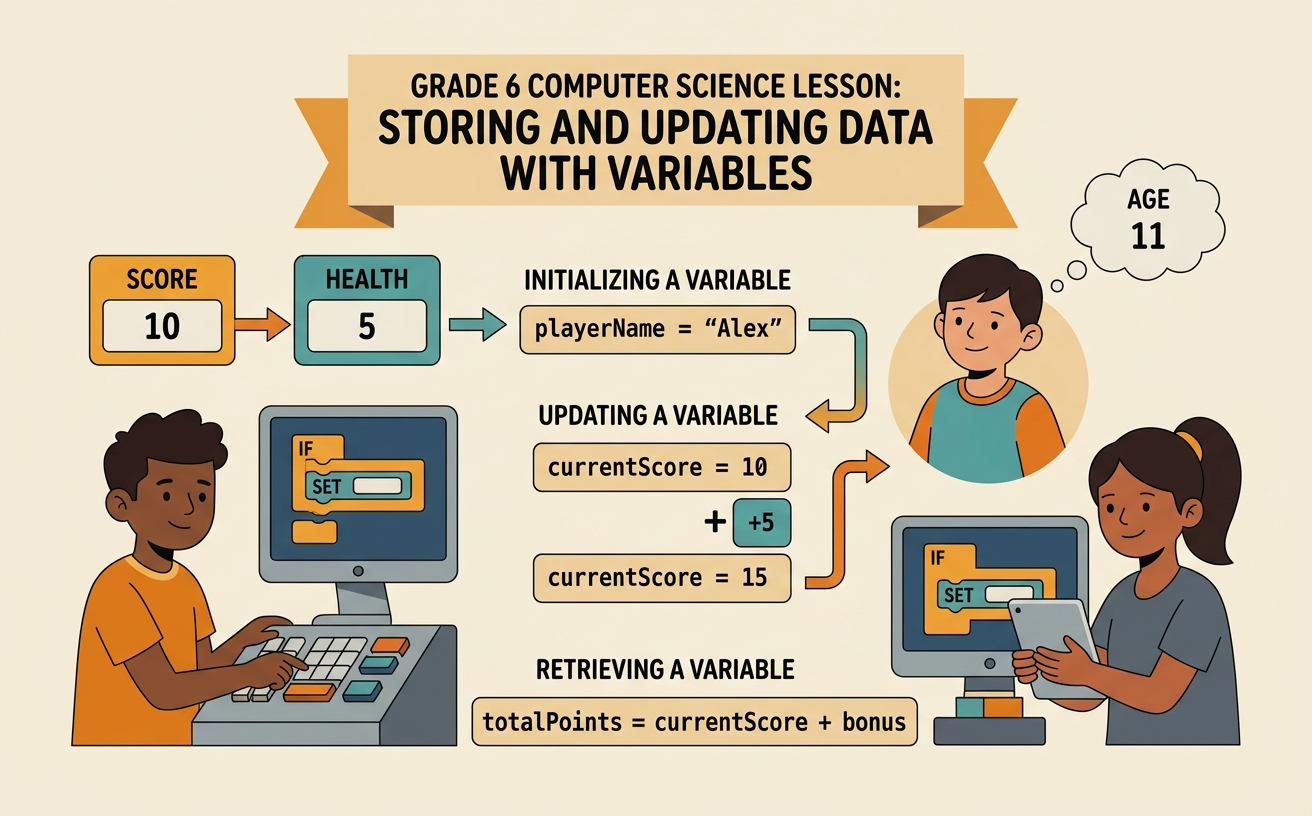
A variable is a named place where a program keeps information that may be used or changed. Think of it as a labeled container. The label helps the program find the information inside. For example, a game might use a variable named lives to store the number 3. When the program needs to show the player’s remaining lives, it retrieves the value stored in lives. If the player loses a life, the program changes that value. The name lives stays the same, but its stored value can change from 3 to 2. Variables help programmers represent quantities and other information without rewriting every value. A useful variable name also makes code easier to understand because it describes what the information means.

Names, Values, and Data Types
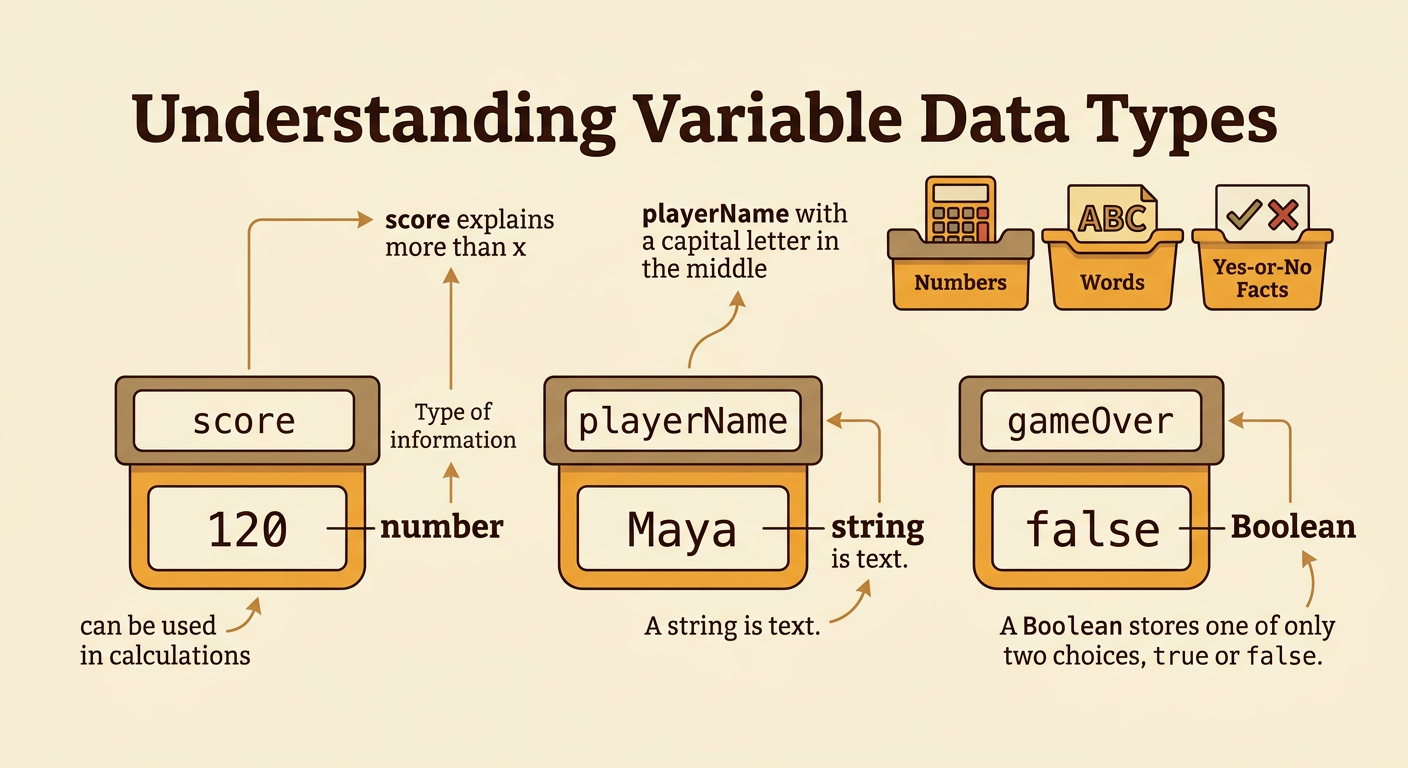
Every variable has a name and a stored value. The value also has a data type, which tells the program what kind of information it is. A number can be used in calculations, such as score storing 120. A string is text, such as playerName storing “Maya.” A Boolean stores one of two values, true or false, such as gameOver storing false. Clear names help readers understand a program. The name score is more useful than a name such as x when the value represents points. Variable names usually cannot contain spaces, so programmers may write playerName with a capital letter in the middle. Choosing the correct data type matters because adding two numbers is different from joining pieces of text.
Assigning a Value
Assignment is the action of storing a value in a variable. In many programming languages, an assignment can be written as score = 10. This instruction tells the computer to place the value 10 in the variable named score. In programming, the equal sign often means “assign” rather than “is equal to” as it does in a math equation. The computer first evaluates the information on the right side and then stores the result in the variable on the left side. For example, total = 4 + 3 makes the computer calculate 7 and store 7 in total. After an assignment, the program can retrieve the variable’s value to display it, compare it, or use it in another calculation.

Updating a Variable
Updating a variable means replacing its current value with a new value. A program often calculates the new value from the old one. Suppose score currently stores 10. The instruction score = score + 5 first retrieves the old value, adds 5, and then stores the result, 15, back in score. The expression does not claim that 10 equals 15. It describes a sequence of actions during program execution. Variables can also decrease. If lives stores 3, the instruction lives = lives - 1 changes the value to 2. The order of updates matters because each instruction uses the value available at that moment. Repeated updates allow programs to count turns, track points, record inventory, and measure progress.

Tracing Variable Changes
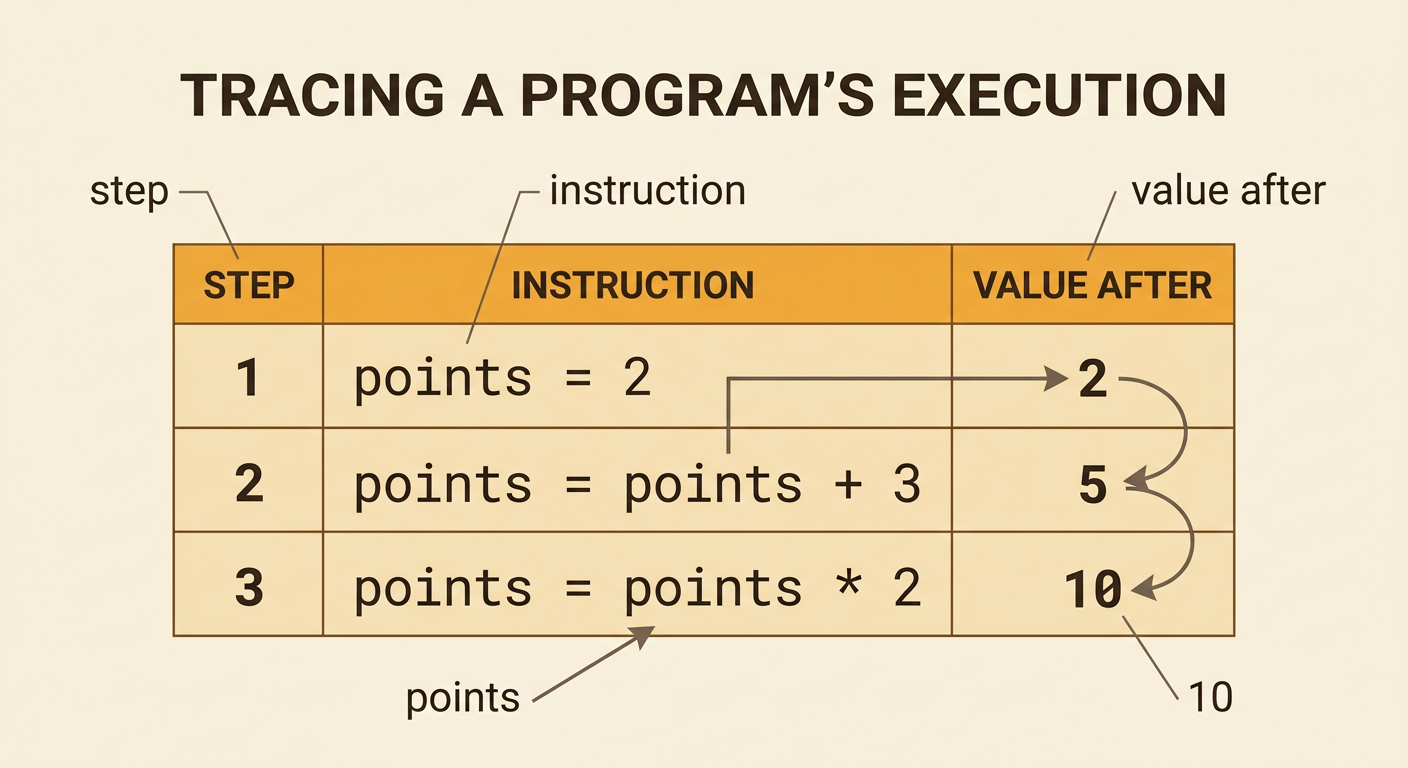
Tracing means following a program one instruction at a time and recording how variable values change. A trace table can have columns for the step, instruction, and value after the instruction. Consider this sequence: points = 2, points = points + 3, and points = points × 2. After the first step, points is 2. After the second step, it is 5 because 2 + 3 = 5. After the third step, it is 10 because the current value, 5, is multiplied by 2. It would be incorrect to use the original value of 2 again. Tracing helps programmers predict output and find mistakes. At every step, use the latest stored value and record an update only after the instruction is completed.
Create a Simple Score Tracker
A simple score tracker begins by assigning score = 0. When the player earns points, the program updates score instead of creating a separate variable each time. For example, collecting a coin could run score = score + 10. Reaching a goal could then run score = score + 25. Starting from 0, the coin changes the score to 10, and the goal changes it to 35. The program can retrieve score and display “Score: 35.” To build your own tracker, choose a clear variable name, give it a starting value, and decide how each game event changes it. Then trace several events in order to check your reasoning. Test events that add no points, add points more than once, or subtract points for a penalty.
