
Tracing and Debugging a Conditional Algorithm
Students trace a flowchart with sample inputs, identify a logic error in its conditional steps, and revise the algorithm to produce the intended outputs.
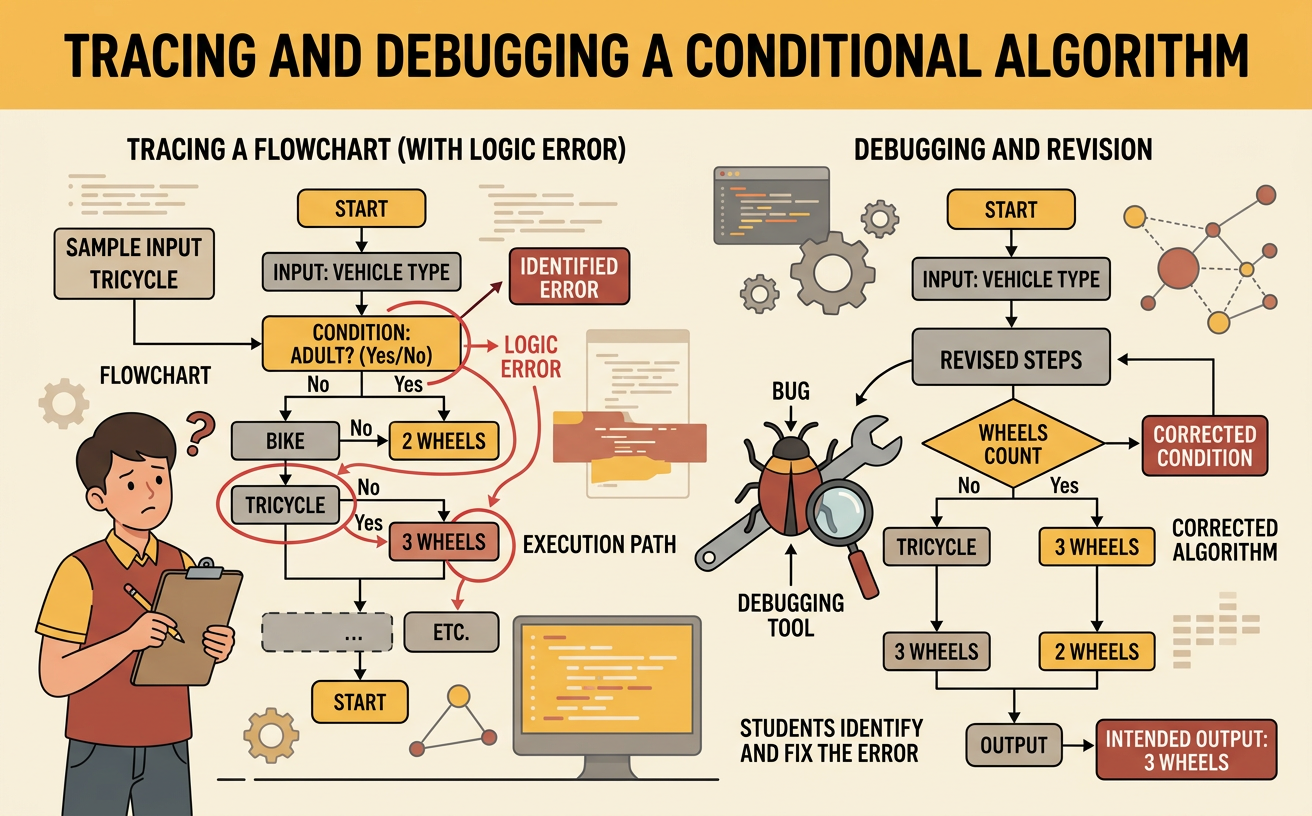
Illustrations are auto-generated and may be placeholders. They can be refreshed to match the narration.
Define Inputs, Conditions, and Outputs
An algorithm is a set of steps for solving a problem. In this example, a rewards program assigns a level based on a student’s points. The input is the number of points. A condition is a true-or-false question about that input, such as “Are the points at least 80?” The output is the assigned level. The intended rules are Gold for 80 or more points, Silver for 50 through 79 points, and Bronze for fewer than 50 points. For example, an input of 90 should produce Gold. An input of 65 should produce Silver, and an input of 40 should produce Bronze. Clearly defining these expected results gives us a goal for tracing and debugging the algorithm.

Trace the Algorithm by Hand
Tracing means following an algorithm one step at a time with a specific input. The flawed algorithm first asks, “Are the points at least 50?” If yes, it outputs Silver and stops. If no, it asks, “Are the points at least 80?” If yes, it outputs Gold; otherwise, it outputs Bronze. Trace an input of 90. Because 90 is at least 50, the first condition is true. The algorithm immediately outputs Silver and stops, so it never checks whether 90 is at least 80. Now trace 40. The first condition is false, and the second condition is also false, so the output is Bronze. Recording each decision helps reveal exactly how the algorithm behaves.

Compare Expected and Actual Results
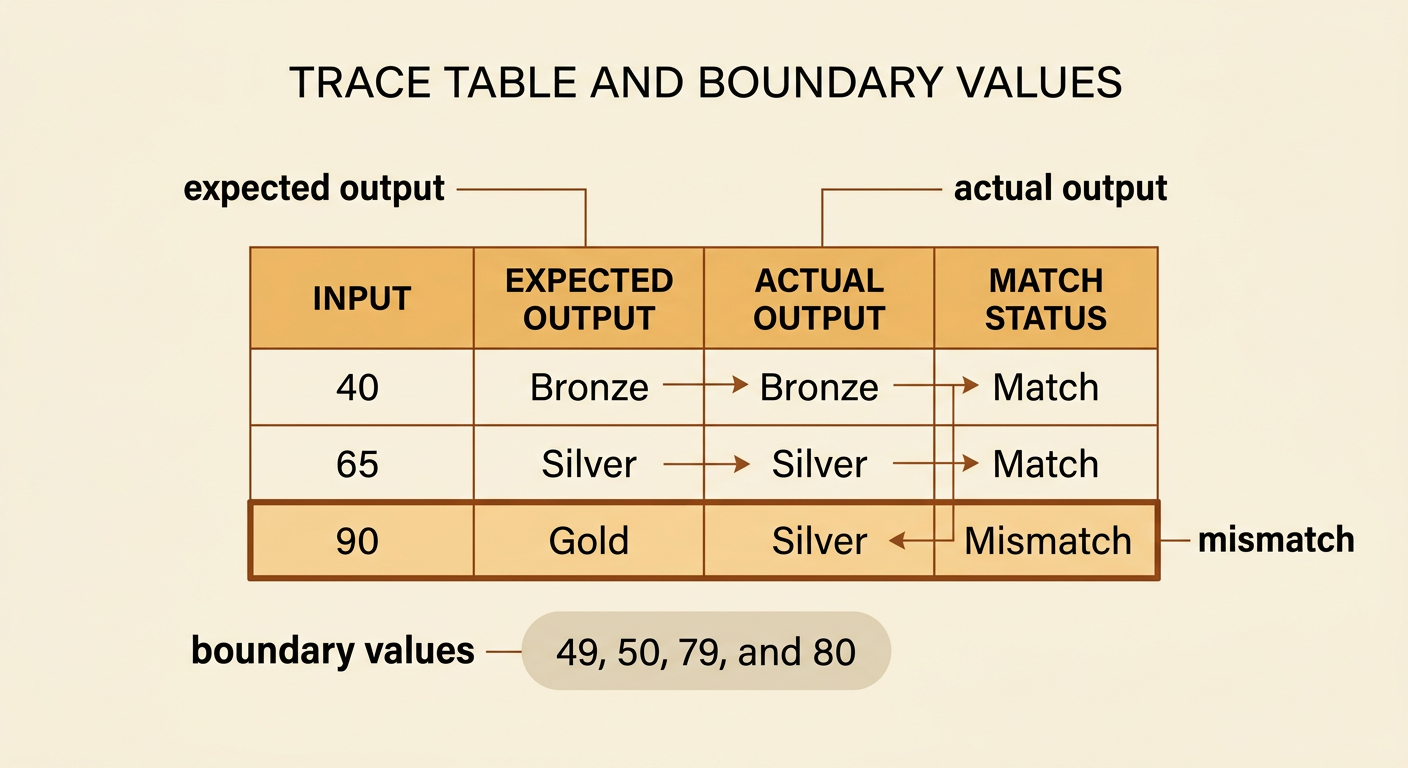
To test an algorithm, compare its actual outputs with the outputs required by the rules. A trace table makes mismatches easy to notice. For an input of 40, the expected output is Bronze, and the flawed algorithm also produces Bronze. For 65, the expected output is Silver, and the algorithm produces Silver. For 90, however, the expected output is Gold, while the actual output is Silver. This mismatch proves that the algorithm has a logic error even though it works for some inputs. Testing only 40 or 65 might incorrectly suggest that everything is correct. Useful test inputs should represent every range, especially values near boundaries such as 49, 50, 79, and 80.
Locate the Logic Error
A logic error occurs when an algorithm runs but follows rules that do not produce the intended result. Here, the first condition checks whether the points are at least 50. Every Gold score is also at least 50, so scores of 80 or more are sent to Silver immediately. The later Gold condition can never be reached by a score that qualifies for Gold. This is called an unreachable branch. The comparisons themselves are reasonable, but their order is wrong. To locate the error, ask where the first incorrect decision occurs during the trace. For an input of 90, the problem happens at the first decision because its Yes branch assigns Silver too soon. The algorithm must check the more restrictive Gold condition before the broader Silver condition.

Revise and Retest the Algorithm
Revise the algorithm by checking the highest point range first. The corrected steps ask, “Are the points at least 80?” If yes, output Gold. If no, ask, “Are the points at least 50?” If yes, output Silver; otherwise, output Bronze. Retest the same samples to confirm the repair. An input of 90 now takes the first Yes branch and produces Gold. An input of 65 answers No to the Gold question and Yes to the Silver question, producing Silver. An input of 40 answers No to both questions and produces Bronze. Also test boundary values: 80 should be Gold, 50 should be Silver, and 49 should be Bronze. Careful retesting shows whether the revision fixed the error without creating a new one.
