
Tracing and Debugging an Algorithm
Students trace a short pseudocode algorithm, identify a logic error, and revise the steps to produce the intended output.
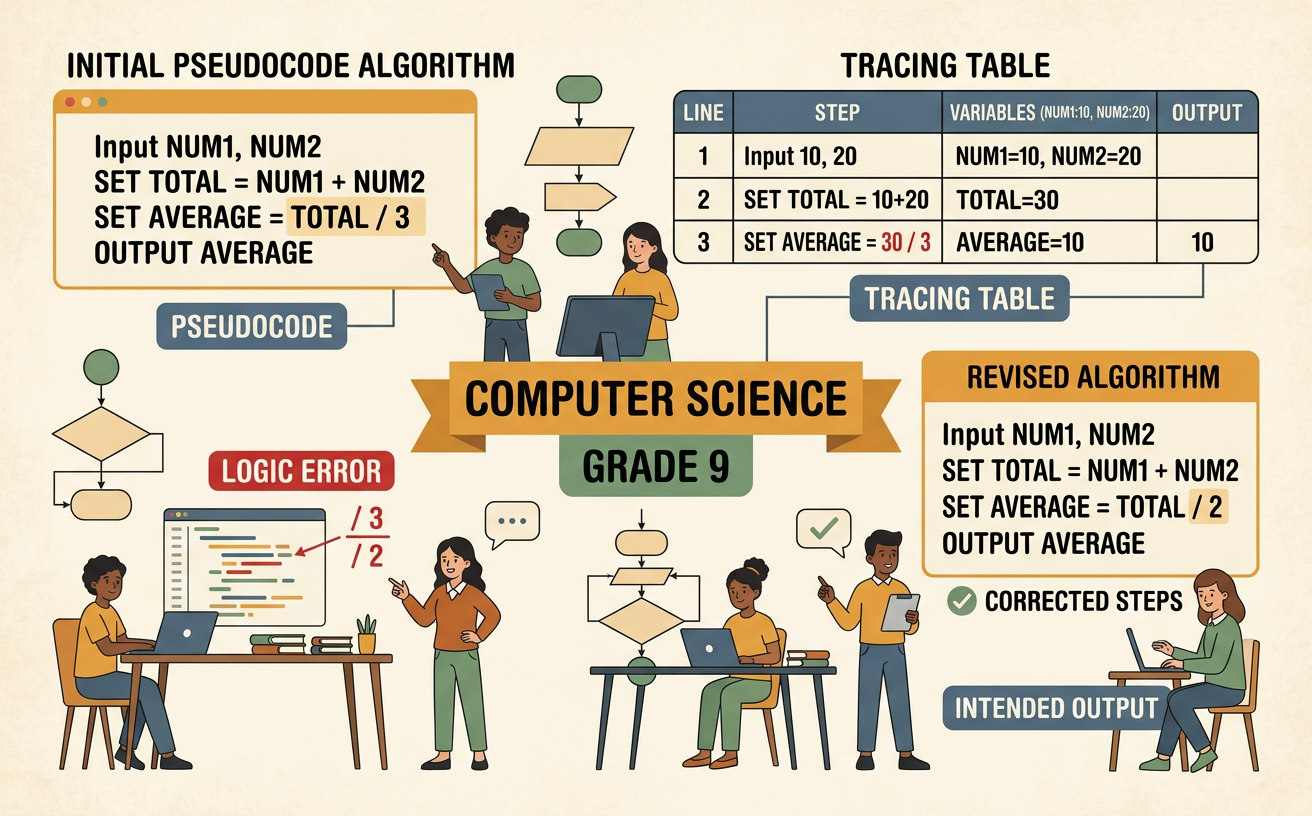
Illustrations are auto-generated and may be placeholders. They can be refreshed to match the narration.
What Makes an Algorithm Correct?
An algorithm is correct when its steps produce the intended result for every valid input and eventually stop. Consider an algorithm intended to count the even numbers in a list of integers. For the input [4, 7, 10], the correct output is 2 because 4 and 10 are even. To judge correctness, first identify the required input, output, and rule. The input is a list of integers, the output is one count, and the rule is to count numbers divisible by 2 with no remainder. Then follow the steps exactly rather than guessing what the programmer meant. A result that is correct for one list does not prove that the algorithm is always correct. Special cases, such as an empty list, zero, negative integers, or a list containing only odd numbers, must also be considered.

Trace Variables Step by Step
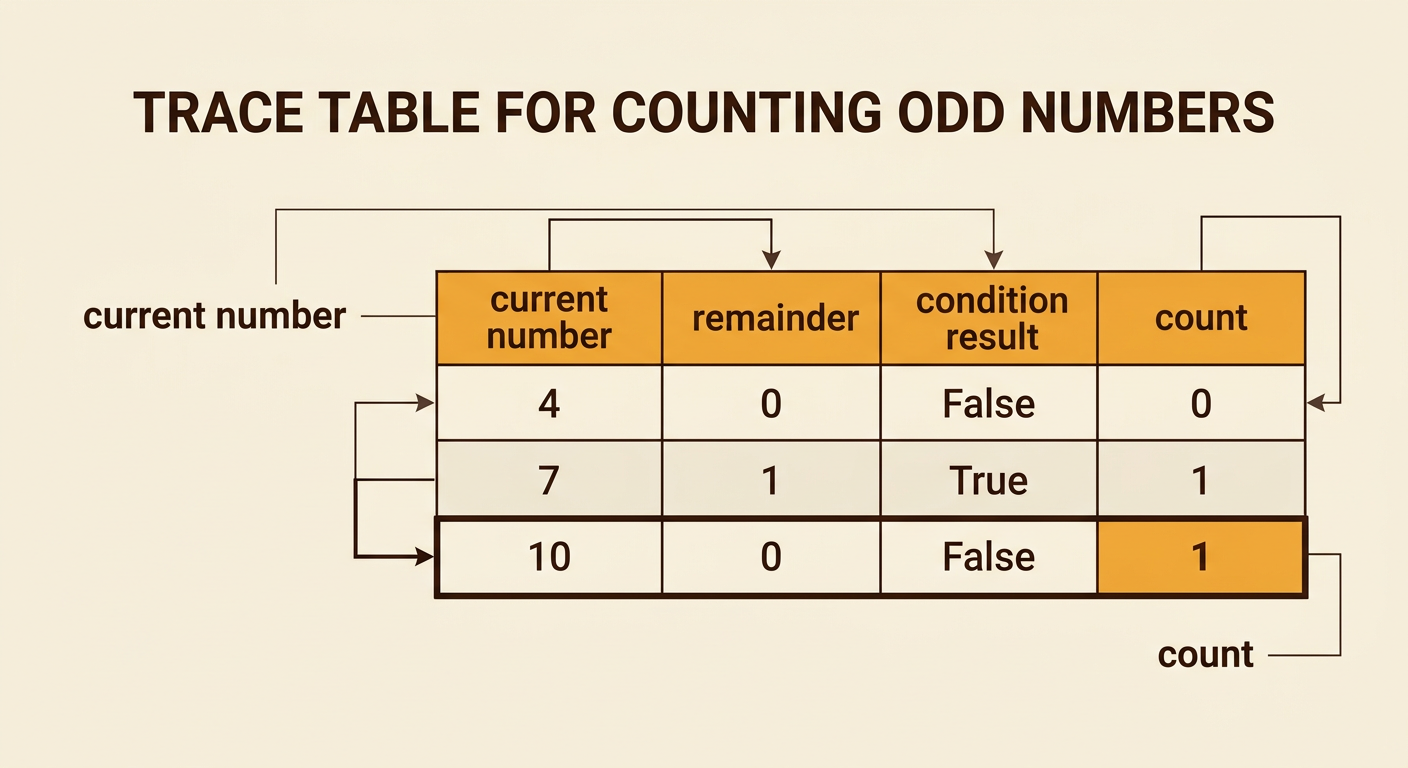
Tracing means recording each variable’s value after every important step. Suppose the pseudocode says: set count to 0; for each number in [4, 7, 10], if number MOD 2 equals 1, add 1 to count; output count. Start with count equal to 0. For 4, the remainder is 0, so the condition is false and count stays 0. For 7, the remainder is 1, so the condition is true and count becomes 1. For 10, the remainder is 0, so count remains 1. The algorithm outputs 1. A trace table keeps this reasoning organized with columns for the current number, remainder, condition result, and count. Updating one row at a time helps prevent skipped steps and reveals exactly how the output was produced.
Locate the Logic Error
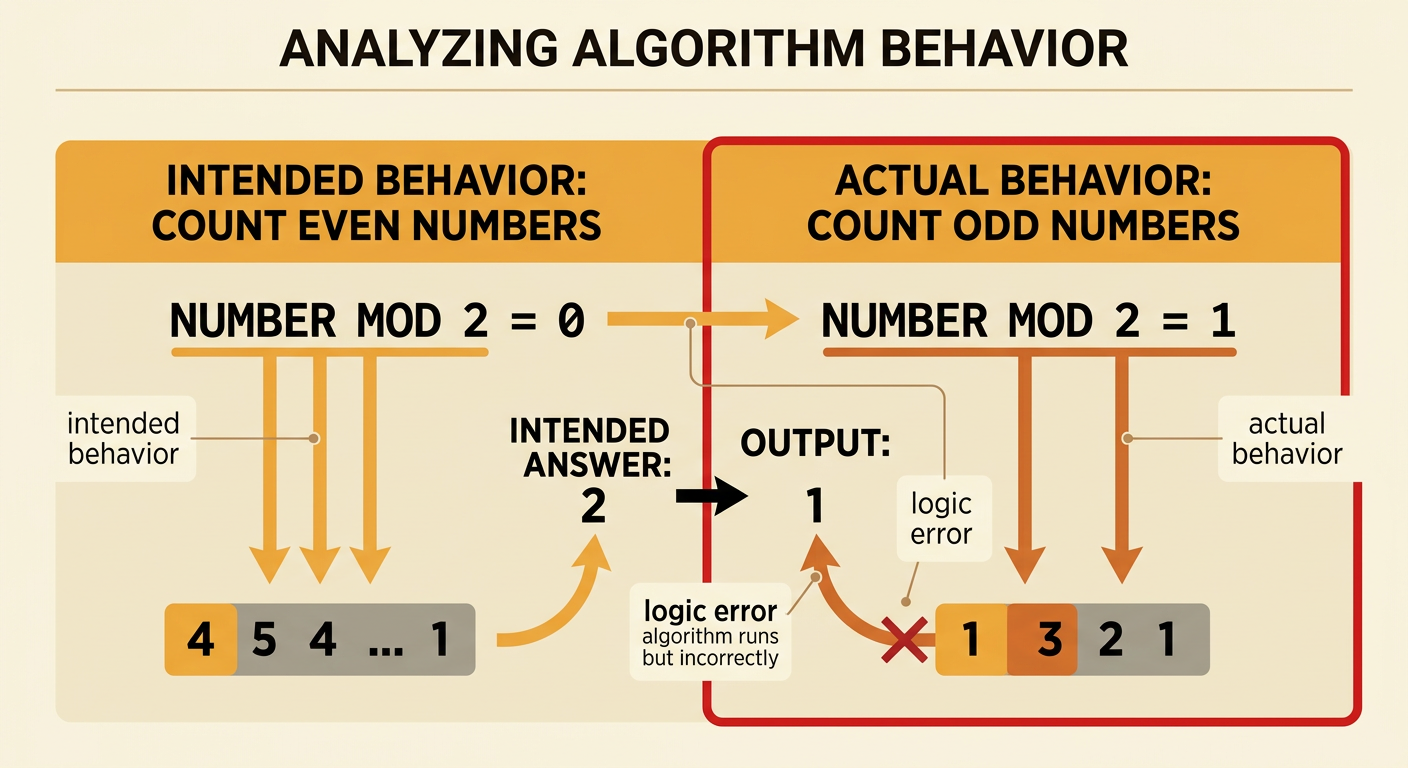
A logic error occurs when an algorithm runs but follows the wrong rule. The traced algorithm outputs 1, even though the intended answer for [4, 7, 10] is 2. Compare the condition with the stated goal. An even integer has a remainder of 0 when divided by 2, but the condition checks whether number MOD 2 equals 1. That condition identifies odd numbers instead of even numbers. The loop and count update work as written; the comparison is the incorrect step. This is different from a syntax error, which would prevent the instructions from being interpreted. Tracing pinpoints the first place where actual behavior differs from intended behavior. Here, that difference appears when 4 should increase count but does not because the condition is false.
Revise the Pseudocode
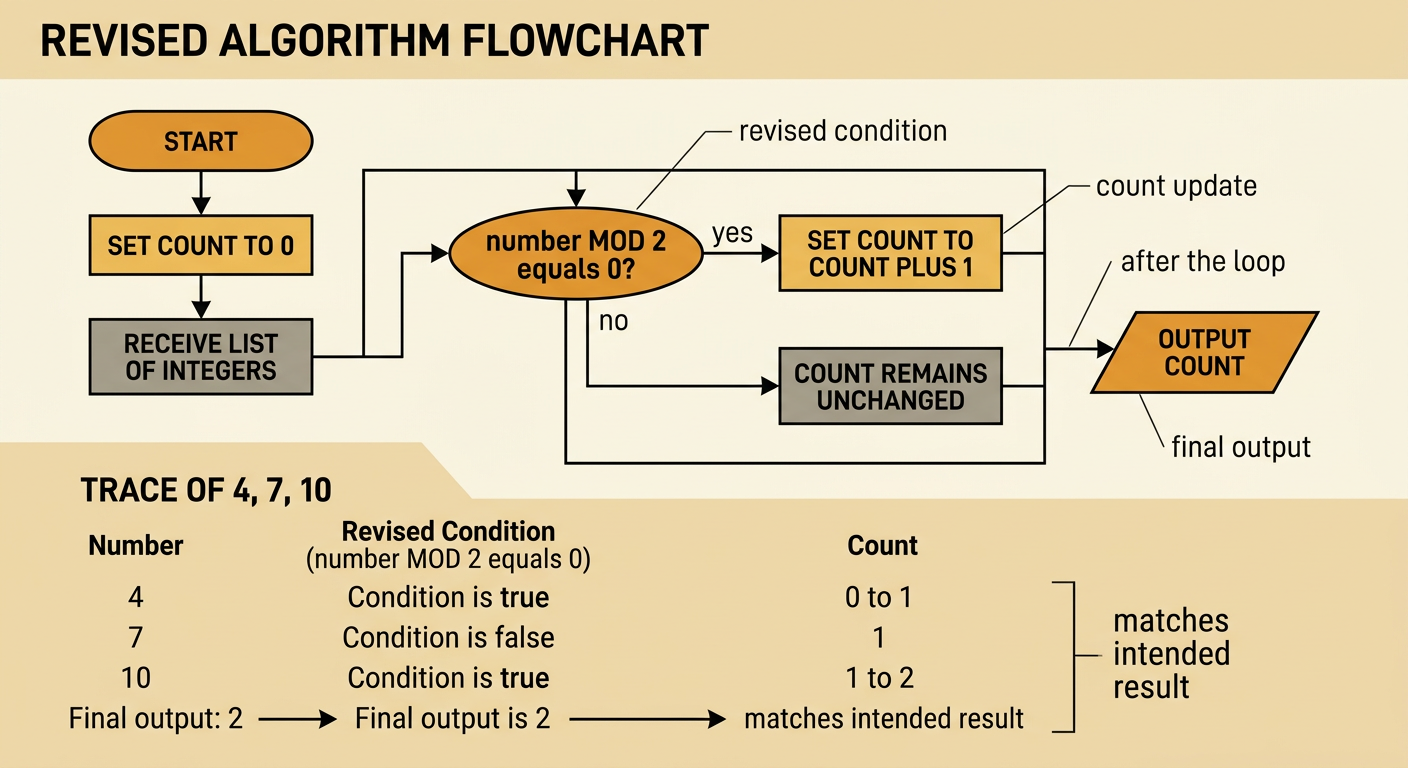
To repair the algorithm, change only the step that uses the wrong rule. The revised pseudocode is: receive a list of integers; set count to 0; for each number in the list, check whether number MOD 2 equals 0; if it does, set count to count plus 1; after the loop, output count. Trace [4, 7, 10] again. The condition is true for 4, so count becomes 1. It is false for 7, so count remains 1. It is true for 10, so count becomes 2. The revised output is 2, matching the intended result. Notice that the output step remains after the loop. Placing it inside the loop would display several partial counts instead of one final answer.
Test with Multiple Inputs
One successful test is not enough to establish confidence in a revision. Test ordinary cases, boundary cases, and special cases, and predict each result before tracing. For [2, 5, 8], the expected output is 2. For [1, 3, 9], it is 0. For [0], it is 1 because zero is divisible by 2 with no remainder. For an empty list, the output should be 0 because the loop never increases count. For [-4, -3], the output should be 1 because -4 is even. Run the revised steps for every list and compare actual outputs with expected outputs. If a result differs, inspect the trace to find the first incorrect decision or update. Testing varied inputs helps reveal errors that a single convenient example might hide.
