Tracing and Debugging Conditional Logic
Students trace Boolean expressions and nested conditionals, identify logic errors, and revise code to produce the intended output.

Illustrations are auto-generated and may be placeholders. They can be refreshed to match the narration.
Review Boolean Operators
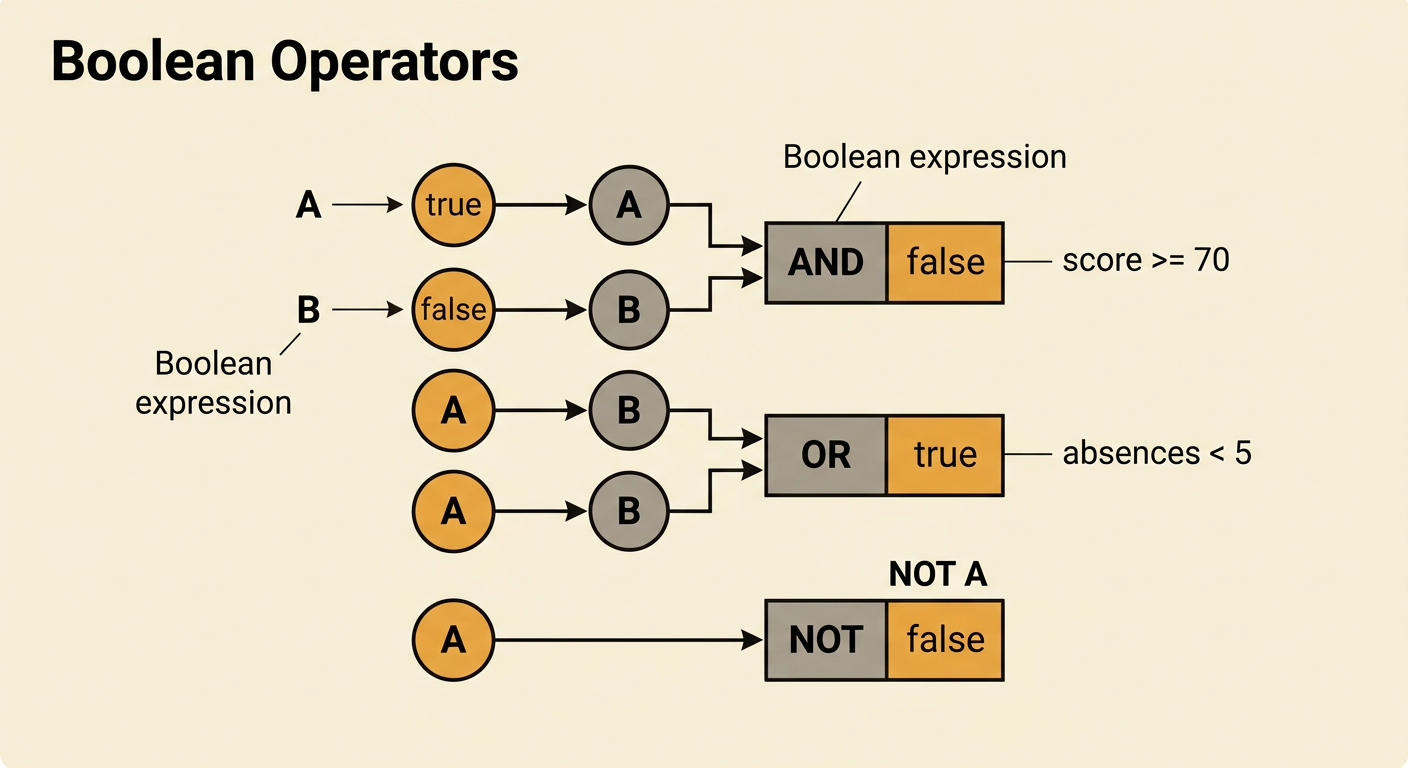
Boolean expressions evaluate to either true or false. The operator AND is true only when both conditions are true. OR is true when at least one condition is true. NOT reverses a Boolean value. Comparisons such as score >= 70 and absences < 5 produce Boolean results that can be combined. For example, suppose score is 82 and absences is 6. The expression score >= 70 is true, while absences < 5 is false. Therefore, score >= 70 AND absences < 5 is false, but score >= 70 OR absences < 5 is true. Evaluate parentheses first, then NOT, AND, and OR, unless the programming language specifies different rules. Using parentheses makes the intended order clear and helps prevent mistakes during tracing and debugging.
Trace Conditional Branches
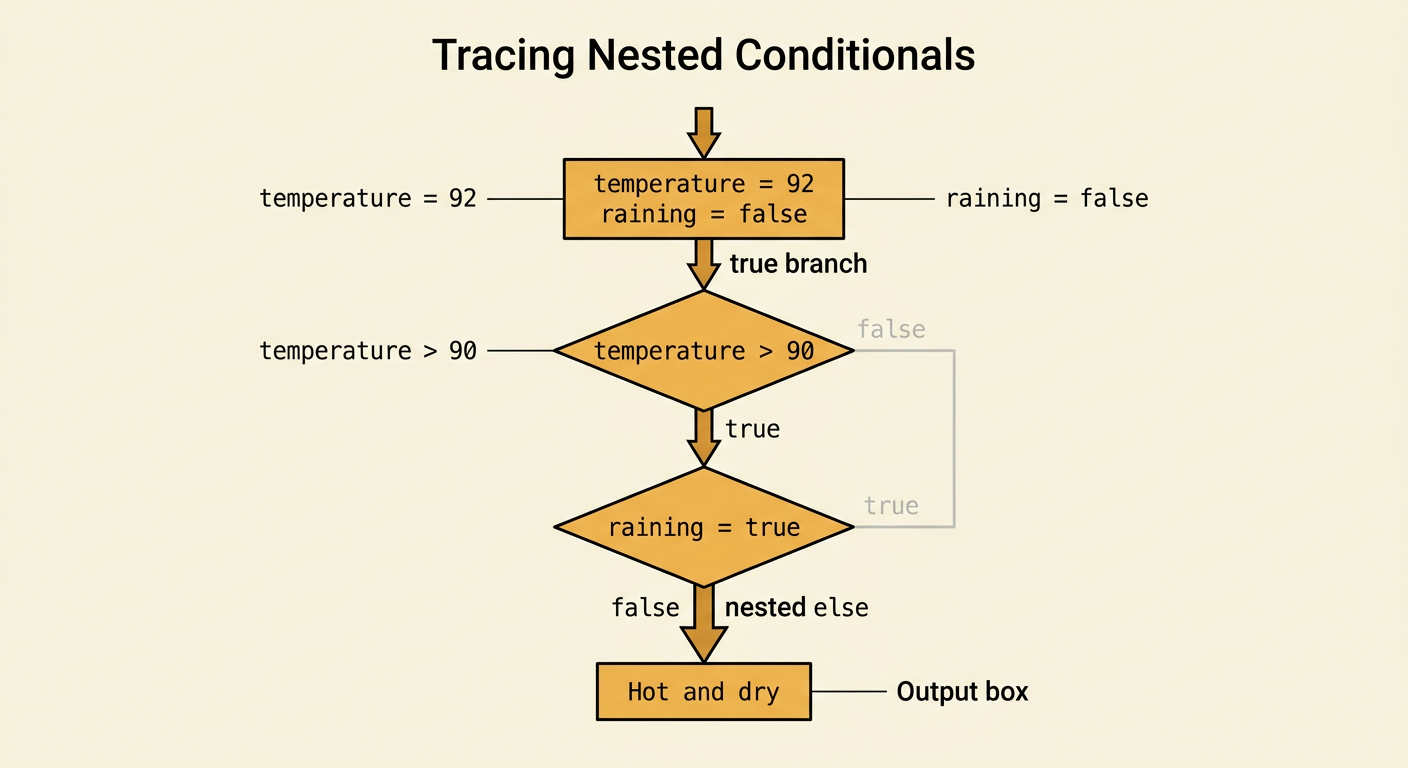
To trace conditional code, follow the statements in execution order and evaluate each condition using the current variable values. Only the branch selected by a condition runs. Consider this example: temperature is 92 and raining is false. The program first checks whether temperature > 90. That condition is true, so it enters the first branch. Inside that branch, it checks whether raining is true. Because raining is false, the nested else branch prints “Hot and dry.” The program does not evaluate branches that belong to the outer else. When tracing, mark each condition as true or false and draw an arrow to the branch taken. This procedure prevents you from accidentally combining outputs from branches that cannot both execute during the same run.
Build a Trace Table
A trace table records how values and decisions change as each statement executes. Create one row for every important step and one column for each variable, condition, branch, and output. Suppose x starts at 4. The program checks x < 5, adds 3 when the condition is true, and then checks x % 2 == 0. In the first row, x is 4 and x < 5 is true. After the addition, the next row shows x as 7. The second condition is false because 7 has a remainder of 1 when divided by 2, so the program outputs “odd.” Recording the updated value is essential; reusing x = 4 for the second condition would produce an incorrect trace.

Identify Logic Errors
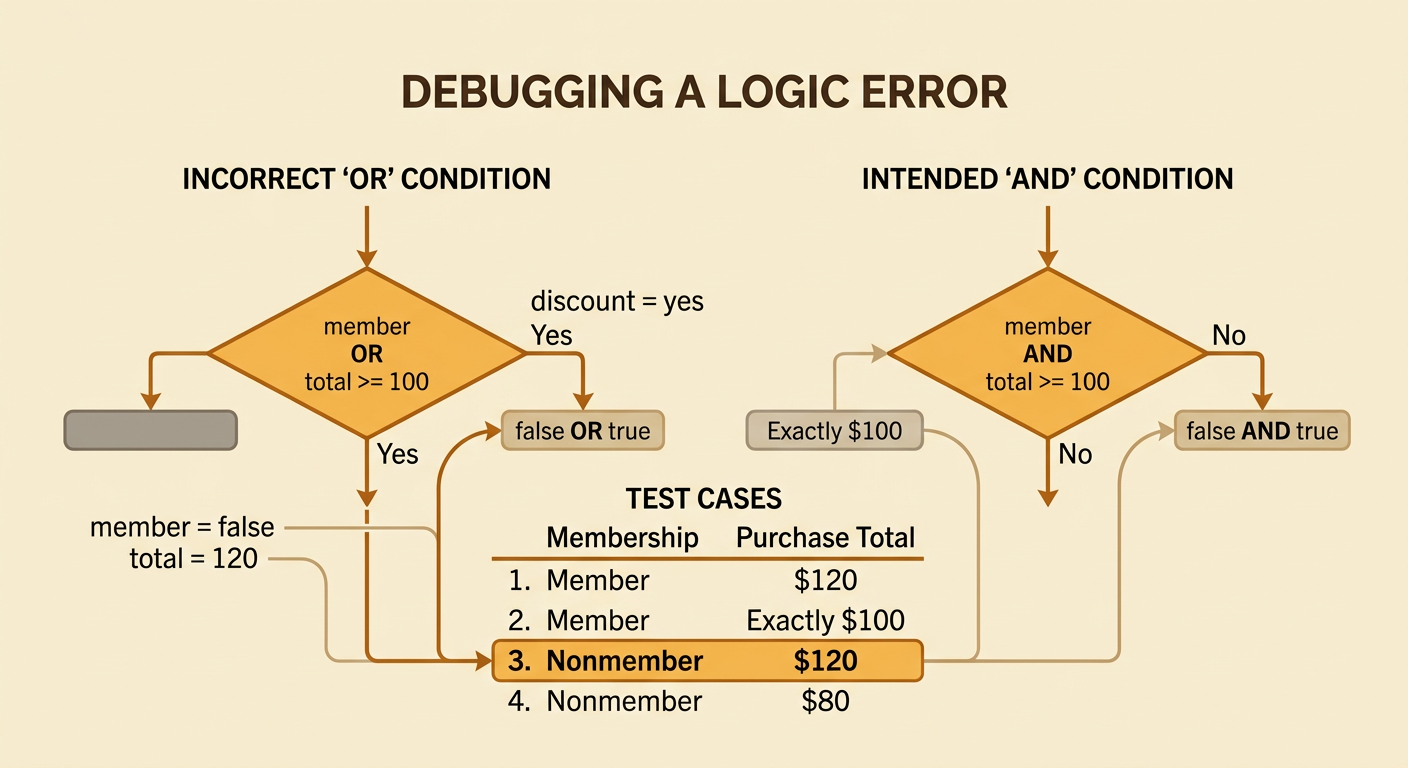
A logic error occurs when code runs without crashing but produces the wrong behavior. Find one by comparing the stated requirement with the condition the program actually tests. Suppose a discount should apply to customers who are members and spend at least $100. The incorrect condition member OR total >= 100 gives the discount when either fact is true, including to a nonmember who spends $120. A trace with member set to false and total set to 120 exposes the error: false OR true evaluates to true. The intended condition is member AND total >= 100. Also check boundary operators carefully. If exactly $100 qualifies, total > 100 is wrong because it excludes the boundary value. Useful tests include typical values, boundary values, and cases that make only one part of a compound expression true.
Revise and Test the Code
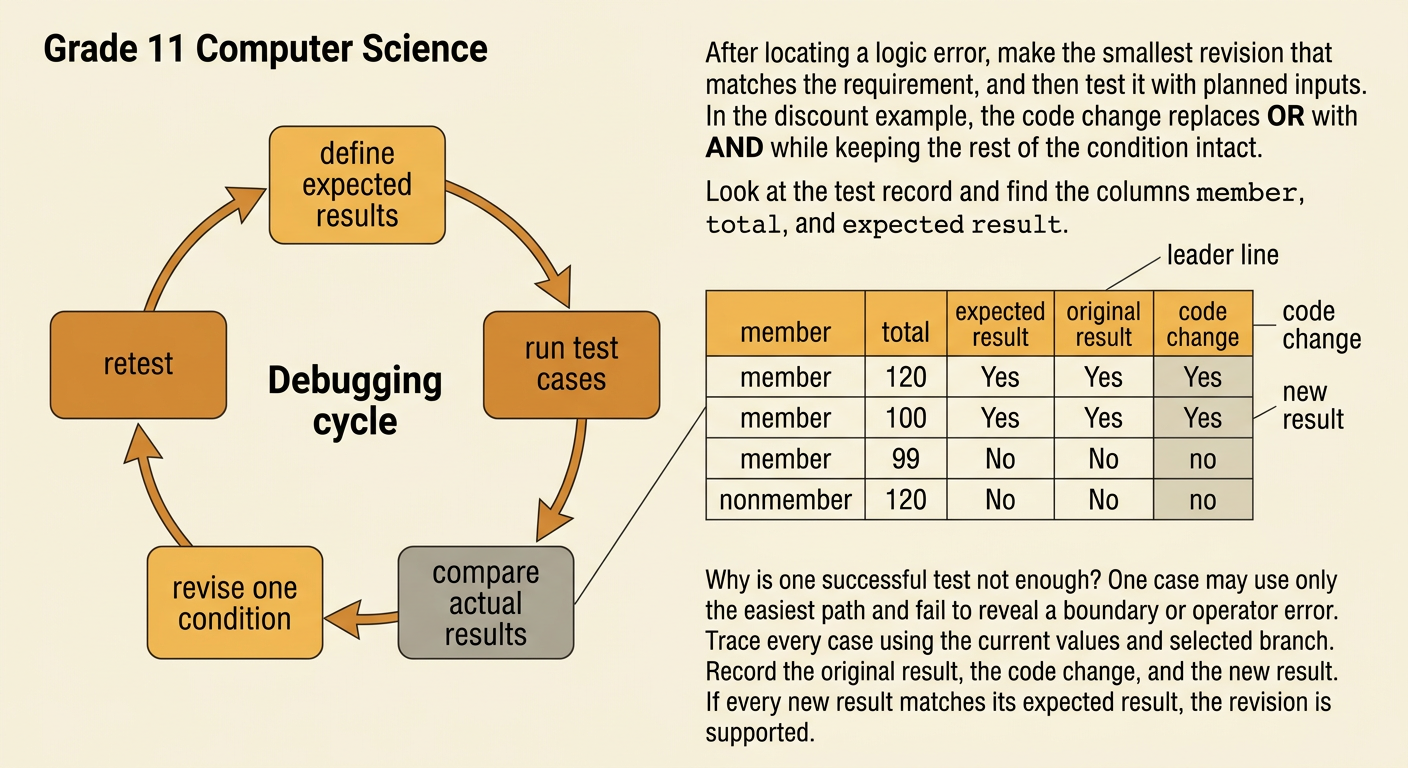
After locating a logic error, make the smallest revision that matches the requirement, then rerun a planned set of tests. For the discount example, replace member OR total >= 100 with member AND total >= 100. Test a member spending $120, a member spending exactly $100, a member spending $99, and a nonmember spending $120. The expected results are yes, yes, no, and no. Trace each case step by step rather than assuming the change works. If the outputs match all expectations, the revision is supported by evidence. If one case fails, inspect the condition, current values, and selected branch again. Keep a record of the original result, the code change, and the new result so another programmer can precisely repeat and evaluate the debugging procedure.