
Tracing Linear and Binary Search Algorithms
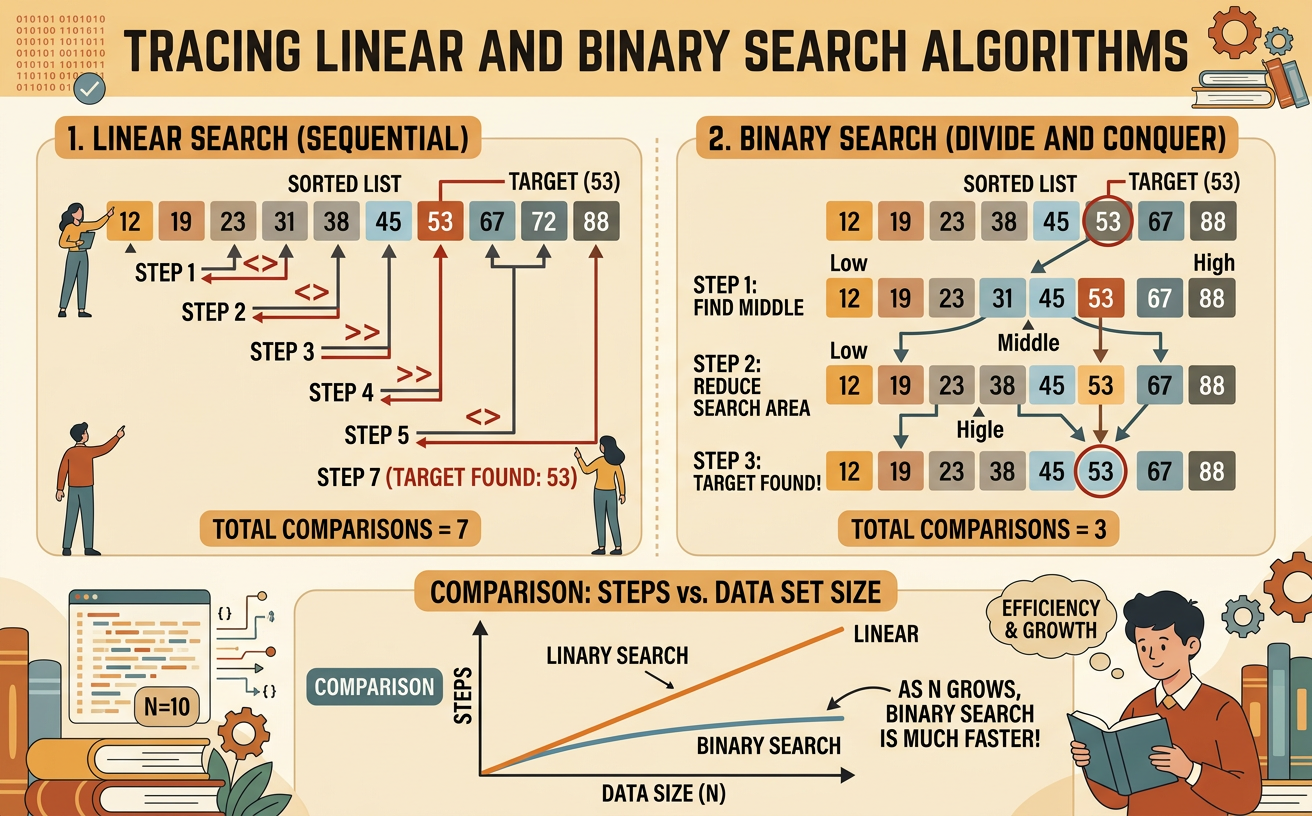
Students trace linear and binary search on sorted data, compare their step counts, and explain why binary search requires fewer comparisons as data sets grow.
Illustrations are auto-generated and may be placeholders. They can be refreshed to match the narration.
The Search Problem
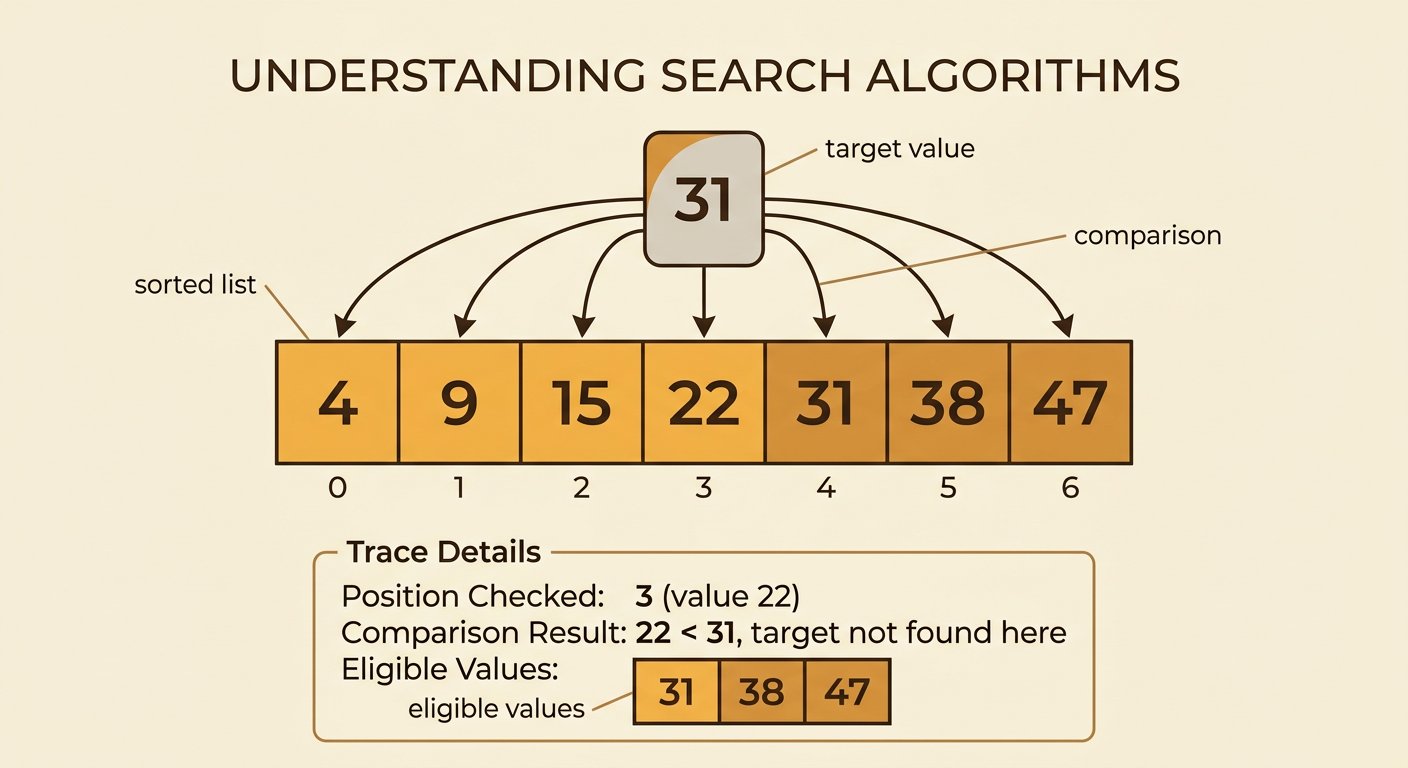
A search algorithm is a precise procedure for finding a target value in a collection of data. Suppose a program must find 31 in the sorted list 4, 9, 15, 22, 31, 38, 47. The algorithm examines list values until it finds 31 or determines that 31 is absent. Each time the algorithm checks the target against a list value, it makes a comparison. The list’s order matters because it affects which procedures are valid. Linear search works with sorted or unsorted data. Binary search requires sorted data because it uses the order to eliminate part of the remaining list. When tracing either algorithm, record the position checked, the value found there, the comparison result, and the values still eligible to contain the target. A successful search returns the target’s position; an unsuccessful search reports that the target is not present.
Tracing Linear Search
Linear search begins at the first value and checks each value in order. To find 31 in 4, 9, 15, 22, 31, 38, 47, first compare 31 with 4. They are not equal, so move to 9. Continue with 15 and then 22. The fifth comparison checks 31, which matches the target, so the search stops and returns its position. The trace is 4, 9, 15, 22, 31, for a total of five comparisons. Do not continue checking 38 or 47 after finding a match unless the task specifically asks for every occurrence. If the target were 50, the algorithm would check all seven values and report that 50 is absent. Linear search is easy to perform, but a target near the end or missing from the list can require examining every item.

Tracing Binary Search
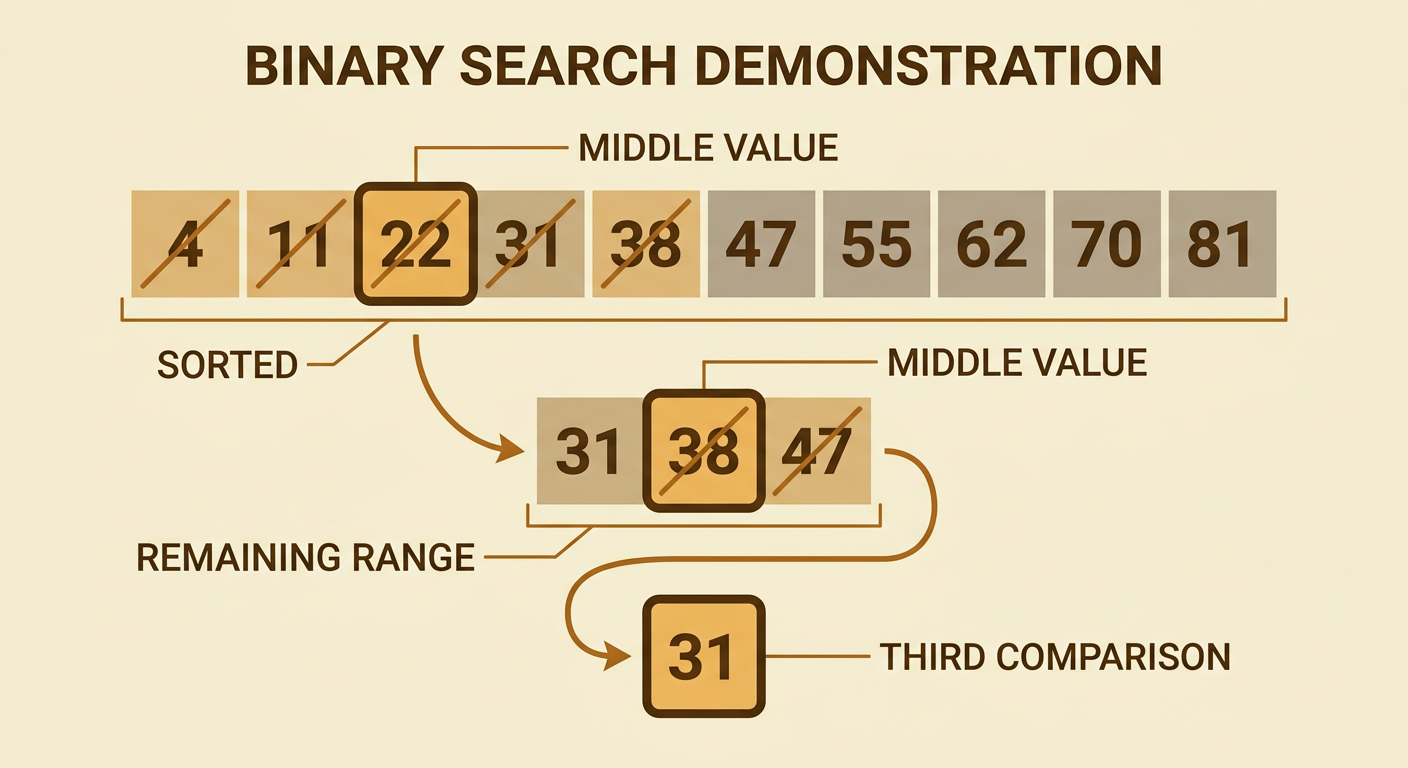
Binary search repeatedly checks the middle value of a sorted search range. Begin with 4, 9, 15, 22, 31, 38, 47 and target 31. The middle value is 22. Because 31 is greater than 22, eliminate 22 and every value to its left. The remaining range is 31, 38, 47. Its middle value is 38. Because 31 is less than 38, eliminate 38 and 47. The only remaining value is 31, which matches on the third comparison. At every step, compare first and eliminate only after using the result. If a range has two middle candidates, consistently choose either the lower or upper middle according to the stated procedure. If elimination leaves no values, report that the target is absent. Binary search is invalid on unsorted data because left and right no longer indicate smaller and larger values reliably.
Counting and Comparing Steps
To compare algorithms fairly, count one step each time the target is compared with a data value. For target 31 in the seven-value list, linear search makes five comparisons: 4, 9, 15, 22, and 31. Binary search makes three comparisons: 22, 38, and 31. The difference becomes more important as the data set grows. In the worst case, linear search through 1,024 values may require 1,024 comparisons. Binary search can reduce 1,024 candidates to 512, 256, 128, and so on until only one remains, requiring at most about 11 target comparisons under a common implementation. Each additional binary-search comparison can roughly halve the remaining candidates. By contrast, each unsuccessful linear-search comparison usually removes only one candidate. Exact counts can vary with list size, target location, middle-selection rule, and whether the final empty range check is counted as a comparison.

Choosing an Efficient Search Algorithm
Choose a search algorithm by considering data order, data size, and how often searches occur. Use linear search when the data is unsorted, the collection is small, or sorting would cost more time than a few searches. For example, finding a student name in an unsorted list of ten recent sign-ins may be simplest with linear search. Use binary search when the data is already sorted and many fast searches are needed. A school library system searching thousands of book identification numbers can benefit from binary search if those numbers are kept in order. Never apply binary search merely because it is usually faster; first verify that the data is sorted by the same key being searched. Also consider updates. If new values are frequently added, maintaining sorted order has a cost. An efficient choice balances preparation work with the number and size of future searches.
