
Tracing Personal Data Through a Web Application
Students trace how a web application collects, processes, stores, and shares personal data, then evaluate privacy protections and design trade-offs.
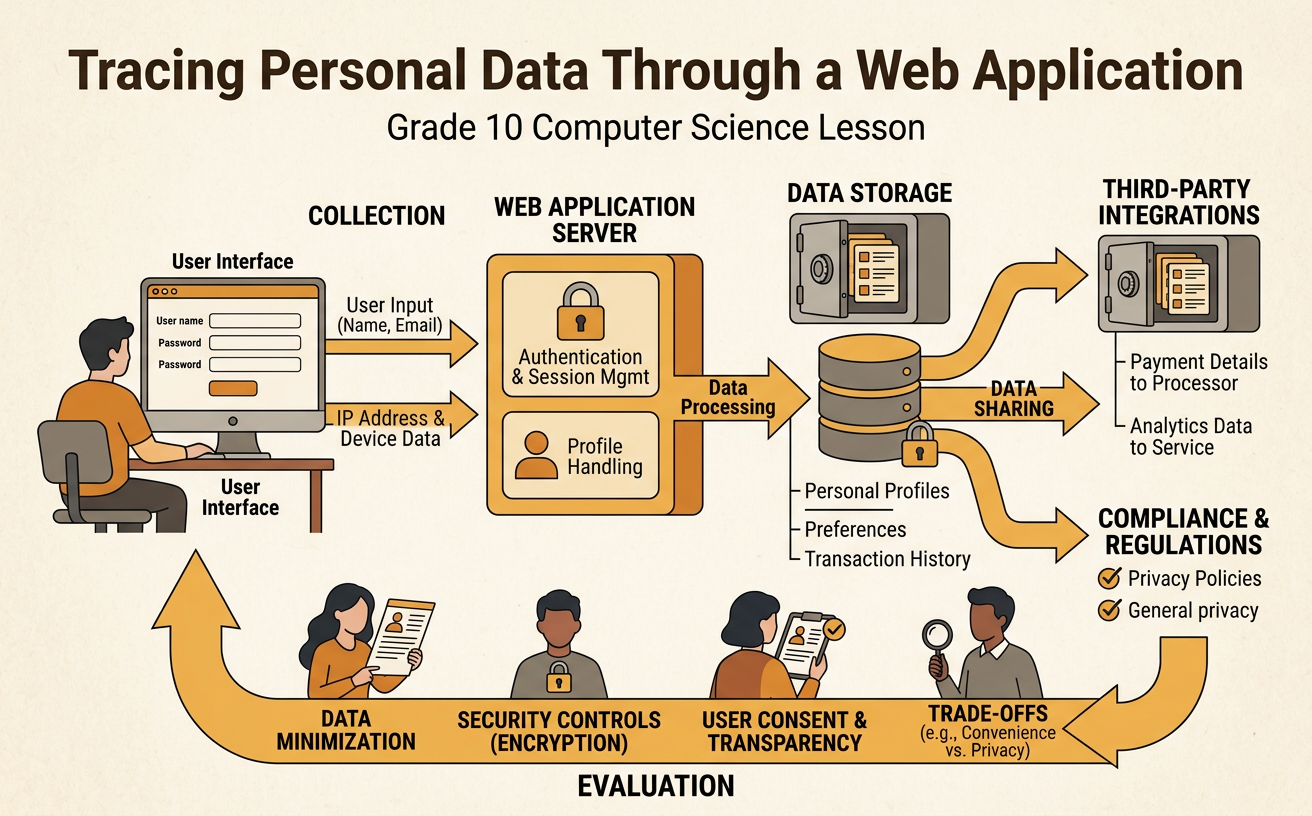
Illustrations are auto-generated and may be placeholders. They can be refreshed to match the narration.
Identify Personal Data
Personal data is information connected to an identifiable person. Some data is provided directly, such as a name, email address, birthday, or profile photo. Other data is collected automatically, including an IP address, device type, location estimate, search history, and the time a page was opened. A single detail may seem harmless, but combined details can reveal identity, habits, or interests. For example, a fitness application may ask a student to enter an email address and daily step goal. It may also record precise location, workout times, and phone identifiers. Begin a data trace by listing each data item and asking why the application needs it. Separate required data from optional data. This distinction helps users and designers recognize when an application collects more information than is necessary for its main purpose.

Map the Data Flow
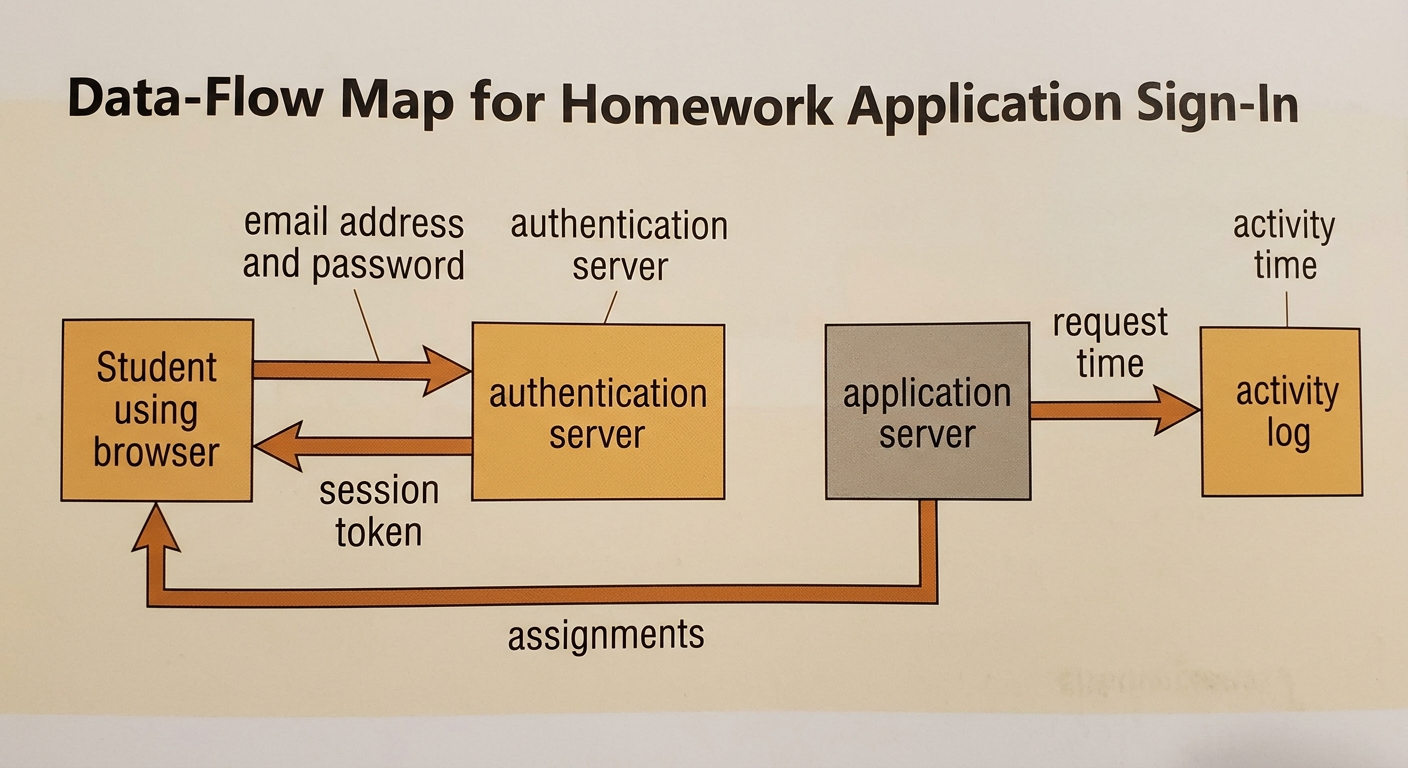
A data-flow map shows where personal data enters a system, how it is processed, and where it goes next. Use boxes for people or system components and arrows for data transfers. Label every arrow with the specific data being moved rather than writing only “data.” For example, when a student signs in to a homework application, the browser sends an email address and password to an authentication server through an encrypted connection. The server checks the credentials and returns a session token. The browser then uses that token to request assignments from the application server. The application may record the request time in an activity log. The map should distinguish a transfer from a process: an arrow represents movement, while a box can represent checking a password, generating a token, or recording an event. This visual can later be translated into a precise written explanation.
Examine Storage and Sharing
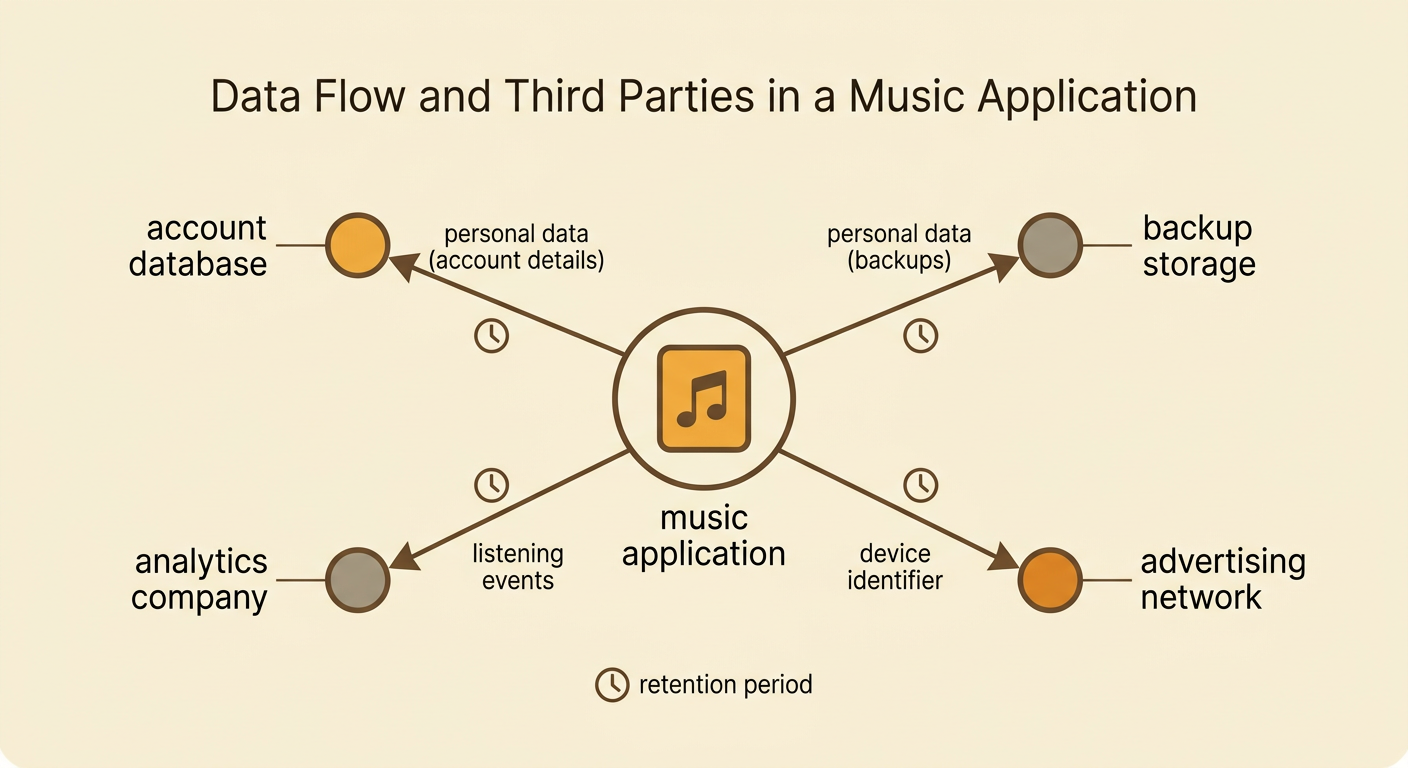
After data is collected and processed, it may be stored temporarily or for a long period. Storage locations can include a browser cookie, an application database, a backup system, or a cloud provider’s servers. A useful trace identifies what is stored, where it is stored, how long it is retained, and who can access it. Applications may also share data with outside organizations called third parties. For example, a music application might store account details in its own database while sending listening events to an analytics company and a device identifier to an advertising network. Sharing can support performance measurement or personalized features, but it can also increase exposure and reduce user control. Privacy policies, data-processing agreements, and applicable laws may limit storage or sharing. However, students should compare written claims with the actual flow map and note any transfer whose purpose or retention period is unclear.
Evaluate Privacy Safeguards
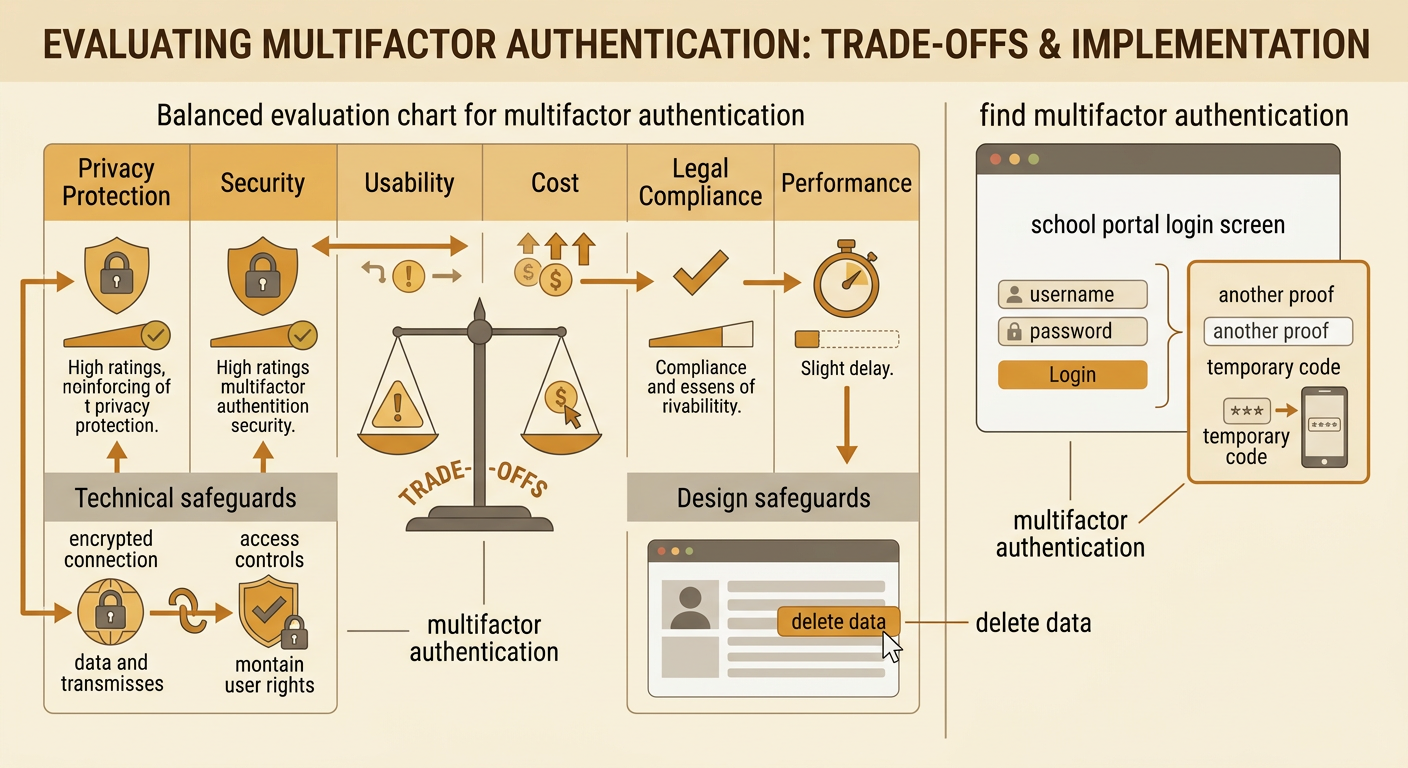
Privacy safeguards reduce the chance that personal data will be misused, exposed, or kept without a valid reason. Technical safeguards include encryption during transfer, encryption in storage, access controls, multifactor authentication, and removal of direct identifiers. Design safeguards include clear consent choices, privacy-friendly default settings, short retention periods, and tools for viewing or deleting data. Evaluate safeguards using prioritized criteria such as privacy protection, security, usability, cost, legal compliance, and application performance. For example, requiring multifactor authentication can protect a school portal account, but it may add time to sign-in and create access problems for students without phones. A strong evaluation explains this trade-off instead of declaring one feature perfect. Laws can establish rights or duties related to notice, access, deletion, or data from minors. People may use complaints, court cases, public comments, or legislative campaigns to enforce or challenge those legal protections.
Recommend a Design Improvement
A design recommendation should address a specific weakness in the data flow and explain why the change is preferable to alternatives. First, identify the highest-priority criterion and relevant constraints. Then propose a change, predict its effects, and acknowledge trade-offs. Suppose a study application stores precise location for one year even though it uses location only to suggest nearby study groups. A strong recommendation is to replace precise coordinates with a broad area, process the location only when the feature is used, and delete the original coordinates immediately. This design reduces the harm of a breach and limits unnecessary tracking. The trade-off is that study-group suggestions may be less exact. Students should support the recommendation with evidence from the flow map, privacy policy, and safeguard evaluation. They should also explain how user controls and legal requirements could influence the design, such as offering opt-in consent and a way to delete stored information.
