
Using Informational Text Features
Students use headings, captions, diagrams, maps, and other text features to locate information and strengthen comprehension.
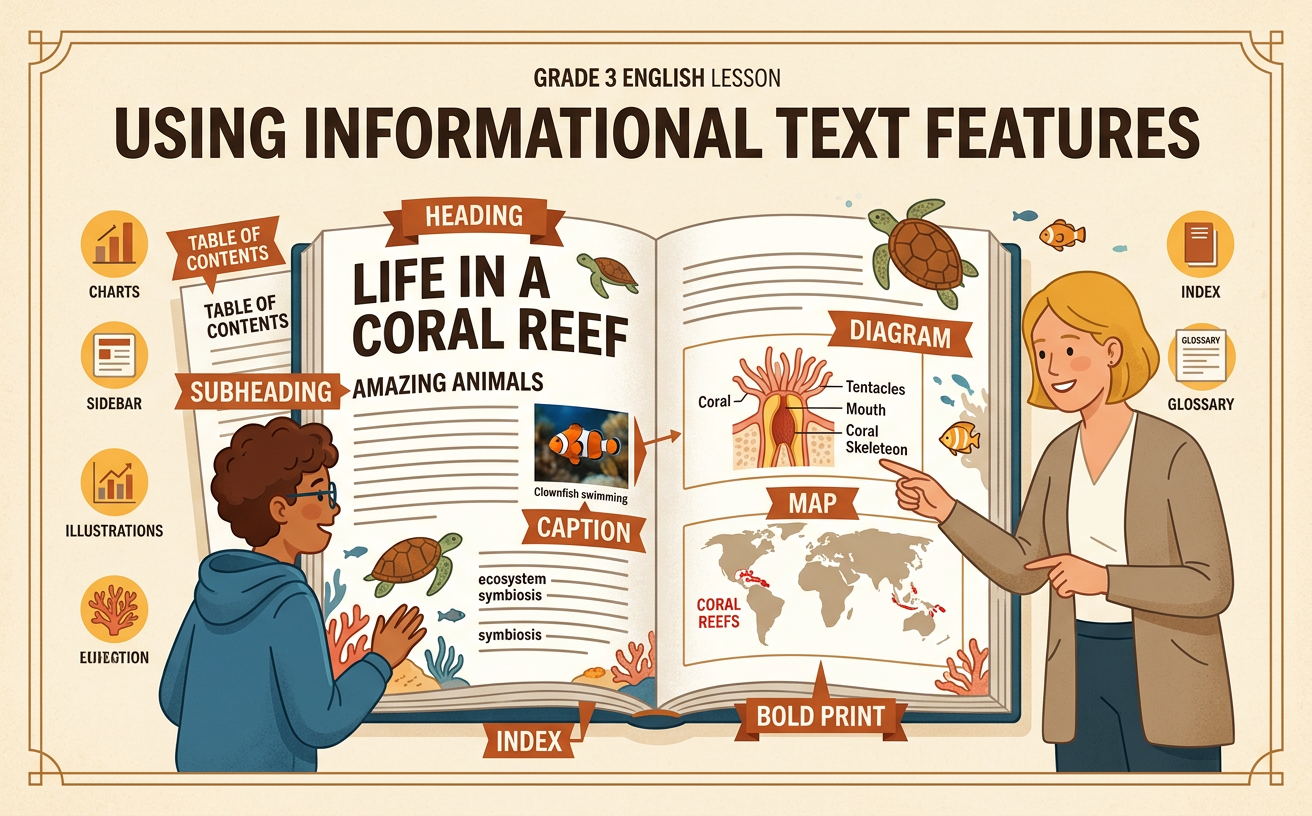
Illustrations are auto-generated and may be placeholders. They can be refreshed to match the narration.
Explore Common Text Features
Informational texts use special features to organize facts and explain ideas. A heading tells what a section is about. Bold print makes important words stand out. A caption explains a photograph or illustration. A diagram shows the parts of something, while a map shows where places are located. A chart organizes information in rows, columns, or other clear forms. For example, a page about honeybees might have the heading “Inside a Hive.” A labeled diagram could identify the queen, worker bees, and honeycomb. Below a photograph, a caption might explain that worker bees gather nectar. Notice how each feature has a purpose. Using these features helps you find information quickly and understand facts that may not be fully explained in the main paragraphs.
Preview the Text
Before reading an informational text, preview its features. Previewing means looking over the text to predict what you will learn. First, read the title and headings. Next, study maps, illustrations, diagrams, and charts. Read their captions and notice words in bold print. You do not need to read every paragraph yet. Suppose an article is titled “Monarchs on the Move.” Its headings are “A Long Journey” and “Resting in Mexico.” A map shows arrows from Canada and the United States to Mexico. From these features, you can predict that the article will explain monarch butterfly migration. Previewing prepares your mind for the details. It also helps you connect new facts to information you already know.
Locate Specific Information
Text features can help you locate a specific fact without rereading an entire text. Begin by identifying key words in your question. Then look for a heading, map, chart, caption, or bold term connected to those words. For example, imagine you need to answer, “How far can a monarch butterfly travel during migration?” Scan the article for a heading about travel or distance. Under the heading “A Long Journey,” a chart may list the distance as up to 3,000 miles. Read the chart title, row labels, and numbers carefully before answering. If the question asks where monarchs spend the winter, study the map and its key instead. Choose the feature that best matches the information you need, and check the nearby text to confirm your answer.
Connect Features to Main Ideas
Text features often support the main idea, which is the most important point an author wants readers to understand. Ask yourself, “What does this feature teach me, and how does it connect to the paragraph?” Imagine a paragraph explaining that monarch butterflies need safe places to rest during their long migration. Next to it, a map marks several stopping places along the migration route. The map supports the main idea by showing that monarchs rest in many locations between Canada and Mexico. A caption under a photograph might explain that monarchs gather on trees to conserve energy. Together, the paragraph, map, and caption provide a clearer understanding than any one part alone. Do not skip text features. Use their information as evidence when you explain the main idea.
Complete a Feature Hunt
A feature hunt is a careful search for text features and the information they provide. Choose an informational page and make a list of the features you find. For each feature, name it, record one fact, and explain how it helps you. On a page about frogs, you might find the heading “From Egg to Adult.” A life cycle diagram could show egg, tadpole, froglet, and adult frog. From the diagram, you learn the order of the frog’s growth stages. A caption might tell you that tadpoles live in water and breathe with gills. A chart could compare the body parts of tadpoles and adult frogs. After the hunt, ask whether the features helped you locate facts, understand the main idea, or picture something clearly. Support each answer with evidence from the page.