Using Text Features to Find Information
Students identify headings, captions, bold words, glossaries, and indexes and use them to locate information efficiently in an informational text.

Illustrations are auto-generated and may be placeholders. They can be refreshed to match the narration.
Explore Common Text Features
Informational texts have special parts called text features. These features help readers find and understand facts quickly. A heading tells the topic of a whole section. A subheading names a smaller part within that section. A caption explains a photograph or drawing. Bold words show important terms. A glossary near the back of a book gives the meanings of special words. An index lists topics in alphabetical order and shows the pages where they appear. Imagine a book about frogs. The heading “A Frog’s Life Cycle” tells what the section covers. The bold word “tadpole” marks an important term, and the glossary explains that a tadpole is a young frog that lives in water. Readers can use these clues instead of searching every sentence.

Match Features to Their Purposes
Each text feature has a job. Match the feature to the kind of help you need. Use a heading or subheading to decide whether a section is about your topic. Read a caption when you want information about a photograph or diagram. Look at bold print to notice an important word. Use the glossary when you need that word’s meaning. Use the index when you need the page number for a topic. For example, suppose you want to know where penguins live. In the index, find “penguins” and follow it to page 18. On that page, the subheading “Where Penguins Live” points to the correct paragraph. A caption under a map may then explain that wild penguins live in the Southern Hemisphere.

Locate Facts in a Short Text
Before reading every word, think about the fact you need. Then scan the text features for clues. Suppose a short article has the heading “Busy Honeybees” and the subheadings “Collecting Nectar” and “Inside the Hive.” The question asks, “What do bees collect from flowers?” The subheading “Collecting Nectar” shows where to look. In that paragraph, the bold word “nectar” stands out. The sentence says, “Worker bees collect sweet nectar from flowers.” You can answer: Bees collect nectar from flowers. If the question asks what a hive is, check the glossary. If it asks where the article discusses queens, check the index. Text features guide your eyes to the best place, so you can locate a fact without reading unrelated parts first.

Explain Which Feature Helped
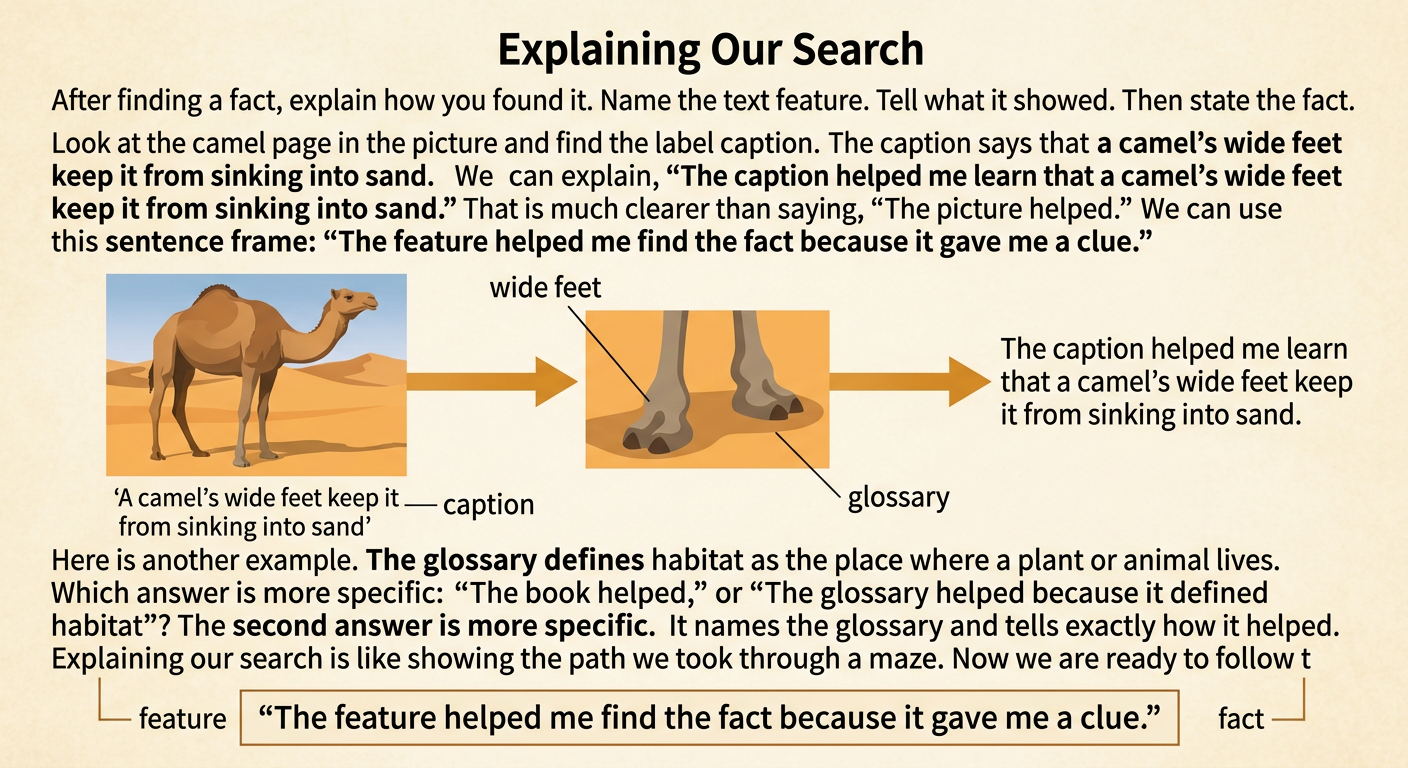
After finding a fact, explain which text feature helped and how it helped. Name the feature, describe what it showed, and state the fact you found. For example, a reader might say, “The caption helped me learn that a camel’s wide feet keep it from sinking into sand.” This answer names the caption and tells what information it provided. Another reader might say, “The glossary helped because it defined habitat as the place where a plant or animal lives.” Avoid saying only, “The picture helped.” Be specific about the feature and the fact. A useful sentence frame is, “The _____ helped me find _____ because _____.” Explaining your search shows that you understand how informational texts are organized.
Complete an Independent Search
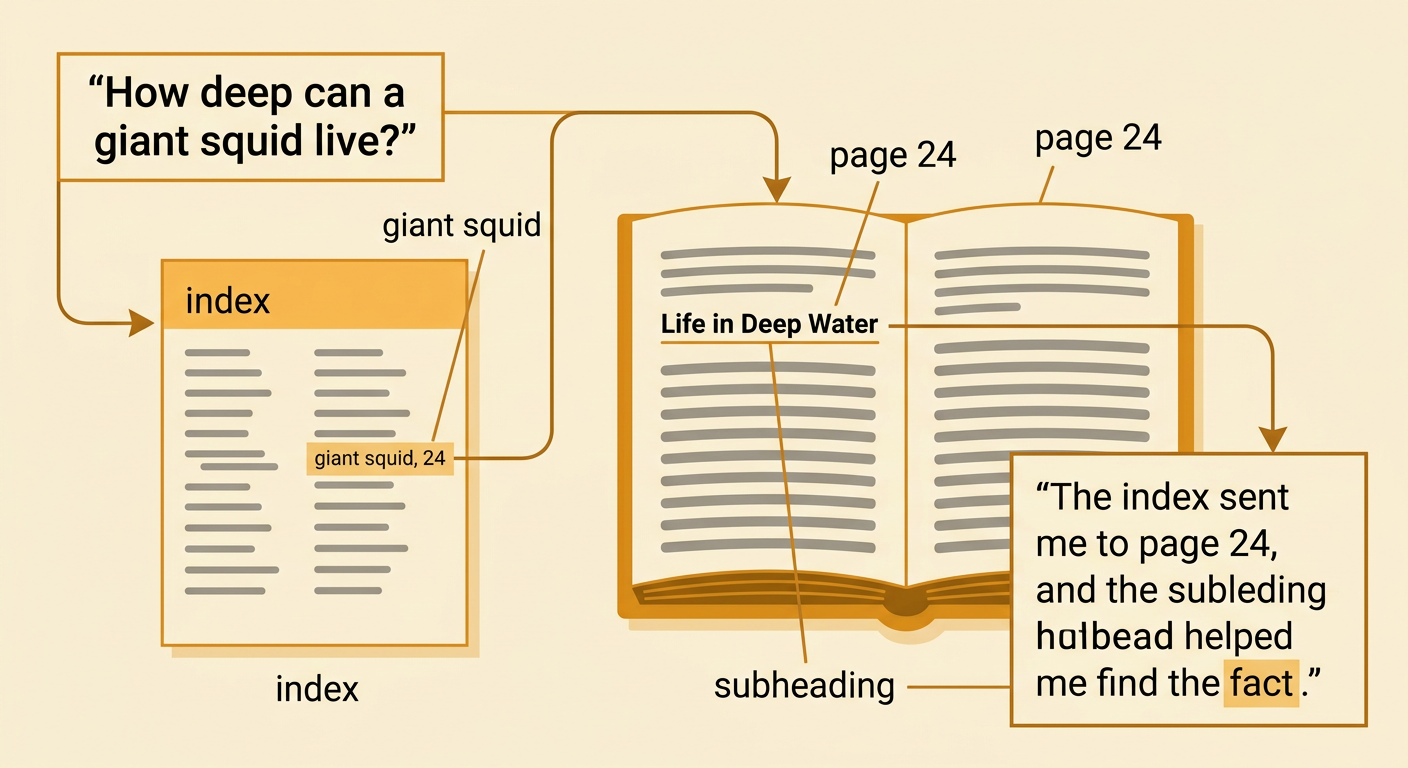
Now try a text-feature search on your own. First, read the question and underline the key topic. Next, preview the headings, subheadings, captions, bold words, glossary, and index. Choose the feature that is most likely to help. Then locate the fact and check that it answers the question. Imagine your question is, “How deep can a giant squid live?” In a book about ocean animals, you might use the index to find “giant squid, 24.” Turn to page 24 and scan for the subheading “Life in Deep Water.” Read that short section to find the depth. Record the answer and explain your method: “The index sent me to page 24, and the subheading helped me find the fact.” Finally, check the text again to make sure your answer is accurate.