
Using Text Features to Navigate Informational Text
Students identify headings, captions, diagrams, glossaries, and other text features and explain how they help readers locate and understand information efficiently.
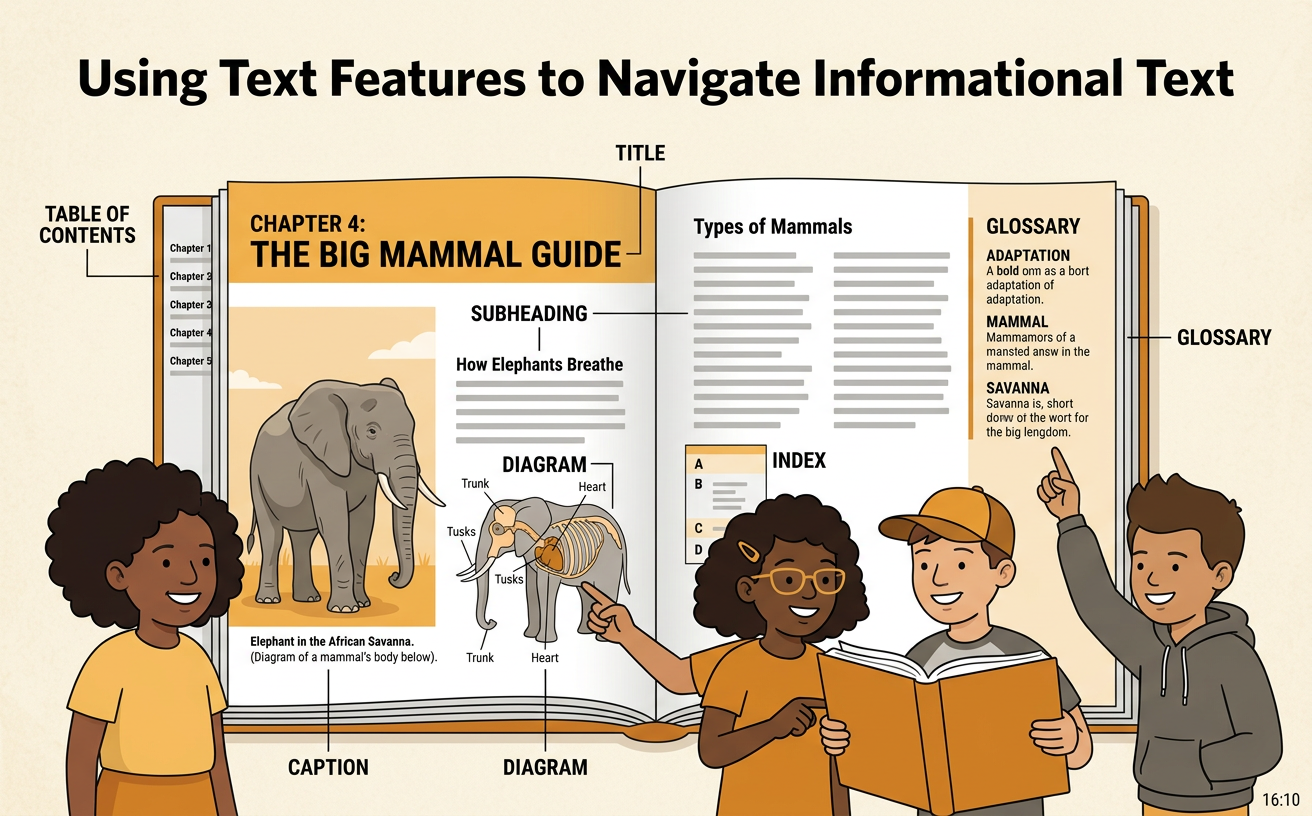
Illustrations are auto-generated and may be placeholders. They can be refreshed to match the narration.
Explore Common Text Features
Informational texts often include features that organize facts and guide readers. A title tells the main topic. Headings name smaller sections. Photographs and diagrams show what something looks like or how it works. Captions explain images. Bold words point out important vocabulary, and a glossary gives the meanings of special words. A table of contents lists sections and page numbers. An index lists topics in alphabetical order. For example, imagine a book called Amazing Frogs. A heading called “Growing Up” helps you find facts about a frog’s life cycle. A diagram may show the stages from egg to adult, while its caption explains the change. Notice these features before reading closely. They give you clues about where information is located and what you will learn.

Match Features to Their Purposes
Each text feature has a job. Match the feature to your reading goal. Use a table of contents to find the beginning page of a chapter. Use headings to choose the section that probably contains your answer. Read a caption when you need an explanation of a picture. Study a diagram to see parts, steps, or changes. Check the glossary when an unfamiliar word needs a definition. A sidebar gives extra facts related to the main text. For example, suppose you want to know what nectar means in a book about bees. The glossary is the best feature because it defines important words. If you want to know where honey is stored, a labeled diagram of a hive may be more helpful. Choosing the right feature saves time and supports understanding.

Locate Information Efficiently
Efficient readers know what they are looking for before they search. First, turn the question into key words. If the question asks, “What do polar bears eat?” the key words are polar bears and eat. Next, scan headings, bold words, the index, or a digital search box for those words or related words such as food or hunting. In a printed book, the index may send you to “Polar bears, diet, page 18.” Online, a hyperlink labeled “Polar Bear Diet” may open the correct section. Then read the nearby sentences to confirm that the information answers your question. Do not read every page from the beginning unless you need to. Search tools, key words, and text features help you reach useful information quickly and accurately.

Explain How Features Support Understanding
Text features do more than help you find facts. They can also make difficult ideas easier to understand. When explaining a feature, name it, tell what information it gives, and describe how that information helps the reader. For example, you might say, “The diagram labels the roots, stem, leaves, and flower. It helps me understand the parts of a plant and where each part is located.” A caption can explain what is happening in a photograph. A timeline can put events in order, and a map can show where places are located. Always connect the feature to the main text. Ask yourself, “What did this feature help me learn that words alone did not show as clearly?” A strong explanation tells both what the feature shows and why it is useful.

Practice with an Informational Text
Imagine reading a page titled “How Beavers Build Dams.” First, preview the heading, diagram, caption, bold words, and sidebar. Suppose the question is, “Why do beavers build dams?” Scan for key words such as build dams, home, and protection. The heading “A Safe Pond” leads to a paragraph explaining that a dam slows moving water and creates a pond where beavers can reach their lodge more safely. A diagram shows branches, mud, the dam, the pond, and the lodge. Its caption explains that water collects behind the dam. A sidebar gives an extra fact about beavers’ strong teeth. The heading and paragraph answer why the dam is built, while the diagram and caption show how it changes the stream. Together, the features help you locate, check, and understand the answer.
