Write, Test, and Debug an Algorithm
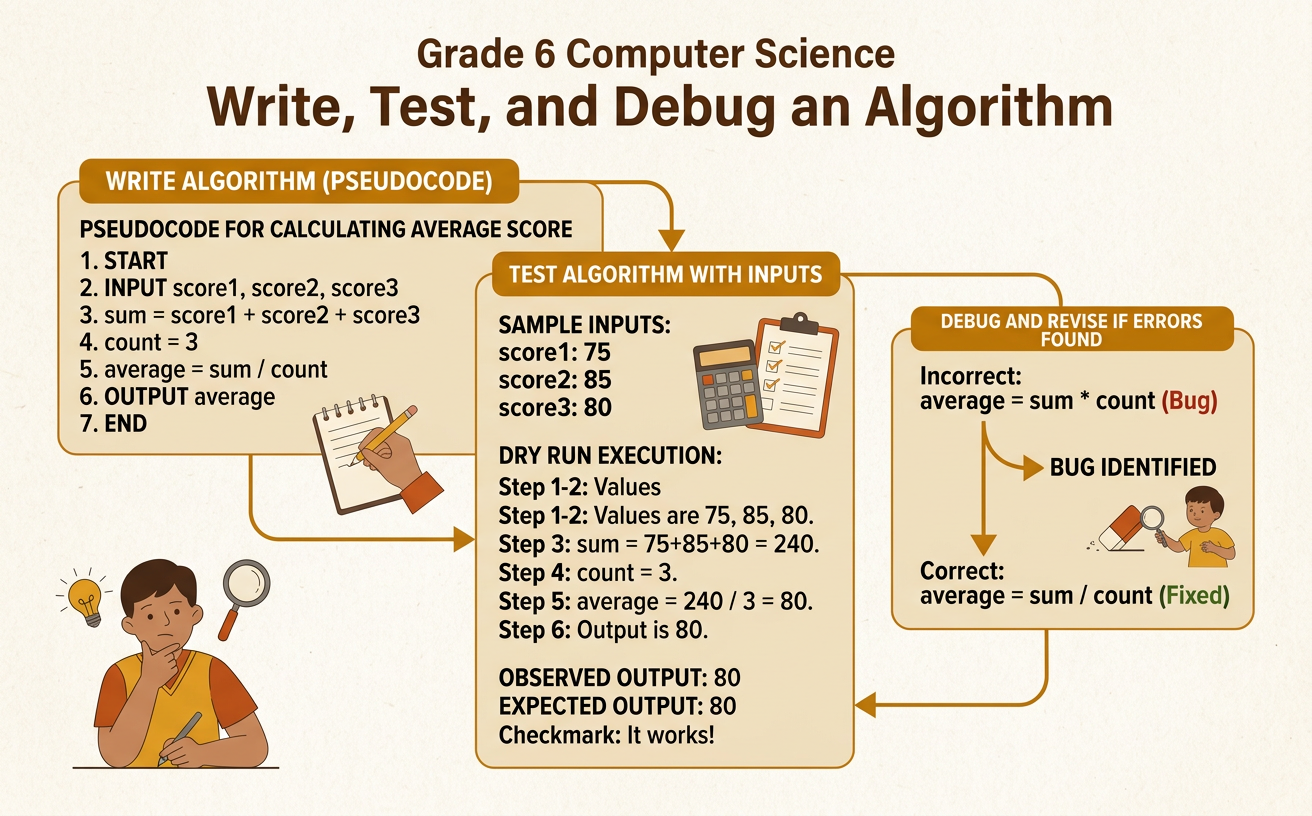
Students write a step-by-step algorithm in pseudocode, test it with sample inputs, and revise errors to produce the intended result.
Illustrations are auto-generated and may be placeholders. They can be refreshed to match the narration.
What Is an Algorithm?
An algorithm is an ordered set of instructions for completing a task or solving a problem. The instructions must be clear enough for another person or a computer to follow precisely. Order matters because changing the sequence can change the result. For example, consider an algorithm for making a cheese sandwich: place one slice of bread on a plate, put cheese on the bread, add the second slice of bread, and cut the sandwich. If the instruction to add cheese comes after the sandwich is cut and served, the result will not be correct. Algorithms can accept inputs, process information, and produce outputs. In this example, the bread and cheese are inputs, the steps are the process, and the finished sandwich is the output.

Sequence and Pseudocode
Sequence is the exact order in which an algorithm’s steps are performed. Computers normally follow instructions from top to bottom unless a step tells them to repeat or make a decision. Pseudocode is a simple way to describe an algorithm using ordinary words and programming-style commands. It does not require the punctuation of a specific programming language. For example, pseudocode for doubling a number could say: INPUT number. SET result TO number times 2. DISPLAY result. If the input is 7, the computer first stores 7, then calculates 14, and finally displays 14. Writing DISPLAY result before calculating result would cause a sequencing error because the value would not yet be ready. Numbered steps and precise action words make pseudocode easier to follow and test.

Write a Simple Algorithm
Begin writing an algorithm by identifying its purpose, inputs, and intended output. Then divide the process into small, precise steps. Suppose the goal is to calculate the total price of several identical notebooks. The inputs are the price of one notebook and the number purchased. The output is the total price. The pseudocode can say: INPUT notebookPrice. INPUT quantity. SET total TO notebookPrice times quantity. DISPLAY total. Each variable has a meaningful name, and each instruction performs one clear action. For example, if one notebook costs 3 dollars and the quantity is 4, the algorithm should display 12 dollars. A vague step such as “figure out the cost” would not explain which operation to use. Precise steps allow someone else to follow the procedure and predict its result.

Test with Sample Inputs
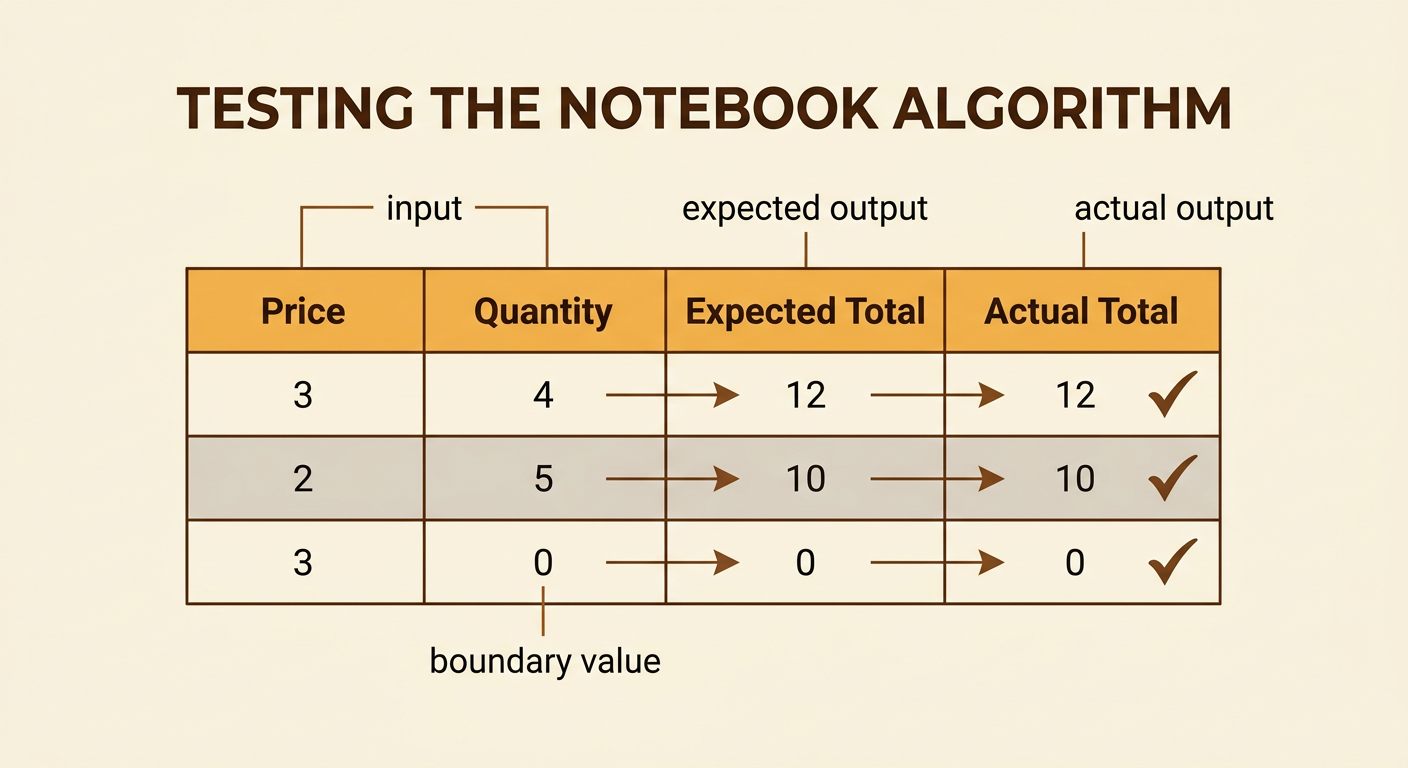
Testing means running an algorithm with selected inputs and comparing the actual output with the expected output. Use more than one test because an algorithm may work in one case but fail in another. Test the notebook algorithm with a sample input of 3 dollars and 4 notebooks. The expected output is 12 dollars. Then test 2 dollars and 5 notebooks; the expected output is 10 dollars. A useful test table records each input, the expected output, and the actual output. Include boundary or unusual values when they are allowed. For example, a quantity of 0 should produce a total of 0 dollars. If all three actual outputs match the expected outputs, the evidence supports the algorithm. Testing cannot prove that every possible case works, but it can reveal errors and guide revisions.
Find and Fix Bugs
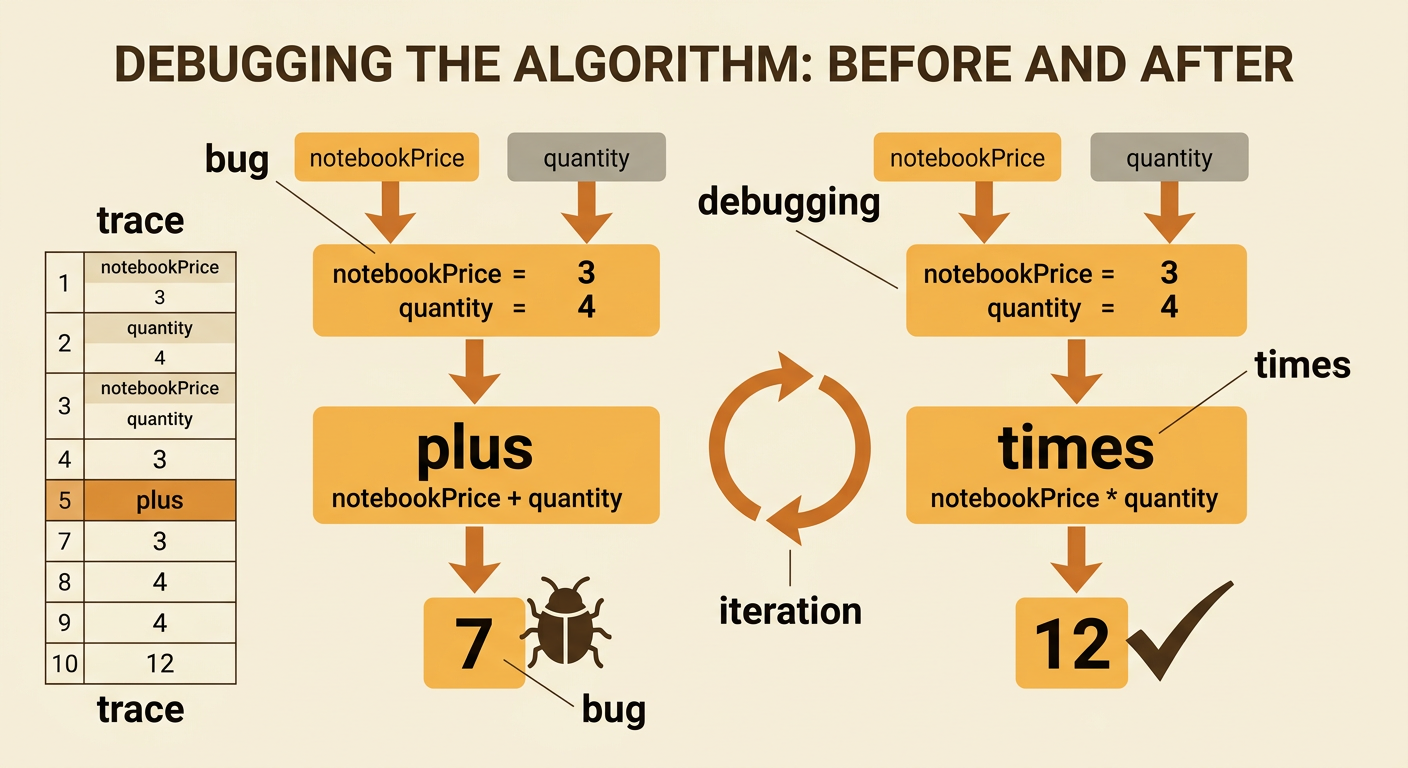
A bug is an error that causes an algorithm to behave differently from its intended purpose. Debugging is the process of finding the cause, revising the instructions, and testing again. Imagine that the notebook algorithm mistakenly says: SET total TO notebookPrice plus quantity. With inputs of 3 dollars and 4 notebooks, it displays 7 instead of the expected 12. Trace the algorithm one step at a time and record each value. The inputs are correct, but the processing step uses addition rather than multiplication. Replace plus with times, then rerun the test. The revised algorithm displays 12. Also retest earlier cases to make sure the change did not create another problem. This repeated cycle of testing and modification is called iteration. Careful debugging focuses on evidence from the test rather than guessing.
Explain the Revision
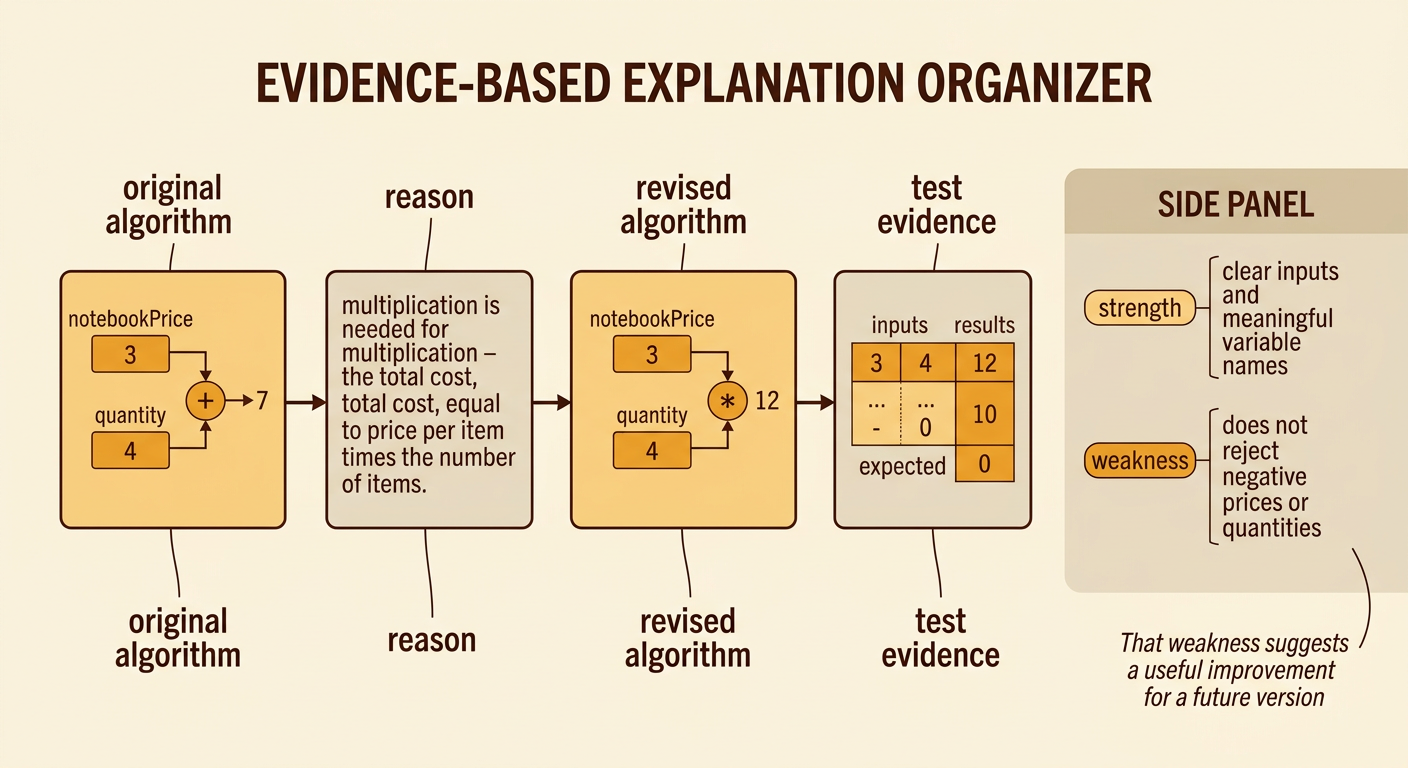
After debugging, explain what failed, why it failed, what changed, and what evidence shows that the revision works. A strong explanation uses correct sequence and specific test results. For example: “The original algorithm added notebookPrice and quantity, so inputs of 3 and 4 produced 7 instead of 12. I changed the operation from addition to multiplication because total cost equals price per item times the number of items. After the revision, the tests produced 12, 10, and 0 as expected.” Also acknowledge strengths and weaknesses. A strength is that the algorithm uses clear inputs and meaningful variable names. A weakness is that it does not yet reject negative prices or quantities, which would be unrealistic. This explanation connects the revision to evidence while identifying a useful improvement for a future version.